
 AsyaTicari
 AsyaRestoran
 AsyaOtel
 AsyaCrm
 AsyaKlinik
 AsyaSpor
 AsyaSSH
 AsyaEmlak
 AsyaFilo
 AsyaPuantaj
 AsyaİSG
 AsyaİHD
 Kolay Öğren
AsyaSSH · Phone
Phone devices
Device cards of the phone repair branch: IMEI, serial no, brand / model and customer contact.
The Phone devices screen is the asset list of the phone repair branch: phones, tablets and similar devices are recorded with IMEI, serial number, brand / model and customer contact details.
asyassh · /
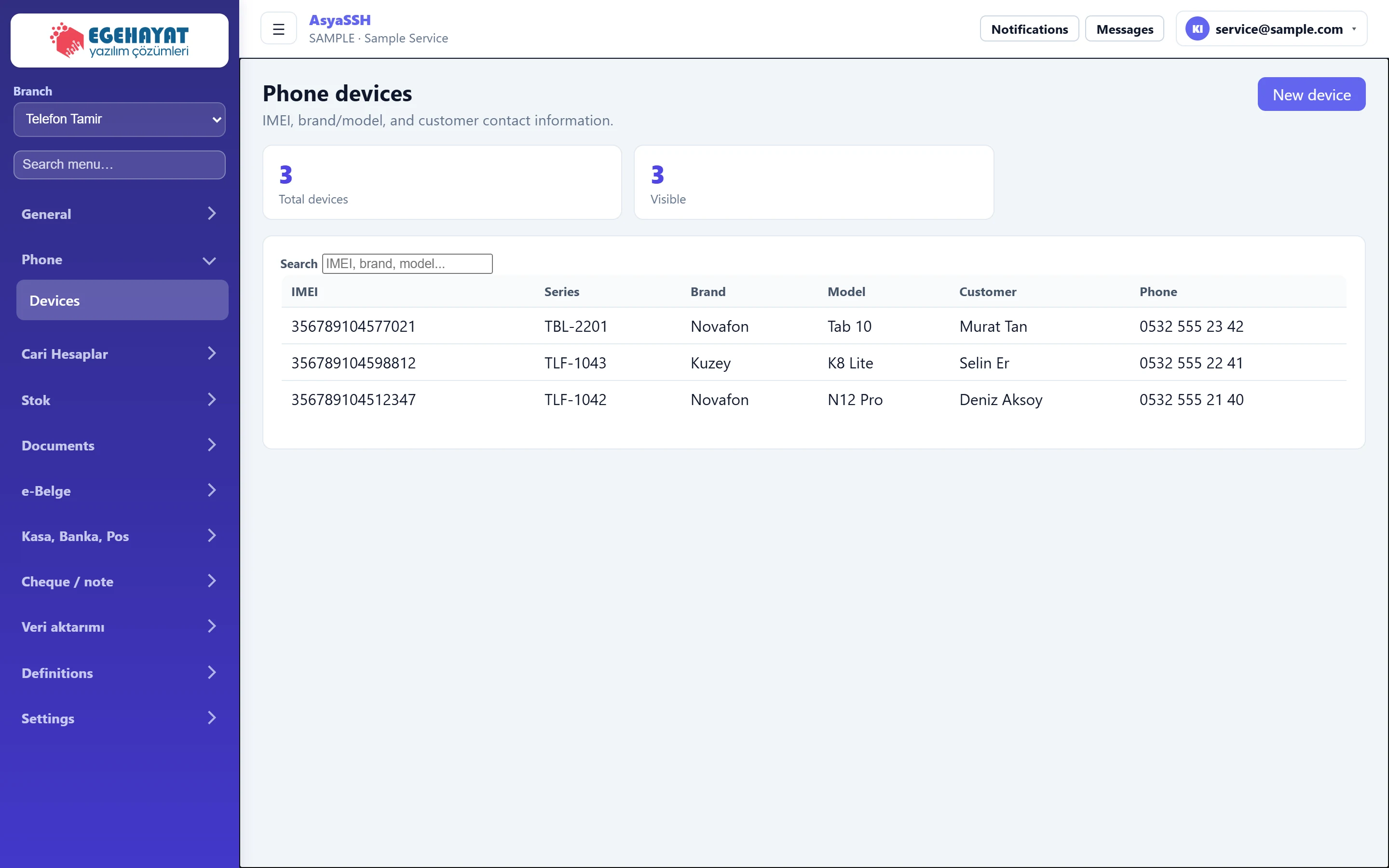
- 1Telefon Tamir Active branch: phone repair.
- 2Phone Menu of the phone branch: Devices.
- 3New device Shows / hides the new device form.
- 43 Number of registered devices.
- 5IMEI, brand, model... Searches by IMEI, serial no, brand, model or customer.
- 6356789104577021 TBL-2201 Novafon Tab 10 Murat T… Device row.
New device
Part of the screenNew device
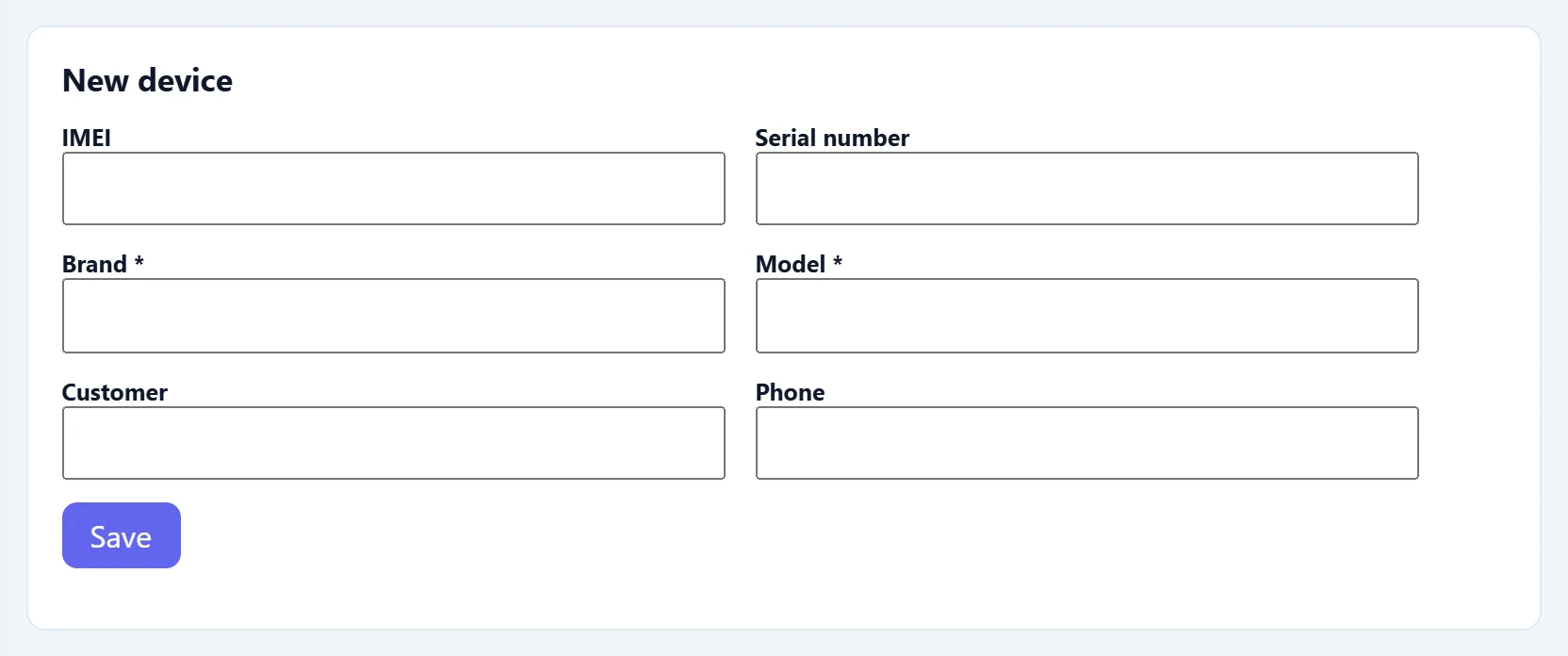
| Field | Sign in | Description |
|---|---|---|
| IMEI | Text | IMEI number of the device. |
| Serial number | Text | Serial number. |
| Brand required | Text | Required. |
| Model required | Text | Required. |
| Customer | Text | Name of the device owner. |
| Phone | Text | Number to reach the customer. |
- Press New device.
- Enter brand and model (required); add IMEI, serial number, customer and phone.
- Press Save. The Search box searches IMEI, serial no, brand, model and customer name.
The screen is only in the menu while this branch is selected. Change the branch with the Branch selector at the top of the left menu; the work order list follows the selected branch too.
Common messages
| Message | Cause | Solution |
|---|---|---|
| Brand and model are required. | Brand or model is empty. | Fill in both fields. |
| No record found. | The server did not accept the record. | Check the data and try again. |
| List could not be retrieved. | The server could not be reached. | Refresh the page. |
| This screen is not enabled in your company. | The branch is not enabled for your company. | Contact AsyaPlatform to assign the branch. |