
 AsyaTicari
 AsyaRestoran
 AsyaOtel
 AsyaCrm
 AsyaKlinik
 AsyaSpor
 AsyaSSH
 AsyaEmlak
 AsyaFilo
 AsyaPuantaj
 AsyaİSG
 AsyaİHD
 Kolay Öğren
AsyaSSH · Generator
Generator units
Units of the generator maintenance branch: name, installation location and installed power (kW).
The Generator units screen is the asset list of the generator maintenance branch: the generators you maintain are recorded with installation location and installed power (kW).
asyassh · /
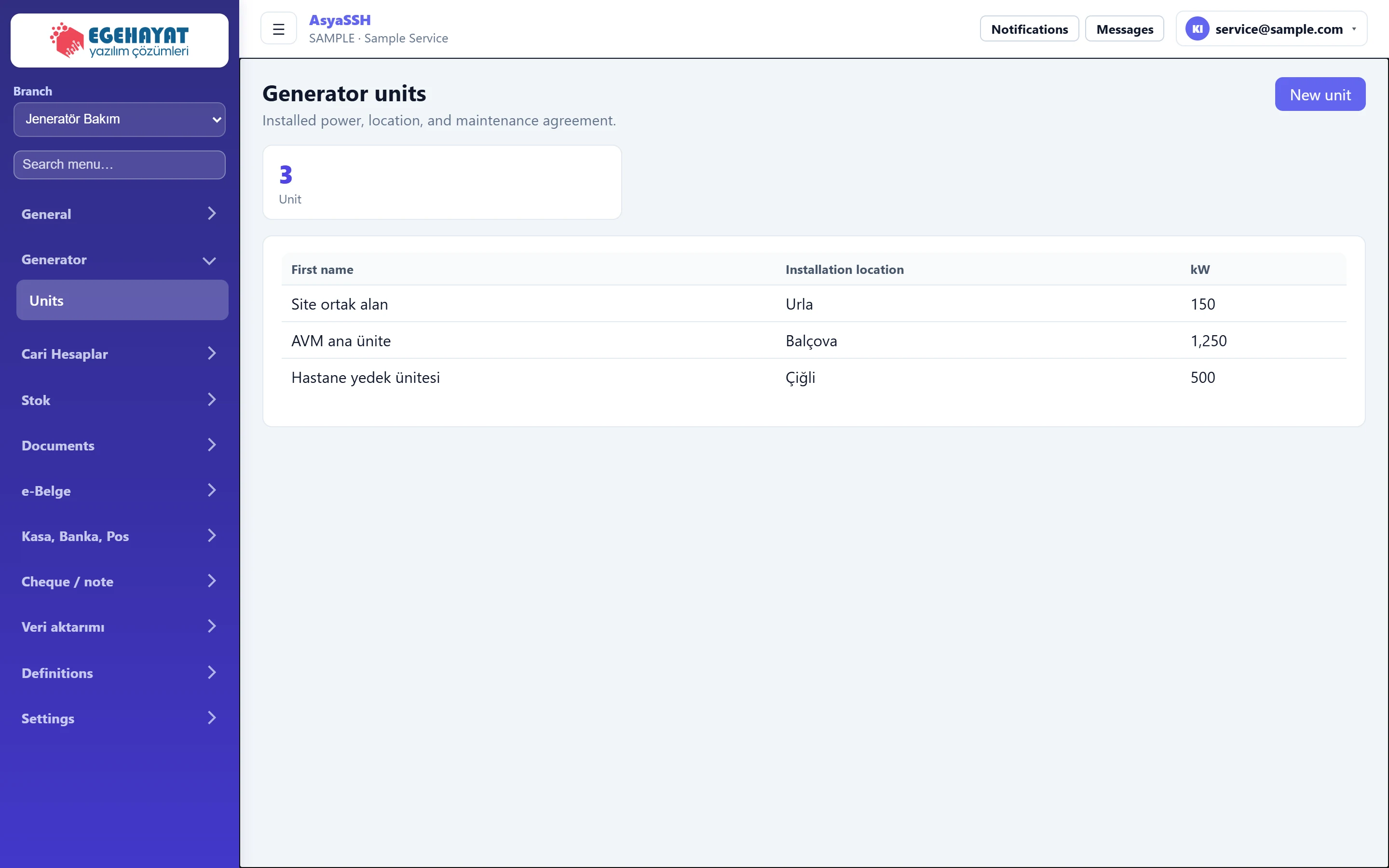
- 1Jeneratör Bakım Active branch: generator maintenance.
- 2Generator Menu of the generator branch: Units.
- 3New unit Shows / hides the new unit form.
- 43 Number of units.
- 5Site ortak alan Urla 150 Name, installation location and power (kW).
New unit
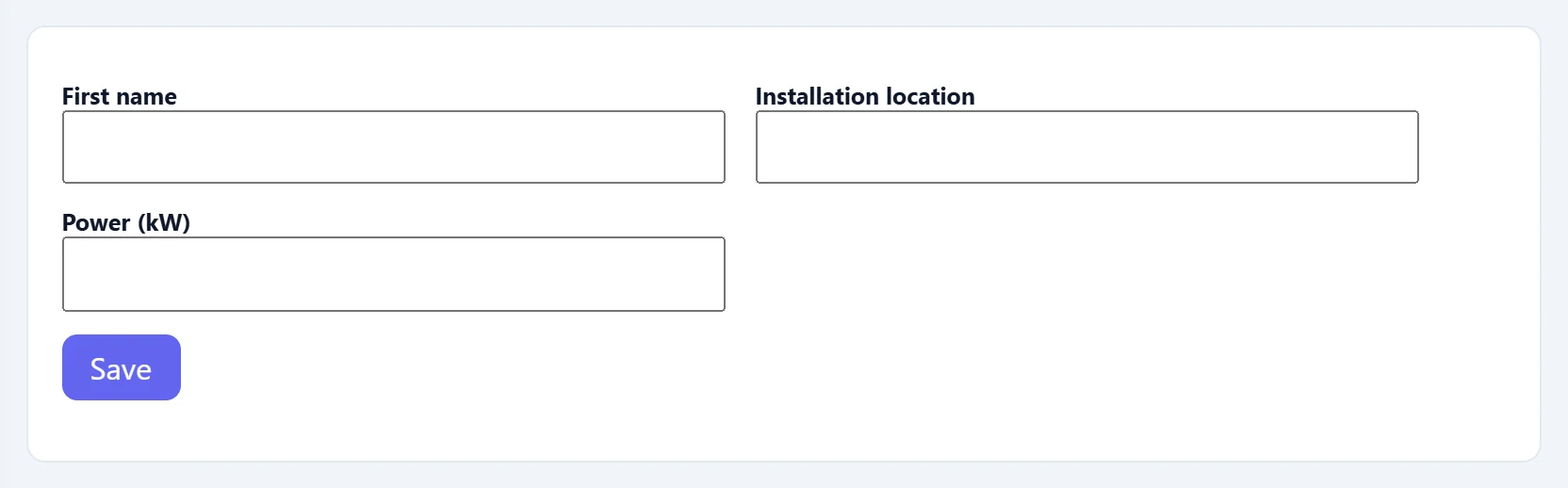
Part of the screenNew unit
| Field | Sign in | Description |
|---|---|---|
| First name | Text | Name of the unit. |
| Installation location | Text | Where the unit is installed. |
| Power (kW) | Text | Installed power in kW (number). |
- Press New unit.
- Enter name, installation location and power (kW). Power must be a number.
- Press Save.
The screen is only in the menu while this branch is selected. Change the branch with the Branch selector at the top of the left menu; the work order list follows the selected branch too.
Common messages
| Message | Cause | Solution |
|---|---|---|
| No record found. | The server did not accept the record. | Check the data and try again. |
| List could not be retrieved. | The server could not be reached. | Refresh the page. |
| This screen is not enabled in your company. | The branch is not enabled for your company. | Contact AsyaPlatform to assign the branch. |