
 AsyaTicari
 AsyaRestoran
 AsyaOtel
 AsyaCrm
 AsyaKlinik
 AsyaSpor
 AsyaSSH
 AsyaEmlak
 AsyaFilo
 AsyaPuantaj
 AsyaİSG
 AsyaİHD
 Kolay Öğren
AsyaSSH · General
Dashboard
Open work orders, today's appointments and SLA overdue counts; service branch selection and quick access.
The Dashboard is the start screen of AsyaSSH. It shows open work orders, today's appointments and jobs whose estimated delivery time has passed. The Branch selector at the top of the left menu sets the service branch you work in.
asyassh · /
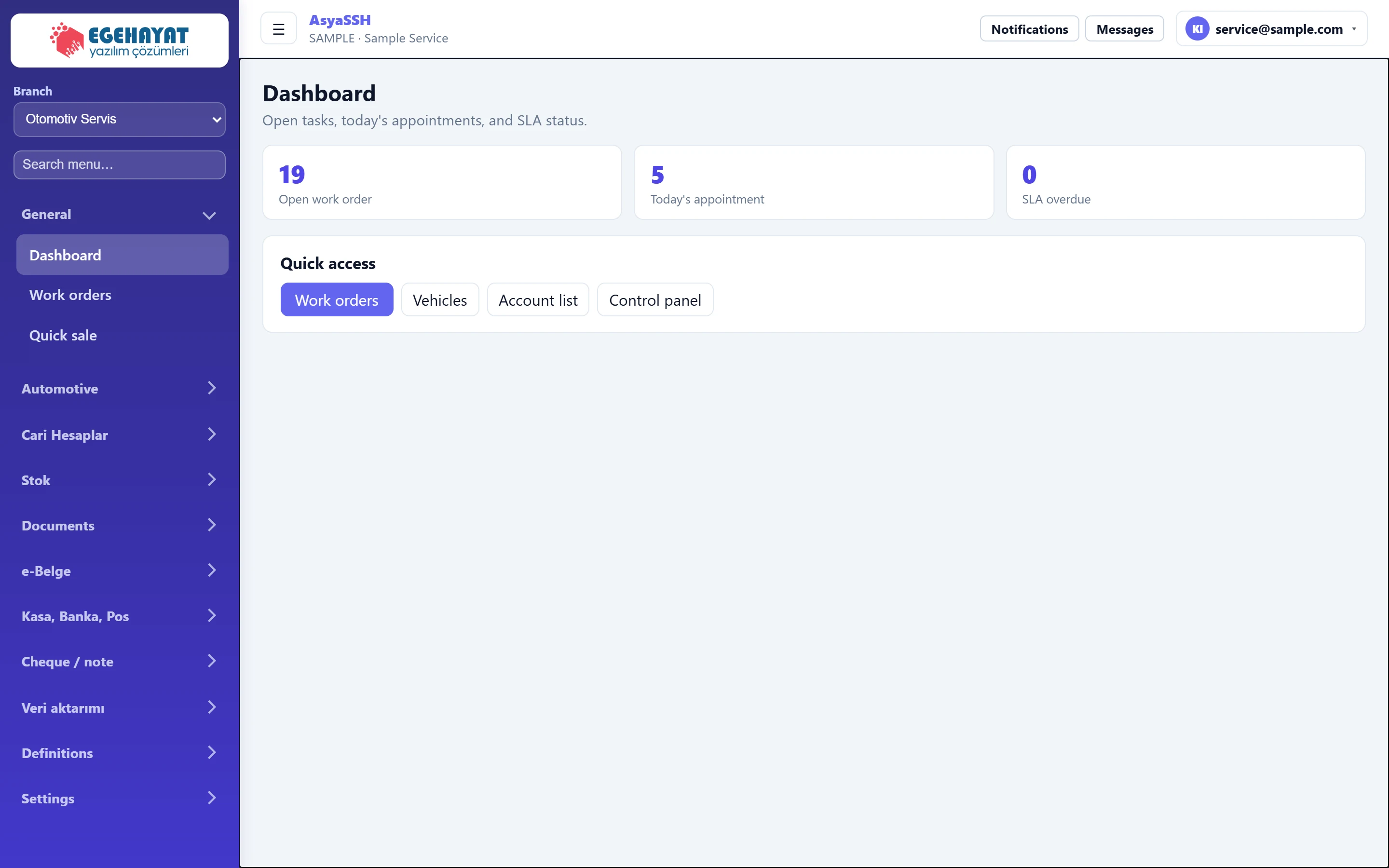
- 1Otomotiv Servis Service branch: the branch menu group, the work order list and quick access follow this branch.
- 2Search menu… Search menu: the menu is filtered as you type.
- 3Automotive Screen of the active branch (Automotive → Vehicles).
- 419 Number of open work orders; click to open the work order list.
- 55 Work orders with an appointment today.
- 60 Unfinished work orders whose estimated delivery time has passed.
- 7Work orders Quick access: work orders, the asset list of the active branch, account list and control panel.
Service branch
AsyaSSH supports five service branches: automotive service, phone repair, white goods / electronics, construction machinery field service and generator maintenance. AsyaPlatform decides which branches are enabled for your company; only enabled branches are listed.
- The branch group in the left menu follows the branch: Automotive → Vehicles, Phone → Devices, Electronics → white goods, Construction machinery → Equipment, Generator → Units.
- The Work orders list only shows work orders of the selected branch.
- The choice is saved for your company; if you change the branch on a branch screen, the new branch's screen opens.
Counters and quick access
- Click Open work order to go to the work order list.
- Today's appointment counts work orders with an appointment today.
- SLA overdue counts unfinished jobs whose estimated delivery time has passed; above zero it is shown in a warning colour.
- Quick access buttons: Work orders, the asset list of the active branch, Account list and Control panel.
The dashboard counts cover all branches of the company; use the counters on the Work orders screen to see one branch.
Common messages
| Message | Cause | Solution |
|---|---|---|
| Summary could not be retrieved. | The server could not be reached. | Refresh the page; check the connection if it persists. |
| This screen is not enabled in your company. | The branch screen is not enabled for your company. | Contact AsyaPlatform to assign the branch. |