
 AsyaTicari
 AsyaRestoran
 AsyaOtel
 AsyaCrm
 AsyaKlinik
 AsyaSpor
 AsyaSSH
 AsyaEmlak
 AsyaFilo
 AsyaPuantaj
 AsyaİSG
 AsyaİHD
 Kolay Öğren
AsyaSSH · Electronics
White goods / electronics
Device records of the white goods / electronics branch: category, brand, model and customer.
The White goods / electronics screen is the asset list of the white goods / electronics branch. Appliances serviced on site, such as washing machines, fridges and televisions, are listed by category, brand and model.
asyassh · /
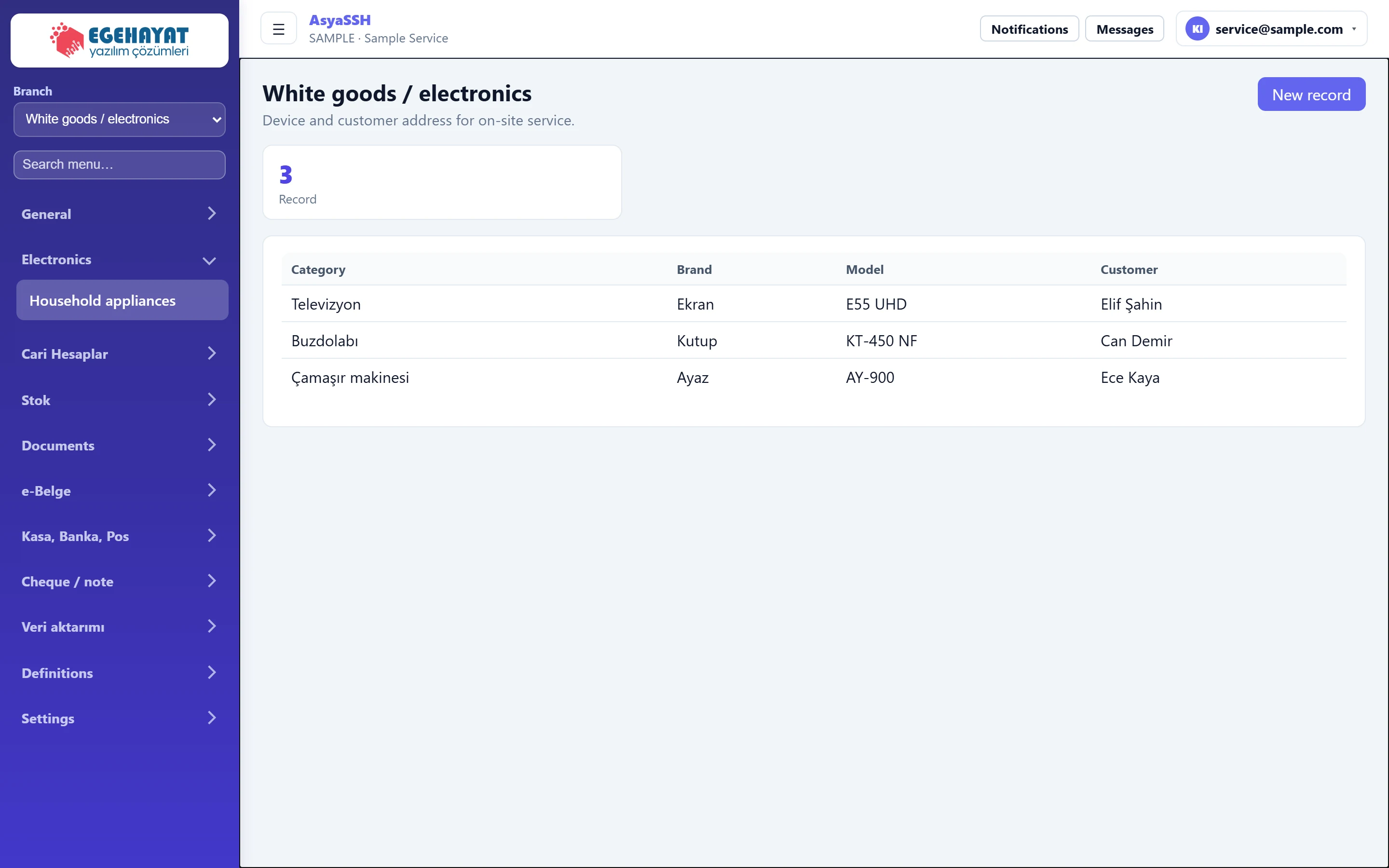
- 1White goods / electronics Active branch: white goods / electronics.
- 2Electronics Menu of the electronics branch: White goods.
- 3New record Shows / hides the new record form.
- 43 Number of records.
- 5Televizyon Ekran E55 UHD Elif Şahin Category, brand, model and customer.
New record
Part of the screenNew record
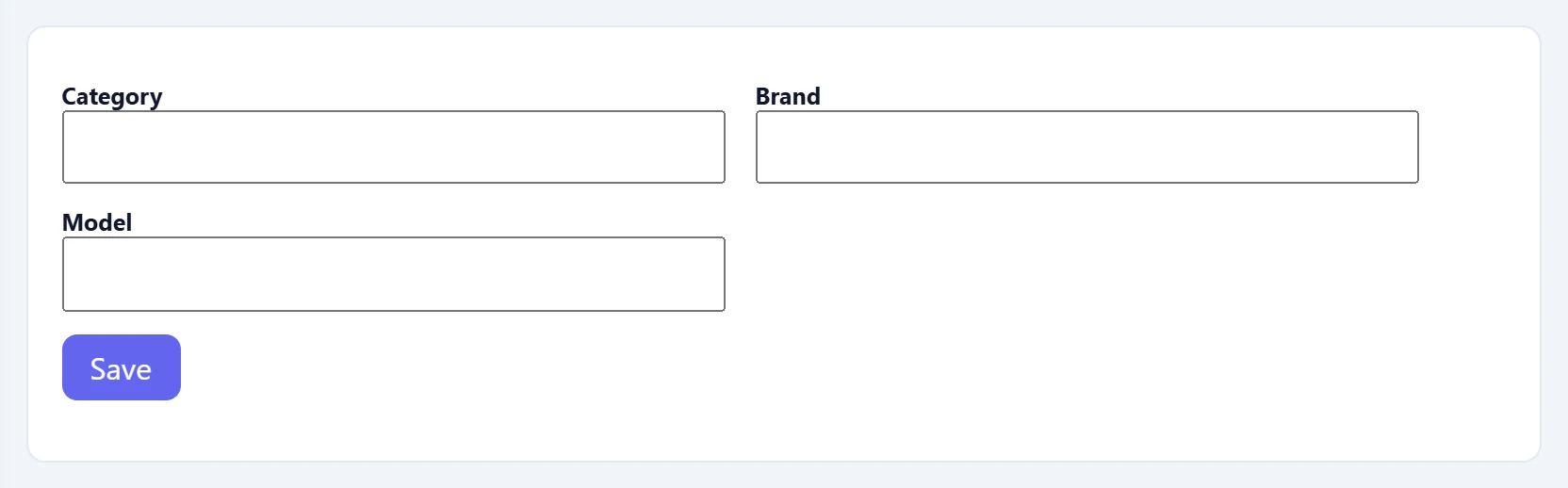
| Field | Sign in | Description |
|---|---|---|
| Category | Text | Device type (washing machine, fridge, television…). |
| Brand | Text | Brand of the device. |
| Model | Text | Model of the device. |
- Press New record.
- Enter category, brand and model.
- Press Save; the record is added to the list.
The screen is only in the menu while this branch is selected. Change the branch with the Branch selector at the top of the left menu; the work order list follows the selected branch too.
Common messages
| Message | Cause | Solution |
|---|---|---|
| No record found. | The server did not accept the record. | Check the data and try again. |
| List could not be retrieved. | The server could not be reached. | Refresh the page. |
| This screen is not enabled in your company. | The branch is not enabled for your company. | Contact AsyaPlatform to assign the branch. |