
 AsyaTicari
 AsyaRestoran
 AsyaOtel
 AsyaCrm
 AsyaKlinik
 AsyaSpor
 AsyaSSH
 AsyaEmlak
 AsyaFilo
 AsyaPuantaj
 AsyaİSG
 AsyaİHD
 Kolay Öğren
AsyaSpor · Club
Training calendar
Training calendar with month, week and list views; scheduling and editing sessions.
The Training calendar shows the sessions of the last 7 days and the next 4 weeks. Time, group, coach, type and training focus are kept in the plan.
asyaspor · /takvim
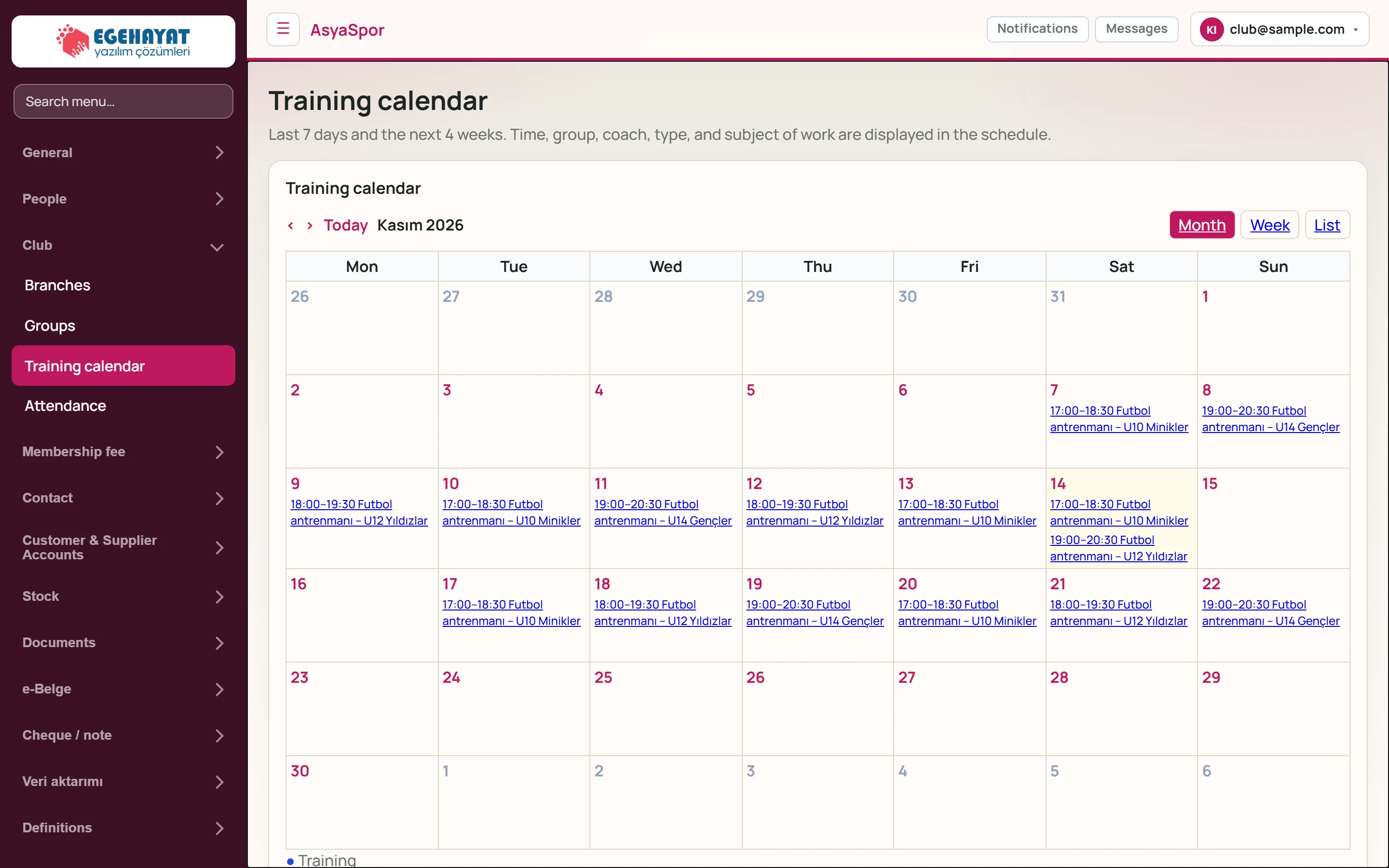
- 1‹ Previous month.
- 2› Next month.
- 3Today Returns to the current month.
- 4Month View: month, week, list.
- 514 Today.
- 617:00–18:30 Futbol antrenmanı – U10 Minikler Session: time and title; click to open it in the edit form.
Week and list view
Week shows the current week, List shows the month's sessions by date. The arrows move to the previous / next week or month, Today returns to today.
Part of the screenWeek view
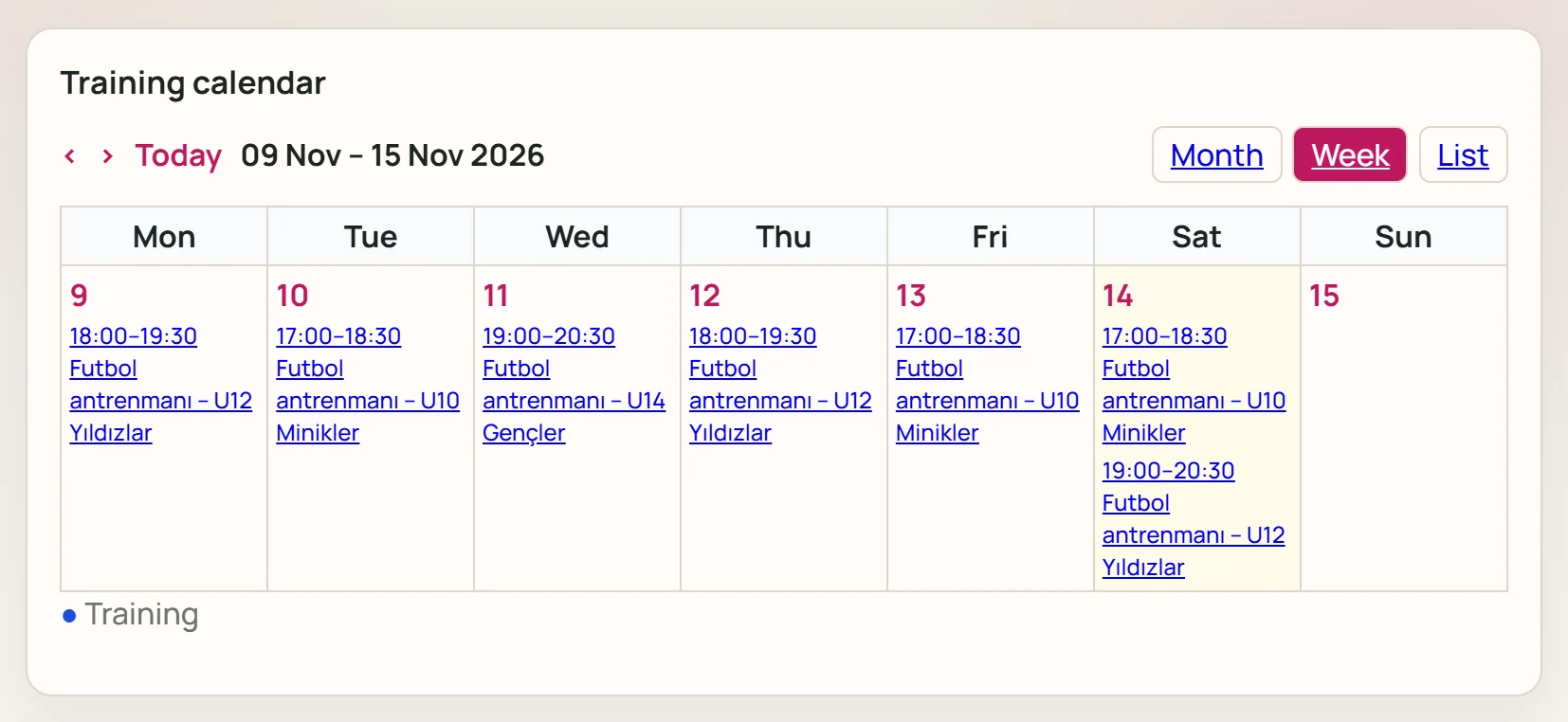
- 1‹ Previous week.
- 2› Next week.
Part of the screenList view
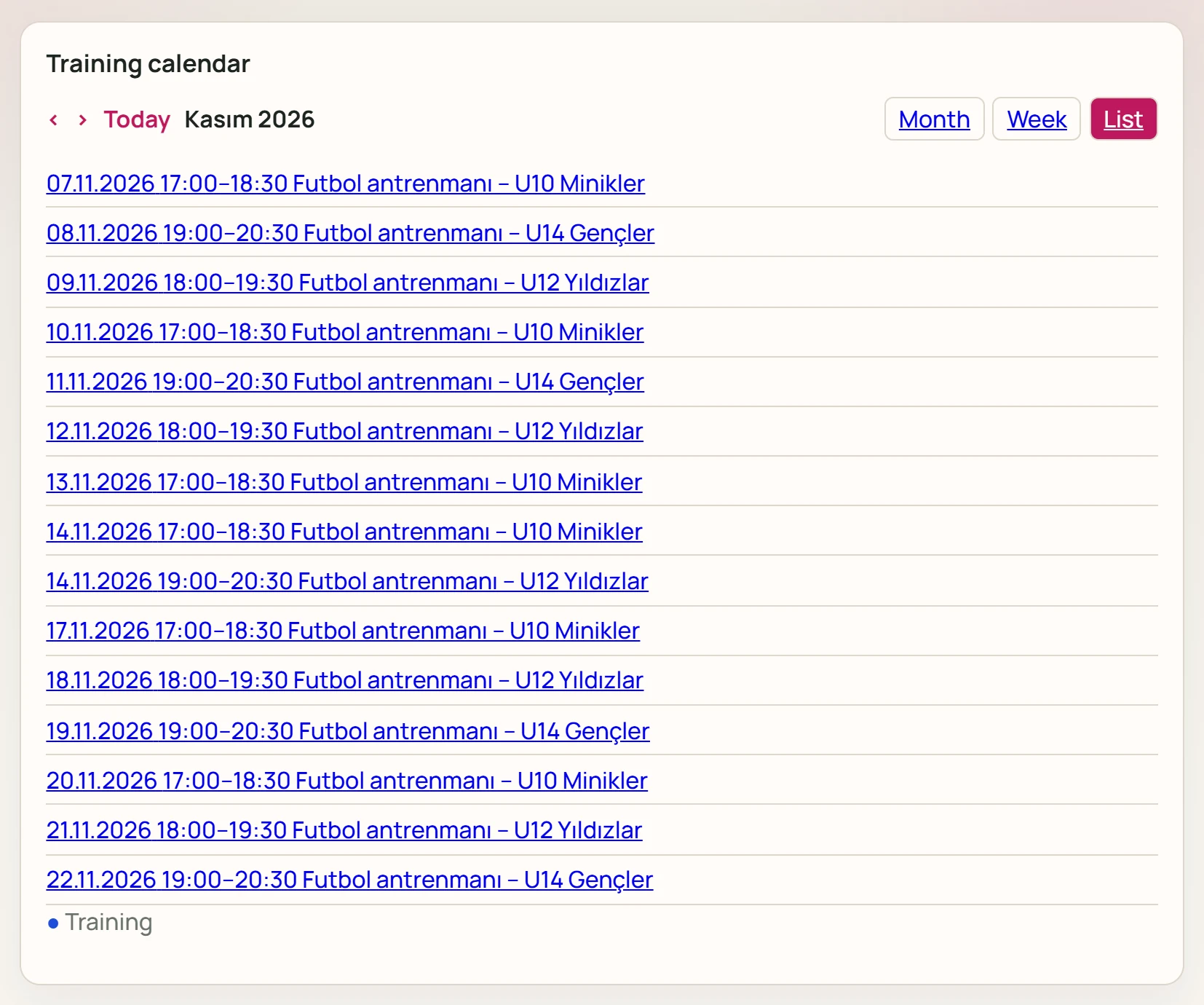
- 107.11.2026 17:00–18:30 Futbol antrenmanı – U10 … The month's sessions in date order.
Schedule training
Part of the screenSchedule training
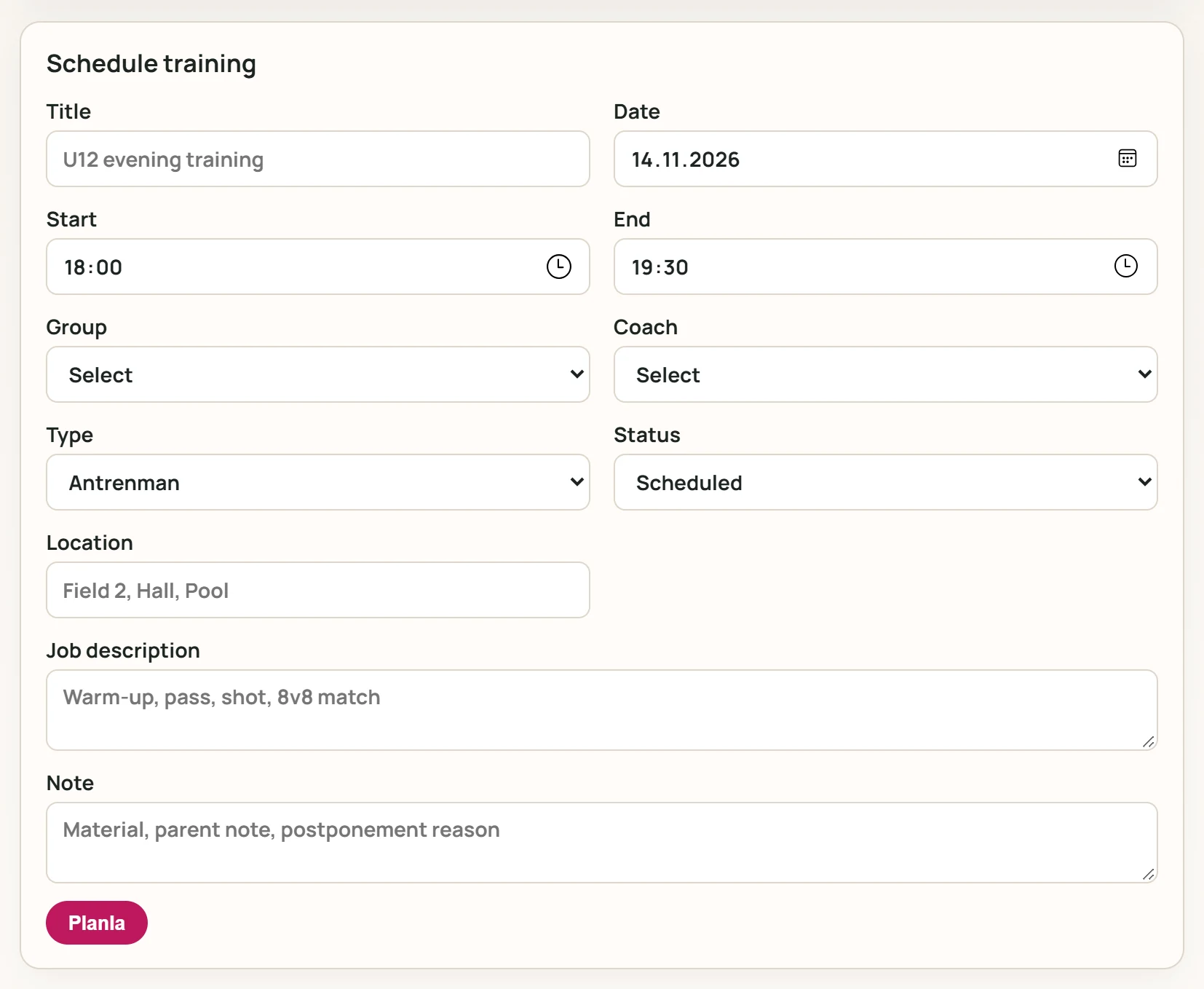
- 1Planla Adds the session to the calendar.
| Field | Sign in | Description |
|---|---|---|
| Title | Text | Name of the session (required). Placeholder: «U12 evening training» |
| Date | Date | Training day (required). |
| Start | Time | Start time (required). |
| End | Time | End time (required); must be after the start. |
| Group | Choice list | Group attending the session (required). Options: Select · U10 Minikler · U12 Yıldızlar · U14 Gençler |
| Coach | Choice list | Coach leading the session. Options: Select · Derya Tuncel · Kaan Erdem · Murat Kılınç · Serkan Aytaç |
| Type | Choice list | Training, match, friendly, tryout, camp, measurement or meeting. Options: Antrenman · Match · Practice match · Select · Kamp · Measurement · Meeting |
| Status | Choice list | Scheduled, done, postponed or cancelled. Options: Scheduled · Completed · Ertelendi · Cancel |
| Location | Text | Name of the pitch, hall or pool. Placeholder: «Field 2, Hall, Pool» |
| Job description | Long text | Topics worked on in the session. Placeholder: «Warm-up, pass, shot, 8v8 match» |
| Note | Long text | Equipment, parent note or reason for postponement. Placeholder: «Material, parent note, postponement reason» |
- Title, Date, Start, End and Group are required. A new session starts with today's date and 18:00–19:30.
- Choose coach, type and status; enter location, training focus and note.
- Press the save button; the session appears in the calendar.
Edit training
Clicking a session in the calendar opens it in the form.
Part of the screenEdit training
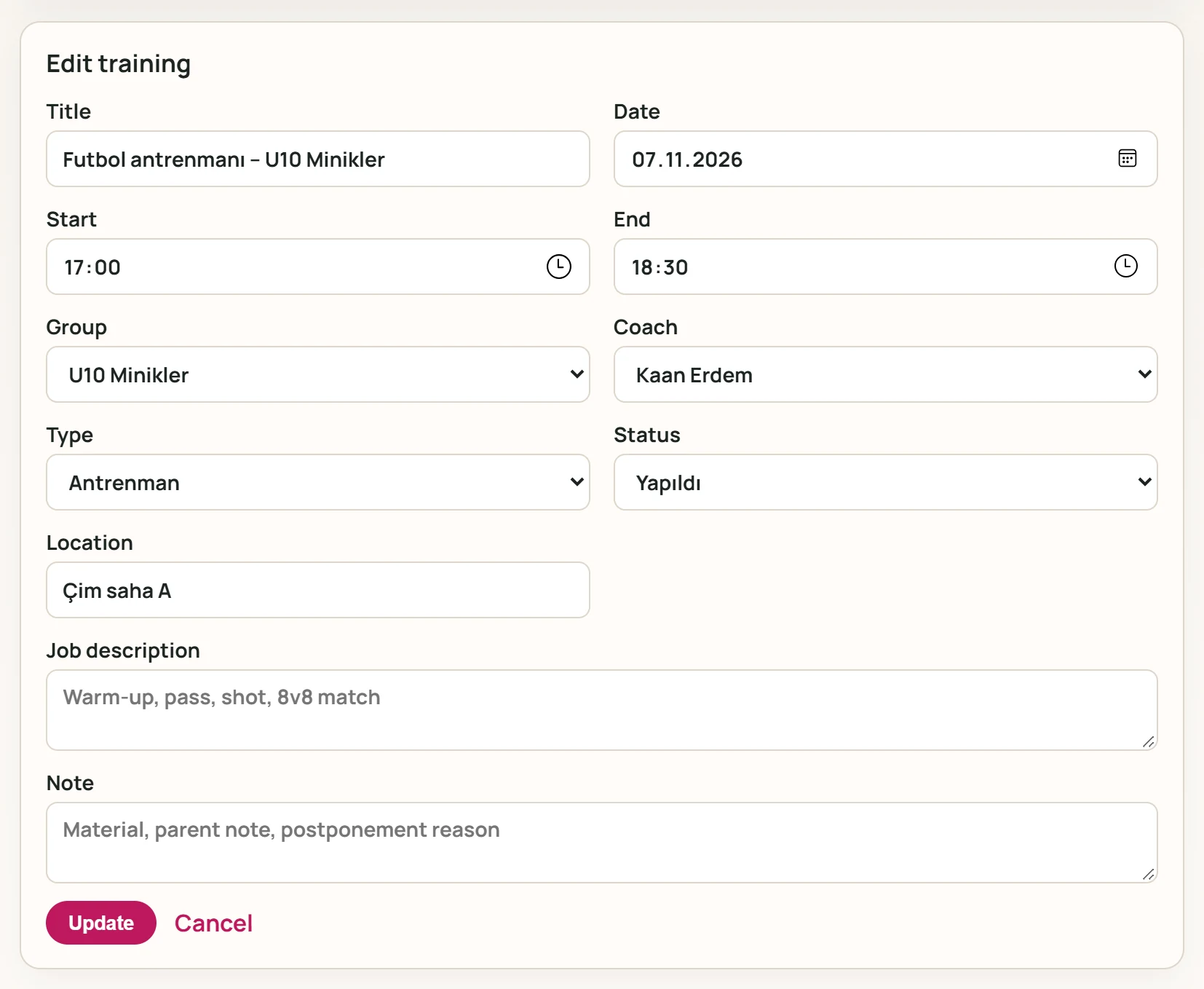
- 1Update Saves the changes.
- 2Cancel Leaves edit mode.
Close a session by setting its status to done, postponed or cancelled. Update saves, Cancel leaves edit mode.
Common messages
| Message | Cause | Solution |
|---|---|---|
| Plan could not be created. Title, group, date, and end time (after start time) are required. | A required field is empty or the end time is before the start. | Fill in the fields and set the end after the start. |