
 AsyaTicari
 AsyaRestoran
 AsyaOtel
 AsyaCrm
 AsyaKlinik
 AsyaSpor
 AsyaSSH
 AsyaEmlak
 AsyaFilo
 AsyaPuantaj
 AsyaİSG
 AsyaİHD
 Kolay Öğren
AsyaSpor · People
Athletes
Athlete list; branch, jersey, date of birth, licence and adding / editing athletes.
The Athletes screen lists the club's active athletes. Branch, jersey number, date of birth and licence number are kept in the club record. A sign-in account for the mobile app is opened for each athlete.
asyaspor · /sporcular
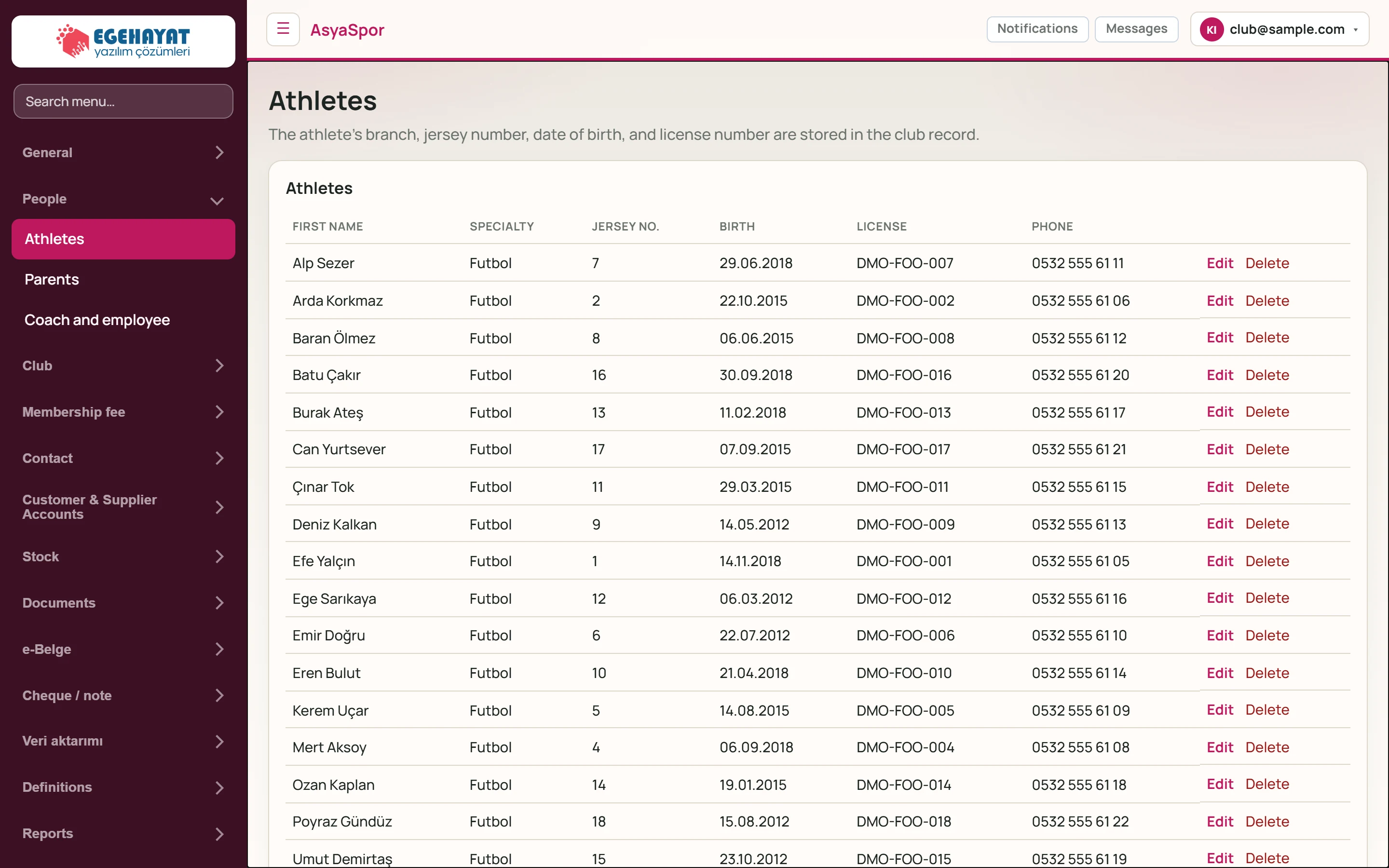
- 1The athlete's branch, jersey number, date of bi… Short description of the screen.
- 2Alp Sezer Futbol 7 29.06.2018 DMO-FOO-007 0532 … Record row.
- 3Edit Opens the record for editing in the form below.
- 4Delete Deletes the record (asks for confirmation).
Add athlete
The Add athlete form below the list saves a new athlete.
Part of the screenAdd athlete
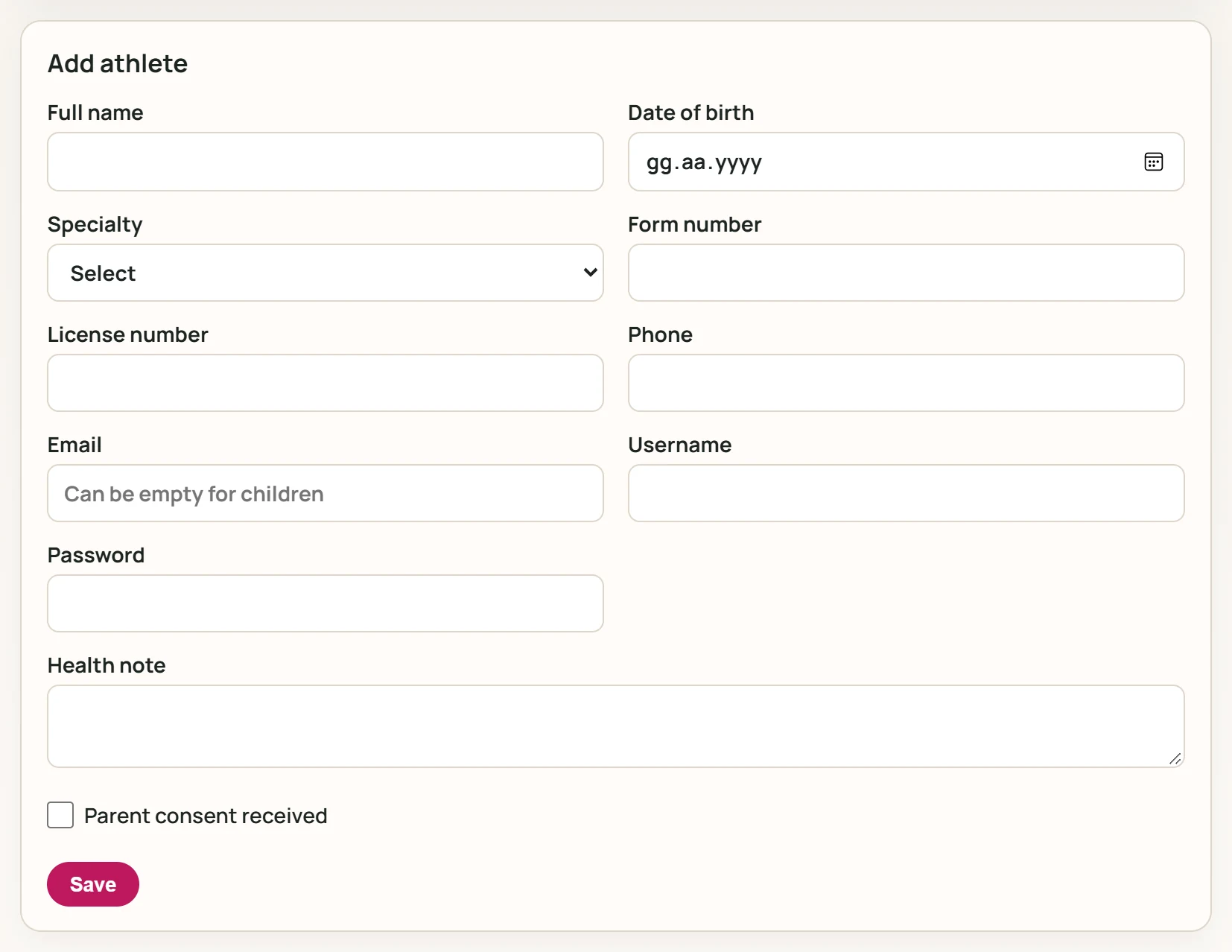
- 1Save Saves the athlete; a sign-in account is also opened.
| Field | Sign in | Description |
|---|---|---|
| Full name | Text | First and last name of the person (required). |
| Date of birth | Date | Athlete's date of birth. |
| Specialty | Choice list | Athlete's main branch. Options: Select · Futbol |
| Form number | Text | Jersey number. |
| License number | Text | Federation licence number. |
| Phone | Text | Mobile phone; SMS and messages go to this number. |
| Sign-in and notification email; may stay empty for a child athlete. Placeholder: «Can be empty for children» | ||
| Username | Text | Username for the mobile app; when editing, type to change it. |
| Password | Text | Mobile app password, at least 8 characters; required for new records, unchanged when left empty while editing. |
| Health note | Long text | Health information the coach must know (allergy, medication, restriction). |
| Parent consent received | Checkbox | Tick when the parent's consent for registration and personal data has been obtained. |
- Full name and Password are required; the password must be at least 8 characters.
- Enter branch, jersey and licence details; write what the coach must know in Health note.
- Tick Parent consent received if the parent has given consent.
- Press Save.
Edit athlete
Edit in a row opens the record in the same form; the row being edited is highlighted.
Part of the screenEdit athlete
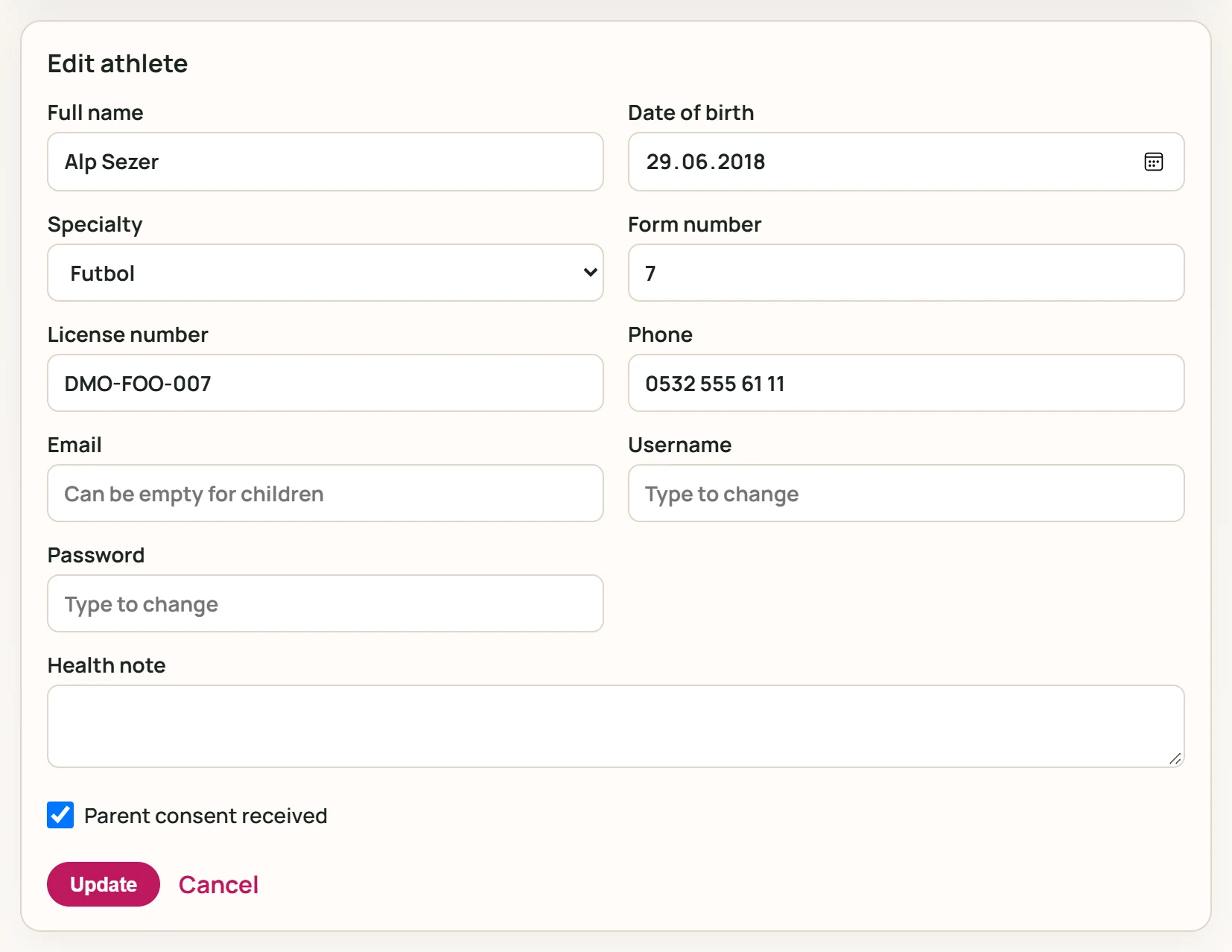
- 1Update Saves the changes.
- 2Cancel Leaves edit mode.
Password and Username stay unchanged when left empty. Update saves, Cancel leaves edit mode.
Delete removes the athlete after a confirmation question. Edit and Delete are shown only to users with the matching permission.
Common messages
| Message | Cause | Solution |
|---|---|---|
| Registration failed. If changing the password, it must be at least 8 characters; the email must not be registered in another account. | The password is shorter than 8 characters or the email is used by another account. | Use a longer password or another email. |
| Record could not be deleted. You may not have the necessary permissions, or you may be trying to delete your own record. | You lack the delete permission or are deleting your own record. | Ask an authorised user. |