
 AsyaTicari
 AsyaRestoran
 AsyaOtel
 AsyaCrm
 AsyaKlinik
 AsyaSpor
 AsyaSSH
 AsyaEmlak
 AsyaFilo
 AsyaPuantaj
 AsyaİSG
 AsyaİHD
 Kolay Öğren
AsyaSpor · General
Overview
Today's training sessions, the next 7 days, squad counts and open membership fees.
Overview is the home screen of AsyaSpor. It shows today's and the next 7 days' training sessions, squad counts and unpaid membership fees together.
asyaspor · /
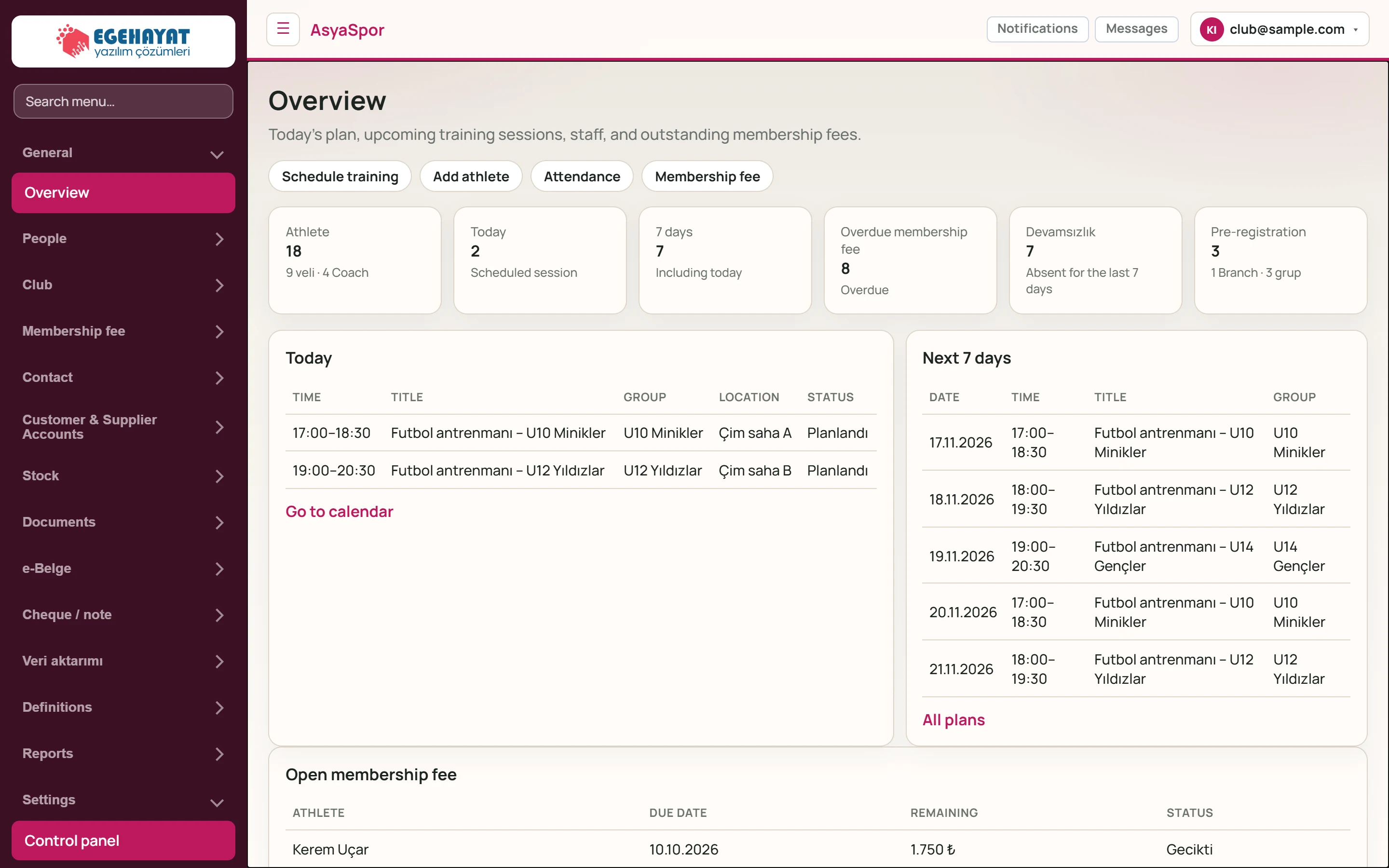
- 1Toggle menu Opens / closes the left menu.
- 2Search menu… Searches the menu by screen name.
- 3Schedule training Shortcuts: schedule training, add athlete, attendance, fees.
- 4Athlete Number of active athletes; below it parents and coaches / staff.
- 5Today Sessions planned for today.
- 67 days Sessions in the 7 days including today.
- 7Overdue membership fee Open fees past their due date.
- 8Devamsızlık Attendance entries marked «No-show» in the last 7 days.
- 9Pre-registration Waiting pre-registrations; below it branches and groups.
- 10Today Today's sessions.
- 11Next 7 days Sessions of the next 7 days (up to 8).
Shortcuts and counters
- The shortcuts at the top open Schedule training, Add athlete, Attendance and Membership fee.
- Every counter card is clickable: athletes → Athletes, today and 7 days → Training calendar, overdue fees → Membership fee and collection, absence → Attendance, pre-registration → Pre-registrations.
- Overdue membership fee counts fees past their due date that are not fully paid. The absence counter counts attendance entries marked «No-show» in the last 7 days.
Today and the next 7 days
The Today table lists today's sessions with time, title, group, location and status; Next 7 days shows the next 8 sessions. Go to calendar and All plans open the training calendar.
Open membership fee
Part of the screenOpen membership fee
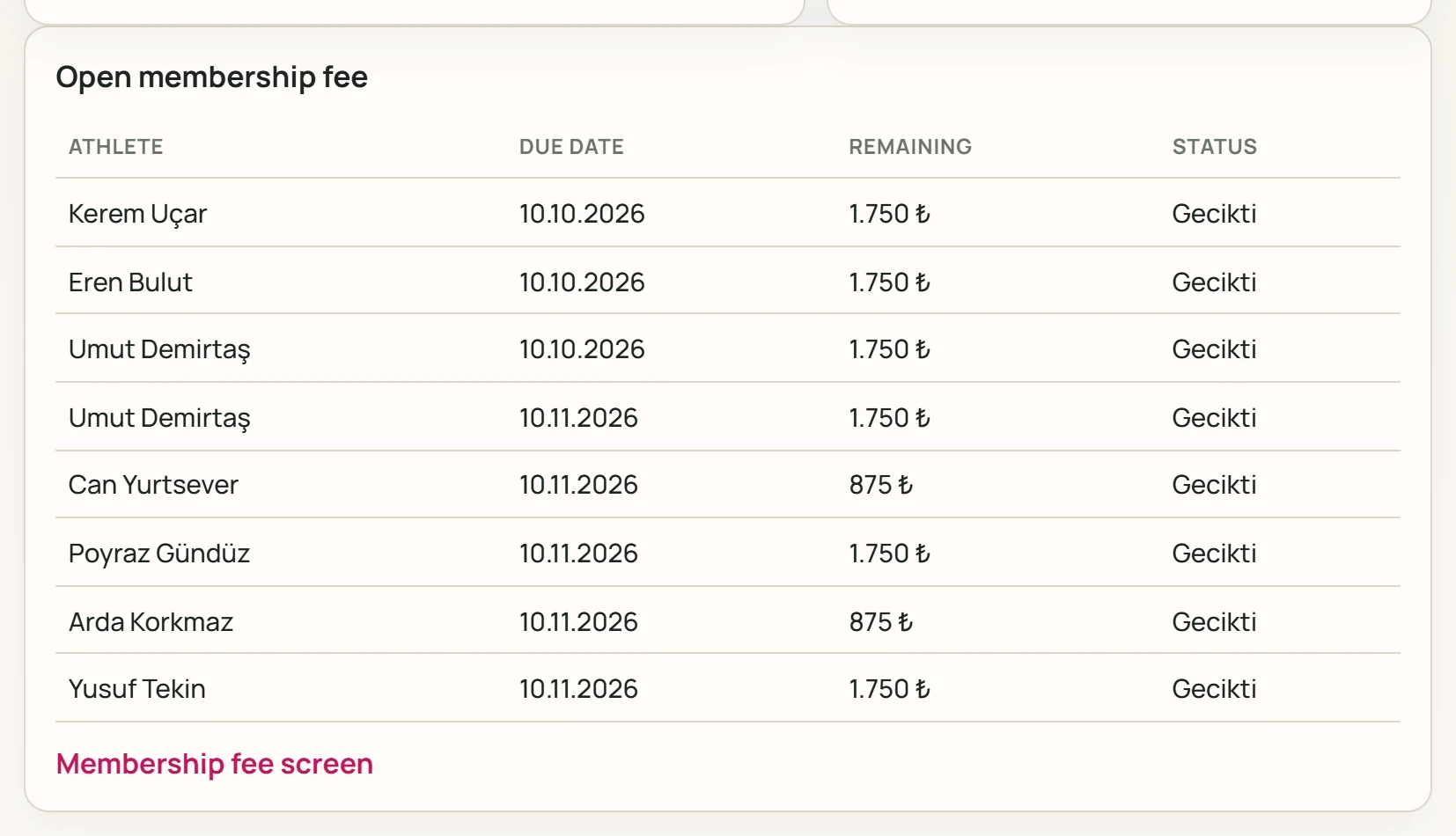
- 1Kerem Uçar 10.10.2026 1.750 ₺ Gecikti Unpaid fee: athlete, due date, remaining amount, status.
- 2Membership fee screen Opens the fee and collection screen.
Fees that are not fully paid are listed here by due date (up to 8 rows). Overdue fees are marked as late, the others as open. The link below opens the fee collection screen.
Type part of a screen name in Search menu… in the left menu; the menu then shows only the matching screens.