
 AsyaTicari
 AsyaRestoran
 AsyaOtel
 AsyaCrm
 AsyaKlinik
 AsyaSpor
 AsyaSSH
 AsyaEmlak
 AsyaFilo
 AsyaPuantaj
 AsyaİSG
 AsyaİHD
 Kolay Öğren
AsyaSpor · Membership fee
Membership fee and collection
Athlete fees, fee plan definition and payment receipt.
The Membership fee and collection screen lists the athletes' period fees. The fee plan definition is separate; a collection is saved like a receipt by choosing an athlete's fee.
asyaspor · /aidat
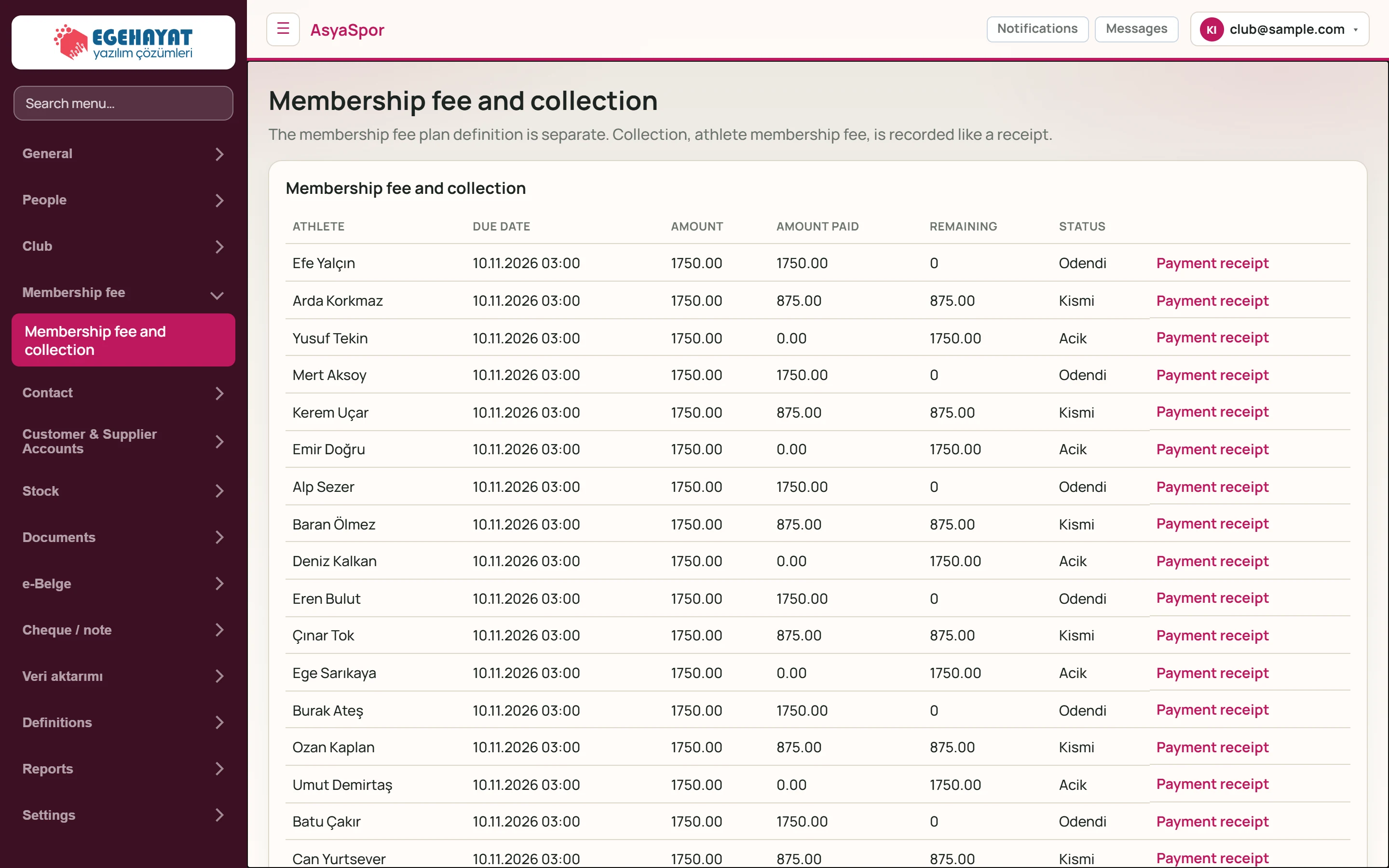
- 1The membership fee plan definition is separate.… Short description of the screen.
- 2Efe Yalçın 10.11.2026 03:00 1750.00 1750.00 0 O… Athlete's period fee: due date, amount, paid, remaining, status.
- 3Payment receipt Fills in the payment receipt for this fee.
Each fee shows due date, amount, paid and remaining amounts and status (open, partial, paid).
Membership fee plan
Part of the screenMembership fee plan
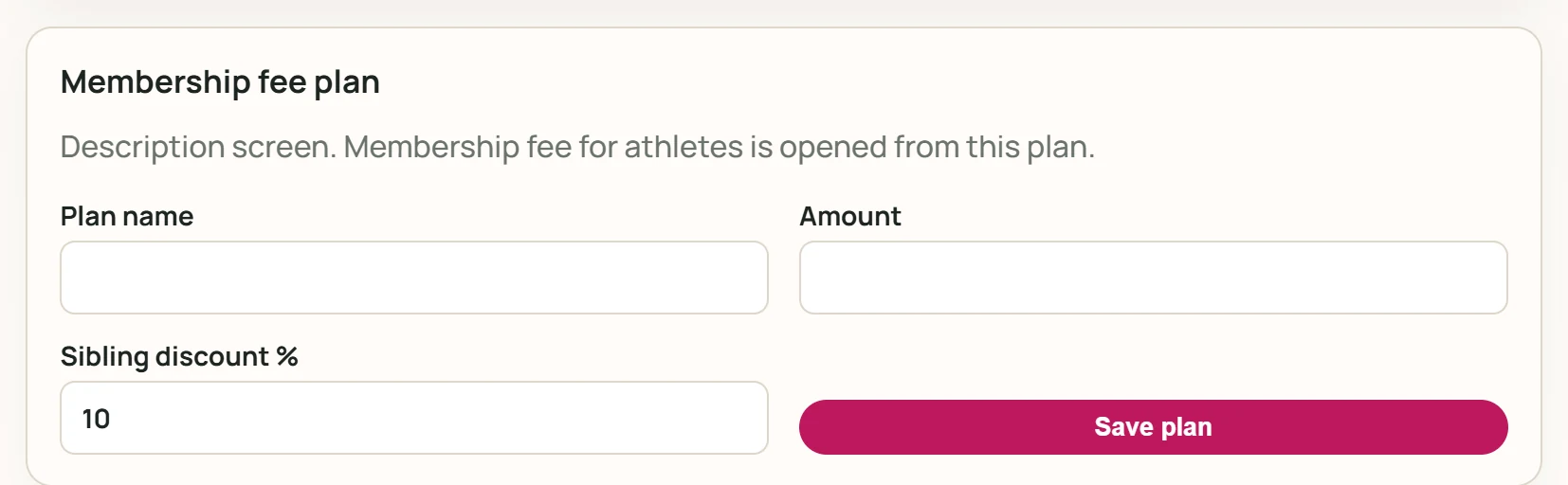
- 1Save plan Saves the plan.
| Field | Sign in | Description |
|---|---|---|
| Plan name | Text | Plan name, e.g. «Football school monthly» (required). |
| Amount | Text | Monthly fee amount (required). |
| Sibling discount % | Text | Discount percentage for siblings. |
Enter the plan name and amount and press Save plan. Sibling discount % defaults to 10.
Payment receipt
The Payment receipt link in a row selects that fee in the form and fills in the remaining amount.
Part of the screenPayment receipt
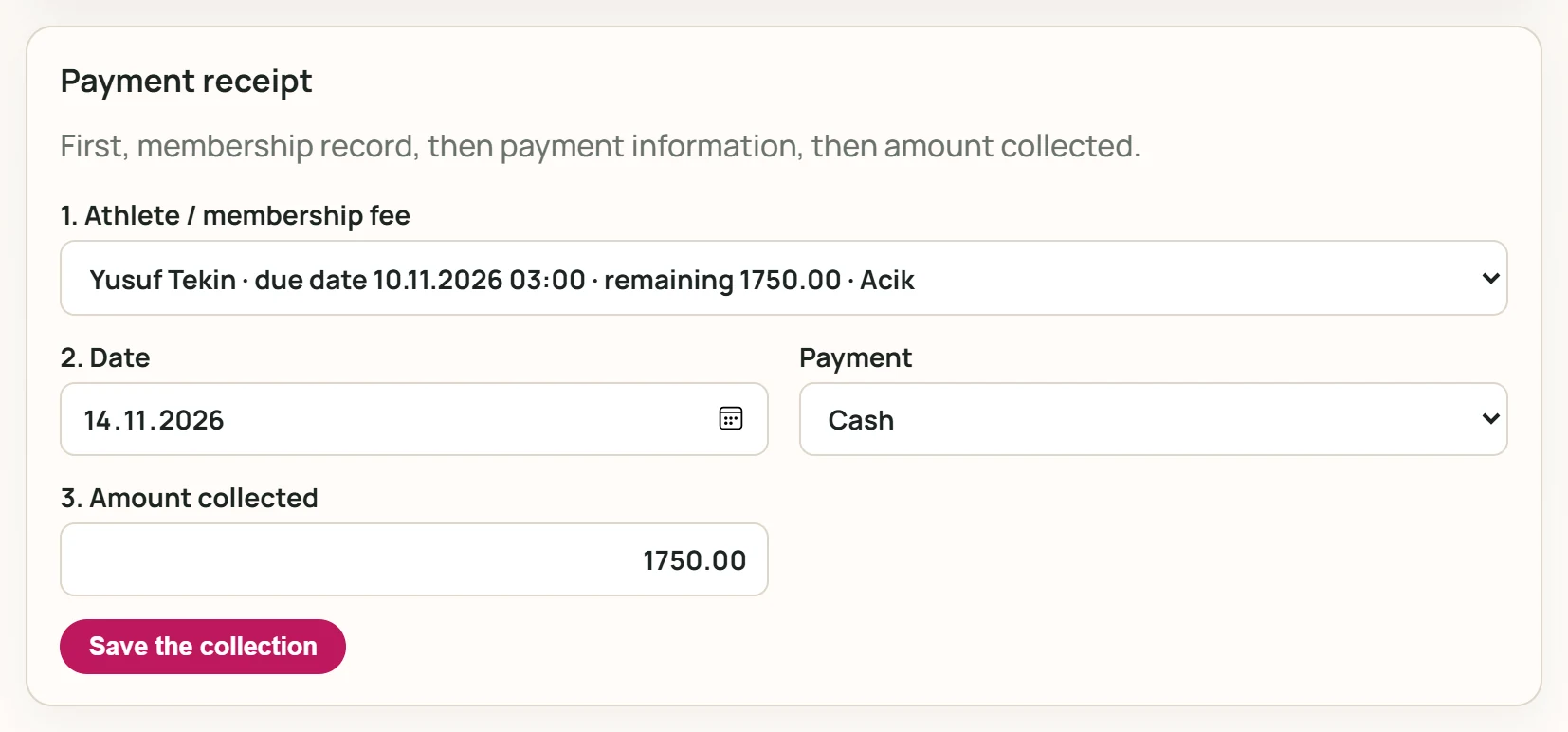
- 1Save the collection Saves the collection.
| Field | Sign in | Description |
|---|---|---|
| 1. Athlete / membership fee | Choice list | Open fee: athlete, due date, remaining, status (required). |
| 2. Date | Date | Collection date; today by default. |
| Payment | Choice list | Payment method: cash, POS or bank transfer. Options: Cash · POS · Wire Transfer |
| 3. Amount collected | Text | Amount received; the remaining amount of the chosen fee is filled in (required). Placeholder: «Remaining amount» |
- Choose the open fee in 1. Athlete / membership fee.
- Choose 2. Date and the Payment method.
- Check 3. Amount collected; change it for a partial payment.
- Press Save the collection. A confirmation appears and the fee's paid / remaining amounts are updated.
Common messages
| Message | Cause | Solution |
|---|---|---|
| Aidat seçin. | No athlete / fee selected. | Choose an open fee from the list. |
| Tahsilat tutarı gerekli. | The amount is empty or zero. | Enter the collected amount. |
| Tahsilat kaydedilemedi. | The server could not save it or you lack the collection permission. | Check your permission and try again. |
These messages are currently shown in Turkish in every language.