
 AsyaTicari
 AsyaRestoran
 AsyaOtel
 AsyaCrm
 AsyaKlinik
 AsyaSpor
 AsyaSSH
 AsyaEmlak
 AsyaFilo
 AsyaPuantaj
 AsyaİSG
 AsyaİHD
 Kolay Öğren
AsyaRestoran · Selling
Reports
Daily sales, payment, product, waiter, cancel / complimentary, time, channel and preparation time reports; opening / closing shifts.
On Reports you open and print restaurant sales reports and manage the till shift.
asyarestoran · /raporlar
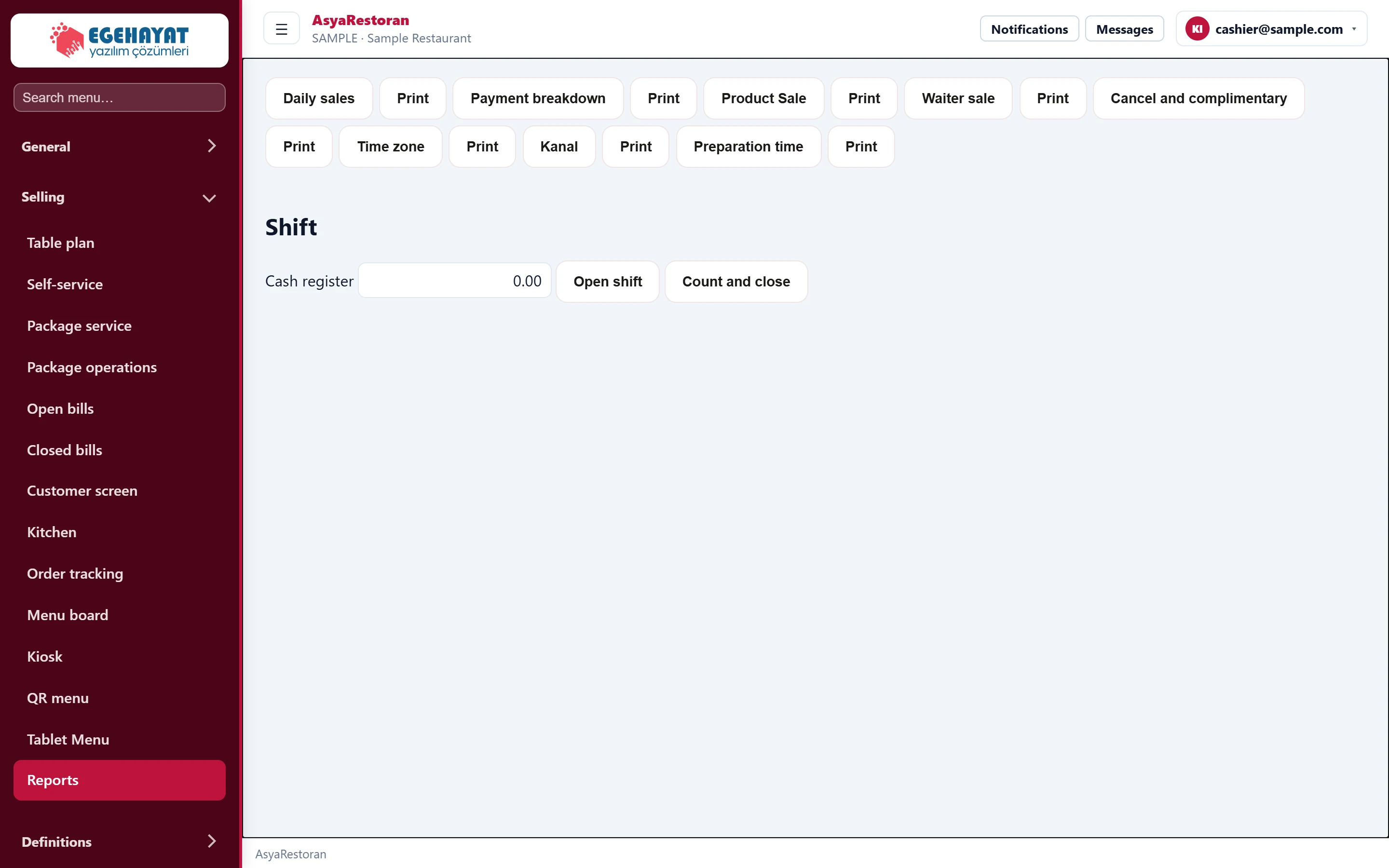
- 1Daily sales Opens the report on screen.
- 2Print Opens the report and brings up the print dialog.
- 3 Till amount for opening / closing the shift.
- 4Open shift Opens the shift with the entered till amount.
- 5Count and close Closes the shift with the counted till amount.
Reports: Daily sales, Payment breakdown, Product Sale, Waiter sale, Cancel and complimentary, Time zone (hour of day), Kanal (channel) and Preparation time. Pressing the report name opens it on screen; Print next to it opens the report with the print dialog.
asyarestoran · /raporlar
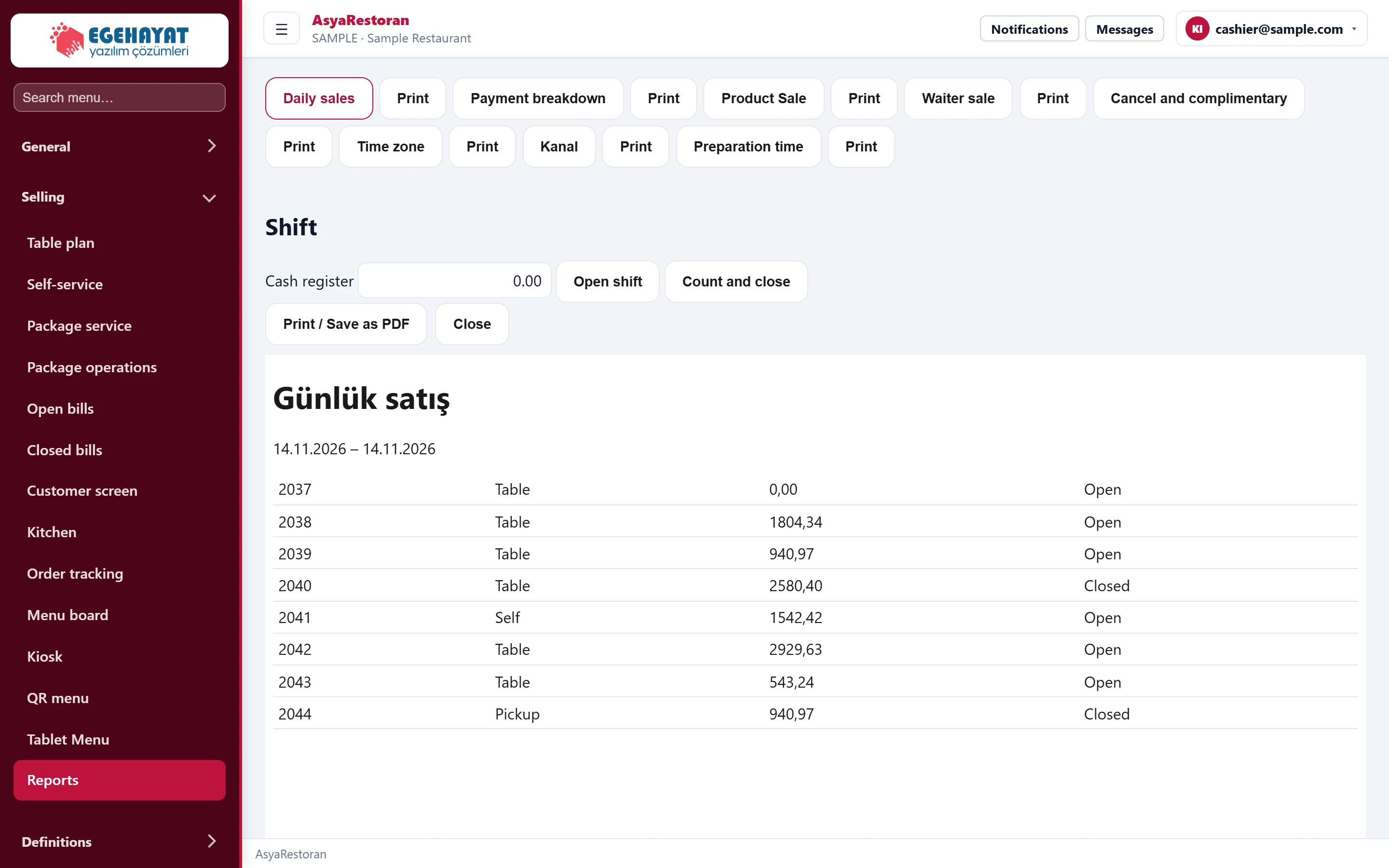
- 1Print / Save as PDF Prints the report / saves it as PDF.
- 2Close Closes the report.
- 3Report Report preview.
Shift
- At the start of the day type the opening till amount in Cash and press Open shift.
- At the end of the day count the till, type the amount and close the shift with Count and close.