
 AsyaTicari
 AsyaRestoran
 AsyaOtel
 AsyaCrm
 AsyaKlinik
 AsyaSpor
 AsyaSSH
 AsyaEmlak
 AsyaFilo
 AsyaPuantaj
 AsyaİSG
 AsyaİHD
 Kolay Öğren
AsyaRestoran · Selling
Takeaway service
Opening a delivery / pick-up order with customer, address and courier details.
On the Package service screen you open a bill for a phone or pick-up order. The details can also be changed later under Delivery / Courier on the bill screen.
asyarestoran · /satis/paket
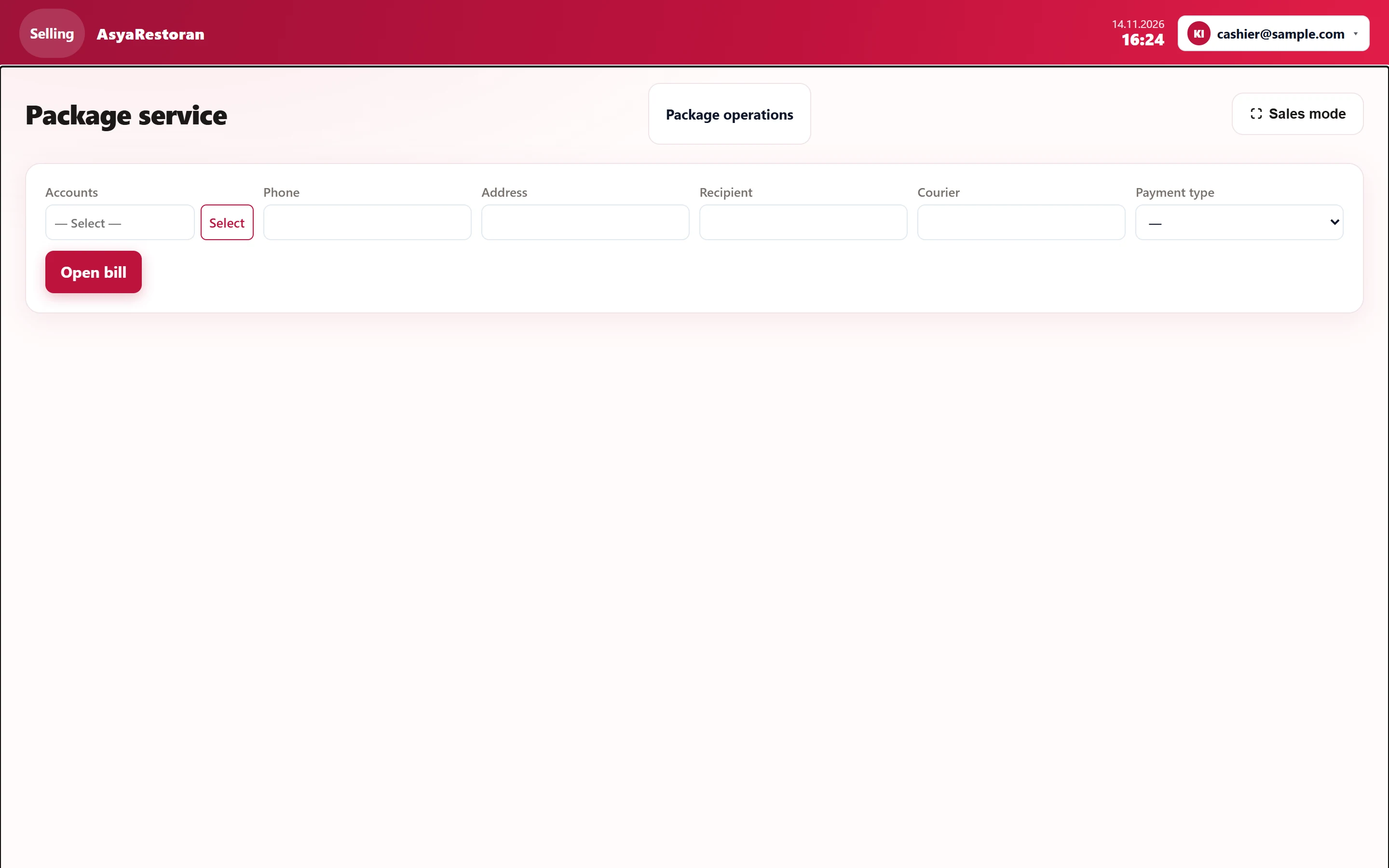
- 1Package operations Delivery tracking of open takeaway orders.
- 2Open bill Opens the takeaway bill.
Takeaway details
Part of the screenTakeaway details
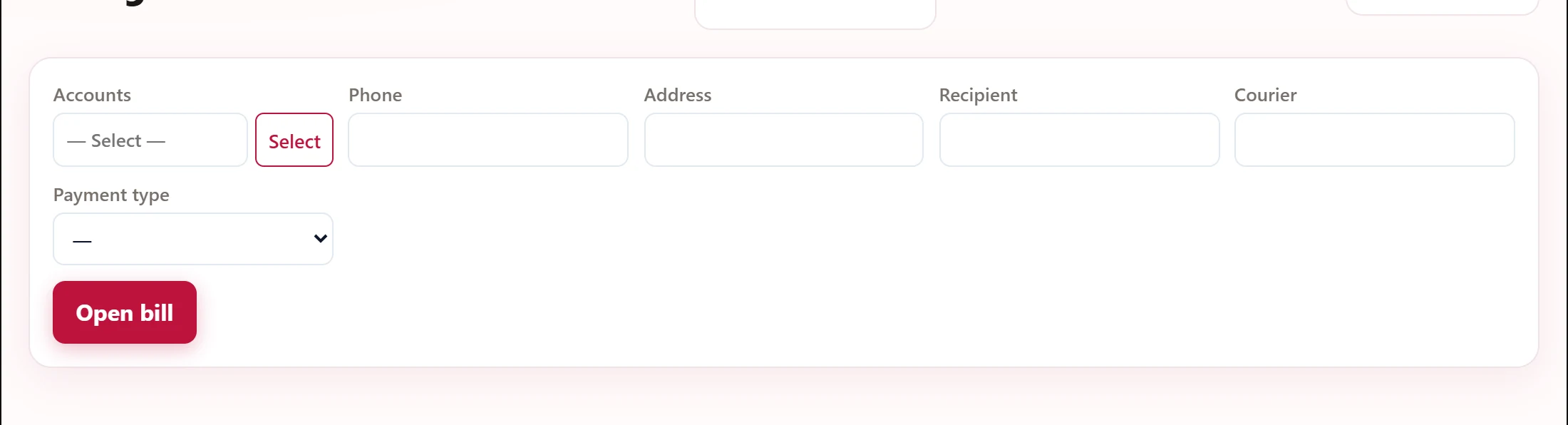
| Field | Sign in | Description |
|---|---|---|
| Accounts | Text | Registered customer (account card); search with Select. Phone and address come from the card. Placeholder: «— Select —» |
| Phone | Text | Customer's phone. |
| Address | Text | Delivery address. |
| Recipient | Text | Person receiving the order. |
| Courier | Text | Courier name; must be entered before payment. |
| Payment type | Choice list | Payment method at the door (cash / card). Options: Cash · Card |
- For a registered customer, search with Select in the Accounts field; phone and address are filled from the card. Otherwise type phone and address.
- Enter Recipient, Courier and the Payment type at the door.
- Press Open bill and add the items.
A takeaway bill cannot be paid and closed without a courier.
The status of open takeaway orders is tracked on Package operations.