
 AsyaTicari
 AsyaRestoran
 AsyaOtel
 AsyaCrm
 AsyaKlinik
 AsyaSpor
 AsyaSSH
 AsyaEmlak
 AsyaFilo
 AsyaPuantaj
 AsyaİSG
 AsyaİHD
 Kolay Öğren
AsyaRestoran · Selling
Kitchen screen
Order cards on the kitchen monitor, station filter, ready / recall and kitchen ticket.
The Kitchen screen is for the kitchen monitor (KDS): orders sent to the kitchen appear as cards. It is a paid add-on feature; if not enabled, it does not appear in the menu.
asyarestoran · /satis/mutfak
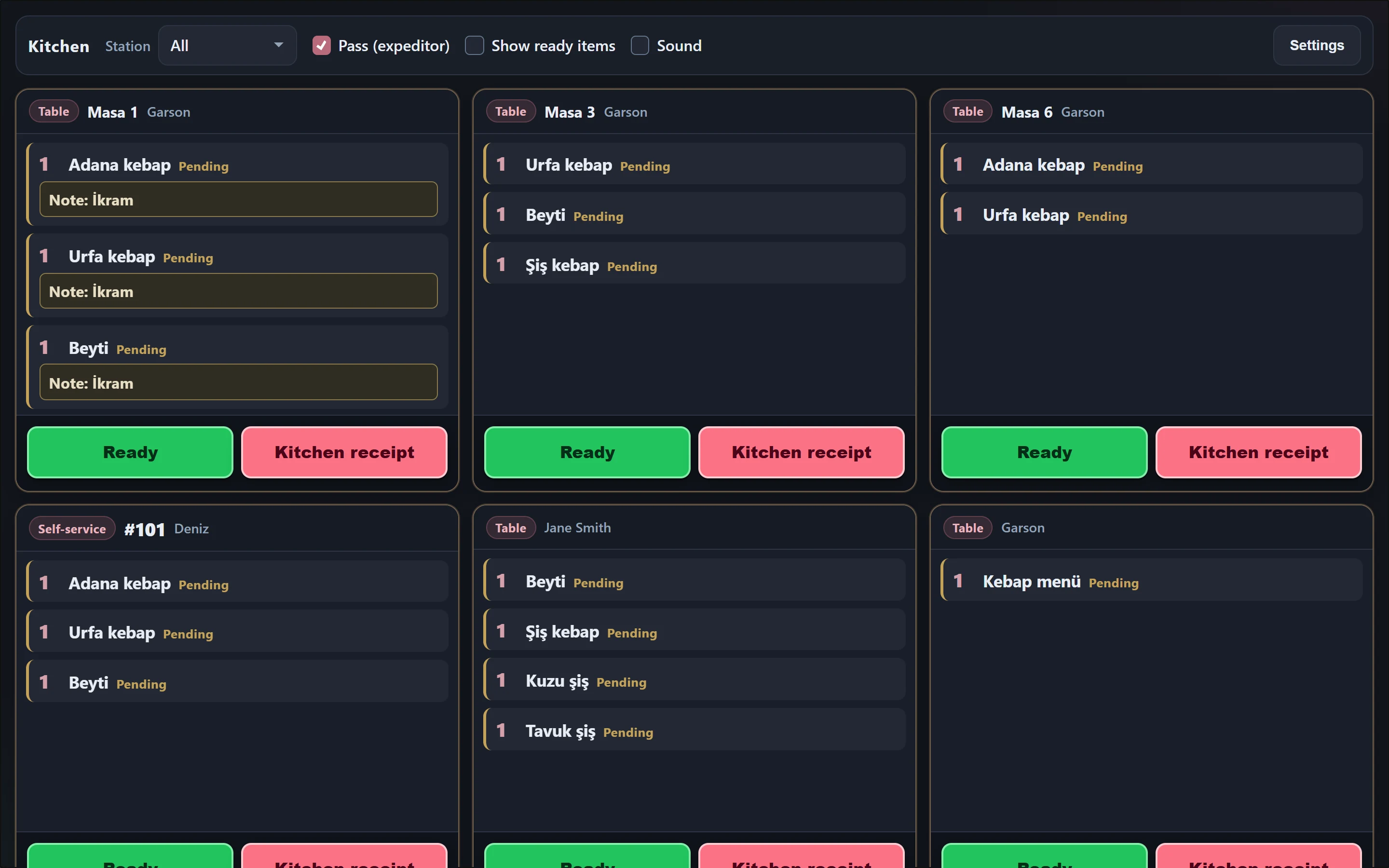
- 1All Filters by station (grill, bar…).
- 2Pass (expeditor) Pass: shows orders of all stations at the service pass.
- 3Show ready items Also shows orders marked ready.
- 4Sound Plays a sound on a new order.
- 5Settings Screen settings for this monitor.
- 6Table Order card: table / channel, waiter, lines, notes.
- 7Ready Marks the order as ready.
- 8Kitchen receipt Opens the kitchen ticket / sends it to the station printer.
- Each card shows the channel (table, self, pick-up, courier, online), table, waiter and lines. Portion (small / one and a half / double), choices, removed ingredients, notes and allergen warning are written under the line; pending lines show "waiting".
- Ready marks the order as ready; on the order tracking screen the number moves to the "Ready" column.
- With Show ready items on, ready cards are listed too; undo a wrong ready mark with Recall.
- Kitchen receipt opens the order for printing / preview; if a printer is defined for the station, it goes to that queue.
- The Station list filters cards by station (grill, bar…); Pass (expeditor) shows all stations. Sound plays an alert on a new order.
Screen settings
Settings are specific to this monitor and stored in this browser.
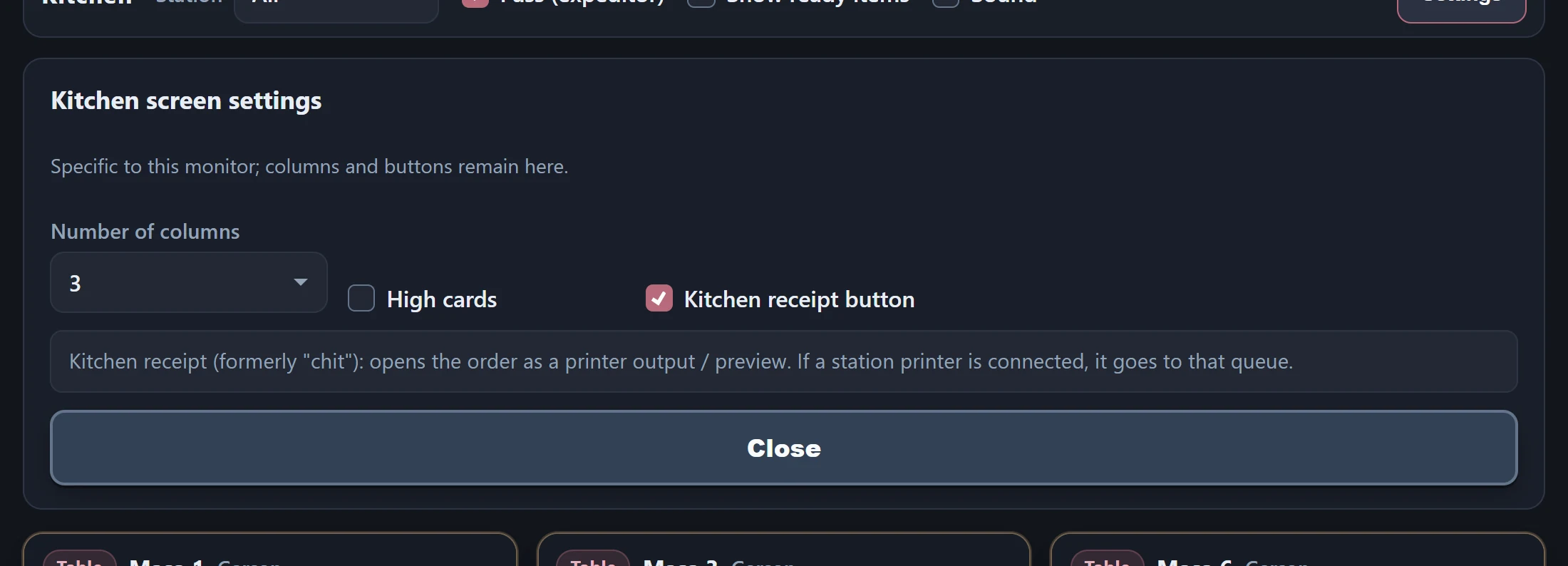
Part of the screenKitchen screen settings
| Field | Sign in | Description |
|---|---|---|
| Number of columns | Choice list | Number of columns for the cards. Options: 2 · 3 · 4 · 5 |
| High cards | Checkbox | Shows tall cards; useful for orders with many lines. |
| Kitchen receipt button | Checkbox | Shows / hides the "Kitchen ticket" button on the cards. |