
 AsyaTicari
 AsyaRestoran
 AsyaOtel
 AsyaCrm
 AsyaKlinik
 AsyaSpor
 AsyaSSH
 AsyaEmlak
 AsyaFilo
 AsyaPuantaj
 AsyaİSG
 AsyaİHD
 Kolay Öğren
AsyaRestoran · Selling
Customer screen
Second monitor at the till showing the bill lines and amount due to the customer.
The Customer screen opens on the till's second (customer-facing) monitor. It shows the lines of the bill open at the till, the amount due and foreign currency equivalents, and updates itself as the bill changes.
asyarestoran · /satis/acik-adisyonlar
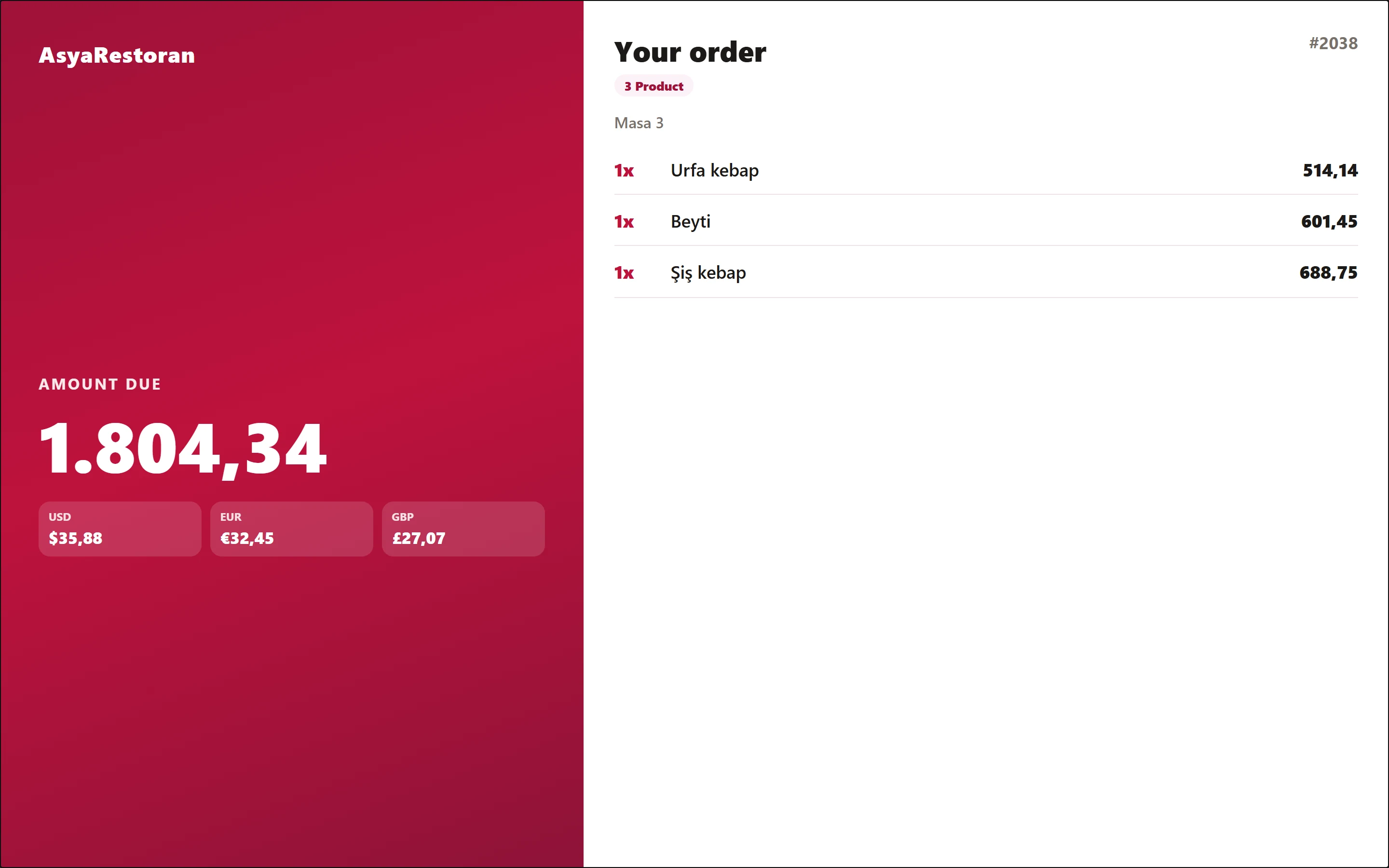
- 11.804,34 Amount to pay.
- 2USD Foreign currency equivalents.
- 3Your order Bill lines; updated whenever the bill changes at the till.
- On the bill screen press Customer screen; it opens in a new window.
- Move the window to the second monitor and make it full screen.
Without a bill it shows "waiting for order". If the feature is disabled for the company, a warning refers you to Control panel → Company features.