
 AsyaTicari
 AsyaRestoran
 AsyaOtel
 AsyaCrm
 AsyaKlinik
 AsyaSpor
 AsyaSSH
 AsyaEmlak
 AsyaFilo
 AsyaPuantaj
 AsyaİSG
 AsyaİHD
 Kolay Öğren
AsyaRestoran · Definitions
Menu board settings
Template, orientation, items, page and slide duration of menu board screens.
Menu board settings defines the digital menu screens rotating on the hall TVs. It is a paid add-on feature (Menu board).
asyarestoran · /tanimlar/menuboard
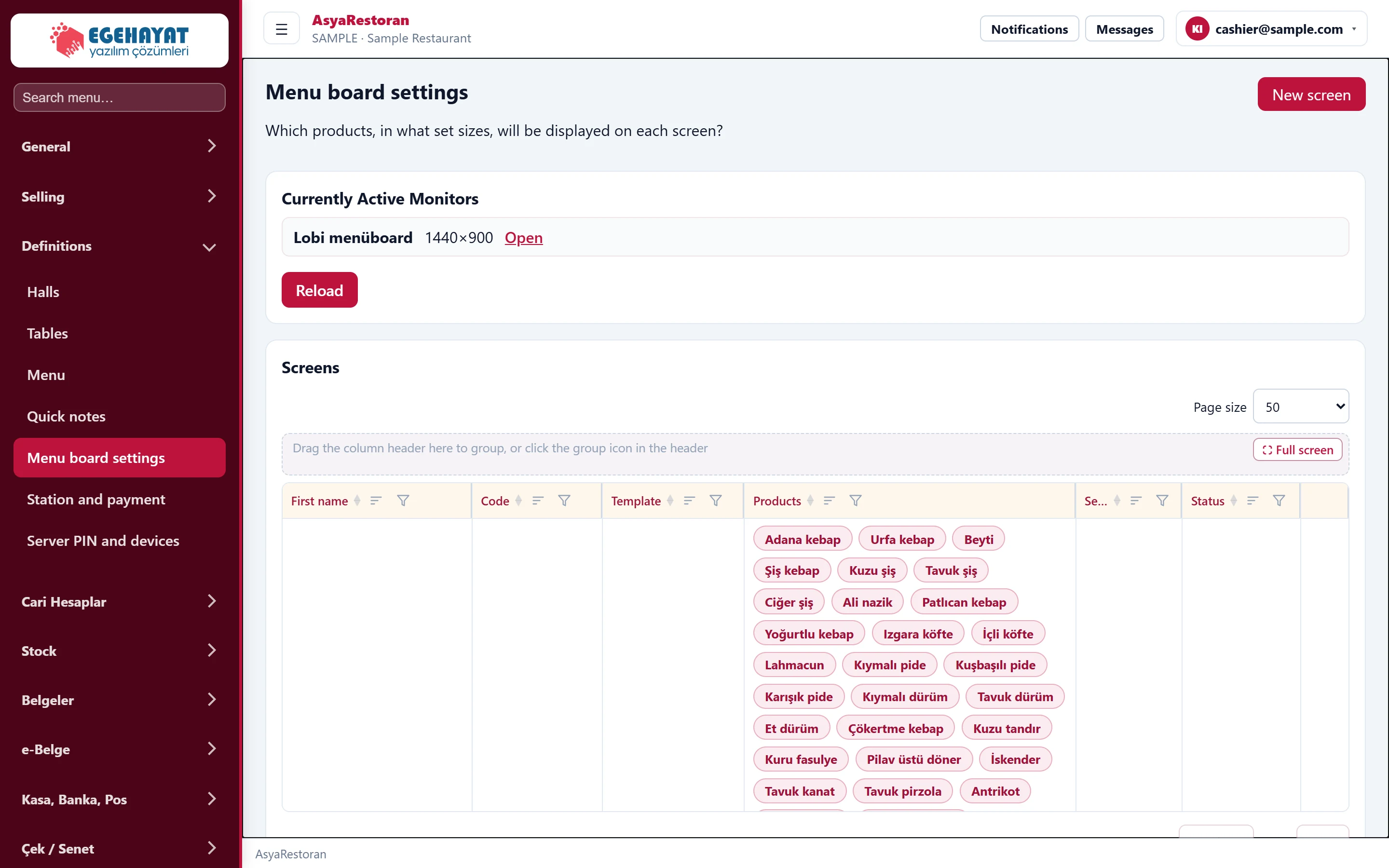
- 1New screen Defines a new menu board screen.
- 2Screens Screens: code, template, items, set / duration, status.
The "monitors open now" section shows the screens currently on air and their resolution; Open opens that screen and the refresh button reloads the list. In the Screens table, Publish opens a screen, Edit loads it into the form and Delete removes it.
Defining a screen
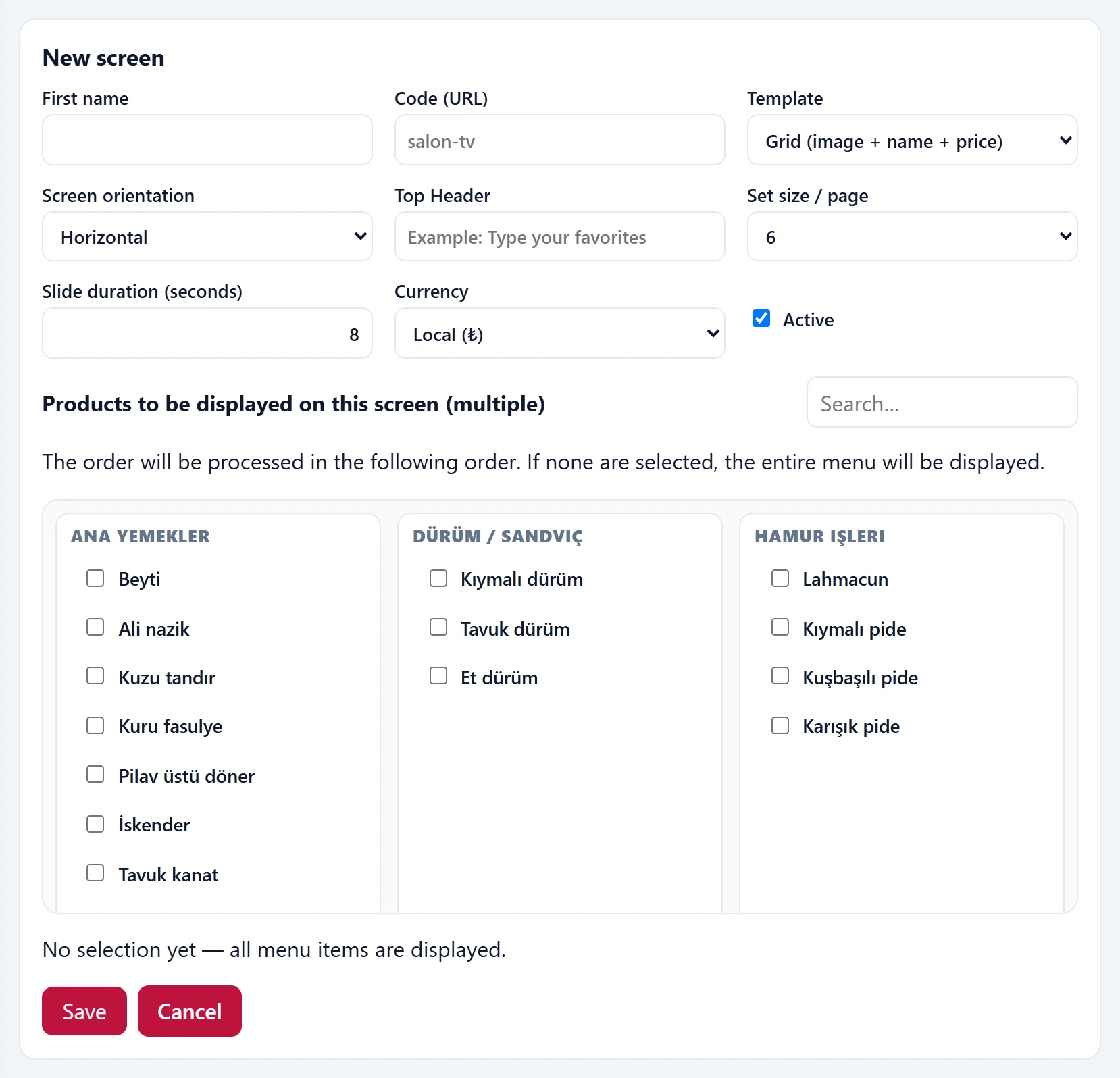
Part of the screenEdit screen
| Field | Sign in | Description |
|---|---|---|
| First name | Text | Name of the screen (e.g. Lobby menu board). |
| Code (URL) | Text | Code in the display address: /satis/menuboard/<code>. Placeholder: «salon-tv» |
| Template | Choice list | Grid, set panels, list, promo slides or list + large image. Options: Grid (image + name + price) · Set panels · List (category) · Promotion Slide · List + large image |
| Screen orientation | Choice list | Landscape or portrait monitor. Options: Horizontal · Vertical |
| Top Header | Text | Title at the top of the screen. Placeholder: «Example: Type your favorites» |
| Set size / page | Choice list | Number of items per page. Options: 3 · 4 · 6 · 8 · 9 |
| Slide duration (seconds) | Text | Time between pages. |
| Currency | Choice list | Currency in which prices are shown. Options: Local (₺) · TRY (₺) · USD ($) · EUR (€) · GBP (£) |
| Active | Checkbox | An inactive screen does not display. |
- Press New screen; type a name and code.
- Choose the template, orientation, items per page and slide duration.
- Tick the items in the items list; the order of ticking is the display order. If none are ticked, the whole menu is shown.
- Press Save; open the screen on the TV with Publish.