
 AsyaTicari
 AsyaRestoran
 AsyaOtel
 AsyaCrm
 AsyaKlinik
 AsyaSpor
 AsyaSSH
 AsyaEmlak
 AsyaFilo
 AsyaPuantaj
 AsyaİSG
 AsyaİHD
 Kolay Öğren
AsyaRestoran · Selling
Kiosk
Touch kiosk where customers place their own order and pay by card.
The Kiosk is a self-service sales screen where customers place their own order on a touch screen. It is a paid add-on feature.
asyarestoran · /satis/kiosk
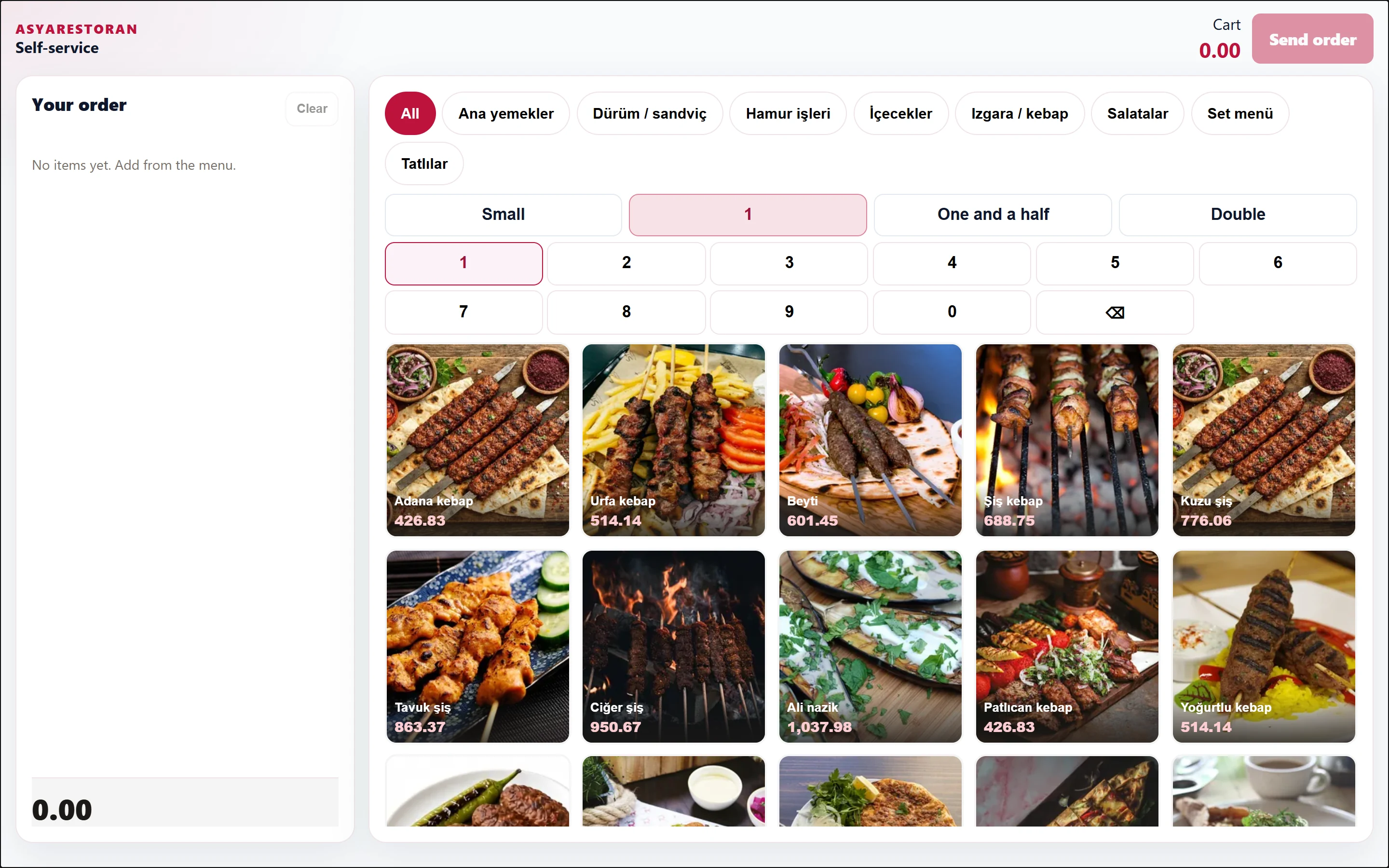
- 1Cart Cart total.
- 2Send order Sends the order; card payment is requested next.
- 3Your order Cart: quantity, note, delete.
- 4All Categories.
- 5Small Portion / quantity keys.
- 6Adana kebap Items: tap to add to the cart.
- The customer picks items by category, choosing a portion (Small, One and a half, Double) or quantity if needed.
- Items with choices open the selection / extras window; a note can be added.
- The Cart is on the left; lines can be edited or deleted, Clear empties it.
- Send order sends the order to the kitchen; then Pay by card is requested.
- The "Order received" screen shows the tracking number; the customer collects the order when the number is ready on the order tracking screen. New order returns to the start.
Kiosk payments are accepted only by credit card.