
 AsyaTicari
 AsyaRestoran
 AsyaOtel
 AsyaCrm
 AsyaKlinik
 AsyaSpor
 AsyaSSH
 AsyaEmlak
 AsyaFilo
 AsyaPuantaj
 AsyaİSG
 AsyaİHD
 Kolay Öğren
AsyaRestoran · Definitions
Server PIN and devices
User PINs for the waiter app, waiter permissions and paired devices.
The Server PIN and devices screen is for the waiter (handheld) app. You give users a PIN, choose waiter permissions and manage paired devices.
asyarestoran · /tanimlar/garsonlar
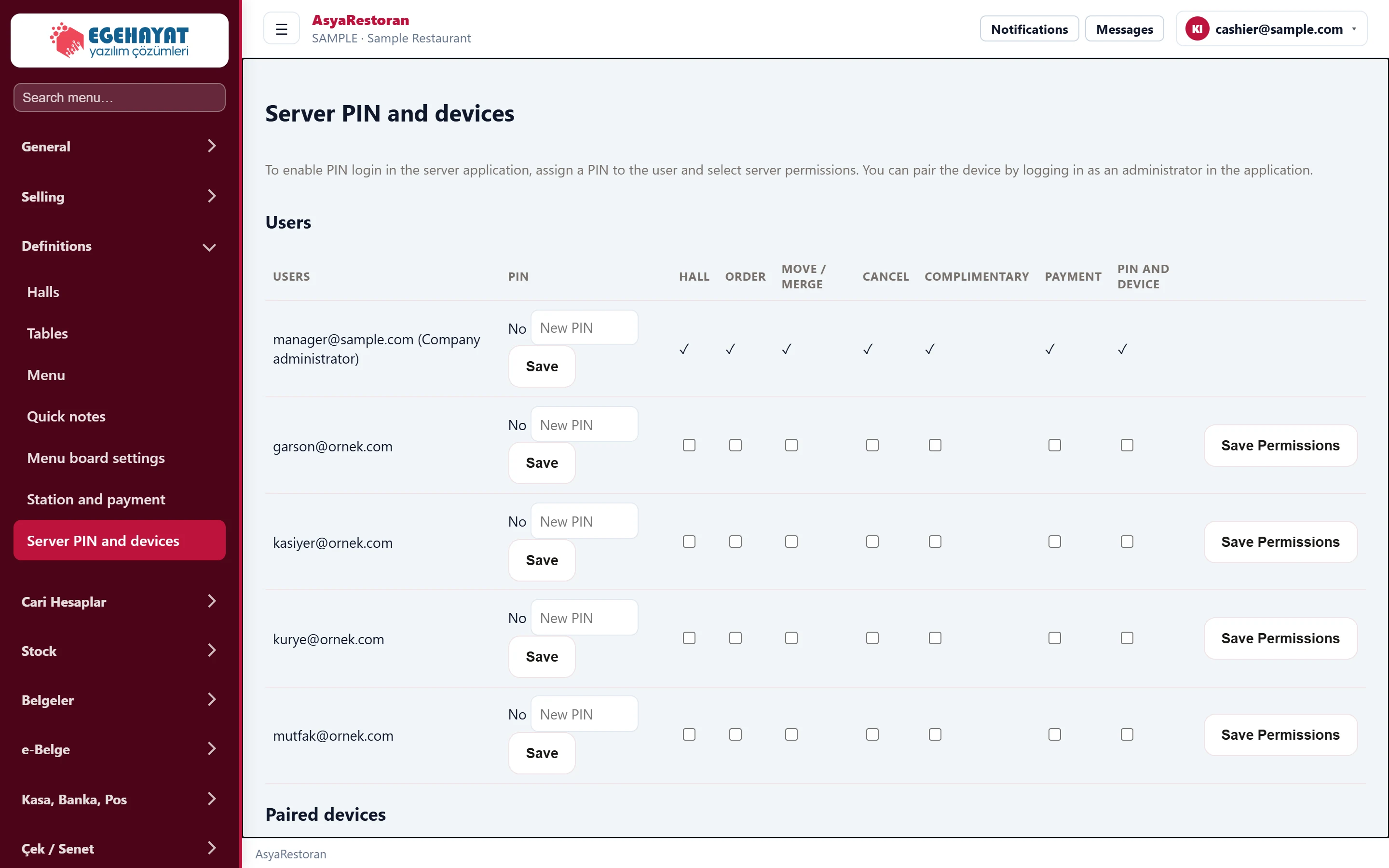
- 1New PIN PIN used to sign in to the waiter app.
- 2Save Saves the PIN.
- 3HALL Waiter permissions: hall, order, move, cancel, complimentary, payment, PIN and device.
- 4Save Permissions Saves the ticked permissions.
- In the user's row type the PIN in New PIN and press Save. The PIN column shows whether a PIN is defined; Remove deletes the PIN.
- Tick the permissions: Hall, Order, Move / merge, cancel, Complimentary, Payment, PIN and device. Press Save Permissions.
- The company administrator has all permissions; a check mark is shown instead of boxes.
Paired devices
A waiter device is paired in the app with an administrator sign-in and then appears under Paired devices. Close a lost or unused device with Cancel device; a cancelled device is shown as cancelled.