
 AsyaTicari
 AsyaRestoran
 AsyaOtel
 AsyaCrm
 AsyaKlinik
 AsyaSpor
 AsyaSSH
 AsyaEmlak
 AsyaFilo
 AsyaPuantaj
 AsyaİSG
 AsyaİHD
 Kolay Öğren
AsyaPuantaj · Management
Permissions
Module permissions per user: view, add, edit, delete and extra permissions.
On the Permissions screen you decide which screens users who are not company administrators can see and what they can do. Staff without any permission cannot enter the panel.
asyapuantaj · /ayarlar/yetkiler
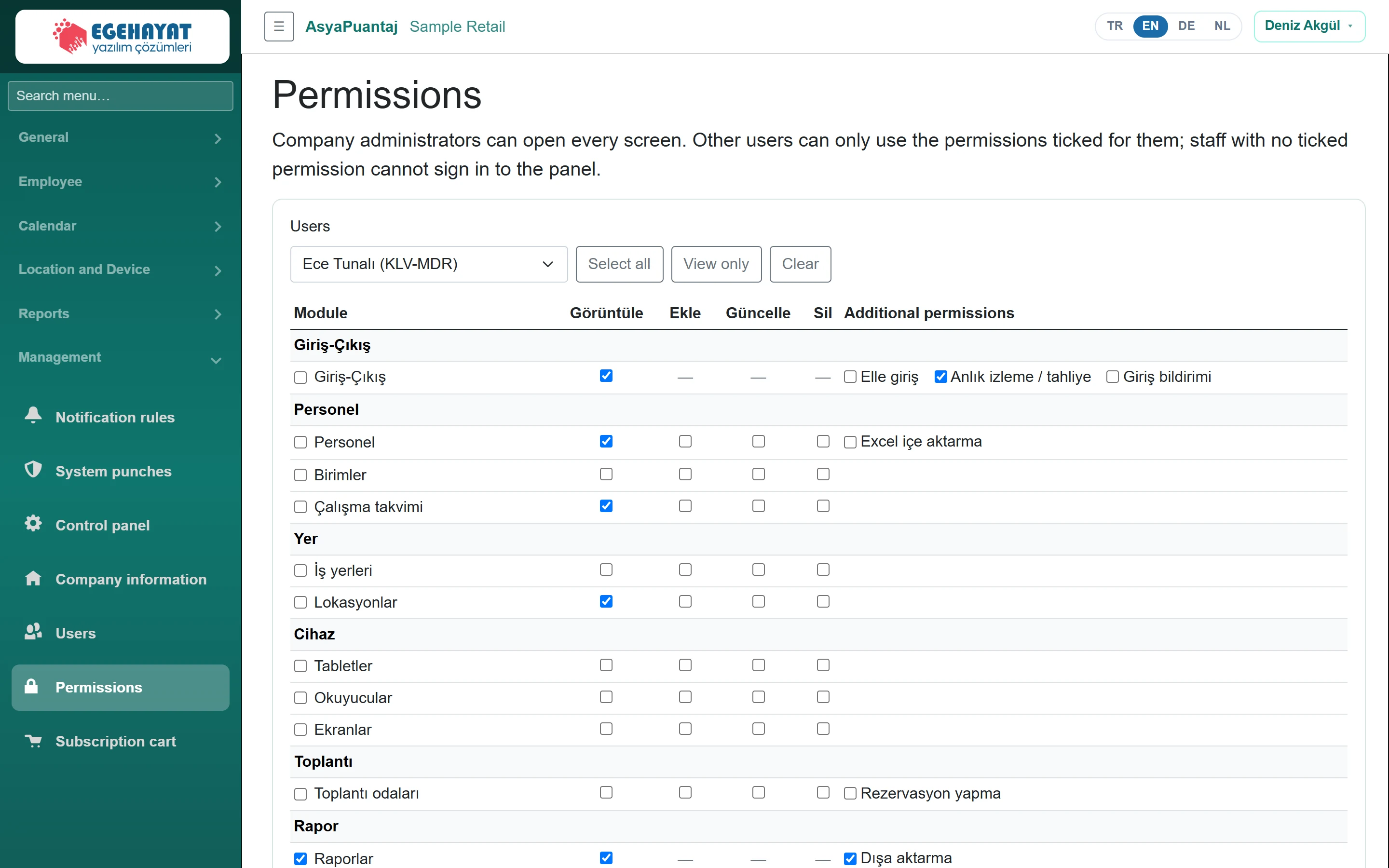
- 1Ece Tunalı (KLV-MDR) Choose the user whose permissions you edit.
- 2Select all Select all / view only / clear.
- 3Module Görüntüle Ekle Güncelle Sil Additional p… Per module: view, add, edit, delete and extra permissions.
- 4Save Permissions Save the permissions.
- Choose the person in the Users list.
- In the table tick view, add, edit, delete and Additional permissions (e.g. manual entry, approval, export) per module. The box at the start of a row selects the whole row.
- For quick selection use Select all, View only or Clear.
- Click Save Permissions.
After saving, the user's menu updates when they sign out and back in. The change is written to System punches.