
 AsyaTicari
 AsyaRestoran
 AsyaOtel
 AsyaCrm
 AsyaKlinik
 AsyaSpor
 AsyaSSH
 AsyaEmlak
 AsyaFilo
 AsyaPuantaj
 AsyaİSG
 AsyaİHD
 Kolay Öğren
AsyaPuantaj · Location and Device
Meeting rooms
Meeting room definitions and the weekly booking calendar.
On the Meeting rooms screen you define rooms and book them on a weekly calendar. The room screen shows occupancy and the next meeting.
asyapuantaj · /toplanti-odalari
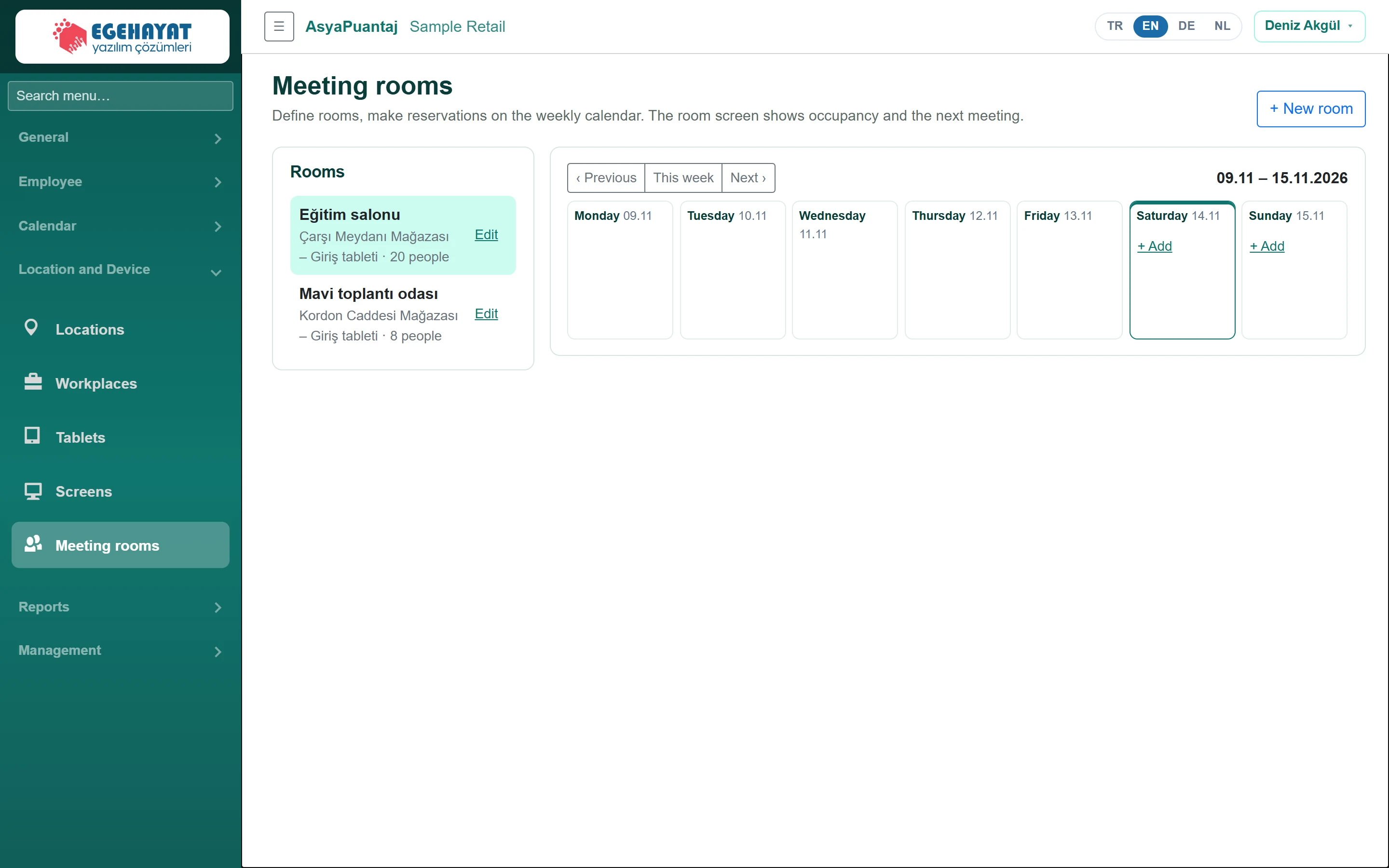
- 1+ New room Define a new room.
- 2Eğitim salonu Rooms; click a room to see its calendar.
- 3‹ Previous Previous / this / next week.
- 4Monday 09.11 Weekly bookings; «+ Add» books that day.
Room definition
Part of the screenRoom form
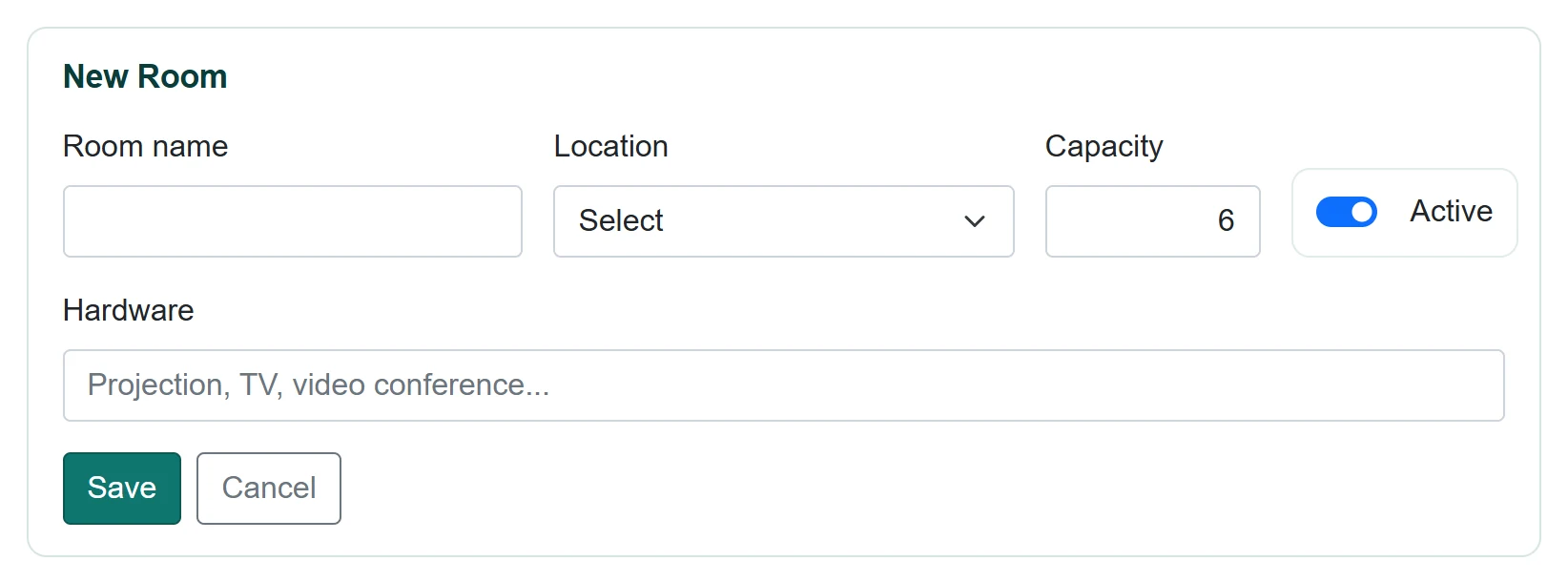
| Field | Sign in | Description |
|---|---|---|
| Room name | Text | Room name. |
| Location | Choice list | Location of the room. Options: Select · Çarşı Meydanı Mağazası – Giriş tableti · Kordon Caddesi Mağazası – Giriş tableti · Sahil Yolu Mağazası – Giriş tableti |
| Capacity | Text | Number of people (1–500). |
| Active | Checkbox | Inactive rooms cannot be booked. |
| Hardware | Text | Projector, TV, video conferencing… Placeholder: «Projection, TV, video conference...» |
Click + New room, fill in the fields and click Save. Edit next to a room in the list opens the form.
Booking
Part of the screenNew booking
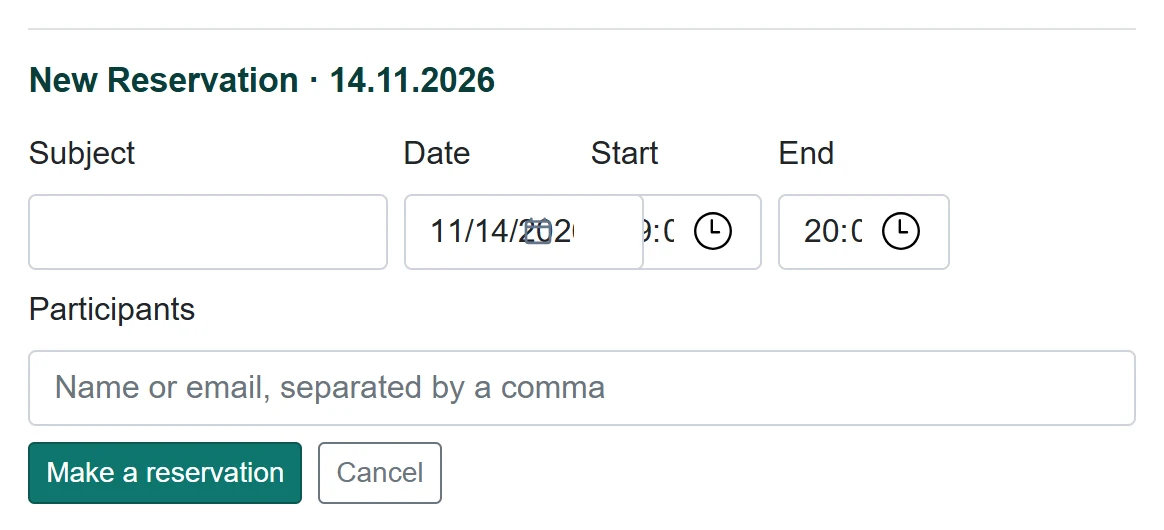
| Field | Sign in | Description |
|---|---|---|
| Subject | Text | Meeting subject; shown on the room screen. |
| Date | Text | Meeting day. Placeholder: «mm/dd/yyyy» |
| Start | Time | Start time; past times cannot be booked. |
| End | Time | End time. |
| Participants | Text | Names or e-mails, separated by commas. Placeholder: «Name or email, separated by a comma» |
- Choose the room on the left; change the week with ‹ Previous / This week / Next ›.
- Click + Add under the day.
- Enter subject, times and participants and click Make a reservation.
- To remove a booking click Cancel on it.
Common messages
| Message | Cause | Solution |
|---|---|---|
| Enter a room name. | Name empty. | Enter a name. |
| Select a location. | Location empty. | Choose a location. |
| Cannot book a past time. | Start in the past. | Choose a later time. |