
 AsyaTicari
 AsyaRestoran
 AsyaOtel
 AsyaCrm
 AsyaKlinik
 AsyaSpor
 AsyaSSH
 AsyaEmlak
 AsyaFilo
 AsyaPuantaj
 AsyaİSG
 AsyaİHD
 Kolay Öğren
AsyaPuantaj · Calendar
Working calendars
Working hours, breaks, late / early tolerance and automatic check-out times.
Working calendars define shift or working-hour patterns. Lateness, early leave, absence and overtime are calculated from the calendar.
asyapuantaj · /takvimler
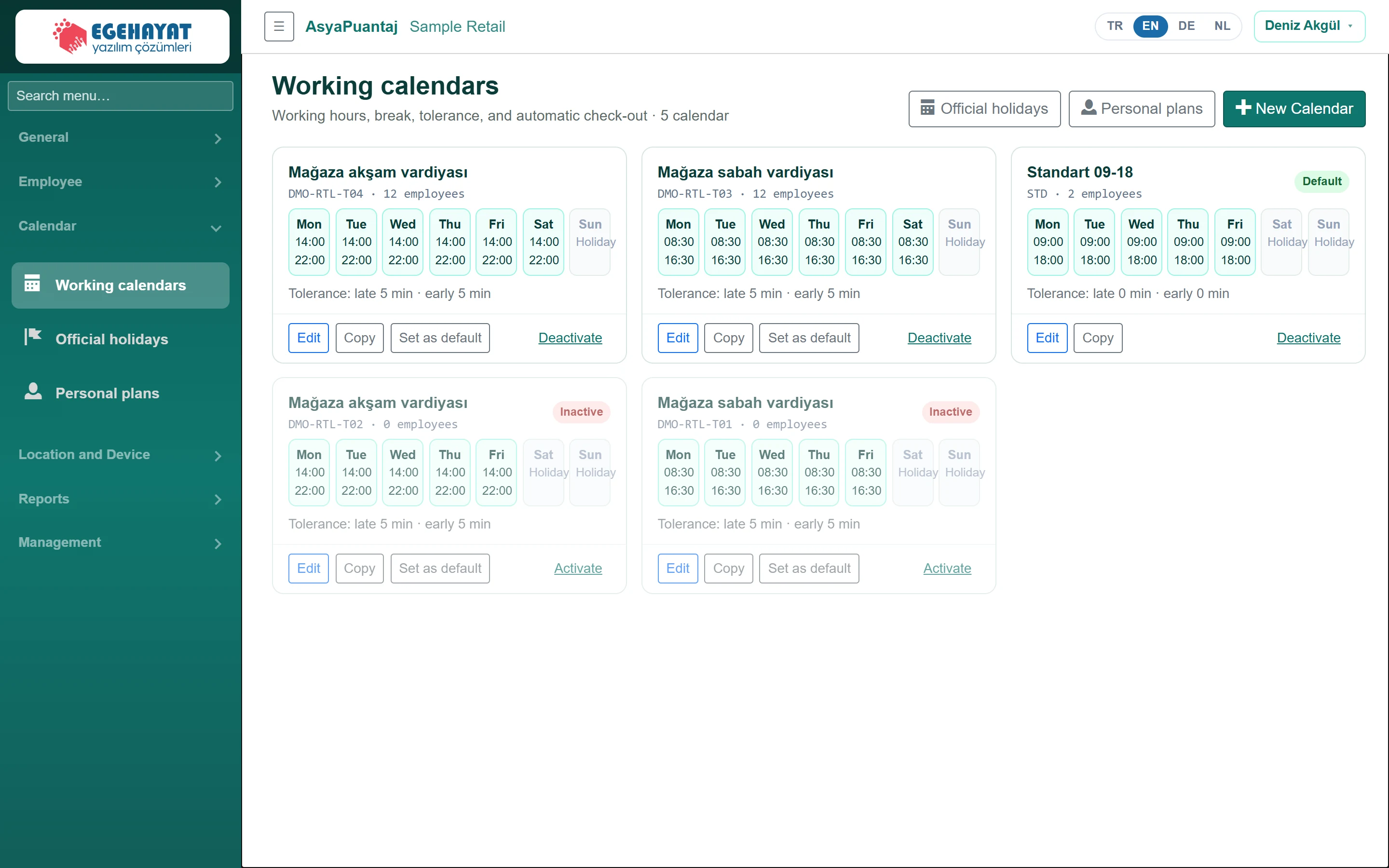
- 1New Calendar Create a new calendar.
- 2Mon Weekly working hours; non-working days show «Off».
- 3Edit Edit, copy, make default, deactivate.
Each card shows the calendar's weekly hours, code, number of assigned staff and tolerances. The Default badge marks the company default.
Editing a calendar
Part of the screenEdit calendar
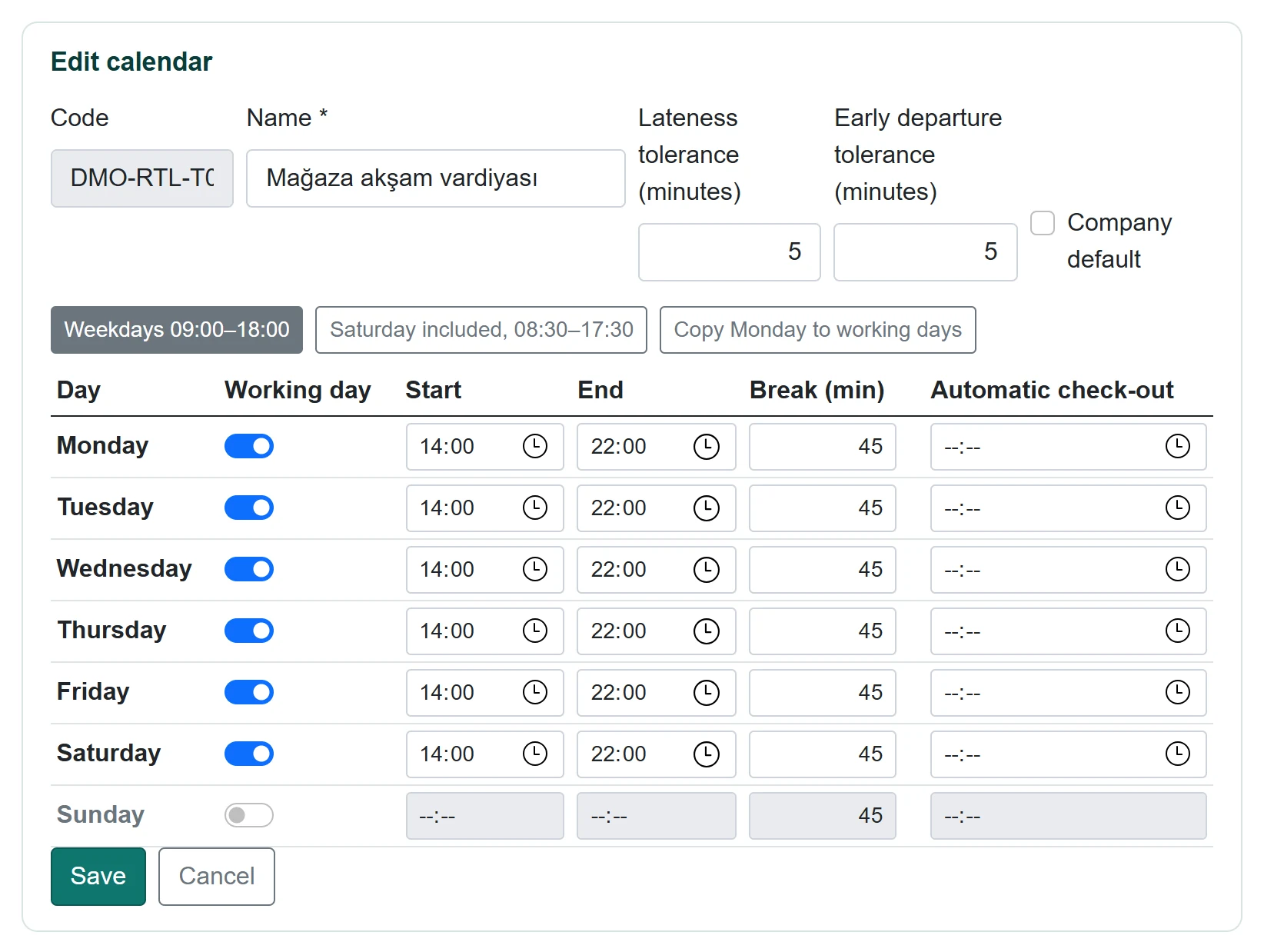
| Field | Sign in | Description |
|---|---|---|
| Code | Text | Calendar code; cannot be changed after saving. |
| Name required | Text | Calendar name (e.g. Morning shift). |
| Lateness tolerance (minutes) | Text | Entries later than this are counted late. |
| Early departure tolerance (minutes) | Text | Leaving earlier than this counts as early leave. |
| Company default | Checkbox | Applied to staff without an assigned calendar. |
- Click New Calendar or Edit on a card.
- Enter the name and tolerances.
- In the day table switch on Working day; enter Start, End, Break (min) and optionally Automatic check-out.
- For quick filling use Weekdays 09:00–18:00, Saturday included, 08:30–17:30 or Copy Monday to working days.
- Click Save.
On the cards, Copy duplicates the calendar, Set as default makes it the company default and Deactivate retires it.
On a day with an automatic check-out time, if no exit is punched the system writes an exit at that time. Calendar changes apply to new calculations; past days do not change by themselves.
Common messages
| Message | Cause | Solution |
|---|---|---|
| Calendar name is required. | Name empty. | Enter a name. |
| Start and end times are required on working days. | Working day on but time empty. | Enter times or switch the day off. |
| Code is empty or already in use. | Code used by another calendar. | Use a different code. |