
 AsyaTicari
 AsyaRestoran
 AsyaOtel
 AsyaCrm
 AsyaKlinik
 AsyaSpor
 AsyaSSH
 AsyaEmlak
 AsyaFilo
 AsyaPuantaj
 AsyaİSG
 AsyaİHD
 Kolay Öğren
AsyaPuantaj · Management
Company information
Company name, time zone, default calendar, invoice details and logos.
This screen changed recently. Screenshots will be retaken after the code change of 2026-11-19; the text is current, some images may look outdated.
On the Company information screen you edit the company name, time zone, the default calendar for new staff, invoice details and logos.
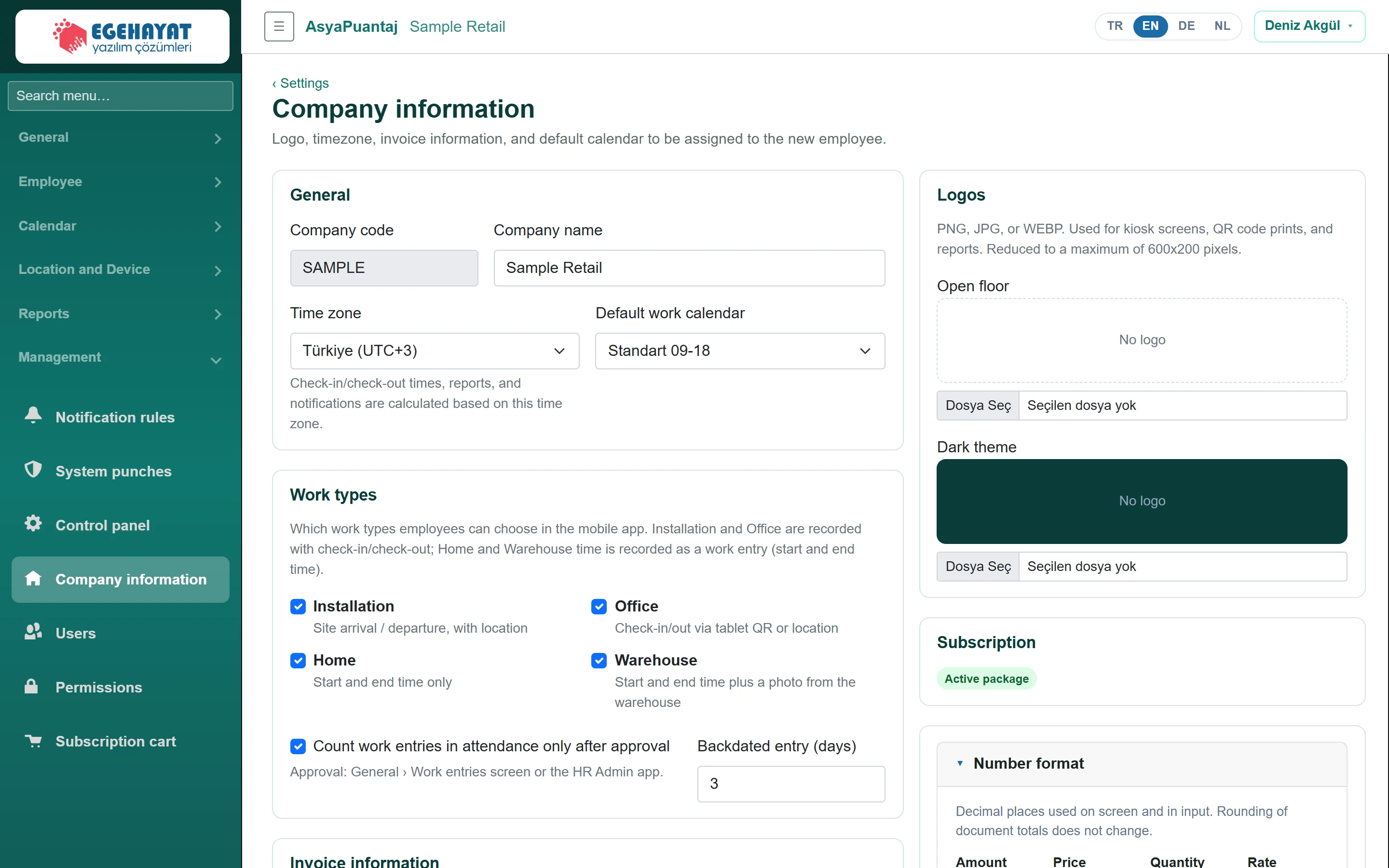
- 1General Company name, time zone and default work calendar.
- 2Work types Work types: types enabled in the mobile app and work entry approval.
- 3Invoice information Invoice details (shared by all Asya products).
- 4Logos Logos for light and dark backgrounds.
General and invoice details
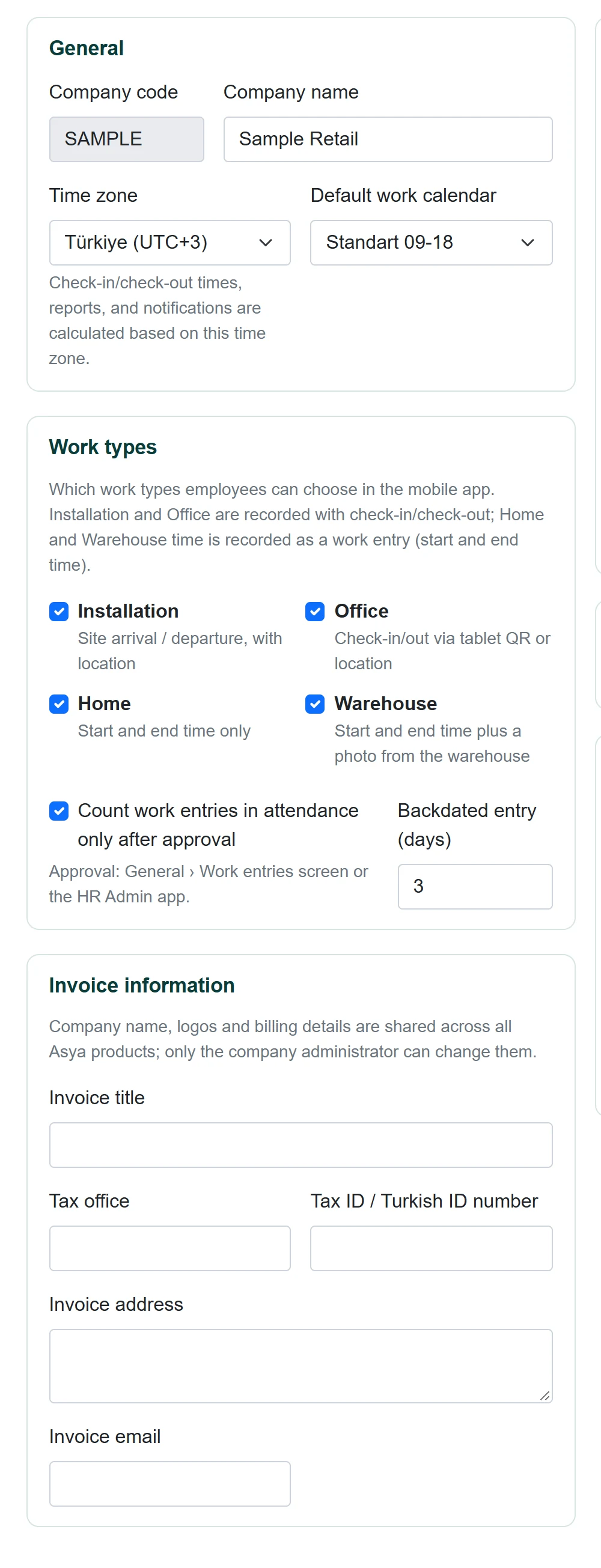
| Field | Sign in | Description |
|---|---|---|
| Company code | Text | Company code used at sign-in; cannot be changed. |
| Company name | Text | Only a company administrator can change it. |
| Time zone | Choice list | Punch times, reports and notifications use this time zone. |
| Default work calendar | Choice list | Calendar assigned to new staff. Options: Not selected · Mağaza akşam vardiyası · Mağaza sabah vardiyası · Standart 09-18 |
| Installation Site arrival / departure, with location | Checkbox | Site arrival / departure and check-in/out with location. |
| Office Check-in/out via tablet QR or location | Checkbox | Check-in/out with tablet QR or location. |
| Home Start and end time only | Checkbox | Work entry: start and end time only; no location or photo. |
| Warehouse Start and end time plus a photo from the warehouse | Checkbox | Tablet QR and work entry; photo required at start and end. |
| Count work entries in attendance only after approval | Checkbox | If ticked, home / warehouse entries count in attendance once approved. |
| Backdated entry (days) | Number | How many days back an entry may be made (0 = today only). |
| Invoice title | Text | Name on invoices. |
| Tax office | Text | Tax office. |
| Tax ID / Turkish ID number | Text | Digits only. |
| Invoice address | Long text | Invoice address. |
| Invoice email | E-mail address for invoices. |
Work types
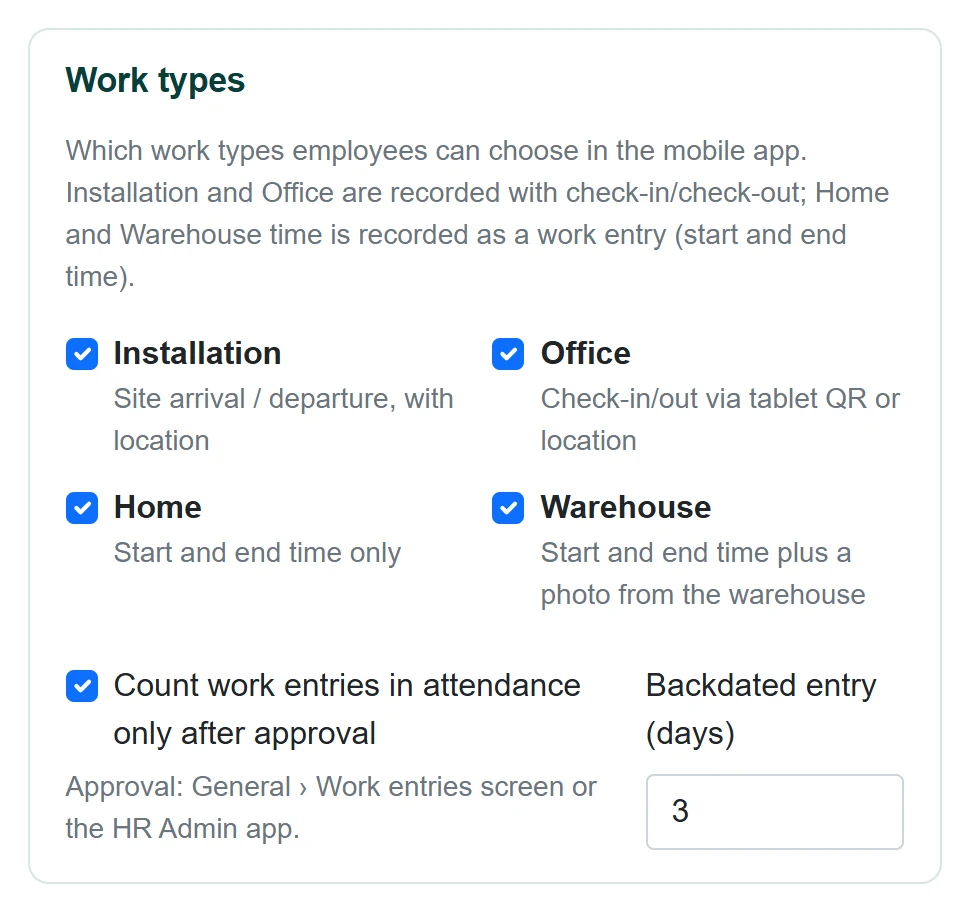
Tick the types staff can choose in the mobile app:
- Installation: site arrival / departure and check-in/out with location.
- Office: check-in/out with tablet QR or location.
- Home: start and end time only (work entry); no location, photo or device check.
- Warehouse: check-in/out with tablet QR plus a work entry with start and end time; a photo from the warehouse is required at the start and end of the entry.
If Count work entries in attendance only after approval is ticked, home and warehouse entries are added to daily attendance once approved on General → Work entries or in the HR Admin app; otherwise they are added immediately. Backdated entry (days) sets how many days back staff may enter (0 = today only).
Logos
Upload PNG, JPG or WEBP logos for light and dark backgrounds; they are used on the kiosk screen, QR printout and reports, and resized to at most 600×200 pixels. The Subscription box shows whether the package is a trial or active. Save changes with Save.
Company name, logos and invoice details are shared by all Asya products; only a company administrator can change them. A time zone change applies to new calculations.
Common messages
| Message | Cause | Solution |
|---|---|---|
| Company name cannot be empty. | Name empty. | Enter a name. |
| Invoice e-mail is invalid. | Wrong address. | Correct the address. |
| Tax number must contain digits only. | Letters or spaces. | Enter digits only. |