
 AsyaTicari
 AsyaRestoran
 AsyaOtel
 AsyaCrm
 AsyaKlinik
 AsyaSpor
 AsyaSSH
 AsyaEmlak
 AsyaFilo
 AsyaPuantaj
 AsyaİSG
 AsyaİHD
 Kolay Öğren
AsyaPuantaj · Reports
Period summary
Totals per person for payroll: days worked, absence, lateness, missing exits, overtime.
The Period summary (payroll) gives totals per person for the selected period: days worked, absent days, late days and total lateness, early leave, days with missing exit, expected and net time, overtime. The default period is this month.
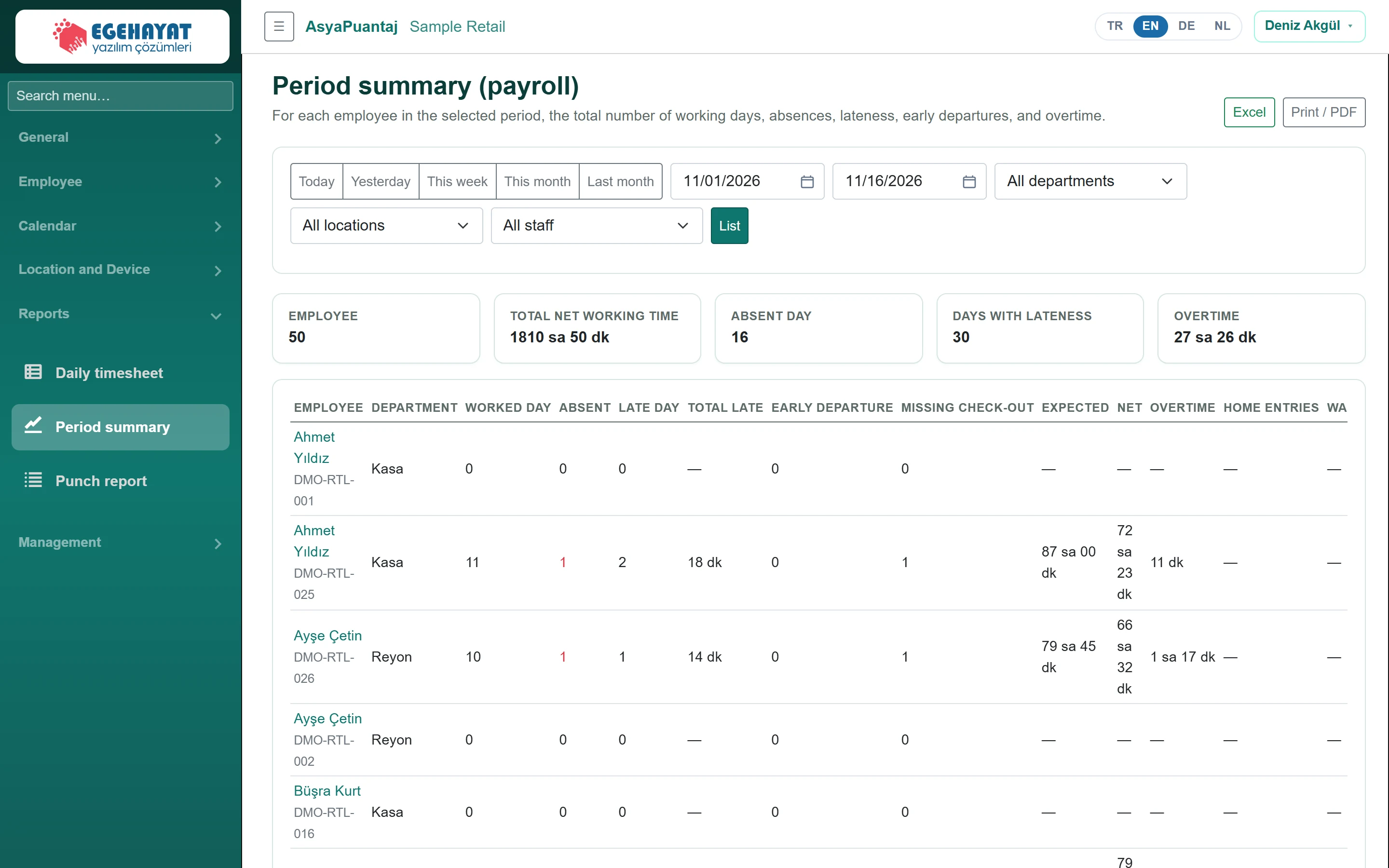
- 1Excel Export to Excel; print / PDF with the button next to it.
- 2Today Preset periods: today, yesterday, this week, this month, last month.
- 3EMPLOYEE Period totals: staff, net work, absent days, late days, overtime.
- 4%83 Ratio: net work / expected; 95% and above green, below 80% red.
The Home entries and Warehouse entries columns show the total time of work entries approved in the period; this time is already included in Net (overlap with movements is counted once). In Excel it is given in hours.
Filters
The Today, Yesterday, This week, This month, Last month buttons choose the period and refresh the list immediately. After choosing the date range, unit, workplace and staff click List. Excel downloads the list, Print / PDF opens the print view.
Rate
Rate = net work / expected time. 95% and above shows green, 80–95% yellow, below 80% red. The cards at the top give the period totals.
If Missing check-out is not zero, first complete those days with Manual check-in or Correction requests; otherwise net time and overtime come out too low.