
 AsyaTicari
 AsyaRestoran
 AsyaOtel
 AsyaCrm
 AsyaKlinik
 AsyaSpor
 AsyaSSH
 AsyaEmlak
 AsyaFilo
 AsyaPuantaj
 AsyaİSG
 AsyaİHD
 Kolay Öğren
AsyaPuantaj · General
Dashboard
Today at a glance: inside, late, absent, pending corrections, open shifts and the ERP queue.
The Dashboard is the start screen of the AsyaPuantaj admin panel. It shows today's attendance and pending work at a glance; most cards open the related screen when clicked.
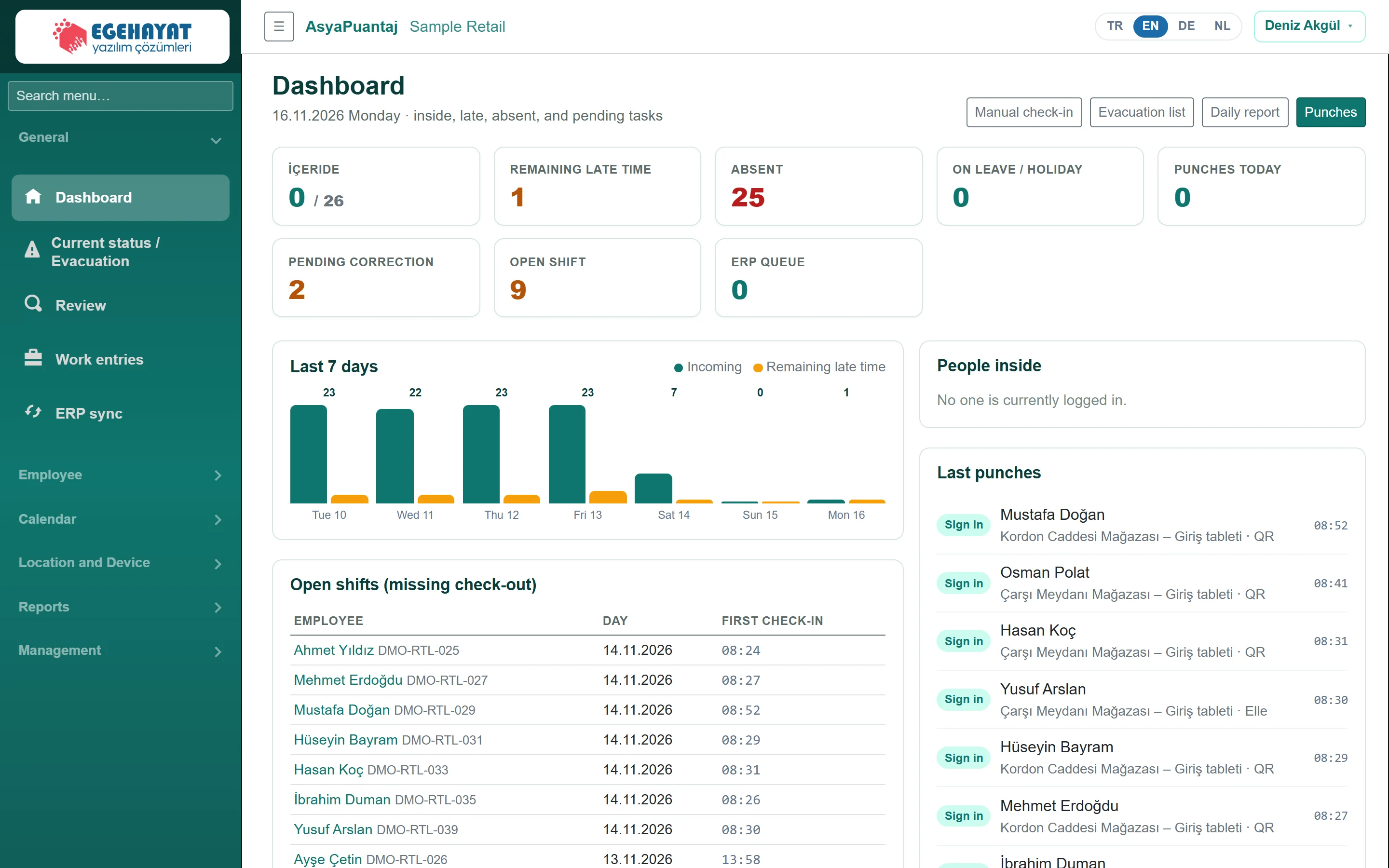
- 1Search menu… Search the menu: the menu filters as you type.
- 2Manual check-in Shortcuts: manual entry, evacuation list, daily report, punches.
- 3İÇERIDE Currently inside / active staff; click for the evacuation list.
- 4REMAINING LATE TIME Arrived late today beyond tolerance; click for the daily report.
- 5PENDING CORRECTION Correction requests awaiting approval.
- 6OPEN SHIFT Days with an entry but no exit yet.
- 7ERP QUEUE Records waiting to be sent to the ERP.
- 823 Present and late counts for the last 7 days.
Cards
- Inside: people whose last punch is an entry / active staff. Click to open the Evacuation list.
- Remaining late time (late): people who arrived later than the calendar's late tolerance today (click for the Daily timesheet).
- Absent: people with a working day today and no entry.
- On leave / Holiday: people on leave in a personal plan or on a public holiday.
- Punches today, Pending correction, Open shift (day without exit) and ERP queue (records waiting to be sent).
The Last 7 days chart shows present (green) and late (orange) counts per day; hover a bar to also see absences.
Open shifts
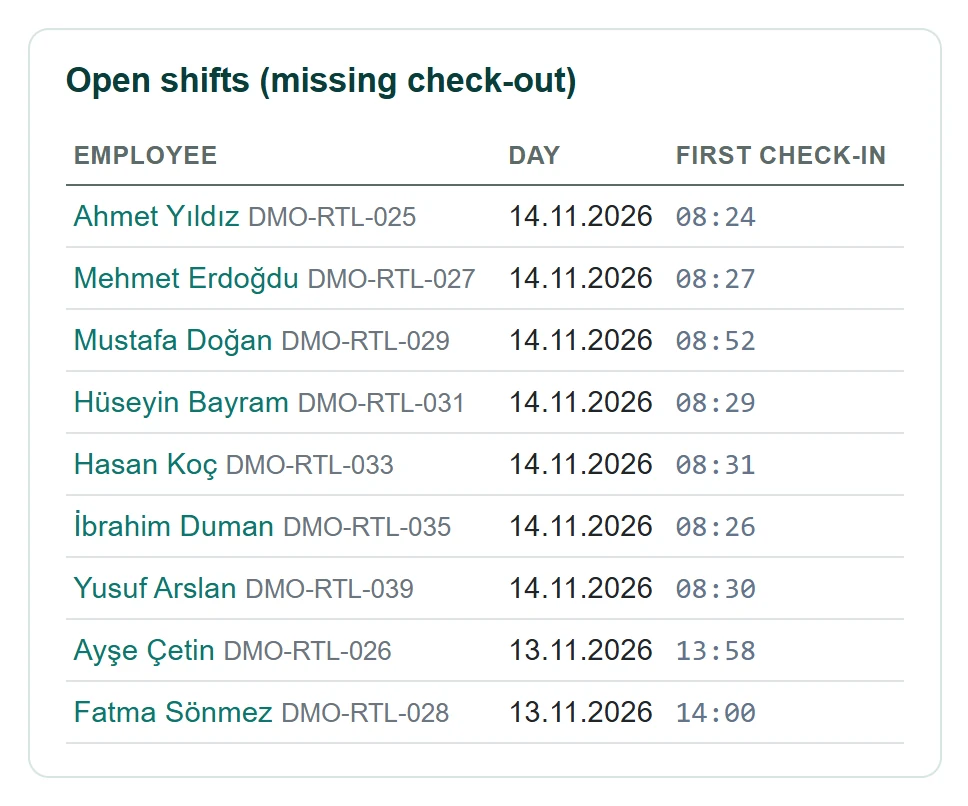
- 1Ahmet Yıldız Click the name to open that person's punches.
Days with an entry but no exit are listed. Click the name to open that person's Punches; complete the missing exit with Manual check-in or approve the person's Correction request.
People inside and last punches
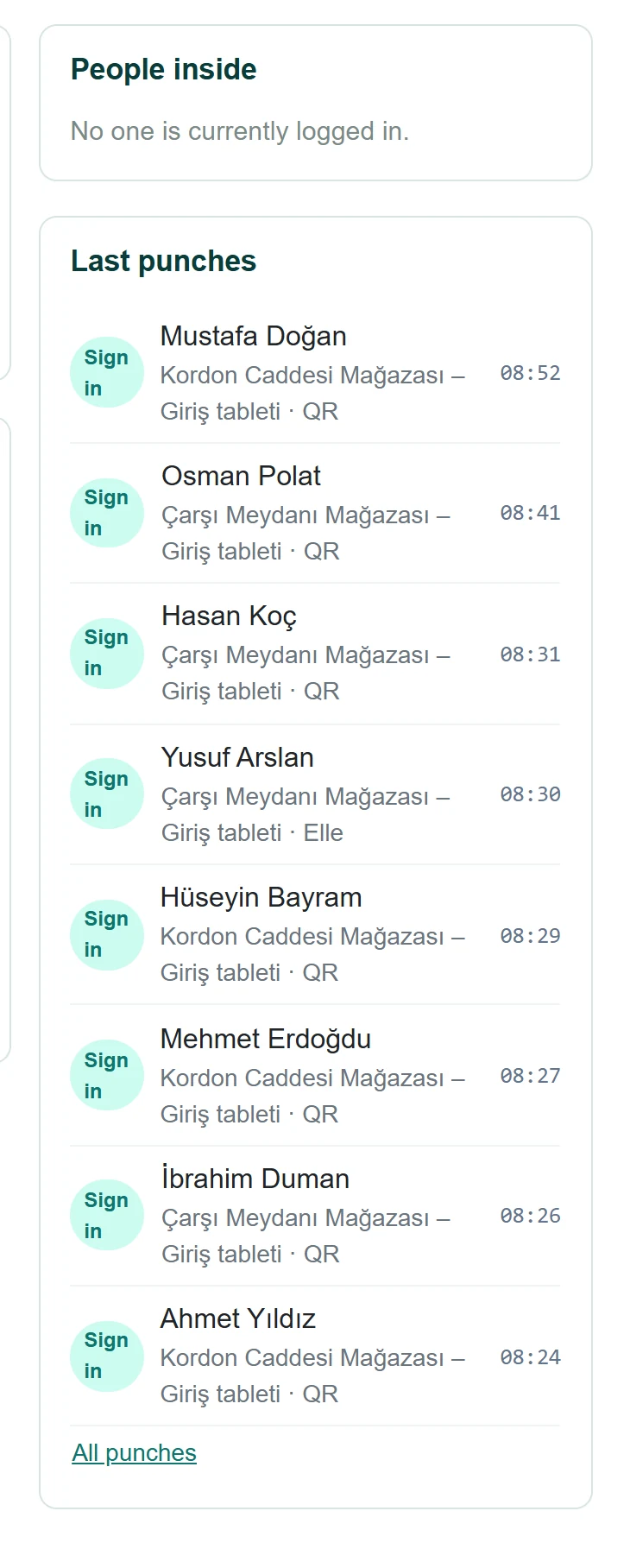
- 1People inside Inside: people whose last punch is an entry (up to 12).
- 2Last punches Recent punches: direction, location, source and time.
People inside shows up to 12 people; for more, an Evacuation list link appears. Last punches shows direction, location, source (QR, button, manual …) and time.
Type in Search menu… in the left menu to filter it. On a phone, the bottom bar has shortcuts to Dashboard, Punches, Evacuation and Reports.
Staff punch in and out with the mobile app (QR scan or button) or the kiosk tablet at the location; this panel is for monitoring, correcting and reporting.