
 AsyaTicari
 AsyaRestoran
 AsyaOtel
 AsyaCrm
 AsyaKlinik
 AsyaSpor
 AsyaSSH
 AsyaEmlak
 AsyaFilo
 AsyaPuantaj
 AsyaİSG
 AsyaİHD
 Kolay Öğren
AsyaPuantaj · Employee
Units
Department tree, unit managers and unit calendar.
The Units screen holds the company's department tree, each unit's managers and its default calendar. Reports and notifications can be filtered by unit.
asyapuantaj · /birimler
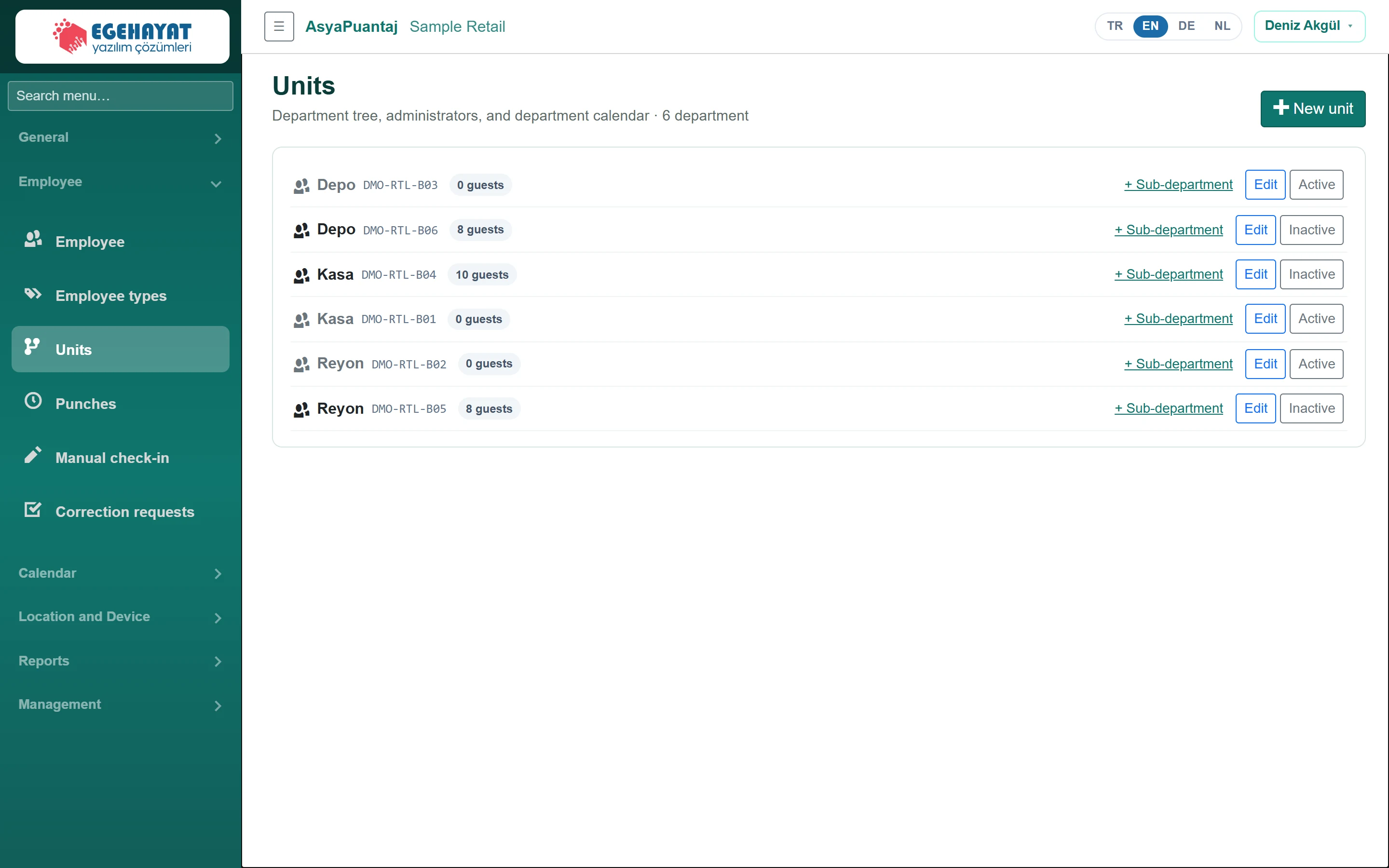
- 1New unit Add a new department.
- 2Depo Department tree: code, managers; click a department to edit.
Adding / editing a unit
Part of the screenDepartment form
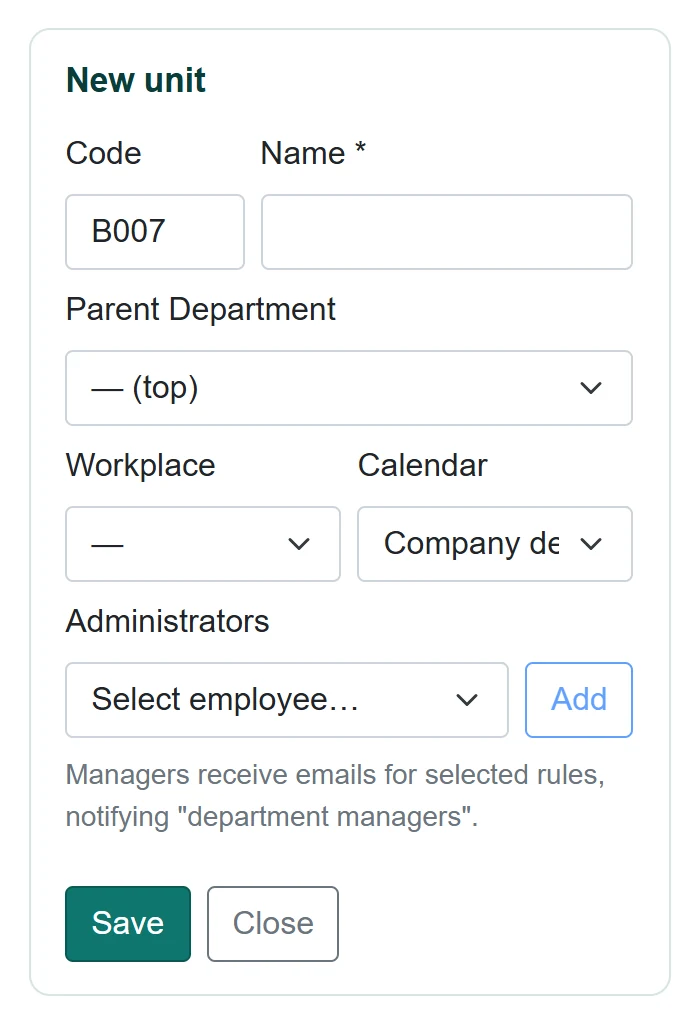
| Field | Sign in | Description |
|---|---|---|
| Code | Text | Assigned automatically if empty; cannot be changed after saving. |
| Name required | Text | Department name. |
| Parent Department | Choice list | Parent department; top level if empty. Options: — (top) · Depo · Depo · Kasa · Kasa · Reyon · Reyon |
| Workplace | Choice list | Workplace of the department. Options: Çarşı Meydanı Mağazası · Kordon Caddesi Mağazası · Sahil Yolu Mağazası |
| Calendar | Choice list | Default work calendar for the department's staff. Options: Company default · Mağaza akşam vardiyası · Mağaza sabah vardiyası · Standart 09-18 |
| Administrators | Choice list | Department managers; receive notifications set to «send to department managers». |
- Click New unit or click a unit in the tree.
- Choose name, parent unit, workplace and calendar.
- Pick staff in Administrators and click Add; remove with × on the chip.
- Click Save.
Unit managers receive the e-mails of rules with «Send to department managers» ticked on the Notification rules screen.
Common messages
| Message | Cause | Solution |
|---|---|---|
| Unit name is required. | Name empty. | Enter a name. |
| Code is empty or already in use. | Code used by another unit. | Use a different code. |
| While the ERP integration is active, new units are created in the ERP. | ERP connection enabled. | Create the unit in the ERP and sync. |