
 AsyaTicari
 AsyaRestoran
 AsyaOtel
 AsyaCrm
 AsyaKlinik
 AsyaSpor
 AsyaSSH
 AsyaEmlak
 AsyaFilo
 AsyaPuantaj
 AsyaİSG
 AsyaİHD
 Kolay Öğren
AsyaPuantaj · Management
Notification rules
Notifications about late, absent, early-leaving and not-checked-out staff, and daily / weekly summaries.
Notification rules send late, absent, early-leaving or not-checked-out staff and daily / weekly summaries by e-mail, SMS or push notification at a set time.
asyapuantaj · /bildirimler
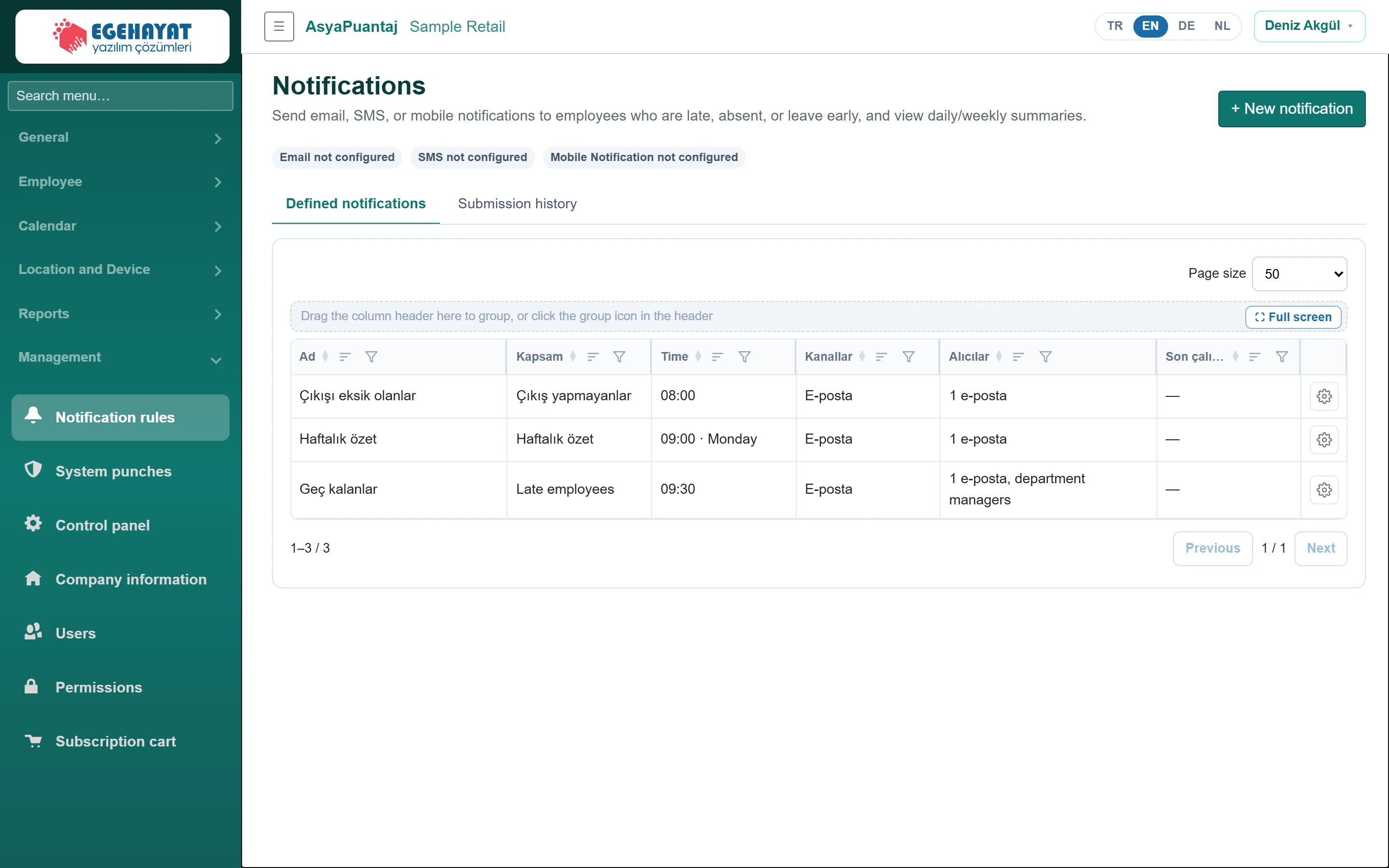
- 1+ New notification Add a new notification rule.
- 2Email not configured Whether channels are configured (e-mail, SMS, push).
- 3Defined notifications Defined notifications and send history.
- 4Actions Actions: send now, edit, delete.
The badges at the top show whether each channel is configured (nothing is sent through a channel that is not configured).
Defining a notification
Part of the screenNotification form
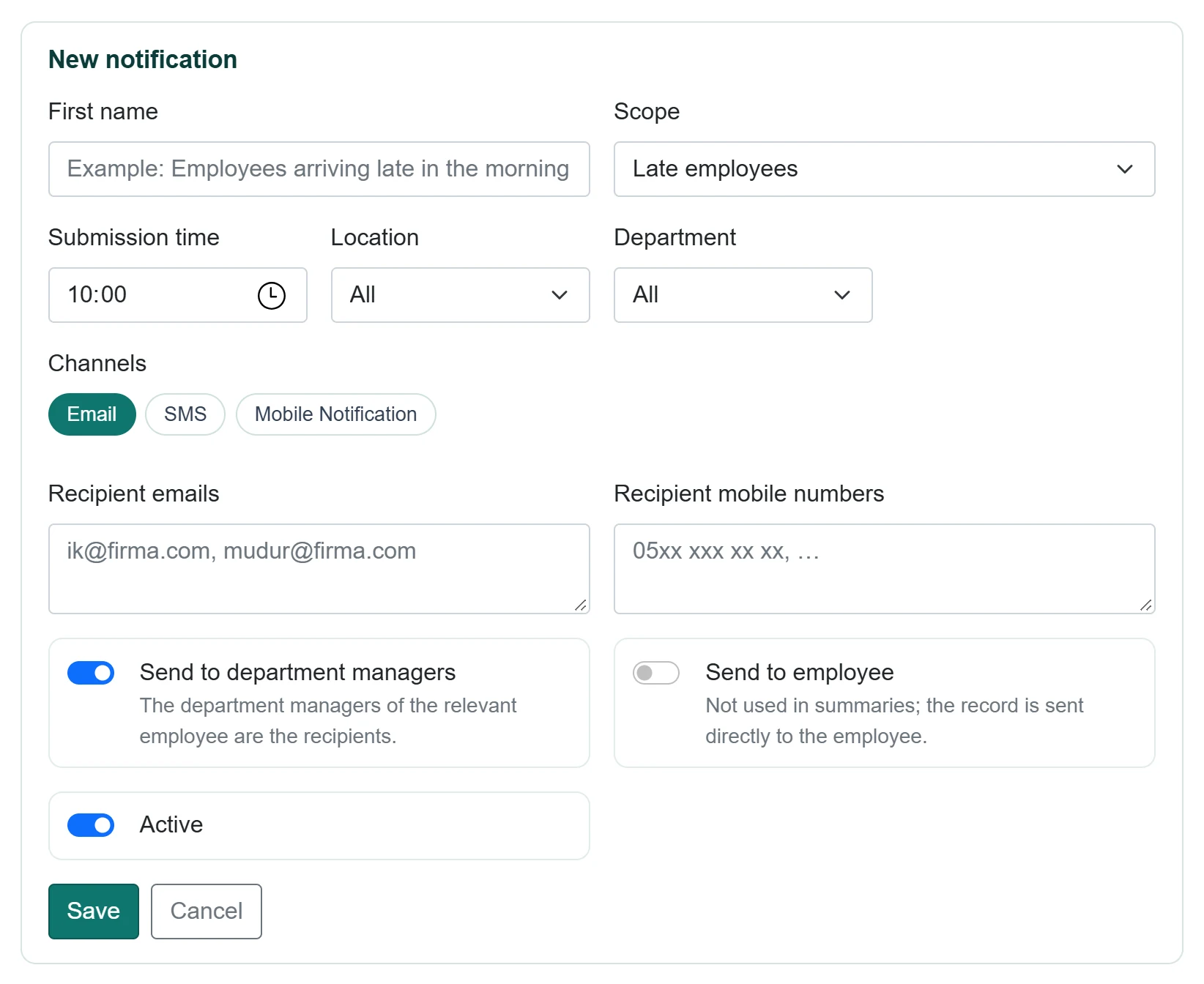
| Field | Sign in | Description |
|---|---|---|
| First name | Text | Rule name (e.g. Morning late arrivals). Placeholder: «Example: Employees arriving late in the morning» |
| Scope | Choice list | Late, no entry, left early, no exit, daily / weekly summary. Options: Late employees · Giriş yapmayanlar · Employees who left early · Günlük özet · Haftalık özet · Çıkış yapmayanlar |
| Submission time | Time | Time of day the rule runs. |
| Location | Choice list | Only staff of this location; All for everyone. Options: All · Çarşı Meydanı Mağazası – Giriş tableti · Kordon Caddesi Mağazası – Giriş tableti · Sahil Yolu Mağazası – Giriş tableti |
| Department | Choice list | Only staff of this department. Options: All · Depo · Kasa · Reyon |
| Channels | Text | E-mail, SMS, push; at least one. Placeholder: «Example: Employees arriving late in the morning» |
| Recipient emails | Long text | E-mail addresses separated by commas. Placeholder: «ik@firma.com, mudur@firma.com» |
| Recipient mobile numbers | Long text | Numbers for SMS, separated by commas. Placeholder: «05xx xxx xx xx, …» |
| Active | Checkbox | Inactive rules do not send. |
- Click + New notification, enter a name and choose the Scope.
- Enter the Submission time; for the weekly summary choose the Day.
- Optionally narrow down by location and unit.
- Choose at least one of the Channels chips and enter recipients. Widen the recipients with Send to department managers and Send to employee.
- Click Save.
In the row actions, Send now runs the rule immediately. The Submission history tab lists sent notifications.
Common messages
| Message | Cause | Solution |
|---|---|---|
| Select at least one channel. | No channel. | Choose e-mail, SMS or push. |
| Specify at least one recipient (address, mobile, unit manager or employee). | No recipient. | Add a recipient. |
| Invalid e-mail: … | Wrong address. | Correct the address. |