
 AsyaTicari
 AsyaRestoran
 AsyaOtel
 AsyaCrm
 AsyaKlinik
 AsyaSpor
 AsyaSSH
 AsyaEmlak
 AsyaFilo
 AsyaPuantaj
 AsyaİSG
 AsyaİHD
 Kolay Öğren
AsyaOtel · Hotel management
Reports
Front desk, daily, revenue, cash, invoice, agency, guest, end of day and housekeeping reports.
Each screen under Reports is a report group: Front desk, Daily, Revenue, Cash, Invoices, Agency, Guest, End of day, Housekeeping. (Occupancy opens the forecast.) They all work the same way; the same columns are used on screen, in the preview and in print.
asyaotel · /raporlar/on-buro
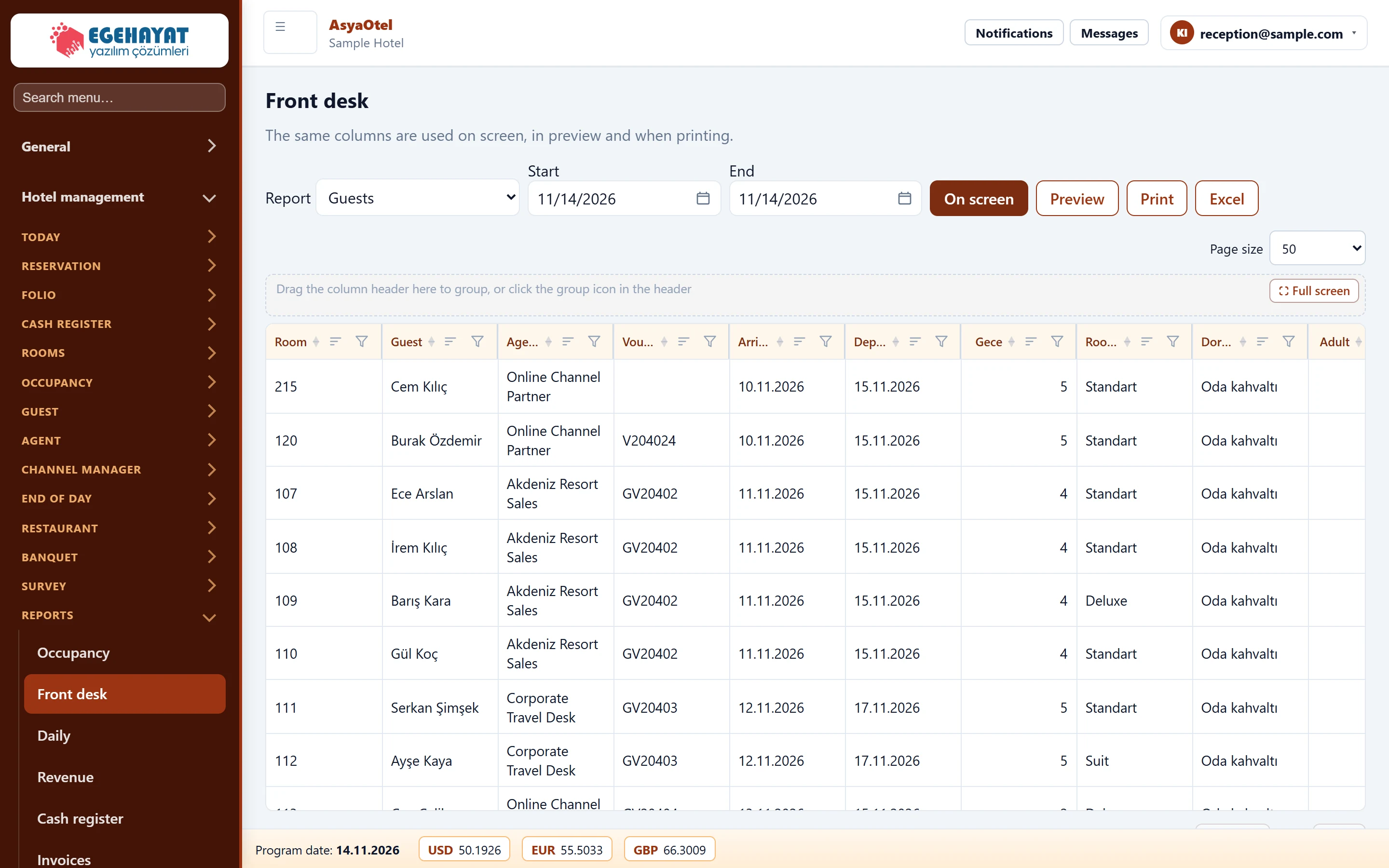
- 1Report Choose one of the reports in this group.
- 2Start Date range.
- 3On screen To screen, preview, print and Excel.
- 4Result Report rows; the same columns are used in preview and print.
- Choose the report in Report (e.g. in-house guests, vacant room list, room changes …).
- Enter Start and End dates.
- Press To screen. Drag a column header to the grouping area to group, or narrow with filters.
- Preview opens the print view; Print prints directly, Excel downloads a file.