
 AsyaTicari
 AsyaRestoran
 AsyaOtel
 AsyaCrm
 AsyaKlinik
 AsyaSpor
 AsyaSSH
 AsyaEmlak
 AsyaFilo
 AsyaPuantaj
 AsyaİSG
 AsyaİHD
 Kolay Öğren
AsyaOtel · Hotel definitions
Hotel parameters
Defaults, reservation, guest account, room rack, check-in / out, front cash, end of day, price, integration and KBS parameters.
Hotel parameters hold the hotel's working rules. Switch between tabs, make changes and press Save at the bottom to save all tabs together.
asyaotel · /tanimlar/parametreler
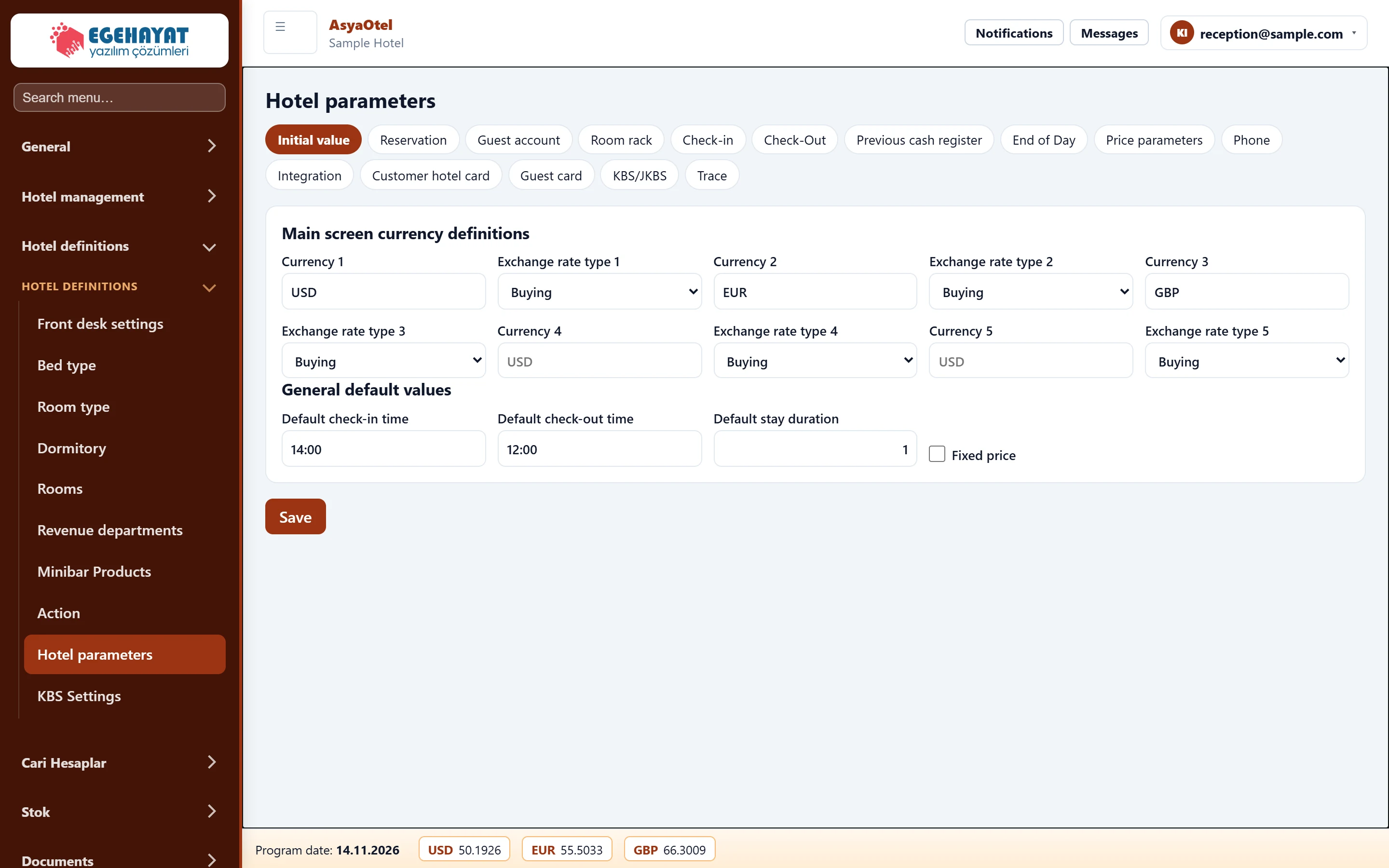
- 1Initial value Parameter groups: defaults, reservation, check-in / out, front cash, night audit, price, KBS …
- 2Settings Settings of the selected group.
- 3Save Saves all tabs.
Defaults
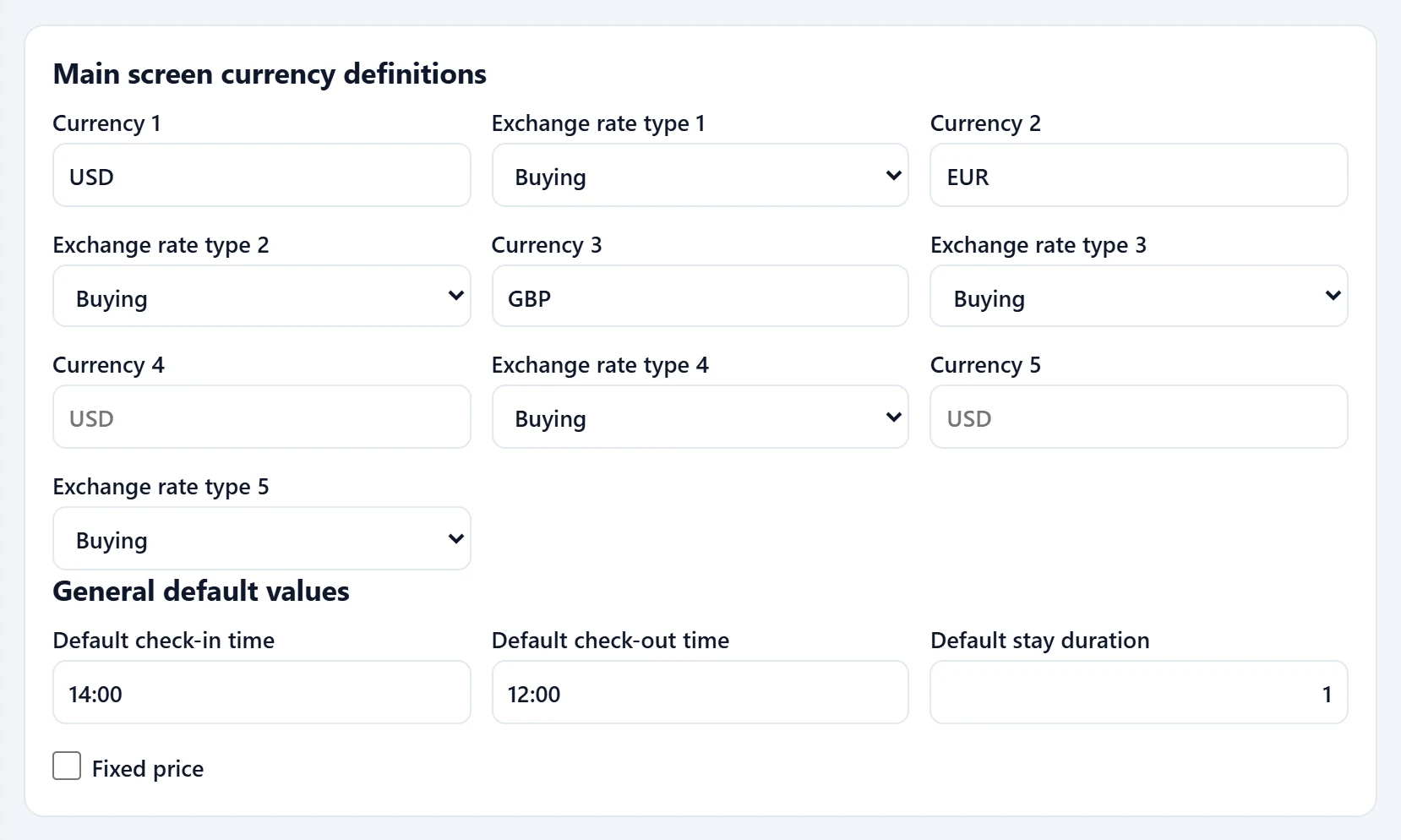
Main screen currencies (the rates shown in the footer strip) and general defaults: default check-in / check-out time, default length of stay, fixed price.
Part of the screenDefaults
| Field | Sign in | Description |
|---|---|---|
| Currency 1 | Text | Currency 1 shown in the footer. Placeholder: «USD» |
| Exchange rate type 1 | Choice list | Buying, selling, banknote buying or selling rate. Options: Buying · Selling · Banknote buying · Banknote selling |
| Currency 2 | Text | Currency 2 shown in the footer. Placeholder: «USD» |
| Exchange rate type 2 | Choice list | Buying, selling, banknote buying or selling rate. Options: Buying · Selling · Banknote buying · Banknote selling |
| Currency 3 | Text | Currency 3 shown in the footer. Placeholder: «USD» |
| Exchange rate type 3 | Choice list | Buying, selling, banknote buying or selling rate. Options: Buying · Selling · Banknote buying · Banknote selling |
| Currency 4 | Text | Currency 4 shown in the footer. Placeholder: «USD» |
| Exchange rate type 4 | Choice list | Buying, selling, banknote buying or selling rate. Options: Buying · Selling · Banknote buying · Banknote selling |
| Currency 5 | Text | Currency 5 shown in the footer. Placeholder: «USD» |
| Exchange rate type 5 | Choice list | Buying, selling, banknote buying or selling rate. Options: Buying · Selling · Banknote buying · Banknote selling |
| Default check-in time | Text | Default check-in time. Placeholder: «14:00» |
| Default check-out time | Text | Default check-out time. Placeholder: «12:00» |
| Default stay duration | Text | Default number of nights on a new card. |
| Fixed price | Checkbox | The price is not recalculated after saving. |
Reservation
Part of the screenReservation
| Field | Sign in | Description |
|---|---|---|
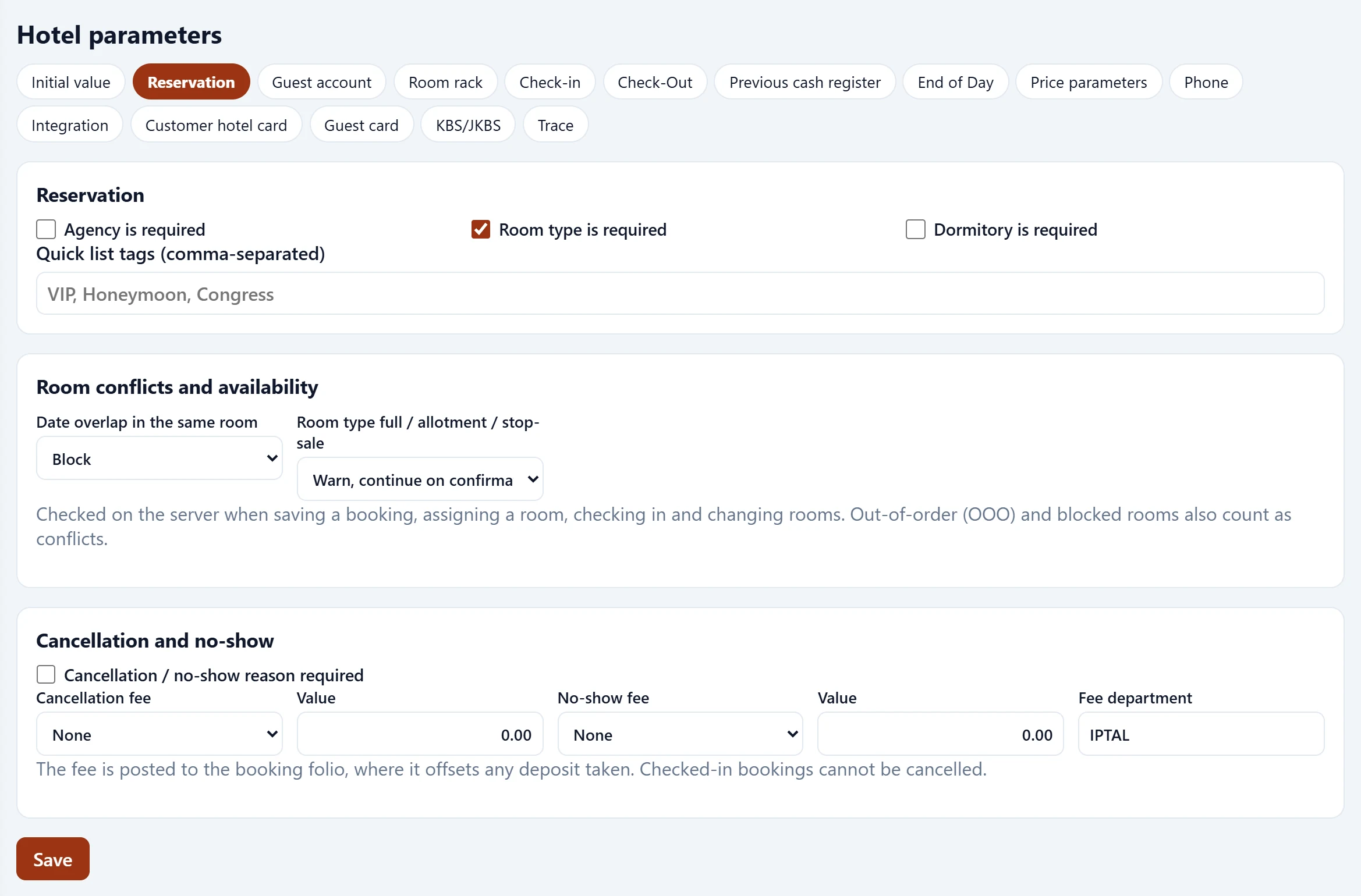
| Agency is required | Checkbox | Agency is required on bookings. |
| Room type is required | Checkbox | Room type required. |
| Dormitory is required | Checkbox | Board type required. |
| Quick list tags (comma-separated) | Text | Quick filter tags for the list. Placeholder: «VIP, Honeymoon, Congress» |
| Date overlap in the same room | Choice list | Warn or block on overlapping dates. Options: Block · Warn, continue on confirmation |
| Room type full / allotment / stop-sale | Choice list | Behaviour when the type is full, on allotment or stop-sale. Options: Warn, continue on confirmation · Block |
| Cancellation / no-show reason required | Checkbox | A reason is required for cancel / no-show. |
| Cancellation fee | Choice list | Cancellation fee type posted to the folio. Options: None · First night amount · Percentage of stay total · Fixed amount (TRY) |
| Value | Text | Fee amount or rate. |
| No-show fee | Choice list | No-show fee type. Options: None · First night amount · Percentage of stay total · Fixed amount (TRY) |
| Fee department | Text | Revenue department for the fee. |
Guest account
Part of the screenGuest account
| Field | Sign in | Description |
|---|---|---|
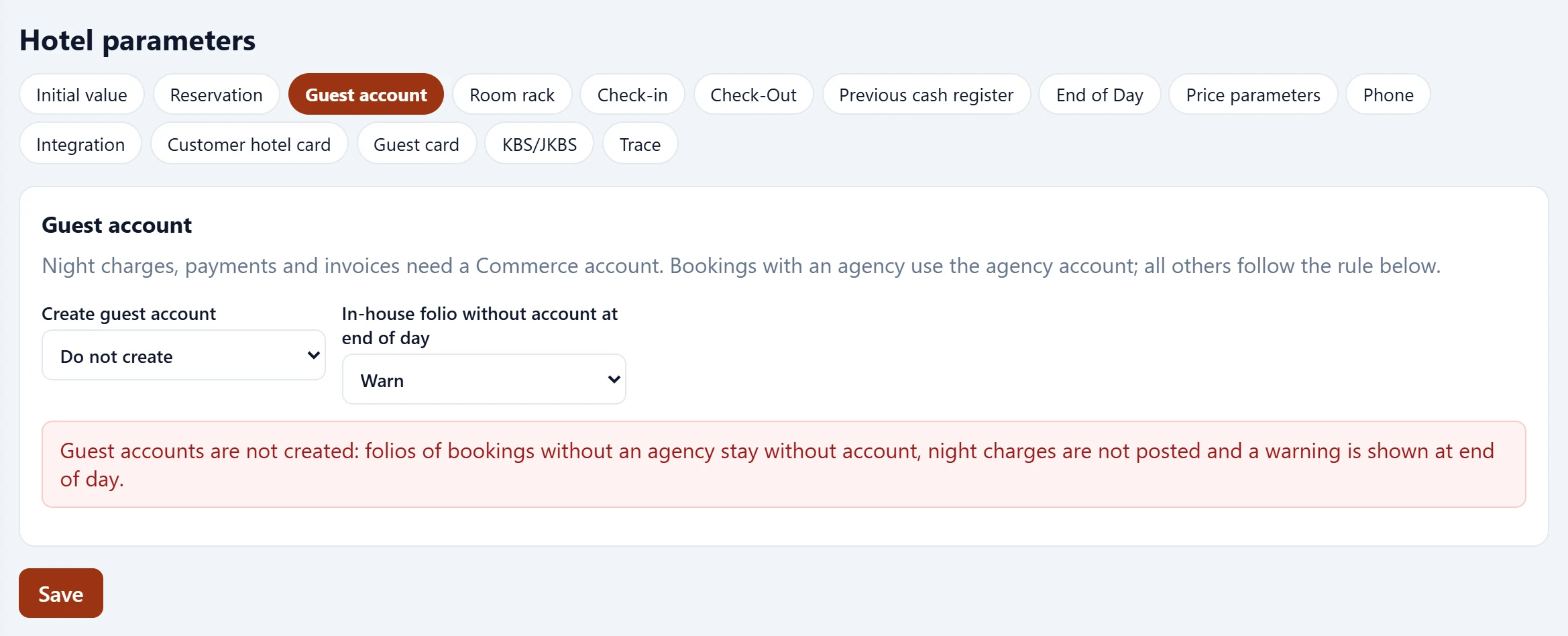
| Create guest account | Choice list | An account is opened for the guest automatically. Options: Do not create · When the guest card is saved · At check-in (individual, walk-in) · Use a fixed account |
| In-house folio without account at end of day | Choice list | Night-audit behaviour for folios without an account. Options: Warn · Block end of day |
Room rack
Part of the screenRoom rack
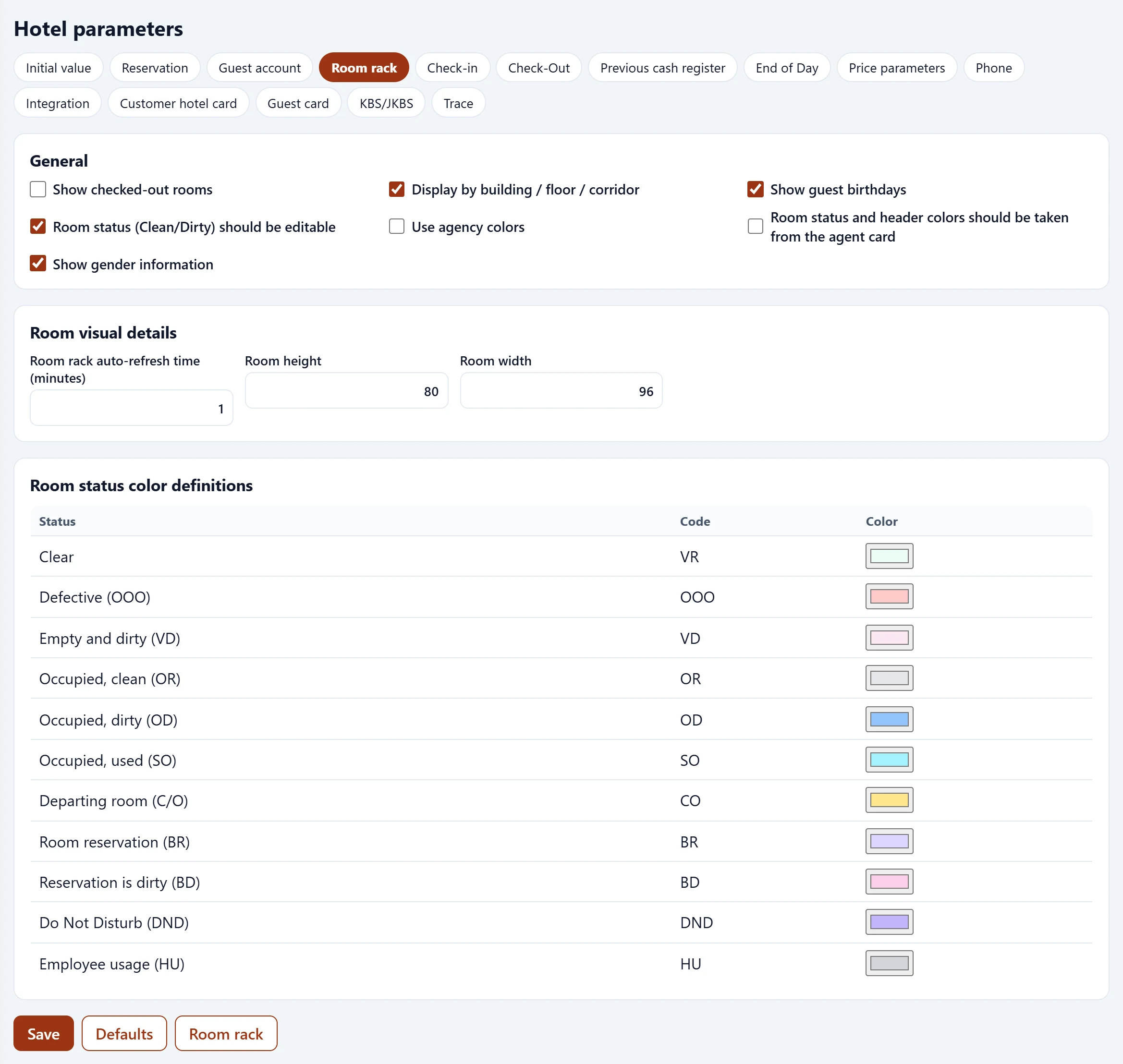
| Field | Sign in | Description |
|---|---|---|
| Show checked-out rooms | Checkbox | Show checked-out rooms. |
| Display by building / floor / corridor | Checkbox | Group by building / floor / corridor. |
| Show guest birthdays | Checkbox | Show birthday / anniversary marks. |
| Room status (Clean/Dirty) should be editable | Checkbox | HK status can be changed from the rack. |
| Use agency colors | Checkbox | Cells use agency colours. |
| Show gender information | Checkbox | Colours come from the agency card. |
| Room rack auto-refresh time (minutes) | Text | Show guest gender. |
| Room height | Text | Auto-refresh interval. |
| Room width | Text | Room cell height. |
Check-in
Part of the screenCheck-in
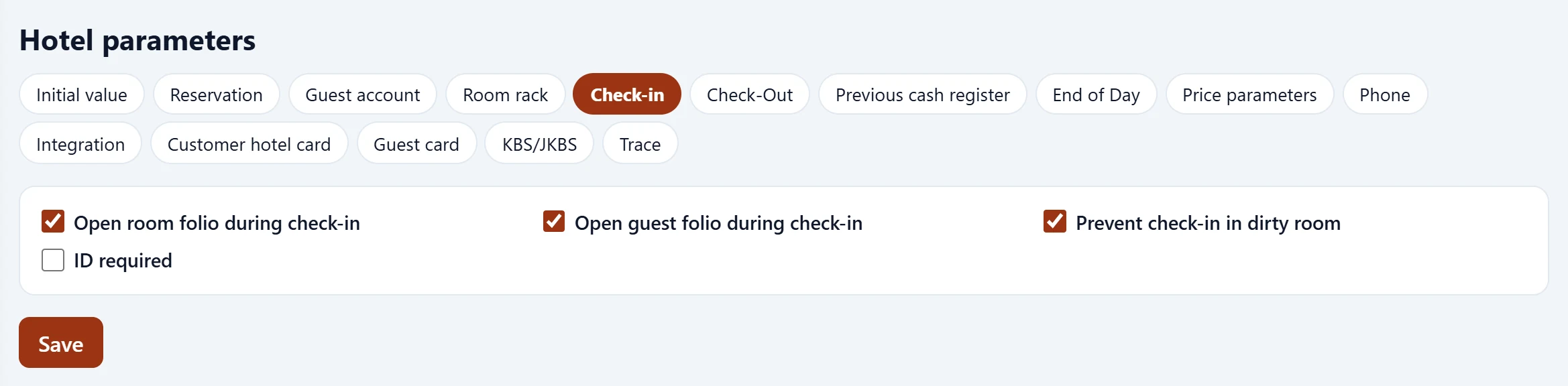
| Field | Sign in | Description |
|---|---|---|
| Open room folio during check-in | Checkbox | Open a room folio at check-in. |
| Open guest folio during check-in | Checkbox | Open a guest folio at check-in. |
| Prevent check-in in dirty room | Checkbox | Block check-in to dirty rooms. |
| ID required | Checkbox | ID is required for check-in. |
Check-out
Part of the screenCheck-out
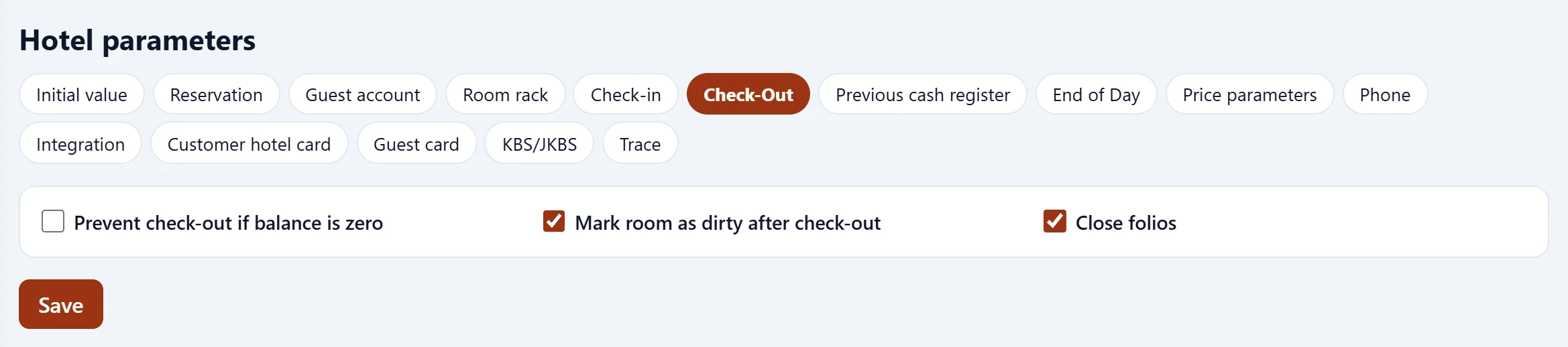
| Field | Sign in | Description |
|---|---|---|
| Prevent check-out if balance is zero | Checkbox | Block check-out while a balance is open. |
| Mark room as dirty after check-out | Checkbox | Room becomes dirty after check-out. |
| Close folios | Checkbox | Close folios at check-out. |
Front cash
Part of the screenFront cash
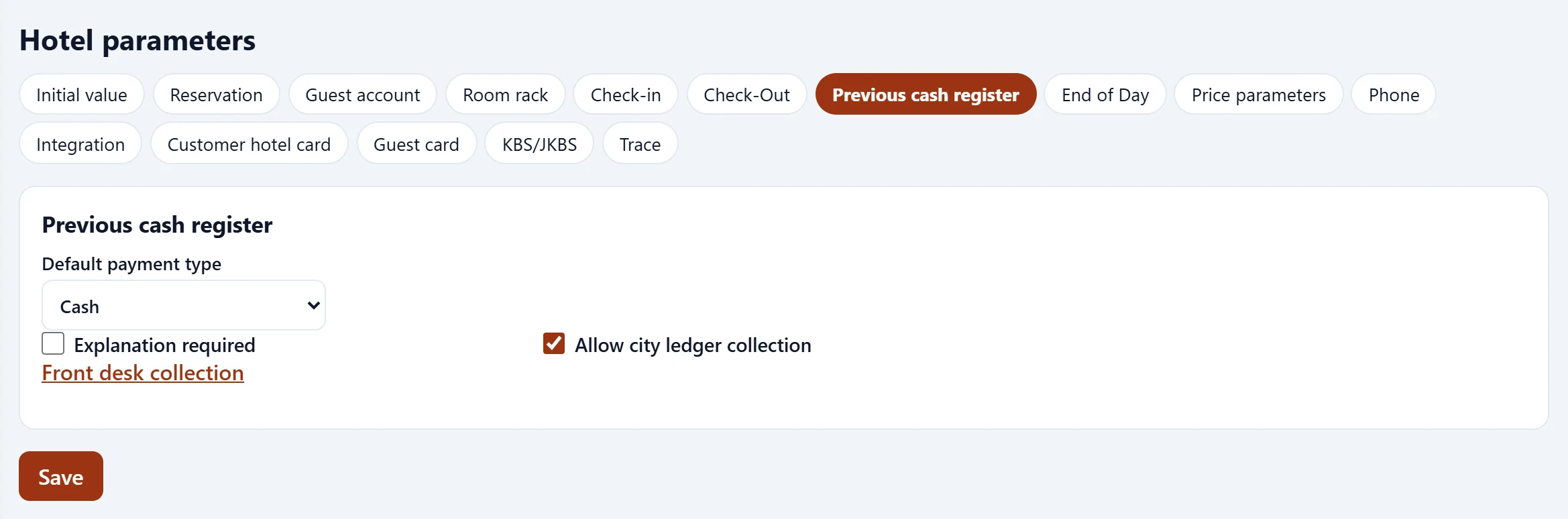
| Field | Sign in | Description |
|---|---|---|
| Default payment type | Choice list | Default payment type on receipts. Options: Cash · Card · Bank transfer · Other |
| Explanation required | Checkbox | Description required on cash receipts. |
| Allow city ledger collection | Checkbox | Enables the city-ledger collection screen. |
End of day
Part of the screenNight audit
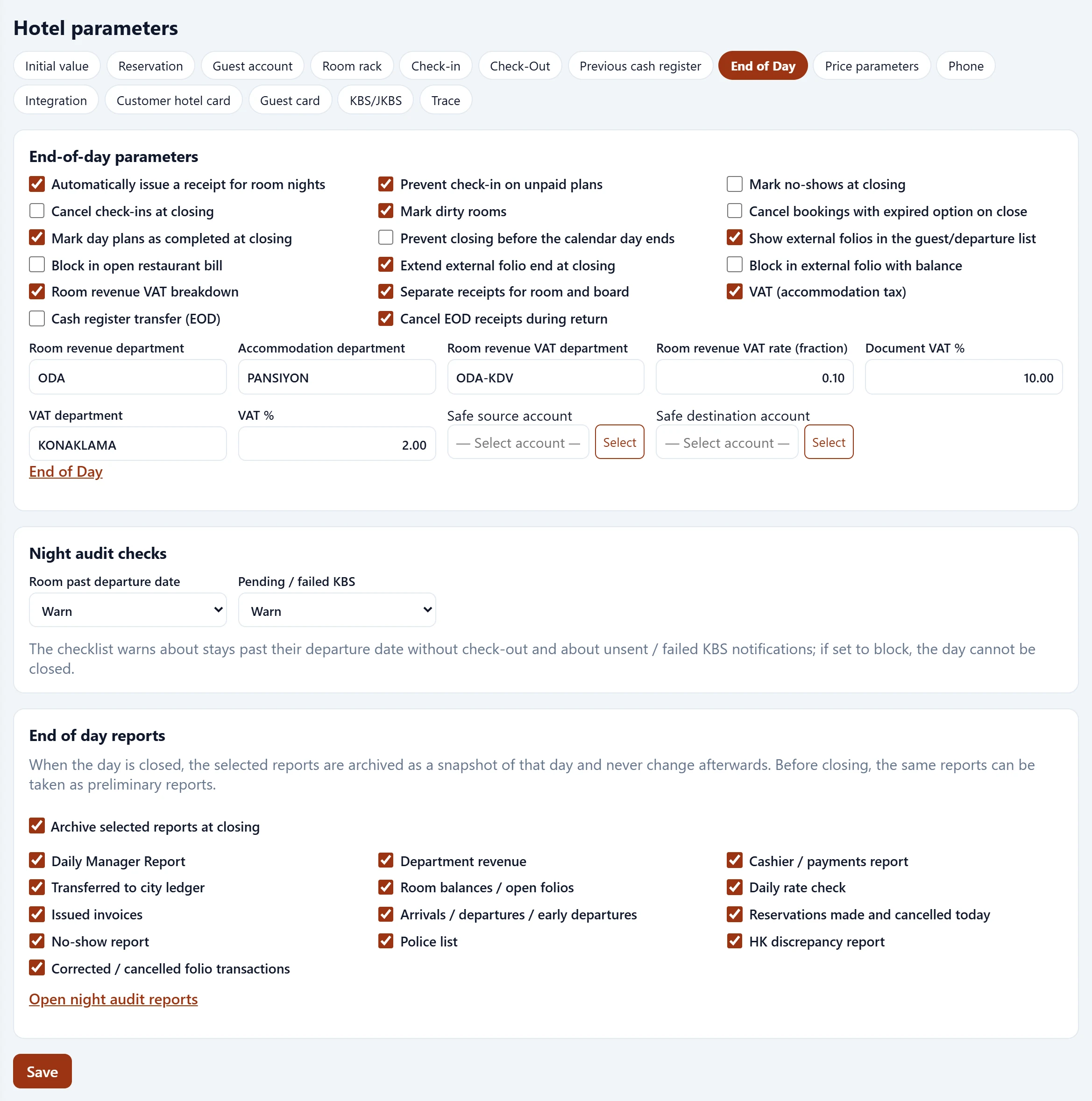
| Field | Sign in | Description |
|---|---|---|
| Automatically issue a receipt for room nights | Checkbox | When checked, this rule is applied at the night audit. |
| Prevent check-in on unpaid plans | Checkbox | When checked, this rule is applied at the night audit. |
| Mark no-shows at closing | Checkbox | When checked, this rule is applied at the night audit. |
| Cancel check-ins at closing | Checkbox | When checked, this rule is applied at the night audit. |
| Mark dirty rooms | Checkbox | When checked, this rule is applied at the night audit. |
| Cancel bookings with expired option on close | Checkbox | When checked, this rule is applied at the night audit. |
| Mark day plans as completed at closing | Checkbox | When checked, this rule is applied at the night audit. |
| Prevent closing before the calendar day ends | Checkbox | When checked, this rule is applied at the night audit. |
| Show external folios in the guest/departure list | Checkbox | When checked, this rule is applied at the night audit. |
| Block in open restaurant bill | Checkbox | When checked, this rule is applied at the night audit. |
| Extend external folio end at closing | Checkbox | When checked, this rule is applied at the night audit. |
| Block in external folio with balance | Checkbox | When checked, this rule is applied at the night audit. |
| Room revenue VAT breakdown | Checkbox | When checked, this rule is applied at the night audit. |
| Separate receipts for room and board | Checkbox | When checked, this rule is applied at the night audit. |
| VAT (accommodation tax) | Checkbox | When checked, this rule is applied at the night audit. |
| Cash register transfer (EOD) | Checkbox | When checked, this rule is applied at the night audit. |
| Cancel EOD receipts during return | Checkbox | When checked, this rule is applied at the night audit. |
| Room revenue department | Text | Department for room revenue. |
| Accommodation department | Text | Department for board revenue. |
| Room revenue VAT department | Text | Department for the separated VAT. |
| Room revenue VAT rate (fraction) | Text | E.g. 0.10 = 10%. |
| Document VAT % | Text | VAT rate of night postings. |
| VAT department | Text | Department for accommodation tax. |
| VAT % | Text | Accommodation tax rate. |
| Room past departure date | Choice list | Behaviour if a stay is past its departure date. Options: Warn · Block end of day |
| Pending / failed KBS | Choice list | Behaviour with pending / failed KBS notifications. Options: Warn · Block end of day |
| Archive selected reports at closing | Checkbox | Selected reports are archived at closing. |
| Daily Manager Report | Checkbox | When checked, this report is archived at closing. |
| Department revenue | Checkbox | When checked, this report is archived at closing. |
| Cashier / payments report | Checkbox | When checked, this report is archived at closing. |
| Transferred to city ledger | Checkbox | When checked, this report is archived at closing. |
| Room balances / open folios | Checkbox | When checked, this report is archived at closing. |
| Daily rate check | Checkbox | When checked, this report is archived at closing. |
| Issued invoices | Checkbox | When checked, this report is archived at closing. |
| Arrivals / departures / early departures | Checkbox | When checked, this report is archived at closing. |
| Reservations made and cancelled today | Checkbox | When checked, this report is archived at closing. |
| No-show report | Checkbox | When checked, this report is archived at closing. |
| Police list | Checkbox | When checked, this report is archived at closing. |
| HK discrepancy report | Checkbox | When checked, this report is archived at closing. |
| Corrected / cancelled folio transactions | Checkbox | When checked, this report is archived at closing. |
Price parameters
Part of the screenPrice parameters
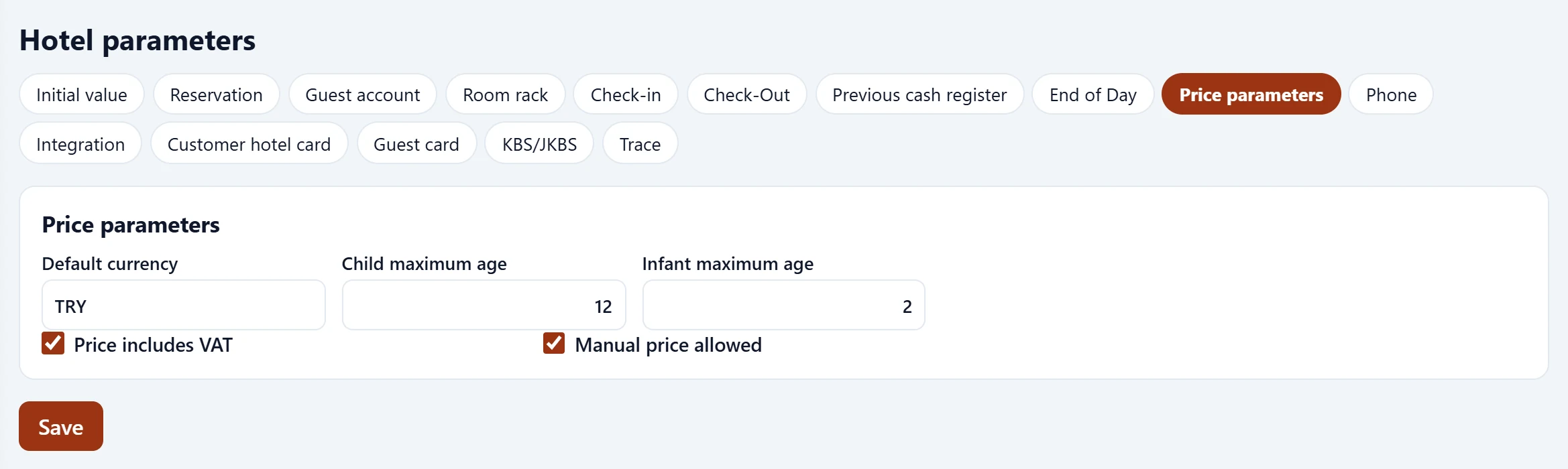
| Field | Sign in | Description |
|---|---|---|
| Default currency | Text | Default currency of new bookings. |
| Child maximum age | Text | Up to this age a guest is a child. |
| Infant maximum age | Text | Up to this age a guest is an infant. |
| Price includes VAT | Checkbox | Entered prices include VAT. |
| Manual price allowed | Checkbox | Manual price allowed on bookings. |
The phone, integration, customer hotel card, guest card, KBS/JKBS and trace tabs work the same way. KBS connection details are on the separate KBS settings screen.
A parameter change affects transactions from then on; past folios and night audits are not recalculated.