
 AsyaTicari
 AsyaRestoran
 AsyaOtel
 AsyaCrm
 AsyaKlinik
 AsyaSpor
 AsyaSSH
 AsyaEmlak
 AsyaFilo
 AsyaPuantaj
 AsyaİSG
 AsyaİHD
 Kolay Öğren
AsyaOtel · Hotel management
Front cash receipts
Cash operations, department revenue, collection, city-ledger collection, change and cash advance receipts.
The six screens under the cash register heading share the same receipt form; only the receipt type differs:
| Screen | Receipt type |
|---|---|
| Cash operations | General cash receipts |
| Department revenue | Department revenue receipt |
| Collection | Front cash collections (folio payments can also be made on the folio screen) |
| Collection from credit | City ledger (CL) collections |
| Change | Currency exchange / change receipts |
| Cash advance | Cash advance receipts |
asyaotel · /on-kasa/tahsilat
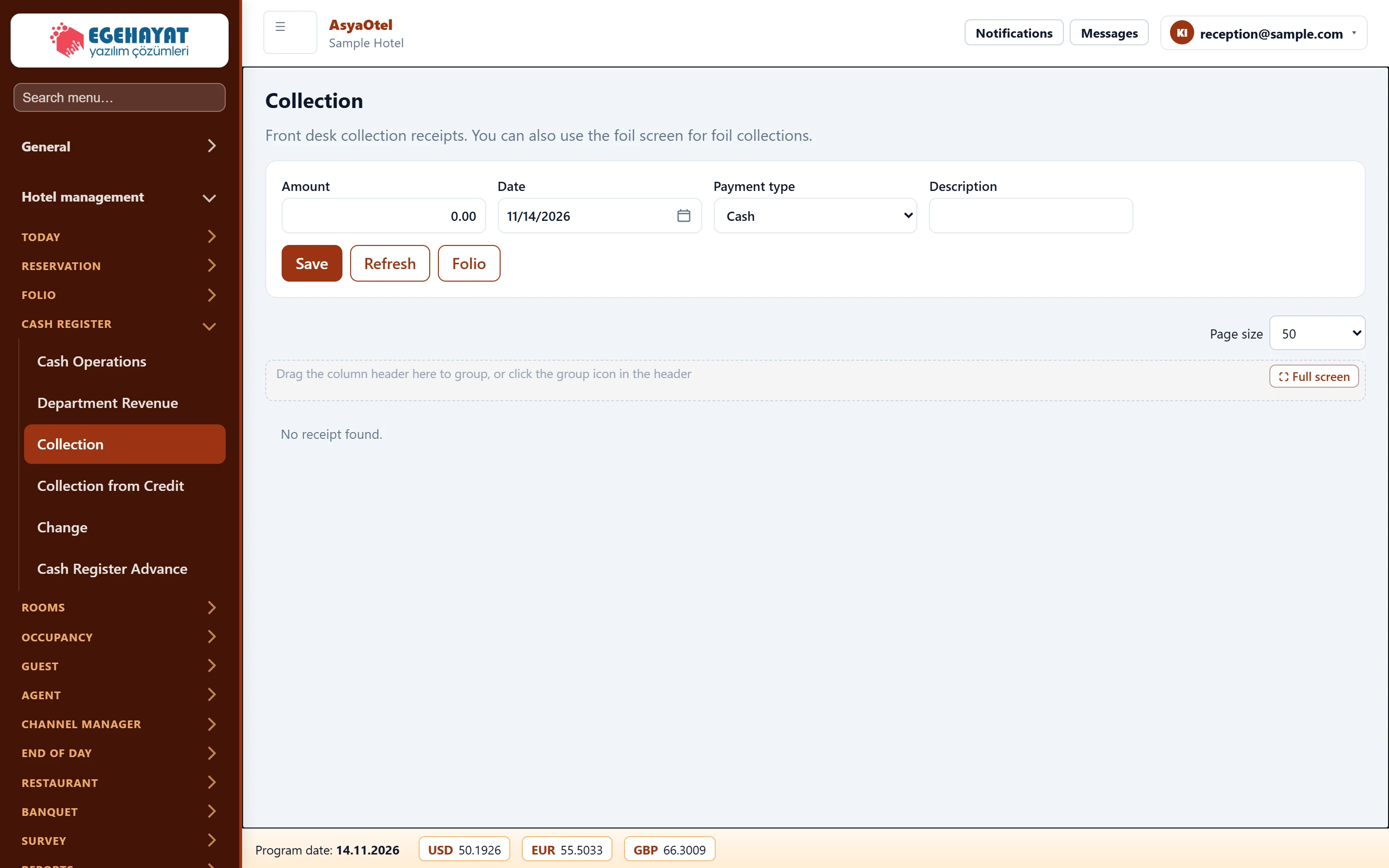
- 1Receipt Amount, date, payment type, description and folio.
- 2Receipts Saved receipts; remove with Delete.
Entering a receipt
Part of the screenCash receipt
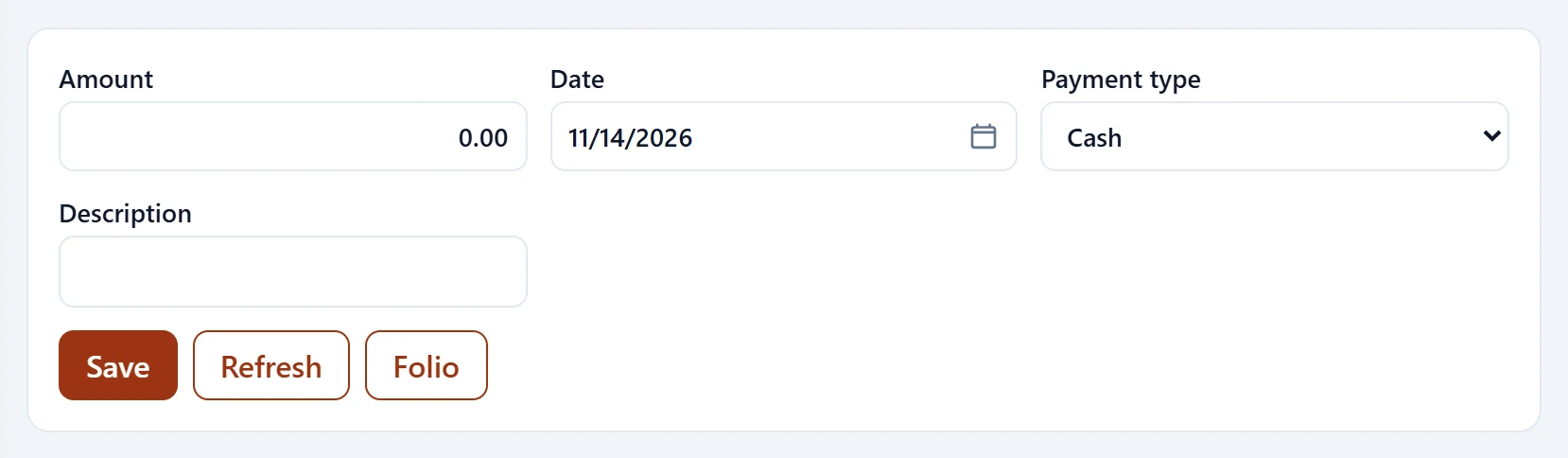
| Field | Sign in | Description |
|---|---|---|
| Amount | Text | Receipt amount; required. |
| Date | Text | Receipt date. Placeholder: «mm/dd/yyyy» |
| Payment type | Choice list | Cash, card, transfer, other. Options: Cash · Card · Bank transfer · Other |
| Description | Text | Description; may be required by parameter. |
Receipts are listed by program date; Delete removes one.
| Warning | Cause | Solution |
|---|---|---|
| Enter an amount. | Amount empty. | Enter the amount. |
| Description is required. | This receipt type needs a description. | Enter a description. |
| City ledger collection is disabled. | CL is off in the parameters. | Enable it in Hotel parameters → Front cash. |