
 AsyaTicari
 AsyaRestoran
 AsyaOtel
 AsyaCrm
 AsyaKlinik
 AsyaSpor
 AsyaSSH
 AsyaEmlak
 AsyaFilo
 AsyaPuantaj
 AsyaİSG
 AsyaİHD
 Kolay Öğren
AsyaOtel · Hotel management
Room maintenance / faults
Maintenance cards that put a room out of order (OOO) or out of use (OU).
On Room Maintenance you open a card for a faulty room or a room under maintenance. A room with an open card is shown as out of order in the room rack and cannot be sold.
asyaotel · /on-buro/oda-bakim
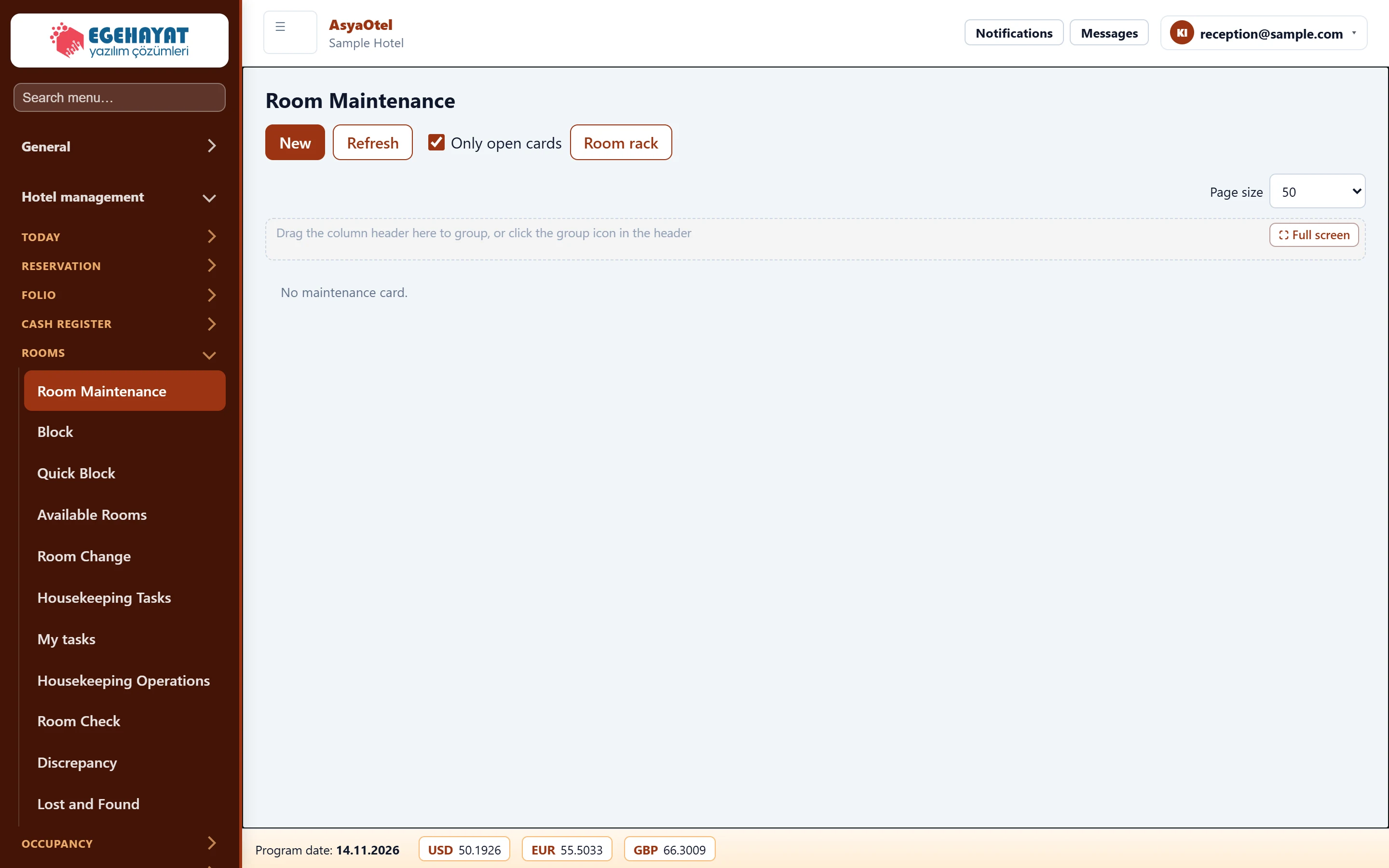
- 1New New maintenance / fault card.
- 2Only open cards Show only open (unresolved) cards.
Maintenance card
Part of the screenMaintenance card
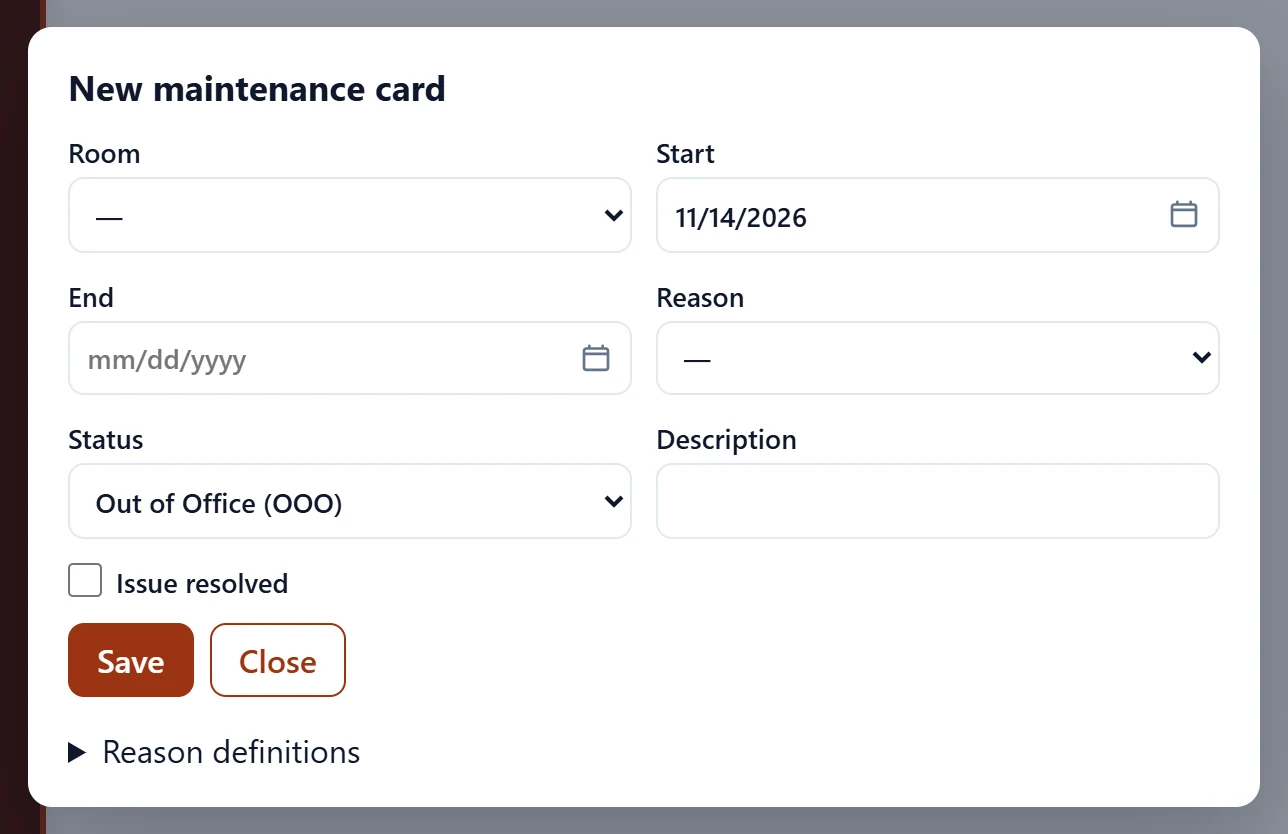
| Field | Sign in | Description |
|---|---|---|
| Room | Choice list | Room under maintenance; required. |
| Start | Text | First day of the range. Placeholder: «mm/dd/yyyy» |
| End | Text | Last day of the range. Placeholder: «mm/dd/yyyy» |
| Reason | Choice list | Maintenance reason (from the reason definitions). |
| Status | Choice list | Out of order (OOO) or out of use (OU). Options: Out of Office (OOO) · Out of Use (OU) |
| Description | Text | Free-text description. |
| Issue resolved | Checkbox | When checked, the card closes and the room is sellable again. |
| Code | Text | New reason code. |
| First name | Text | New reason name. |
- Out of order (OOO): the room cannot be sold and is removed from occupancy.
- Out of use (OU): short-term unavailability.
When fixed, tick Fault fixed and save, or choose Clear fault in the room rack. New reasons are added with code and name under Reason definitions.
| Warning | Cause | Solution |
|---|---|---|
| A room must be selected. | Room empty. | Choose a room. |
| Code and name are required. | Missing data when adding a reason. | Enter code and name. |