
 AsyaTicari
 AsyaRestoran
 AsyaOtel
 AsyaCrm
 AsyaKlinik
 AsyaSpor
 AsyaSSH
 AsyaEmlak
 AsyaFilo
 AsyaPuantaj
 AsyaİSG
 AsyaİHD
 Kolay Öğren
AsyaOtel · Hotel management
Housekeeping tasks and my tasks
Assigning rooms to housekeepers and the housekeeper's own room list.
On Housekeeping Tasks rooms are assigned to housekeepers. Housekeepers see their rooms on My tasks and mark them as cleaned.
asyaotel · /hk/gorevler
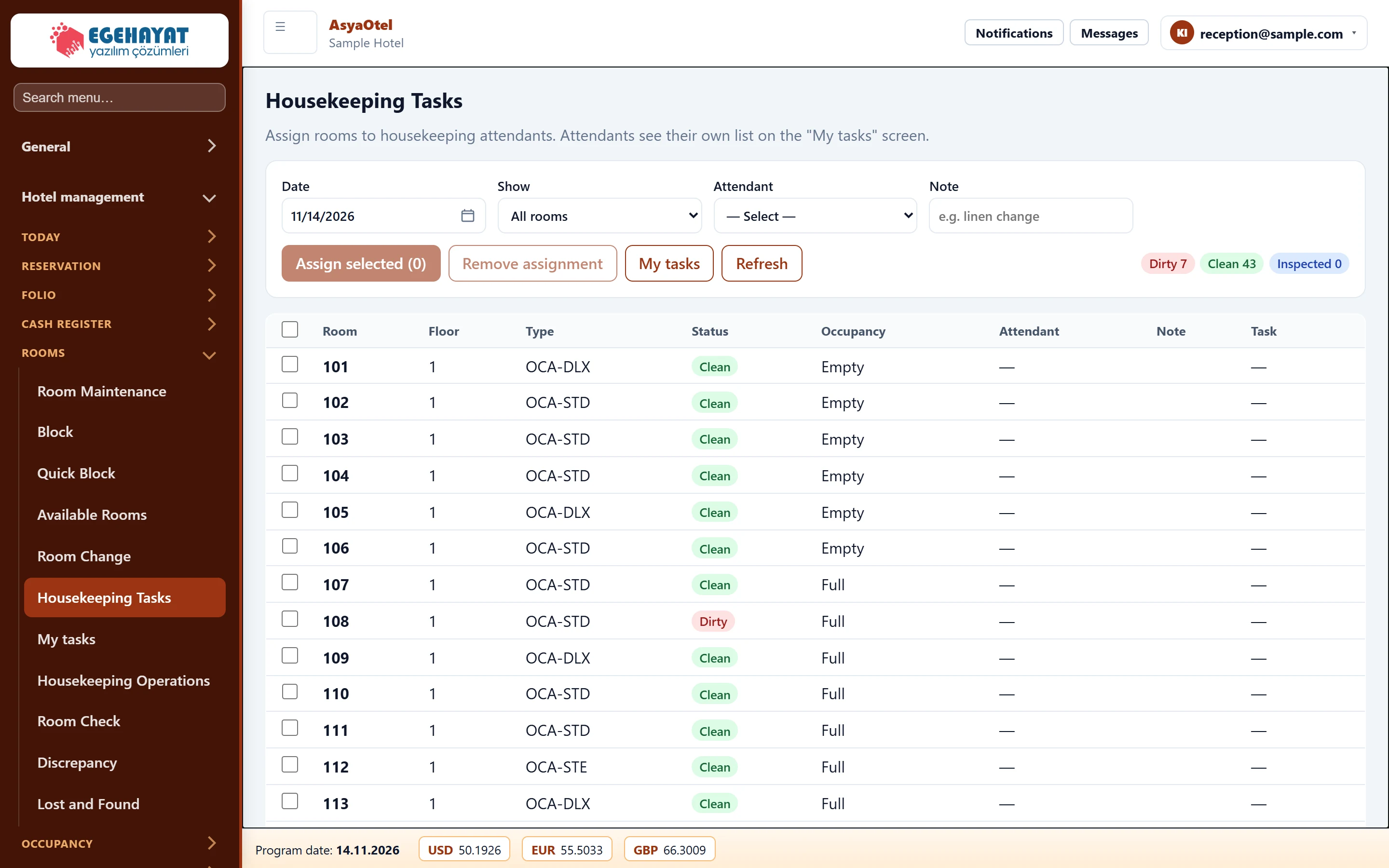
- 1Date Date and view (all / dirty / unassigned / assigned).
- 2Assign selected (0) Choose a housekeeper and note and assign the checked rooms.
- 3Room Floor Type Status Occupancy Attendant Note… Rooms: floor, type, HK status, occupancy, housekeeper.
Part of the screenAssignment fields
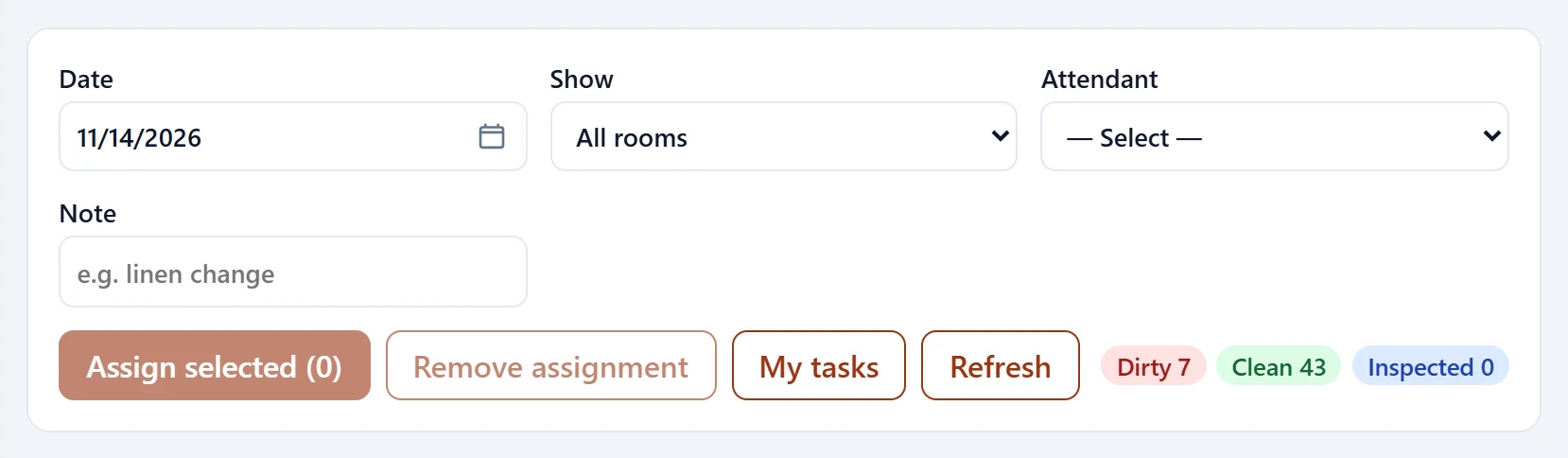
| Field | Sign in | Description |
|---|---|---|
| Date | Text | Task day. Placeholder: «mm/dd/yyyy» |
| Show | Choice list | All, dirty, unassigned or assigned rooms. Options: All rooms · Dirty rooms · Unassigned · Assigned |
| Attendant | Choice list | Housekeeper (user) to assign the rooms to. Options: — Select — · housekeeper@sample.com · demo.kat1.8af351.1497@ornek-demo.com.tr · demo.resepsiyon1.8af351.1497@ornek-demo.com.tr |
| Note | Text | Task note (e.g. change sheets). Placeholder: «e.g. linen change» |
- Choose the Date and Show (all rooms, dirty rooms, unassigned, assigned).
- Tick the rooms in the table (select all for every room).
- Choose the housekeeper and an optional note and press Assign selected. Remove assignment deletes it.
On My tasks the housekeeper marks a room as Cleaned; the housekeeping status is updated.
| Warning | Cause | Solution |
|---|---|---|
| Select a housekeeper. | Housekeeper empty. | Choose from the list. |
| No rooms assigned to you for this day. | No assignment on My tasks. | Ask the head of housekeeping. |