
 AsyaTicari
 AsyaRestoran
 AsyaOtel
 AsyaCrm
 AsyaKlinik
 AsyaSpor
 AsyaSSH
 AsyaEmlak
 AsyaFilo
 AsyaPuantaj
 AsyaİSG
 AsyaİHD
 Kolay Öğren
AsyaOtel · Hotel management
Forecast
Occupancy, person and revenue forecast for a date range; chart and daily list.
Forecast calculates the daily occupancy, persons and revenue forecast for the selected range. Reports → Occupancy opens the same screen.
asyaotel · /rezervasyon/forecast
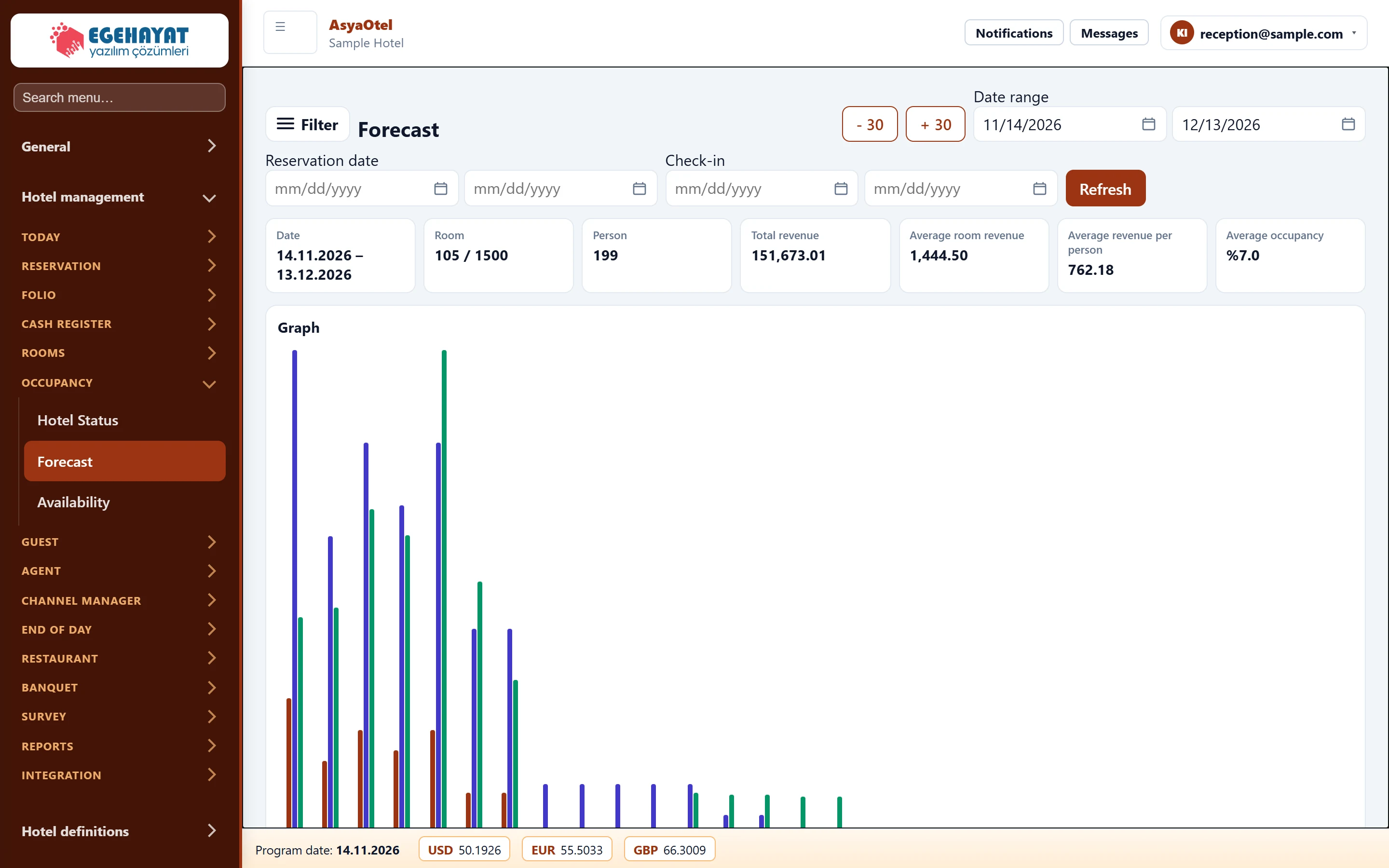
- 1Filter Date range (±30 days), booking date and check-in filter, Refresh.
- 2Date Rooms / persons, total and average revenue, average occupancy.
- 3Graph Daily chart with the selected series.
- 4Forecast list Day-by-day forecast list.
Toolbar
- - 30 / + 30 shifts the range by 30 days; the date range can also be typed.
- Booking date and Check-in ranges limit the result to bookings made or arriving on given dates.
- Refresh calculates («No data. Calculate with Refresh.»).
The cards show total rooms / persons, total revenue, average room and person revenue and average occupancy. The forecast list gives capacity, occupied rooms, C/I – C/O rooms, adults / children / infants and forecast room revenue per day.
Options
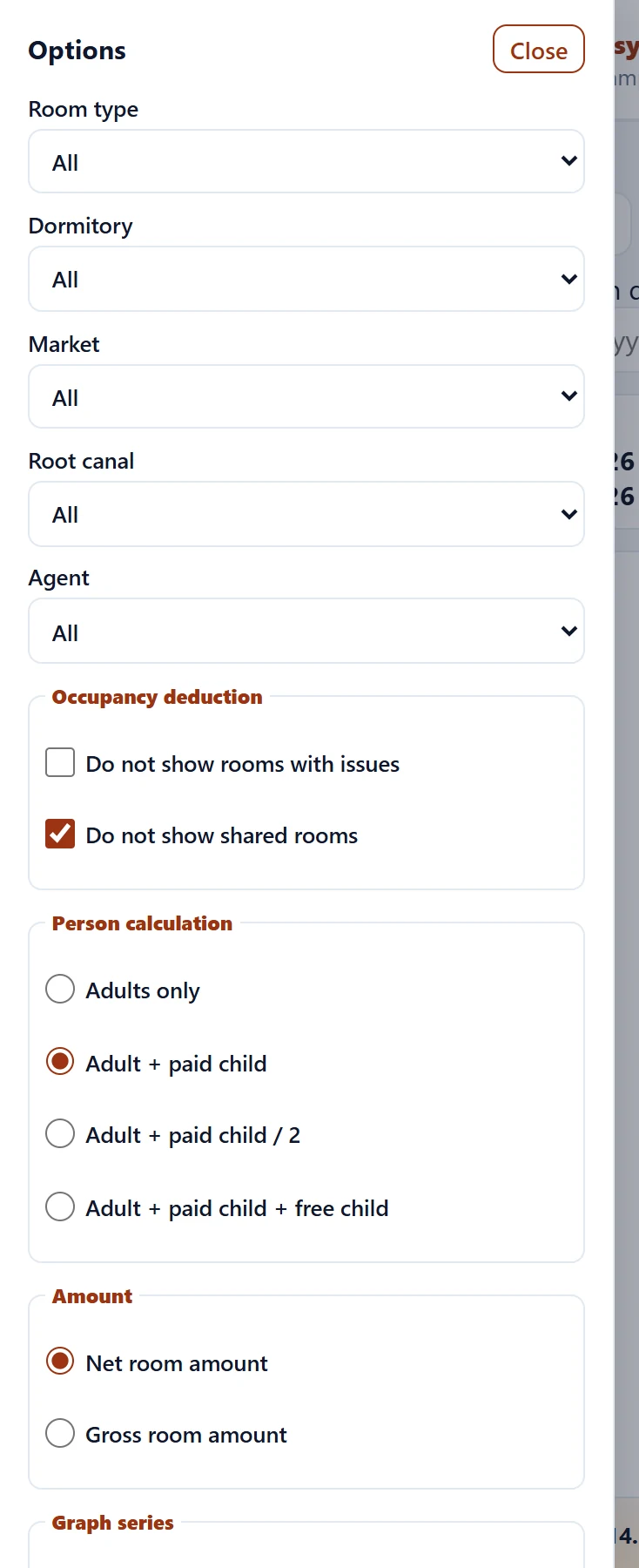
The Filter button opens the options panel.
Part of the screenOptions
| Field | Sign in | Description |
|---|---|---|
| Room type | Choice list | Only this room type. Options: All · OCA-DLX — Deluxe · OCA-STD — Standart · OCA-STE — Suit |
| Dormitory | Choice list | Only this board type. Options: All · BB — Oda kahvaltı |
| Market | Choice list | Only this market. |
| Root canal | Choice list | Only this channel. Options: All · Acente · Doğrudan · Online |
| Agent | Choice list | Only this agency. Options: All · Akdeniz Resort Sales · Corporate Travel Desk · Demo Seyahat Acentesi · Ege Tur Operatörü · Online Channel Partner |
| Do not show rooms with issues | Checkbox | Out-of-order rooms are deducted from capacity. |
| Do not show shared rooms | Checkbox | Shared stays are counted once. |
| Adults only | Text | Count adults only. |
| Adult + paid child | Text | Adults and paying children. |
| Adult + paid child / 2 | Text | Paying children count as half. |
| Adult + paid child + free child | Text | All children included. |
| Net room amount | Text | Amount net of discounts and taxes. |
| Gross room amount | Text | Gross amount. |
| Occupancy rate | Checkbox | Occupancy % series in the chart. |
| Occupied room | Checkbox | Occupied rooms series. |
| Revenue | Checkbox | Revenue series. |
| Check-in room | Checkbox | Arriving rooms series. |
| Room occupied | Checkbox | Departing rooms series. |