
 AsyaTicari
 AsyaRestoran
 AsyaOtel
 AsyaCrm
 AsyaKlinik
 AsyaSpor
 AsyaSSH
 AsyaEmlak
 AsyaFilo
 AsyaPuantaj
 AsyaİSG
 AsyaİHD
 Kolay Öğren
AsyaOtel · Hotel management
Folio and folio check
Room, extra, external and reservation folios; revenue, payments, transfer, partial invoice and closing.
A folio is the account of a guest's revenue (night charge, restaurant, minibar …) and payments during the stay. Folio check opens the same list with front-cash permission.
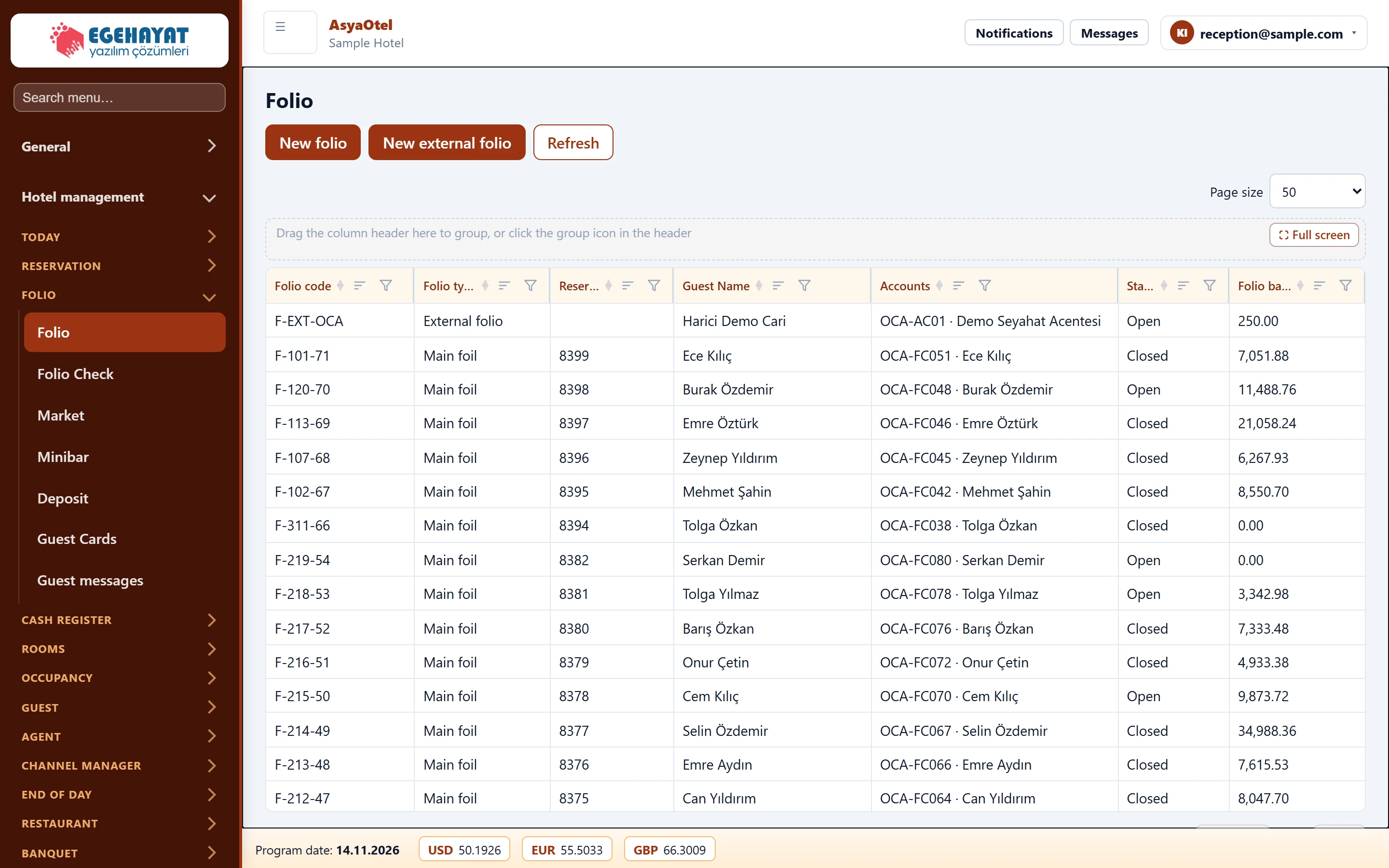
- 1New folio New room / guest folio.
- 2New external folio External folio not linked to a reservation (e.g. agency, company).
- 3F-EXT-OCA External folio Harici Demo Cari OCA-A… Click a row to open the folio card.
Folio types: Main folio (room), Extra folio, External folio (not linked to a booking, e.g. a company account) and Reservation folio (deposit).
Folio card
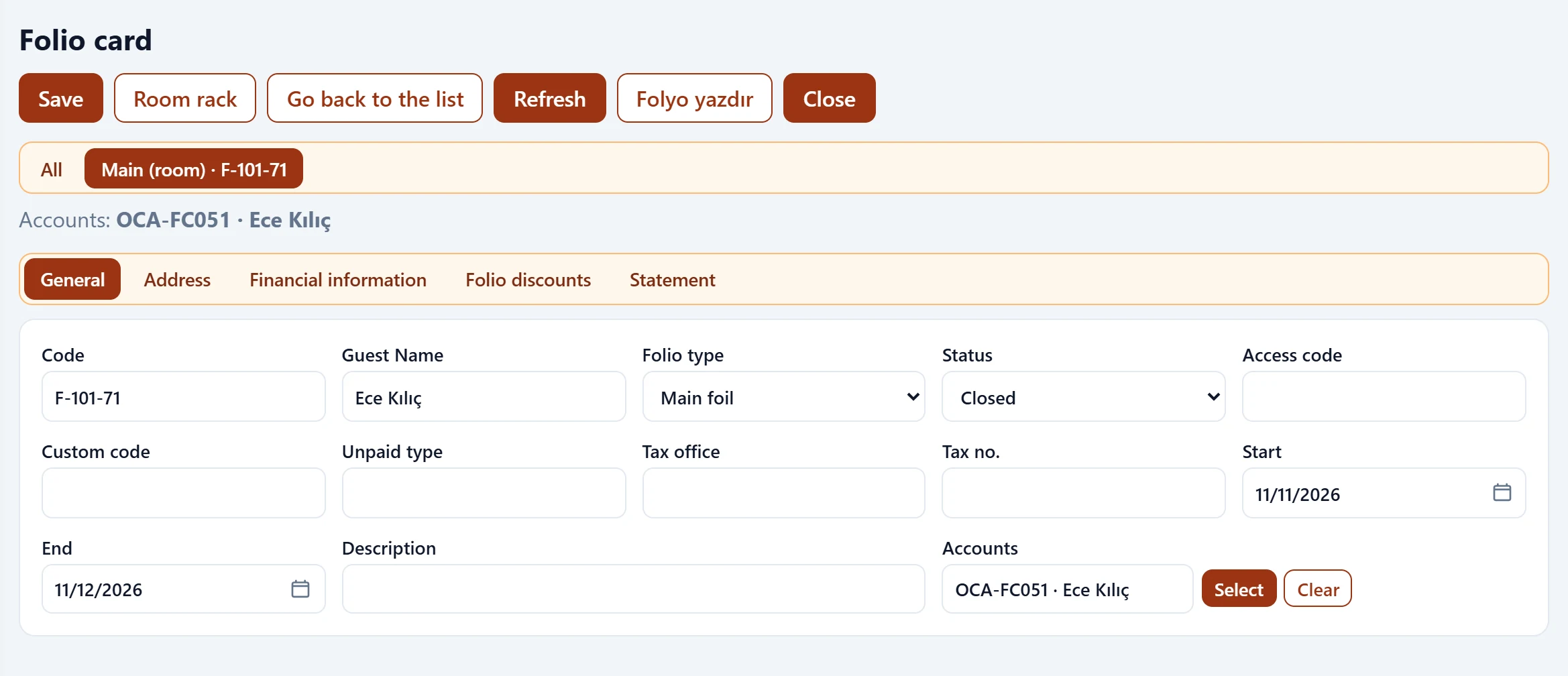
- 1Save Save, room rack, print folio, close, show invoice.
- 2All Switch between all / main / extra / reservation folios.
- 3General General, address, financial details, discounts and statement tabs.
At the top are Save, Room Rack, Print folio, Close and, once invoiced, Show invoice. Switch between the folios of the same stay with the all / main / extra / reservation tabs.
General details
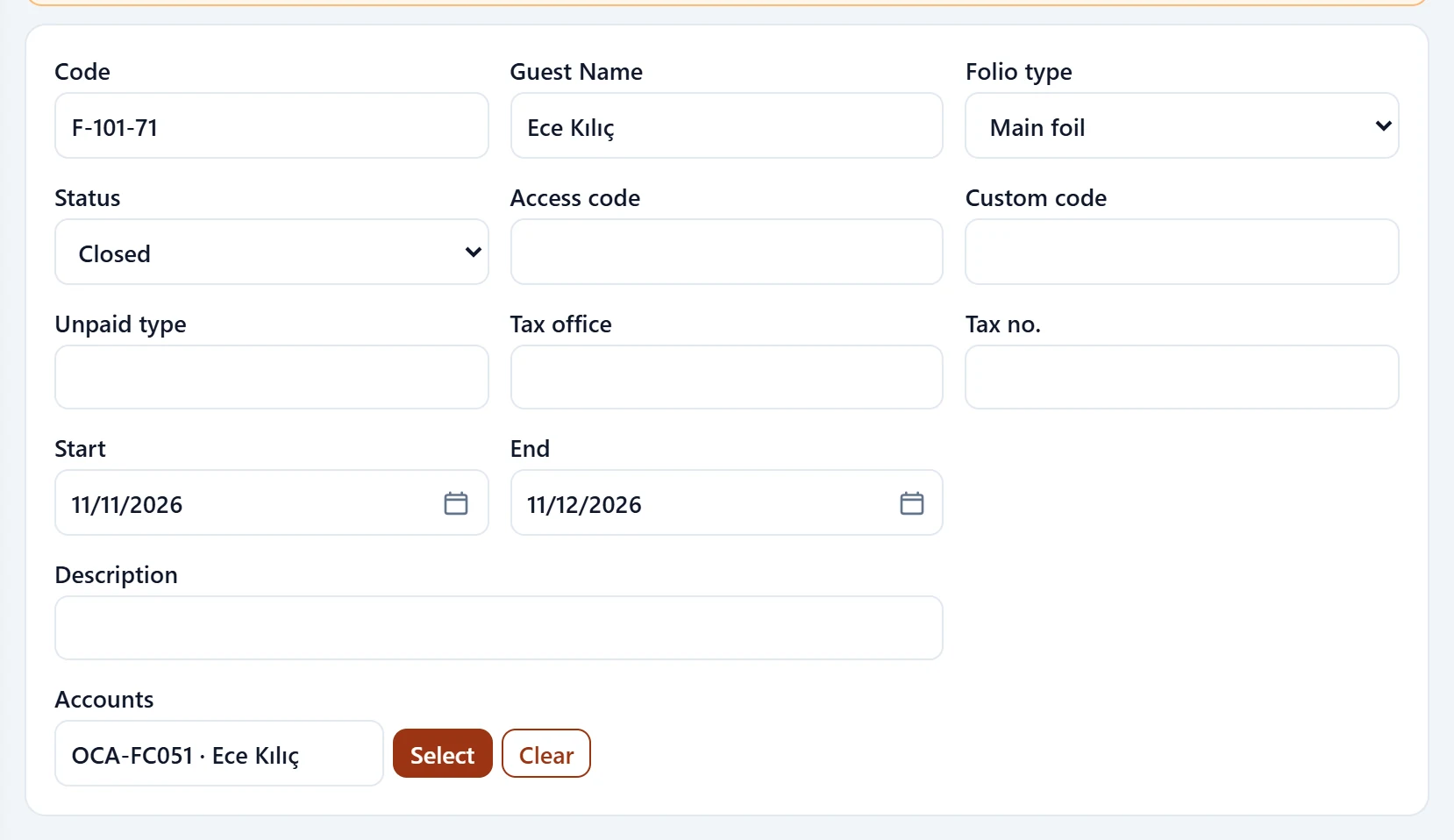
| Field | Sign in | Description |
|---|---|---|
| Code | Text | Folio code (e.g. F-107-22). |
| Guest Name | Text | Folio holder. |
| Folio type | Choice list | Main, extra, external or reservation (deposit) folio. Options: Main foil · Extra Folio · External folio · Booking folio (deposit) |
| Status | Choice list | Open or closed. Options: Open · Closed |
| Access code | Text | Access code for the folio. |
| Custom code | Text | Additional classification code. |
| Unpaid type | Text | Complimentary / non-paying type. |
| Tax office | Text | Tax office for invoicing. |
| Tax no. | Text | Tax number. |
| Start | Text | Folio start date. Placeholder: «mm/dd/yyyy» |
| End | Text | Folio end date; cannot be before the start. Placeholder: «mm/dd/yyyy» |
| Description | Text | Free-text description. |
| Accounts | Text | Linked account; without one no night charges, payments or invoices can be posted. |
If you see «Folio without account: night charges, payments and invoices cannot be posted», link an account with Open guest account or Select account. Folios without an account also raise a warning at the night audit.
Statement
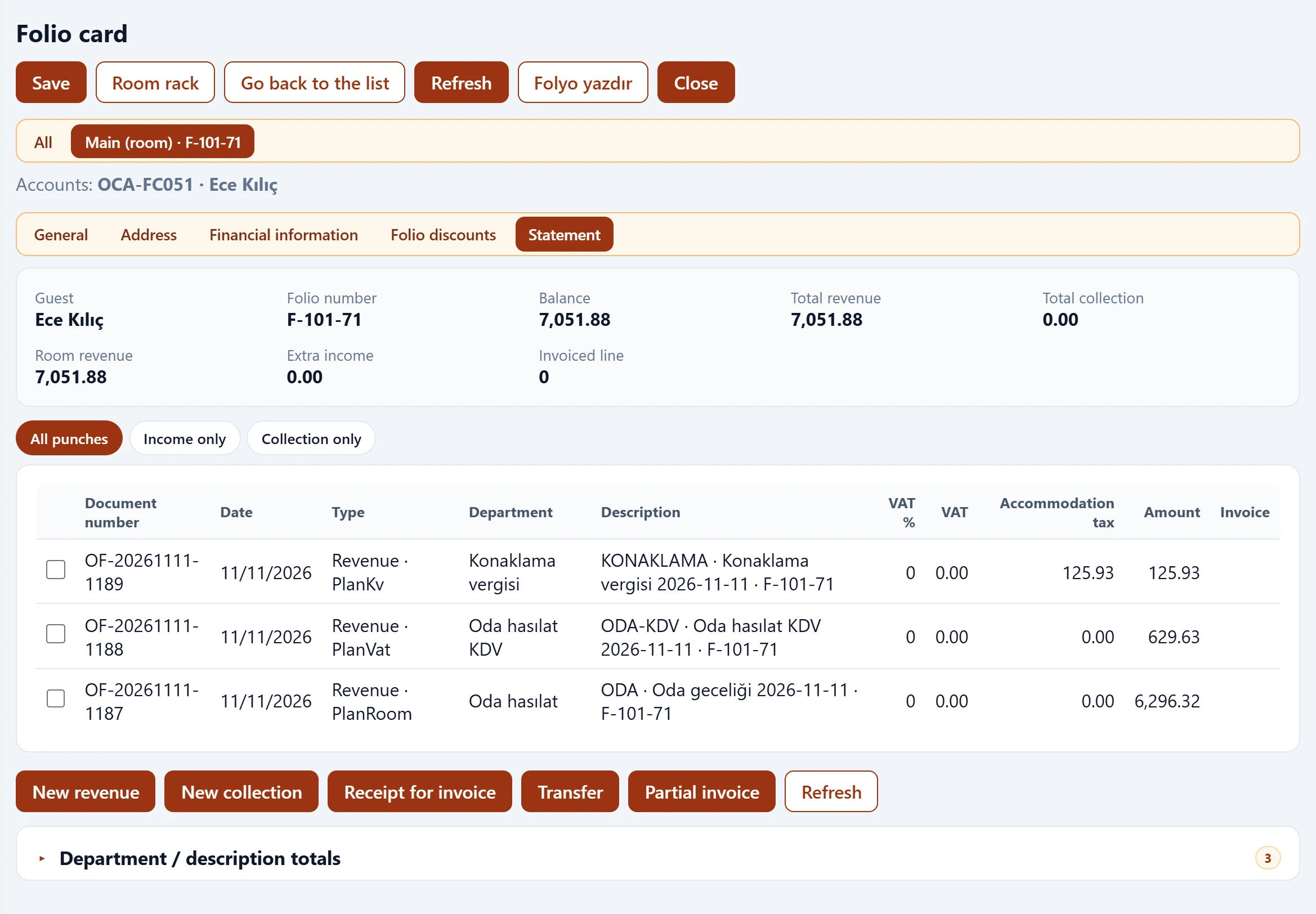
- 1All punches All entries / revenue only / payments only.
- 2Document number Date Type Department Descriptio… Revenue and payment lines; checked lines go to transfer or invoice.
On the statement you use New revenue, New payment, Transfer, Receipt for invoice and Partial invoice:
- New revenue: department, food / beverage / alcoholic beverage / other amounts and currency.
- New payment: payment type (cash, card, transfer, other), amount and rate; the TRY equivalent is calculated.
- Transfer: moves the checked lines to the target folio.
- Partial invoice: invoices the checked lines or lines up to an amount limit.
Department / description totals are shown at the bottom.
Closing the folio
When the balance is zero press Close («Close folio?»). No entries can be posted to a closed folio.
| Warning | Cause | Solution |
|---|---|---|
| End date cannot be before the start date. | Dates reversed. | Correct the end date. |
| Invoice the selected lines? | Partial invoice confirmation. | Check the lines and confirm. |