
 AsyaTicari
 AsyaRestoran
 AsyaOtel
 AsyaCrm
 AsyaKlinik
 AsyaSpor
 AsyaSSH
 AsyaEmlak
 AsyaFilo
 AsyaPuantaj
 AsyaİSG
 AsyaİHD
 Kolay Öğren
AsyaOtel · General
Getting started: dashboard and menu
The dashboard after sign-in, the left menu groups, the top bar and the program date / exchange rate strip.
When you sign in to AsyaOtel the Dashboard opens. Depending on your permissions it offers Quick sale and Settings shortcuts; the working screens are reached from the left menu.
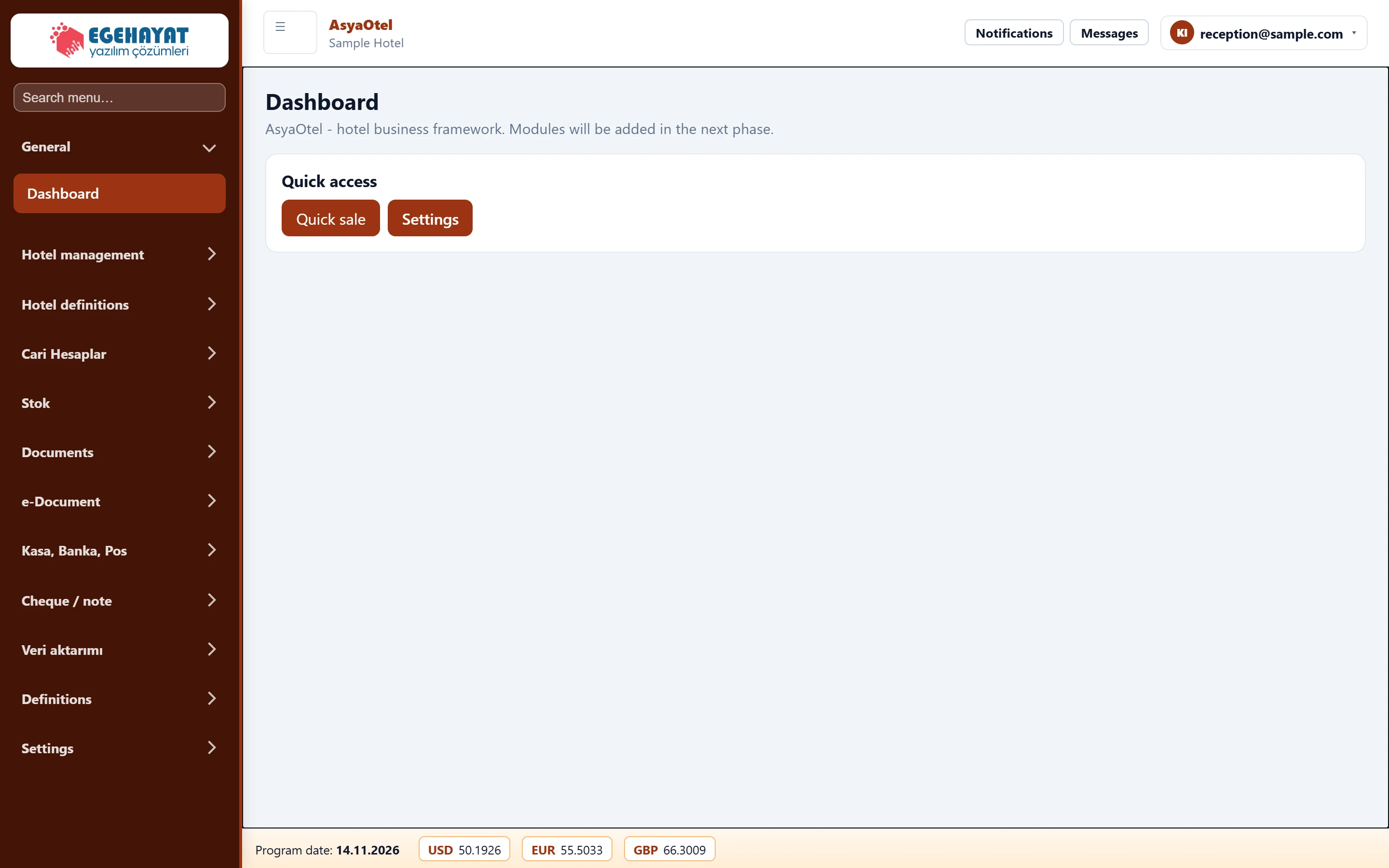
- 1Search menu Type a few letters of a screen name; matching screens are shown.
- 2Hotel management Menu groups and sub-headings open / close on click.
- 3Company / workplace The company and workplace you are working in.
- 4Quick sale Quick sale and Settings shortcuts, depending on your permissions.
- 5Program date and rates Program date (open hotel day) and the main exchange rates.
Left menu
The menu has three main groups: General, Hotel management and Hotel definitions. If you have the permission, the commerce groups (accounts, stock, documents, cash / bank …) and Settings follow. Hotel management is split into sub-headings: Today, Reservation, Folio, Cash register, Rooms, Occupancy, Guest, Agent, Channel Manager, End of Day, Restaurant, Banquet, Survey, Reports, Integration.
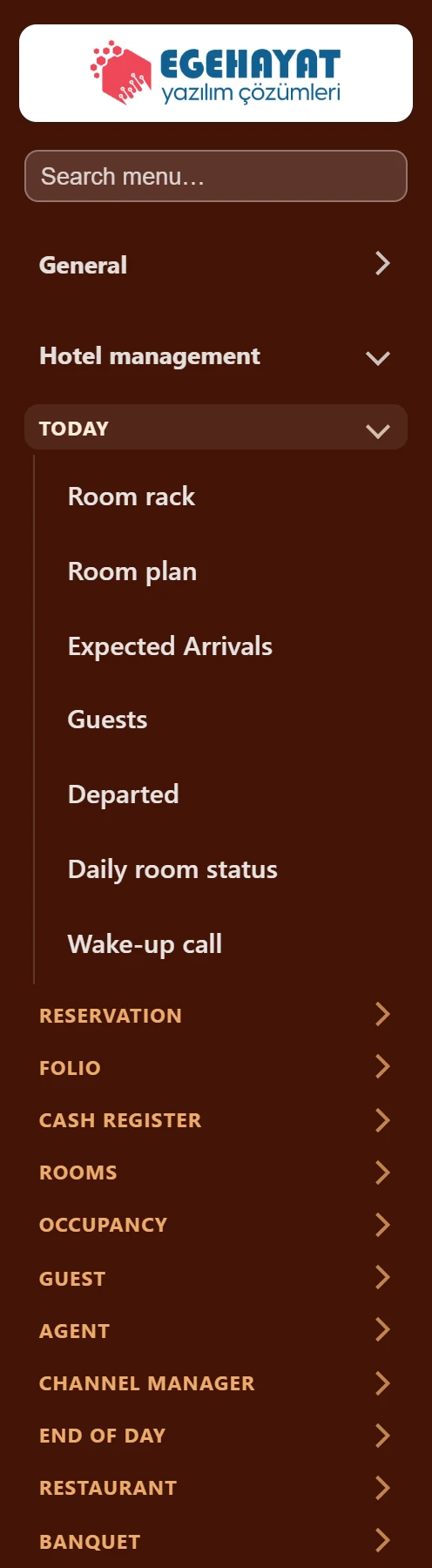
- 1Search menu E.g. typing «folio» lists Folio and Folio check.
- 2Hotel management Hotel management group: front office, cash desk, housekeeping, reports.
- 3TODAY Sub-heading; click to show its screens.
Typing a few letters in Search menu opens all groups and sub-headings and keeps only matching screens. When you open a screen, the menu keeps its group open.
Program date
The strip at the bottom shows the Program date: the open business day of the hotel. Night charges, cash receipts and reports are posted to this date. It only moves forward with Close day on the End of Day screen. The exchange rates in the strip come from the main currency settings in Hotel parameters → Defaults.
Screens you are not allowed to use are hidden from the menu. If you open such an address directly, «You do not have permission for this screen» appears; ask your company administrator.