
 AsyaTicari
 AsyaRestoran
 AsyaOtel
 AsyaCrm
 AsyaKlinik
 AsyaSpor
 AsyaSSH
 AsyaEmlak
 AsyaFilo
 AsyaPuantaj
 AsyaİSG
 AsyaİHD
 Kolay Öğren
Shared modules · Cheque / note
Due date calendar
Calendar of cheques and notes by due day, month by month; daily received / issued totals and day list.
This screen changed recently. Screenshots will be retaken after the code change of 2026-11-19; the text is current, some images may look outdated.
The Due date calendar shows received and issued cheques / notes by due day, month by month with years one below the other. At a glance you see how much you expect to collect and how much you have to pay on which day.
Opening the screen
Open Cheque / note → Due date calendar in the side menu, or click Due date calendar on the Portfolio screen.
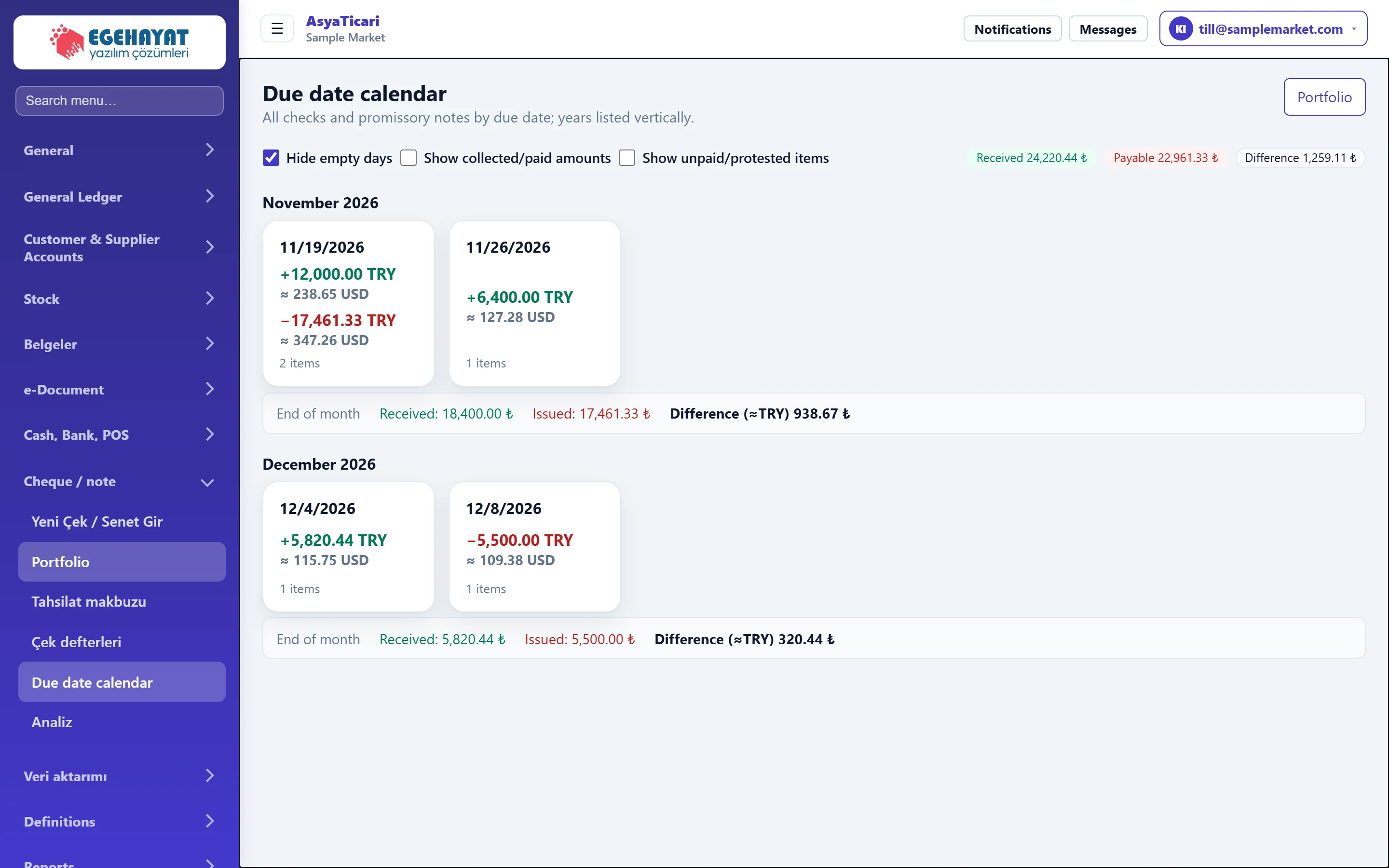
- 1Hide empty days Hides days without items.
- 2Show collected / paid Also shows closed (collected / paid) items.
- 3Show bounced / protested Also shows bounced and protested items.
- 4Received Total of listed received cheques / notes.
- 5Issued Total of listed issued cheques / notes.
- 6Difference Received − issued.
- 7Day box Due day: plus received, minus issued; click to open that day's list.
- 8Month end Received and issued totals for the month.
- Each day box shows the items due that day: received with plus (green), issued with minus (red), with the count. Foreign currency items also show the TRY equivalent.
- The End of month line under each month is that month's received and issued total.
- By default only open items are shown. Tick Show collected/paid amounts to see closed ones, and Show unpaid/protested items to see bounced and protested ones.
Cheques / notes of a day
Click a day box to open that day's list below the calendar.
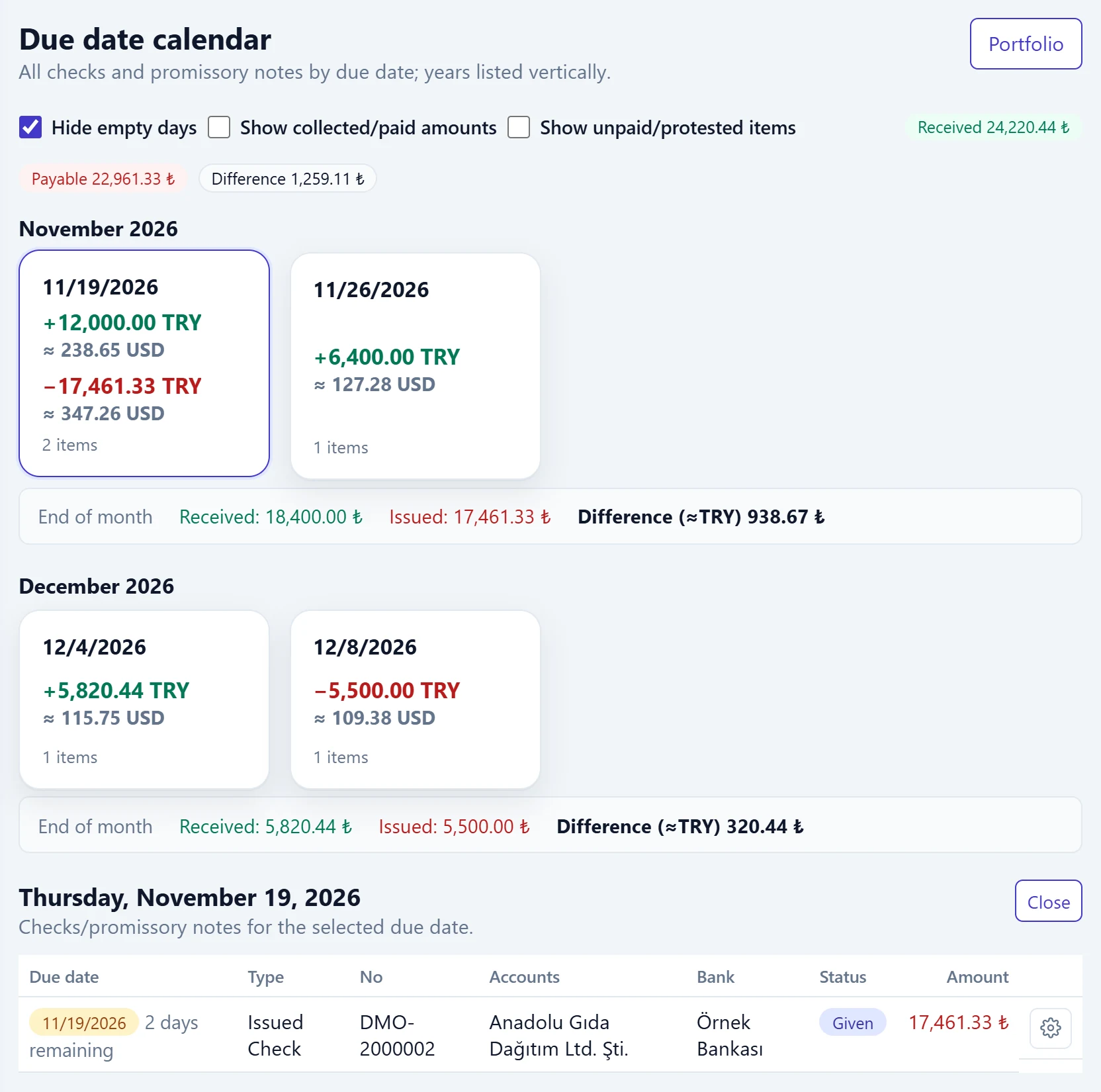
- 1Day box The clicked day.
- 2Day list Selected due day; below are its cheques / notes.
- 3Close Closes the day list.
Click a row in the list to open the cheque / note details. Close hides the list.
Use the calendar to check that your bank account has enough balance for your own cheques falling due; the Difference between received and issued is summarised at the top.
Common messages
| Message (as shown on screen) | Cause | Solution |
|---|---|---|
| No due date record to display. | No items with the current filters. | Tick Show collected/paid amounts or Show unpaid/protested items. |
| No record found for this due date. | Nothing left on the clicked day. | Choose another day. |