
 AsyaTicari
 AsyaRestoran
 AsyaOtel
 AsyaCrm
 AsyaKlinik
 AsyaSpor
 AsyaSSH
 AsyaEmlak
 AsyaFilo
 AsyaPuantaj
 AsyaİSG
 AsyaİHD
 Kolay Öğren
Shared modules · Definitions
Withholding, VAT exemption and tax offices
Tax authority (GİB) VAT withholding codes and rates, VAT exemption codes for zero-VAT lines, and the tax offices chosen on account cards.
This screen changed recently. Screenshots will be retaken after the code change of 2026-11-19; the text is current, some images may look outdated.
These three lists feed the tax details of e-invoice and e-archive documents. The withholding and exemption lists come pre-filled with GİB codes; usually you only need to deactivate the ones you do not use.
Withholding tax types
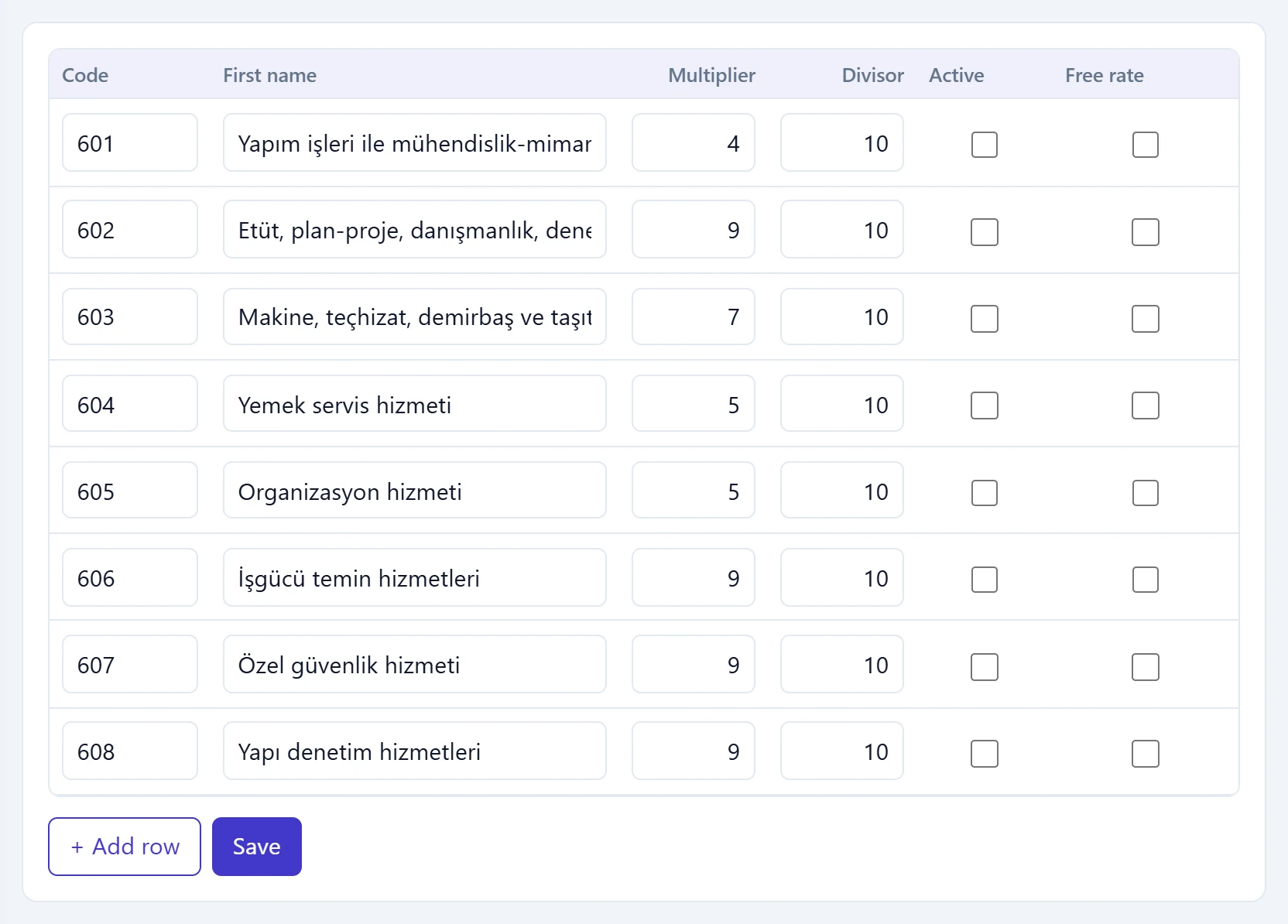
- 1Code Tax authority (GİB) withholding code (e.g. 601).
- 2Multiplier Multiplier / divisor: share of VAT withheld (e.g. 9/10).
- 3Free rate If ticked, the rate can be changed manually in the document.
- 4+ Add row Adds an empty row to the list.
- 5Save Saves all changes in the table.
| Column | Description |
|---|---|
| Code | GİB withholding code (e.g. 601 construction works). |
| Name | Name of the withholding. |
| Multiplier / Divisor | Share of VAT withheld: 9 / 10, 7 / 10, 5 / 10 and so on. |
| Active | Inactive types cannot be chosen on cards and documents. |
| Free rate | If ticked, the rate can be changed manually in the document. |
The Withholding Tax Type on item and service cards is chosen from this list and is filled into document lines automatically. + Add row adds an empty row, Save saves all changes in the table together.
VAT exemption codes
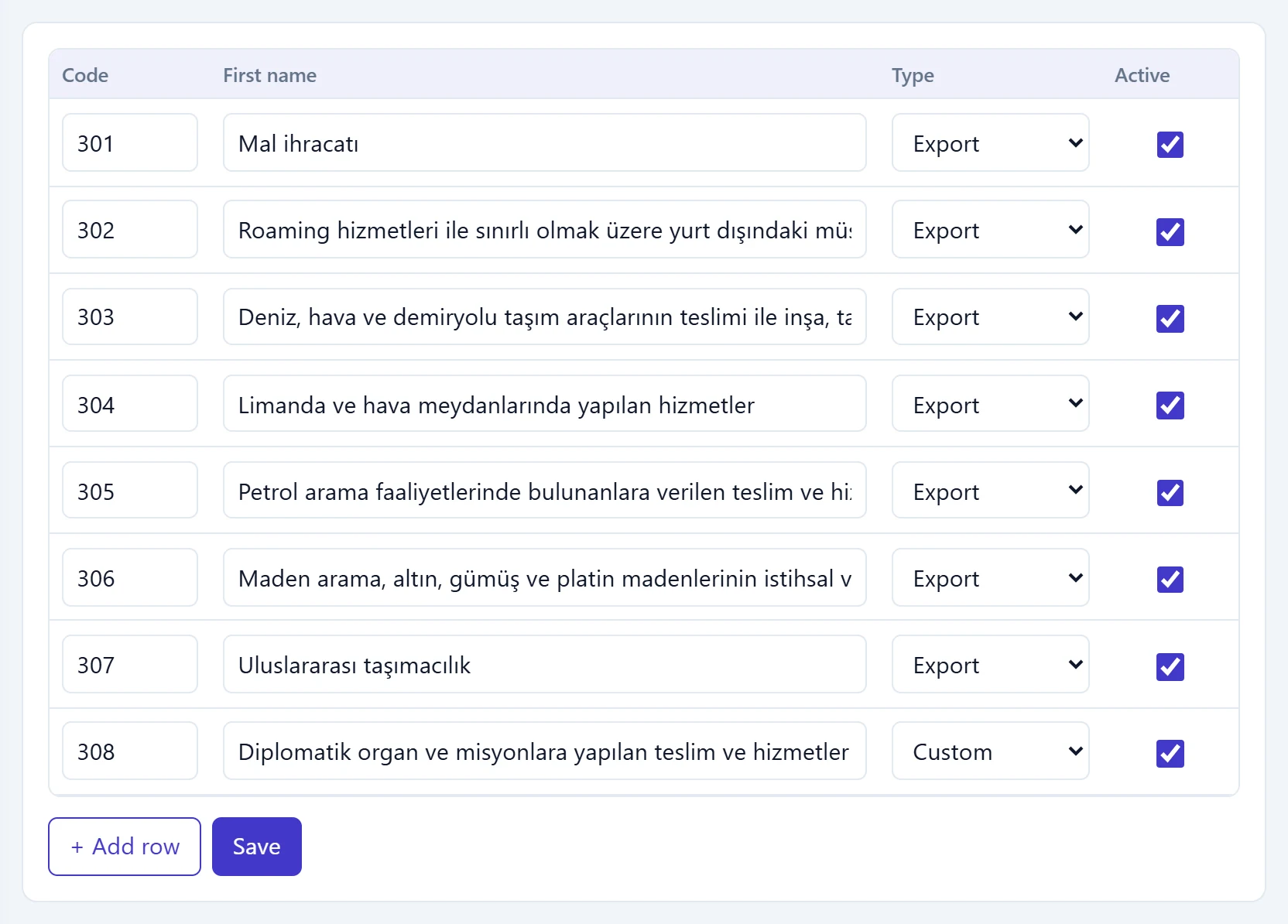
- 1Code GİB exemption code (e.g. 301).
- 2Type Domestic, Export or Special base.
- 3Active Inactive codes cannot be chosen in documents.
Document lines with a zero VAT rate choose an exemption code from this list. The Type column states whether the code is Domestic, Export or a special base.
Tax offices
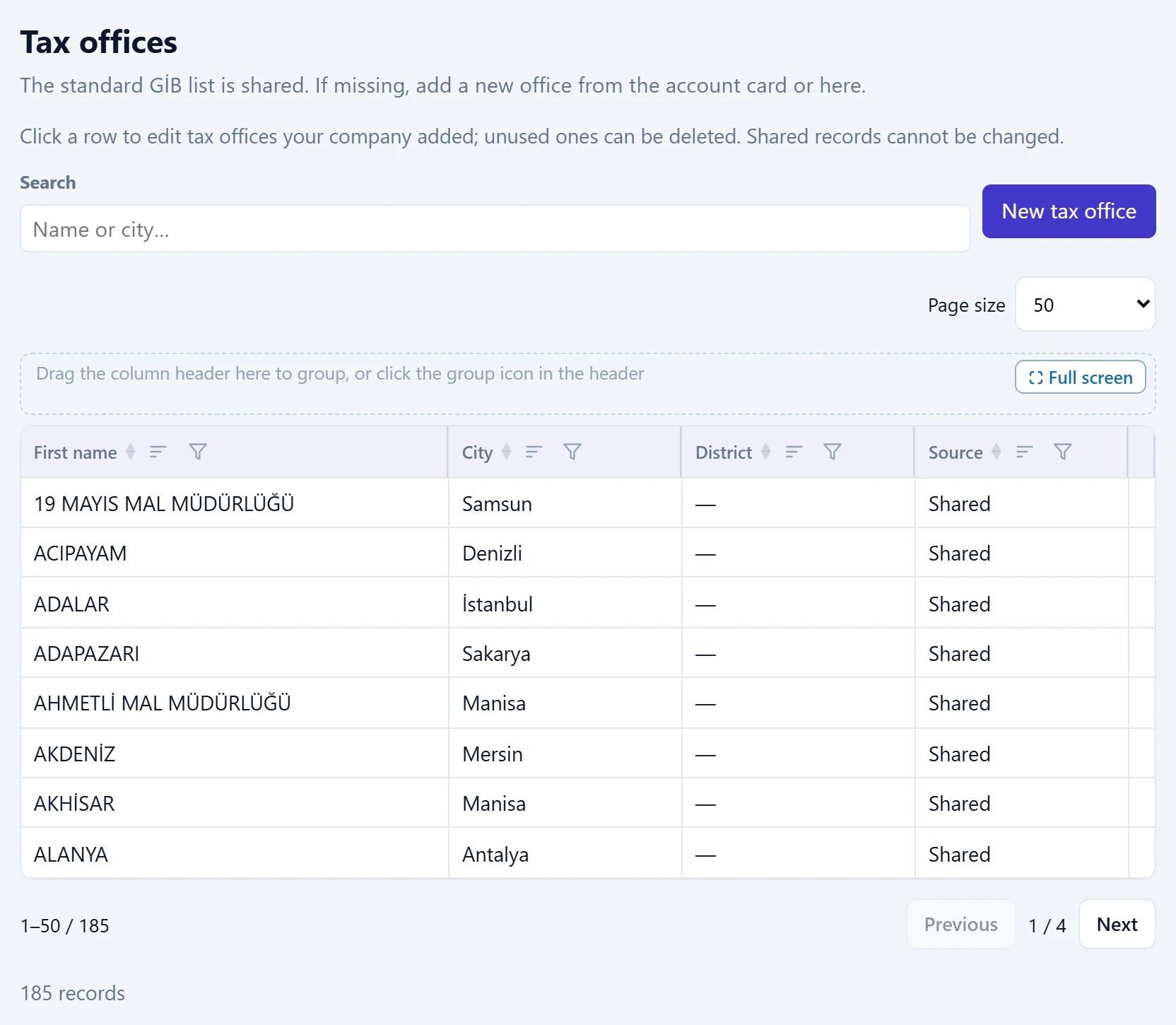
- 1Search Filters by name or city.
- 2New tax office Opens the window to add a tax office that is not listed.
- 3Office row Name, city, district and source.
- 4Source «Your company»: an office your company added; it can be edited and deleted. «Shared»: the standard list; it cannot be changed.
The standard GİB list is shared by all companies; the search box filters by name or city. You can add a missing office here or from the account card. The Source column shows whether an office is Shared (standard list) or was added by Your company.
New tax office
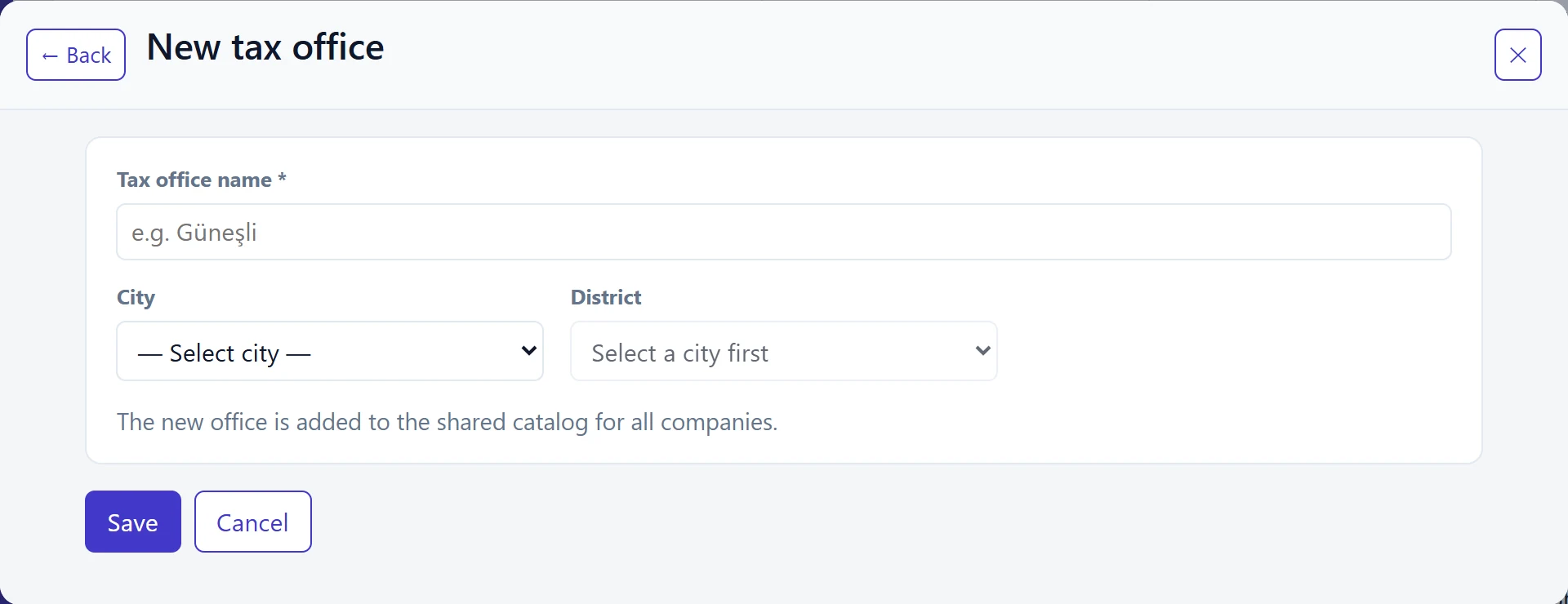
- 1Save Saves the office to the shared catalogue.
- 2Cancel Closes without saving.
| Field | Sign in | Description |
|---|---|---|
| Tax office name required | Text | Office name (e.g. «Nilüfer»). Required. Placeholder: «e.g. Güneşli» |
| City | Choice list | Province of the office. |
| District | Choice list | Filled once a city is chosen; optional. |
The new office is written to the catalogue shared by all companies.
Editing and deleting a tax office
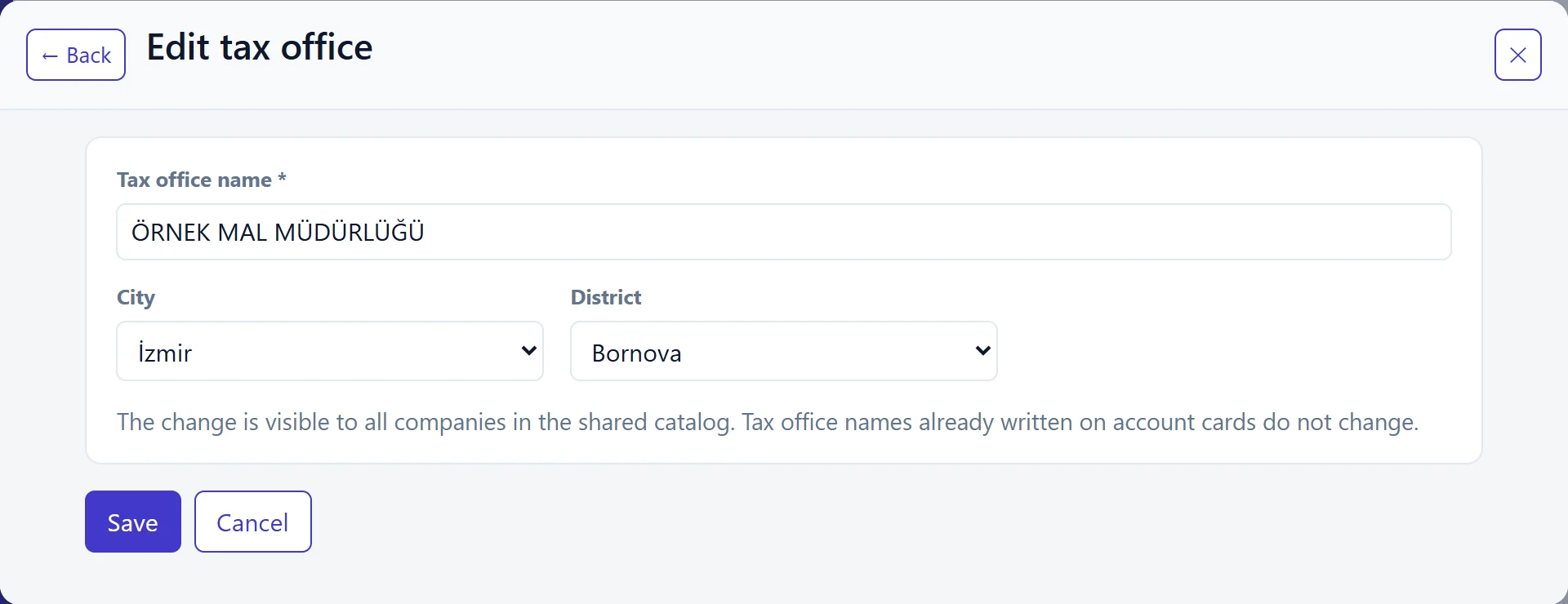
- 1Save Saves the change.
- 2Cancel Closes without saving.
| Field | Sign in | Description |
|---|---|---|
| Tax office name required | Text | Name of the office. Required. Placeholder: «e.g. Güneşli» |
| City | Choice list | Province of the office. |
| District | Choice list | Filled once a city is chosen; optional. |
Only offices showing Your company in the Source column can be edited and deleted; standard (shared) offices have no row menu.
- Click the office row, or choose Edit from the menu at the end of the row.
- Change the name, city or district and press Save; check that «Tax office updated.» appears.
- To delete, choose Delete from the row menu and confirm.
Account cards store the tax office by name. Renaming an office does not change the old name already written on cards. An office used on any account card cannot be deleted.
Step by step: hiding unused withholding codes
- Open Withholding Tax Types.
- Untick Active on the rows you do not use.
- Press Save and check that «Saved.» appears.
- Only active codes appear in the withholding list on cards and documents.
Withholding and exemption codes are written into e-documents with their GİB code. Changing a code or rate may get documents rejected; edit them only when the GİB list changes.
Common messages
| Message | Cause | Solution |
|---|---|---|
| A VAT exemption code must be selected because there is no VAT. | A zero-VAT line has no exemption code. | Choose an exemption code on the line or in the document header. |
| Exemption codes cannot be used on VAT-inclusive lines. | An exemption code was chosen on a line with VAT. | Remove the code or set VAT to zero. |
| The exemption code must be selected either in the document header or in the line; they cannot be used together. | The code is chosen in both header and line. | Choose it in only one place. |
| Invalid or inactive VAT exemption code: {0} | The code is not in the list or inactive. | Activate the code or choose another. |
| Tax office name is required. | The name is empty in the new office window. | Enter the office name. |
| This tax office is already registered. | The office already exists. | Find it with the search box. |
| Standard (shared) tax offices cannot be changed; only records your company added can be edited. | An office in the shared list was edited or deleted. | If your company needs its own office, add it with New tax office. |
| This tax office is used on {0} account card(s) and cannot be deleted. You can edit the record instead. | The office is selected on at least one account card. | Change the office on those cards, or edit the office instead of deleting it. |