
 AsyaTicari
 AsyaRestoran
 AsyaOtel
 AsyaCrm
 AsyaKlinik
 AsyaSpor
 AsyaSSH
 AsyaEmlak
 AsyaFilo
 AsyaPuantaj
 AsyaİSG
 AsyaİHD
 Kolay Öğren
Shared modules · Definitions
Units and unit sets
Measurement units (piece, kg, litre…) and the unit sets that convert between them (piece + box, kg + sack).
This screen changed recently. Screenshots will be retaken after the code change of 2026-11-19; the text is current, some images may look outdated.
Item and service cards keep stock in a base unit; other units can be used in sales and purchases. The Units screen is the unit dictionary (code, name, group). Unit sets convert these units: in the set «Adet + Koli (12)» one box equals 12 pieces. A card is linked to a unit set.
On the English screen the unit set menu and fields are labelled «Department set(s)»; this is the same screen.
Units
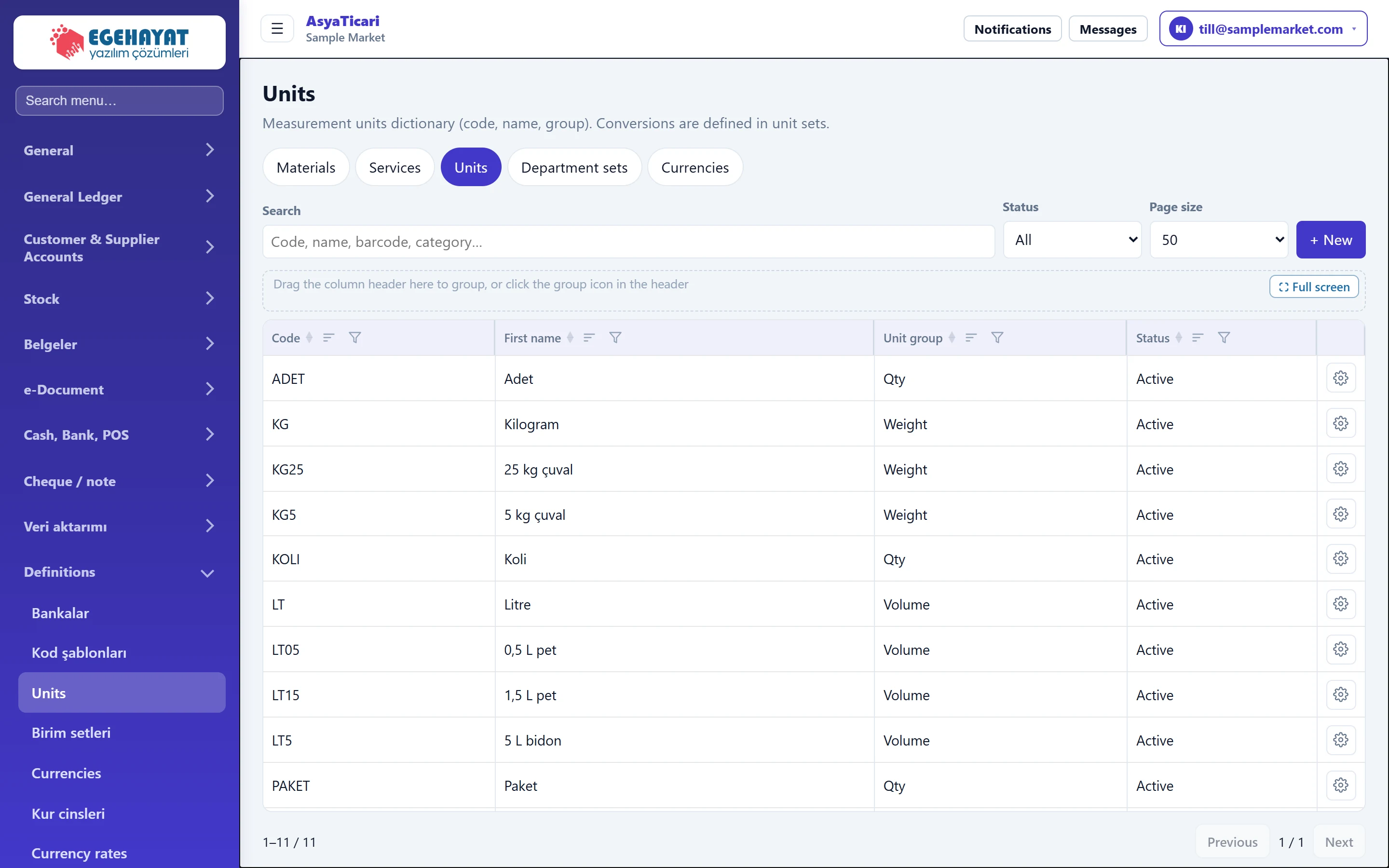
- 1Catalogue tabs Switches between Materials, Services, Units, Unit sets and Currencies.
- 2Search Filters by code or name.
- 3Status Separates active / inactive records.
- 4+ New Opens the new unit form.
- 5Unit row Edit or delete with the actions at the end of the row.
The tabs at the top switch between the Materials, Services, Units, unit sets and Currencies lists. The search box filters by code and name; Status separates active and inactive records. The actions menu at the end of each row contains Edit, Copy and Delete.
If the company has no units yet, a Create default units button replaces the list; common units such as piece, kg and litre are created with one click.
New unit
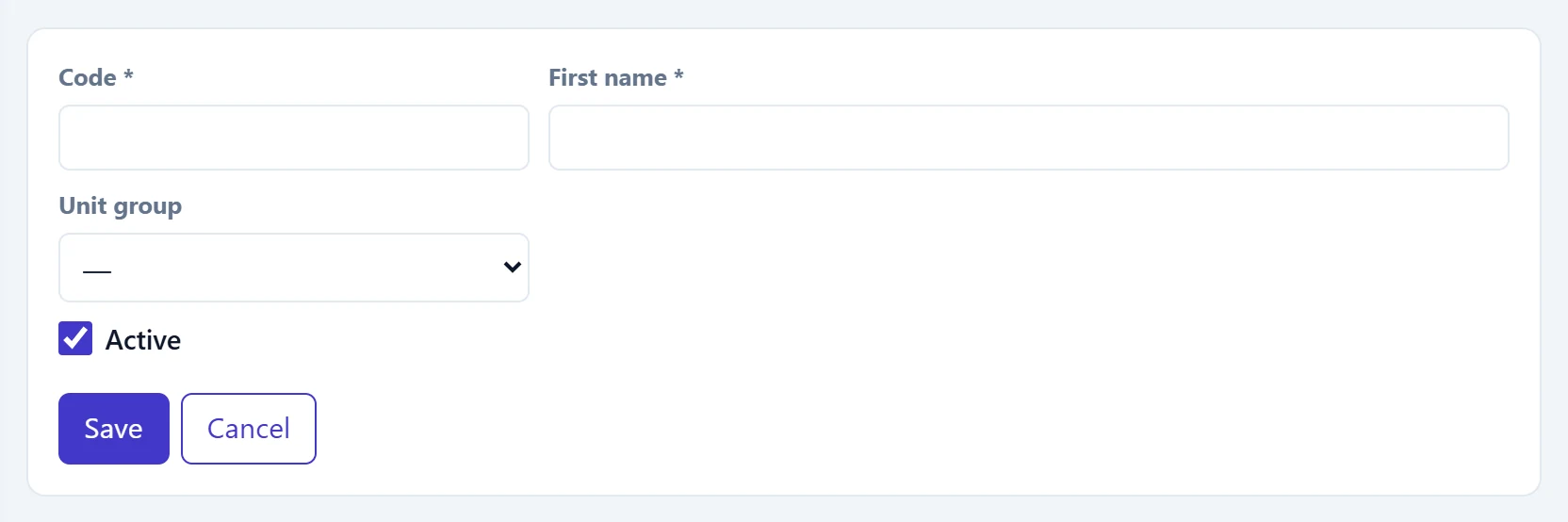
- 1Save Saves the unit.
- 2Cancel Returns to the list without saving.
| Field | Sign in | Description |
|---|---|---|
| Code required | Text | Short unit code (e.g. PCS, KG, LT). Must be unique in the company; used in documents and Excel uploads. |
| First name required | Text | Name shown on screen (e.g. «Kilogram»). |
| Unit group | Choice list | Measurement group of the unit (count, weight, volume, length…). Conversions make sense within one group. Options: Qty · Weight · Volume · Length · Duration |
| Active | Checkbox | If off, the unit cannot be chosen on new cards and documents; old records still show it. |
Unit sets
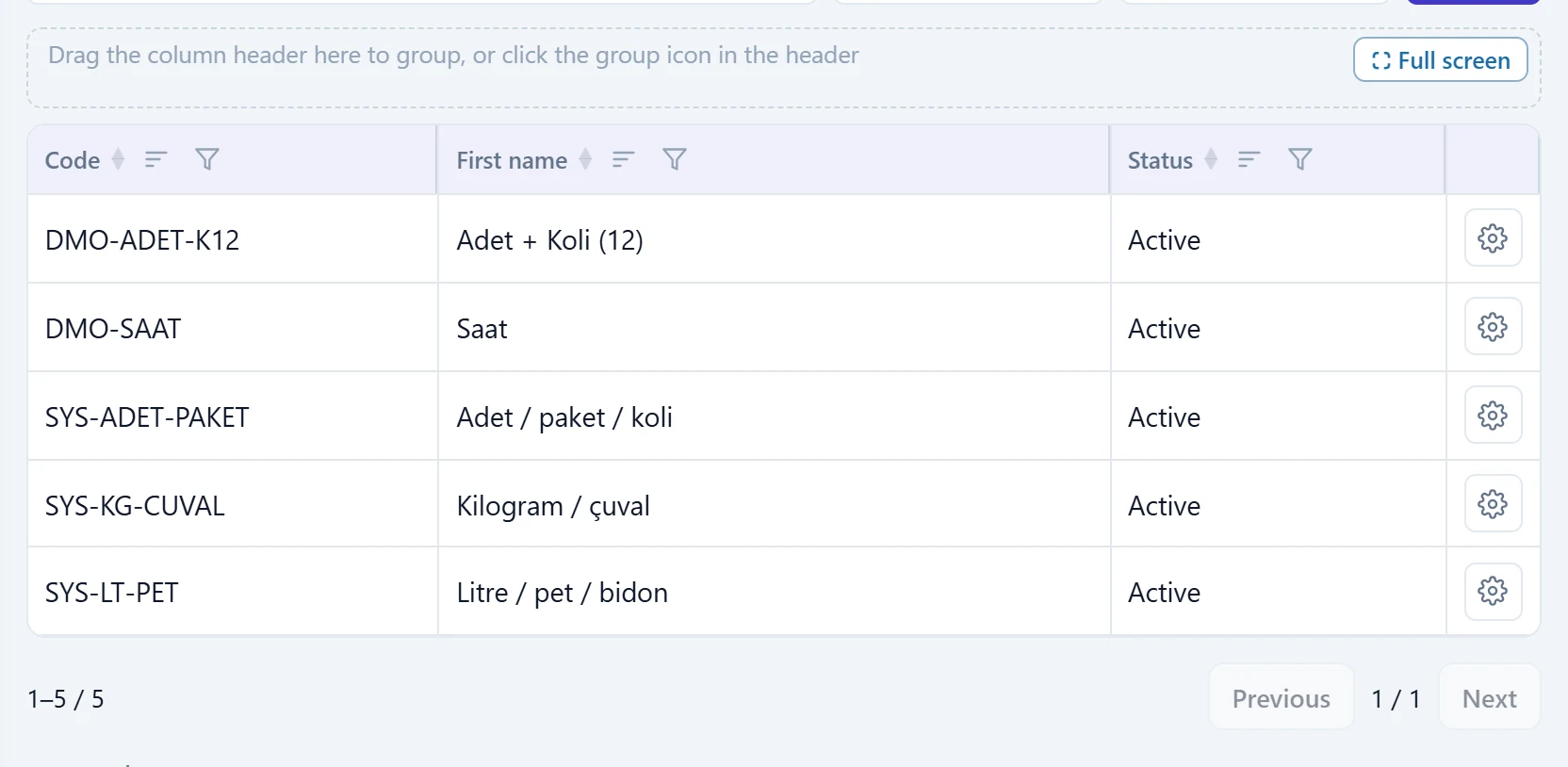
- 1Column header Click to sort; the funnel icon adds a column filter.
- 2Set row E.g. «Piece + Box (12)»: 1 box = 12 pieces.
- 3Actions Edit and Delete.
If the company has no sets, Create default unit sets creates ready sets such as piece / pack / box, kg / sack and litre. Units must exist first.
Unit set form
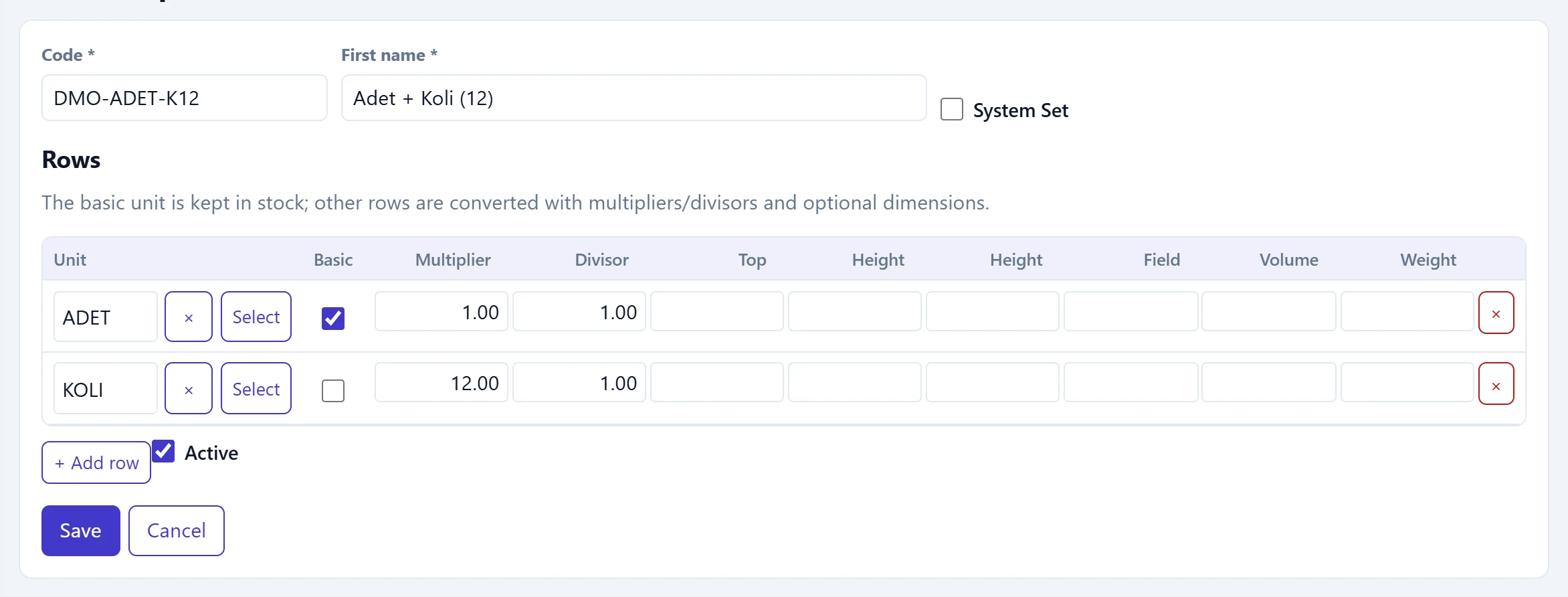
- 1Unit The unit of the row.
- 2Basic The base unit stock is kept in; one per set.
- 3Multiplier Multiplier / divisor: how many base units one row unit equals.
- 4Top Width, length, height, area, volume, weight: optional dimensions.
- 5+ Add row Adds a new unit row to the set.
| Field | Sign in | Description |
|---|---|---|
| Code required | Text | Set code (e.g. PCS-B12). Must be unique in the company. |
| First name required | Text | Set name (e.g. «Piece + Box (12)»). |
| System Set | Checkbox | Marks sets that came as defaults; a system set cannot be edited. |
| Active | Checkbox | If off, the set cannot be chosen on new cards. |
Rows table:
| Column | Description |
|---|---|
| Unit | Choose a unit from the dictionary with Select; × clears it. |
| Basic | The base unit in which stock is kept. The other rows are converted to it. |
| Multiplier / Divisor | 1 row unit = Multiplier ÷ Divisor base units. For «box»: Multiplier 12, Divisor 1. |
| Width, length, height, area, volume, weight | Optional dimensions for products sold by measure (fabric, glass, sheet metal). |
Step by step: «Piece + Box (24)» set
- On the unit sets tab press + New.
- Enter
ADET-K24as Code and «Adet + Koli (24)» as name. - In the first row choose ADET with Select and tick Basic.
- Add a second row with + Add row, choose KOLI; enter 24 as Multiplier and 1 as Divisor.
- Press Save. When an item card uses this set, boxes and pieces can be used together.
A unit or unit set used on a card cannot be deleted. If it is no longer needed, untick Active.
Common messages
| Message | Cause | Solution |
|---|---|---|
| Code and name are required. | Code or name is empty. | Fill in both fields. |
| Code is already used in another record. | A record with the same code exists. | Use a different code. |
| At least one row is required in the department set. | The set has no unit row. | Add at least one base unit row. |
| The system unit set cannot be edited. | A default system set was opened. | Create your own set with Copy if needed. |
| This unit is used in the material or service card. | The unit to delete is used on a card. | Make the unit inactive. |
| This department set is being used in a material or service card. | The set to delete is used on a card. | Make the set inactive. |
| First create default units from Definitions → Units. | Default sets were requested without units. | Press Create default units first. |