
 AsyaTicari
 AsyaRestoran
 AsyaOtel
 AsyaCrm
 AsyaKlinik
 AsyaSpor
 AsyaSSH
 AsyaEmlak
 AsyaFilo
 AsyaPuantaj
 AsyaİSG
 AsyaİHD
 Kolay Öğren
Shared modules · Definitions
Banks
The banks the company works with, their branches, accounts (IBAN), contact persons and the cheque books of issued cheques.
This screen changed recently. Screenshots will be retaken after the code change of 2026-11-19; the text is current, some images may look outdated.
The Banks screen keeps the banks your company works with as a tree: bank → branch → account, plus each bank's cheque books and contact persons. Cheque / note and bank entries choose the bank, branch and account from these definitions.
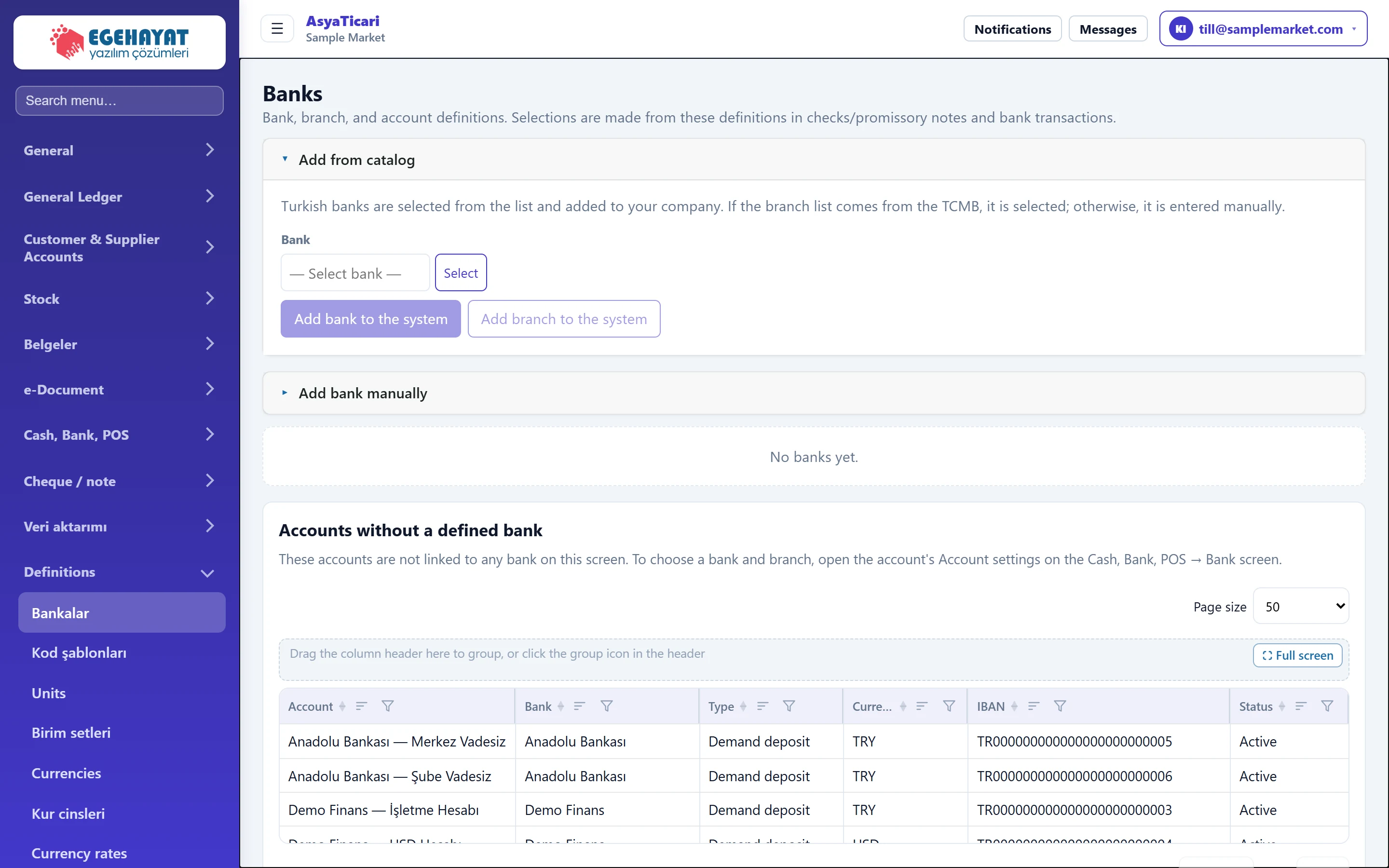
- 1Add from catalogue Adds Turkish banks by choosing them from a ready list.
- 2Manual bank Adds a bank not in the list by name and code.
- 3Bank tree Added banks are listed here with branches, accounts and cheque books.
Add from catalog
Turkish banks are chosen from a ready list. If the central bank (TCMB) provides the branch list, the branch is chosen too; otherwise you type it.
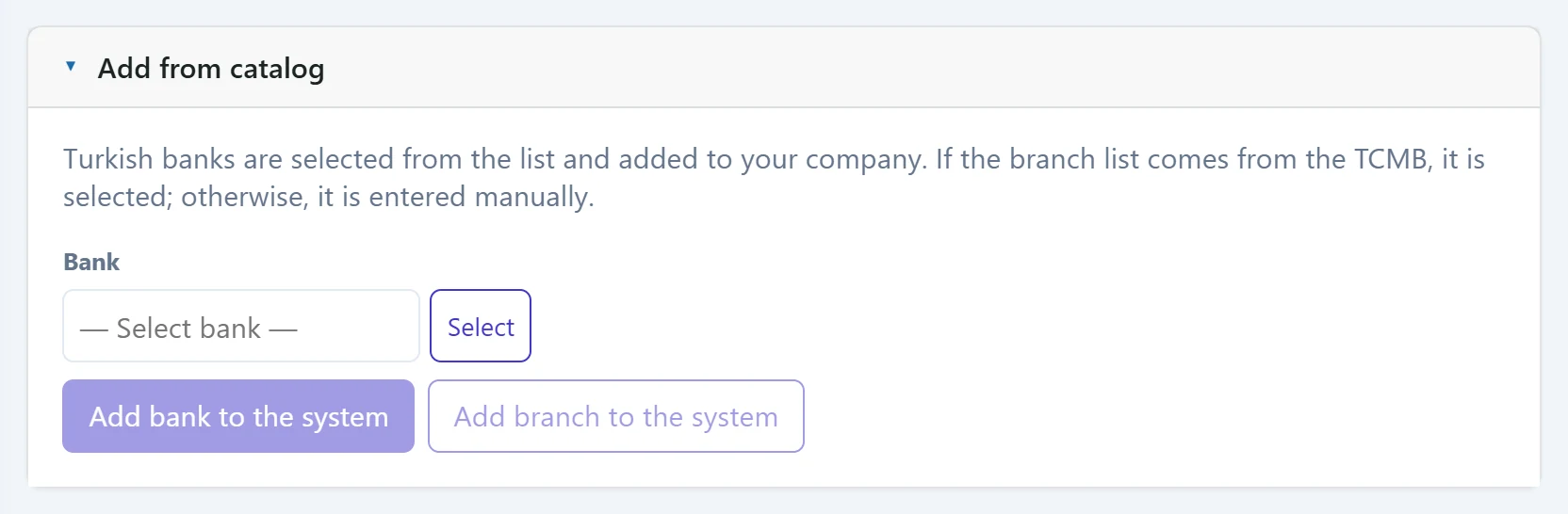
- 1Select Opens the bank catalogue window.
- 2Add bank to the system Adds the selected bank to your company.
- 3Add branch to the system Also adds the selected branch (creating the bank too if needed).
| Field | Sign in | Description |
|---|---|---|
| Bank | Text | Choose a bank from the Turkish bank catalogue with «Select». If the central bank (TCMB) provides a branch list, a branch picker opens below. Placeholder: «— Select bank —» |
The Select button opens the bank catalogue window:
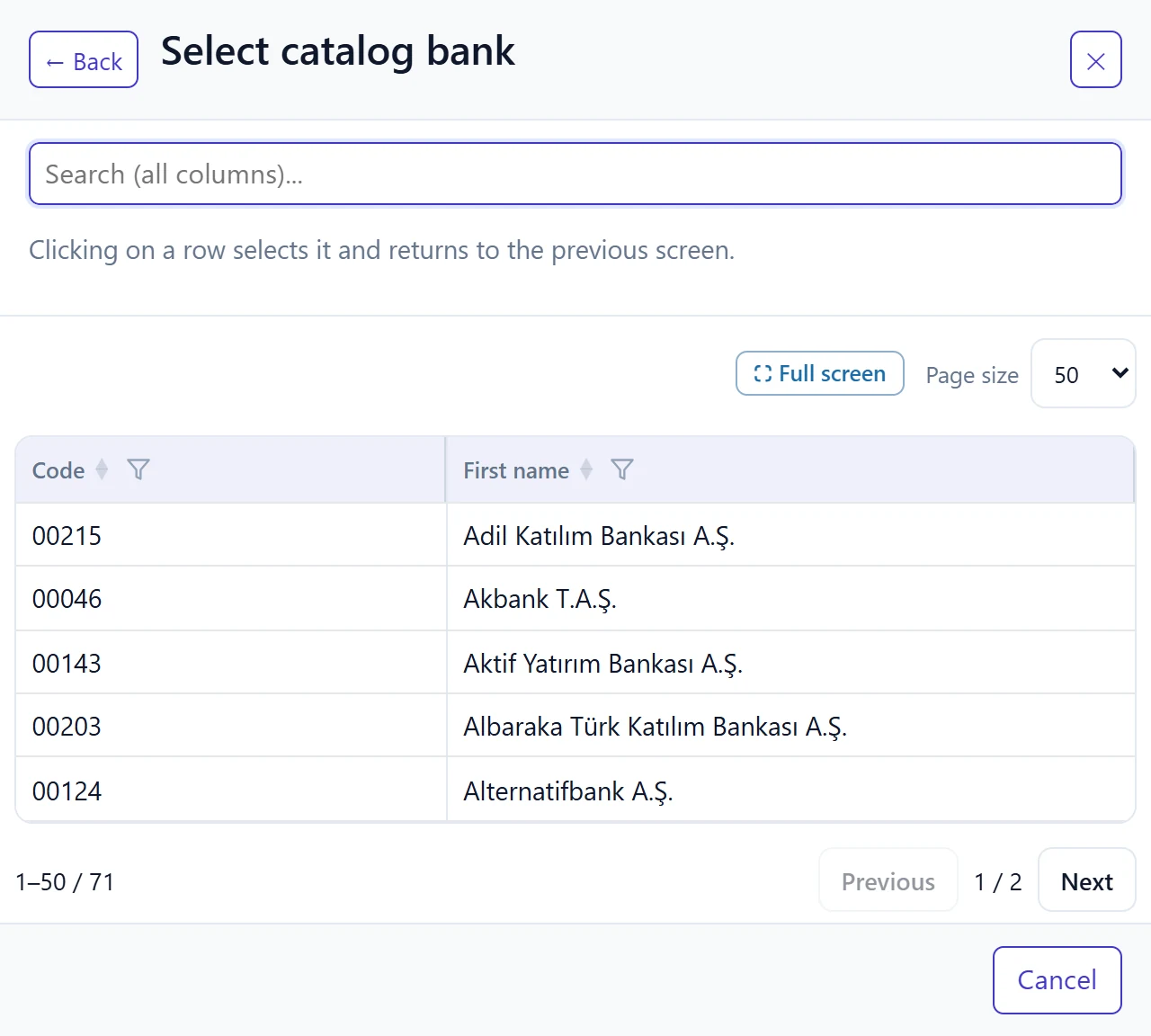
- 1Search Filters by bank name or EFT code.
- 2Bank row Click to select; the window closes.
After choosing a bank, a branch picker (or branch name / code boxes) opens below it. Add bank to the system adds only the bank without a branch; Add branch to the system adds the selected branch (and the bank if it does not exist yet).
Add bank manually
Adds a bank that is not in the catalogue (e.g. a foreign bank) by name and code.

- 1Add bank Adds the bank to the list.
| Field | Sign in | Description |
|---|---|---|
| New bank | Text | Bank name. Required. |
| Code | Text | Bank's EFT / institution code (optional). |
Bank tree
Each added bank becomes a collapsible panel. In the panel:
- Edit: bank name, code, SWIFT / BIC and address; Delete is also here.
- Add branch: opens a new branch. With the branch's Edit you enter branch code, address, phone and e-mail.
- + Add account: opens an account in the branch — account name, account number, IBAN, currency and account type.
- + Related person: name, title, phone and e-mail of a bank or branch contact.
- Checkbooks: with + Add ledger you enter book name, account to be paid, serial prefix and first and last leaf number; leaves are listed with «Sheets / assigned to».
Accounts without a branch or bank, and inactive accounts
Inactive accounts are also shown in the tree; · Pasif appears next to the name and the Status column says inactive. Only active accounts can be chosen for a cheque book.
Accounts linked to a bank but without a branch are listed in that bank's panel under Accounts without a branch. Accounts not linked to any bank on this screen appear at the bottom of the page in the Accounts without a defined bank card. To assign a bank / branch, edit or delete them, use the account's row menu on the Cash, Bank, POS → Bank screen.
Step by step: opening a bank, branch and account
- In Add from catalog, press Select and choose the bank.
- If a branch list appears, choose the branch and press Add branch to the system; otherwise type the branch name and press the same button.
- In the bank panel below, press + Add account under the branch.
- Enter the account name and IBAN and press Save.
- If you issue cheques, define the book with + Add ledger in the bank's cheque book section.
Adding the bank from the catalogue keeps its name and EFT code identical everywhere. Use a manual bank only for banks not in the catalogue.
An account with transactions or linked cheques / notes cannot be deleted. Leave an unused account inactive.
Common messages
| Message | Cause | Solution |
|---|---|---|
| Bank name is required. | Manual bank name is empty. | Enter the bank name. |
| Branch name is required. | Branch name is empty. | Enter the branch name. |
| A branch with the same name already exists in this bank. | A branch with the same name exists. | Use the existing branch. |
| Account name is required. | Account name is empty in the account form. | Enter the account name. |
| IBAN is invalid. Turkish IBAN must be 26 characters long (e.g., TR33 0006 1005 1978 6457 8413 26). | IBAN is incomplete or wrong. | Enter the full IBAN, without spaces or in groups of four. |
| SWIFT / BIC must be 8 or 11 characters. | SWIFT code incomplete. | Enter the full code. |
| Add an account for this bank before creating a cheque book. | A book was added to a bank without accounts. | Open an account in the branch first. |
| First and last leaf number (printed check number) are required. | Leaf numbers are empty. | Enter the first and last number printed on the cheques. |
| Accounts with transactions cannot be deleted. First, make the account inactive or transfer the transactions. | The account to delete has transactions. | Make the account inactive. |