
 AsyaTicari
 AsyaRestoran
 AsyaOtel
 AsyaCrm
 AsyaKlinik
 AsyaSpor
 AsyaSSH
 AsyaEmlak
 AsyaFilo
 AsyaPuantaj
 AsyaİSG
 AsyaİHD
 Kolay Öğren
Shared modules · Definitions
Countries, provinces and districts
Country, province and district lists used in address pickers; navigation between the lists, search and new records.
The Country → Province → District pickers in address fields (account card, workplace, tax office…) come from these three screens. The lists are shared across the platform and come with Turkey's 81 provinces and their districts; usually you only need to view them.
Countries
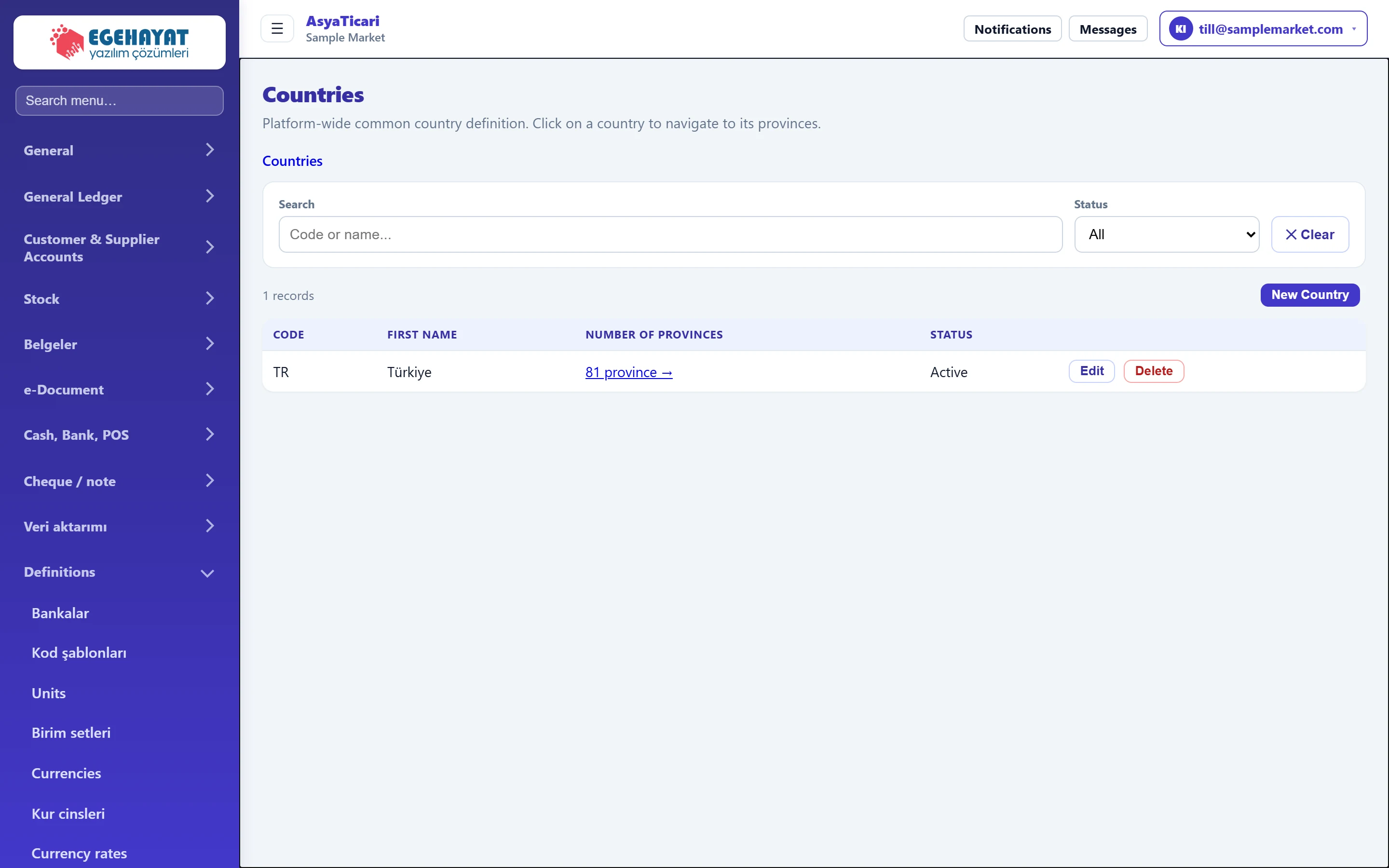
- 1Path Navigates back between country → province → district.
- 2Filter Code / name search and status.
- 3New Country Opens the new country form.
- 4Number of provinces Click to list the country's provinces.
Click a country's Number of provinces link to go to its provinces. The path at the top (Countries › Provinces › Districts) takes you back. Edit on a row opens the record in the form, Delete asks for confirmation.
Provinces
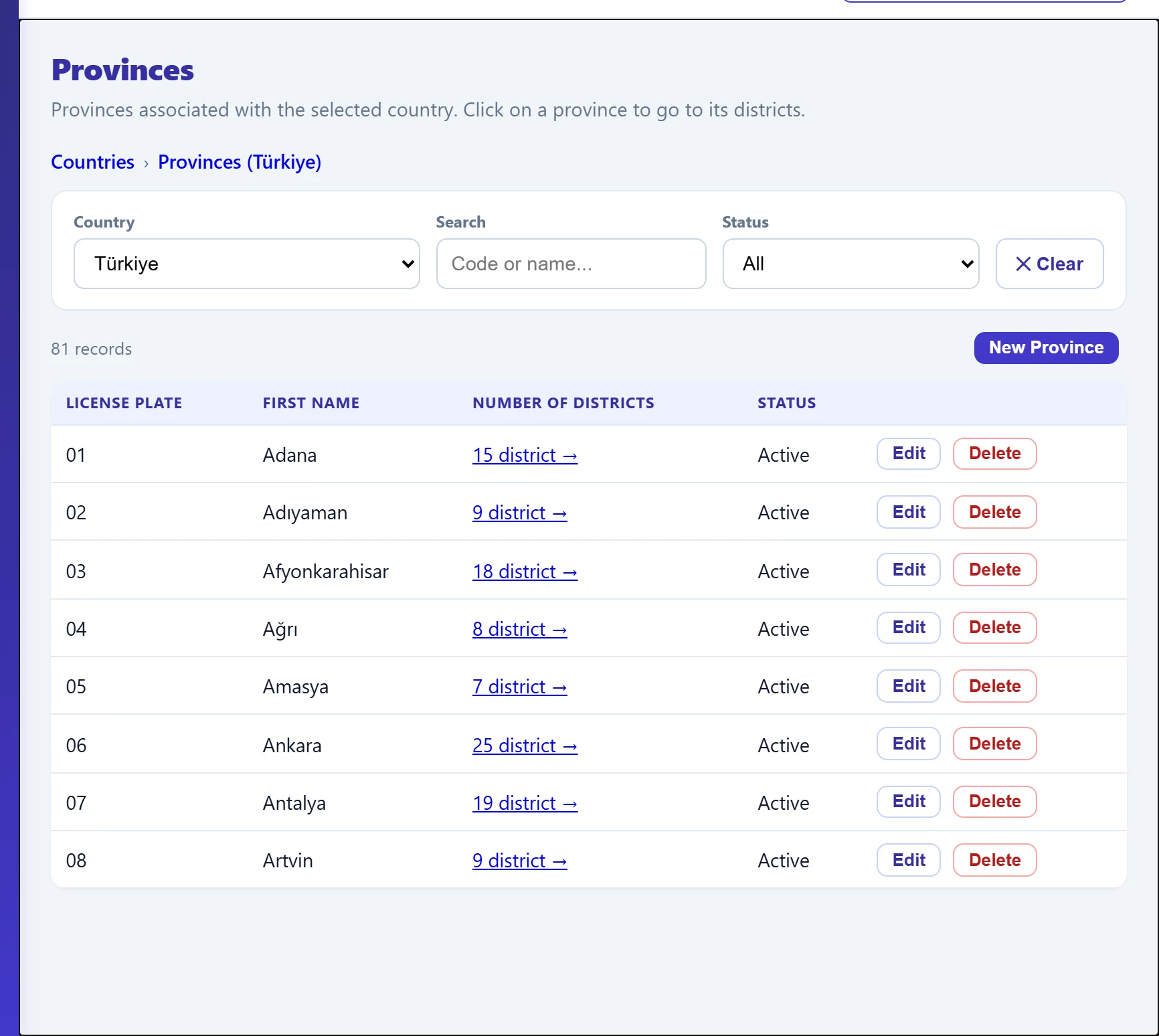
- 1Country Country the provinces belong to.
- 2New Province Adds a new province to the selected country.
- 3Number of districts Click to list the province's districts.
- 4Edit Opens the record in the edit form.
The Country list chooses the country of the provinces. The Number of districts link opens the districts of the province.
Districts
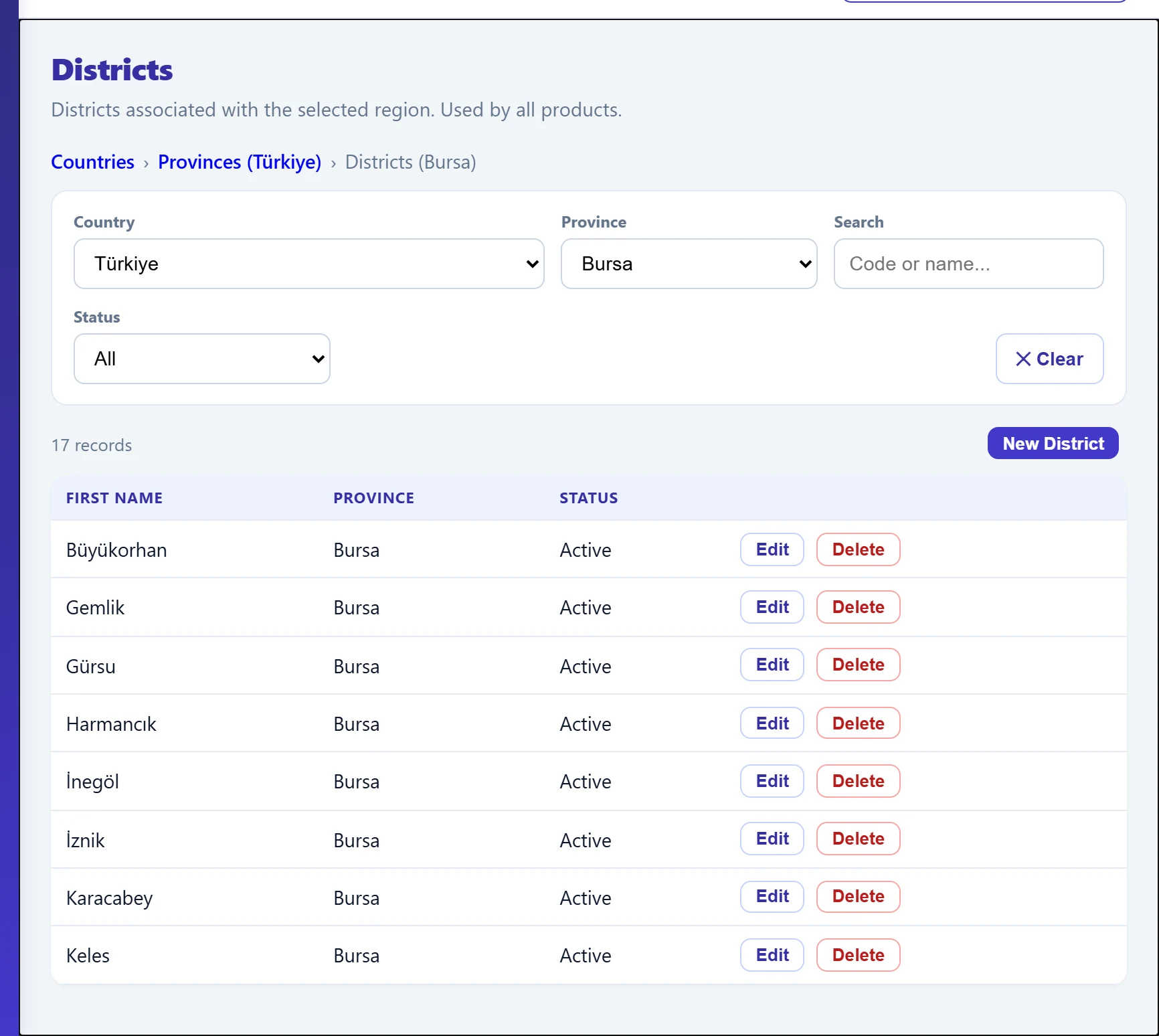
- 1Province Select a province first; the «New district» button then appears.
- 2New District Adds a new district to the selected province.
| Field | Sign in | Description |
|---|---|---|
| Country | Choice list | Country the districts belong to. |
| Province | Choice list | Province whose districts are listed. A new district cannot be added while «— All provinces —» is selected. |
| Search | Text | Filters by code or name. Placeholder: «Code or name...» |
| Status | Choice list | All, Active or Inactive. Options: All · Active · Inactive |
New record form
New Country, New Province or New District opens a form above the list. The province form is shown below; in the country form **Code *** is required, in the district form only the name is asked.
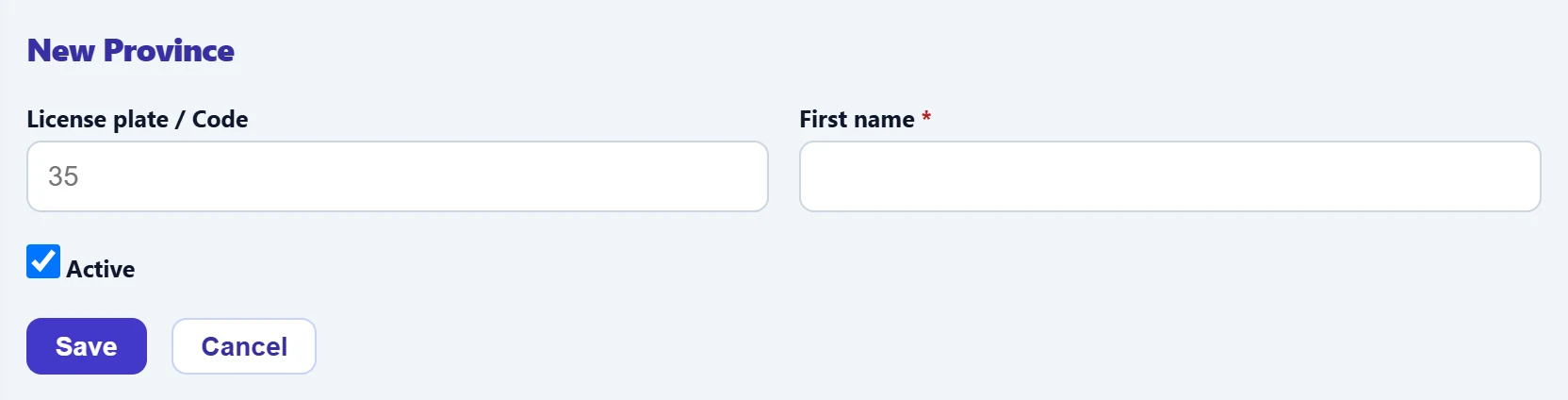
- 1Save Saves the record.
- 2Cancel Closes the form.
| Field | Sign in | Description |
|---|---|---|
| License plate / Code | Text | Province plate code (e.g. 16). In the country form it is asked as «Code *» and is required. Placeholder: «35» |
| First name required | Text | Province / country / district name. Required. |
| Active | Checkbox | Inactive records do not appear in address pickers. |
Step by step: adding a missing district
- Open Definitions → Districts.
- Choose the province in the province list; the New District button appears.
- Press New District and enter the name.
- Press Save; «Saved.» appears and the district is added to the list.
These lists are shared by all companies and all products. A deleted or deactivated province / district disappears from other users' address pickers too; change them only when really needed.
Common messages
| Message | Cause | Solution |
|---|---|---|
| Code and name are required. | Code or name is empty in the country form. | Fill in both fields. |
| Name is required. | Name is empty in the province / district form. | Enter the name. |
| You do not have permission for this action. | The user may not write definitions. | Ask the company administrator for permission. |
| No records match your search. | No record matches the search / status filter. | Clear the filter with ✕ Clear. |