
 AsyaTicari
 AsyaRestoran
 AsyaOtel
 AsyaCrm
 AsyaKlinik
 AsyaSpor
 AsyaSSH
 AsyaEmlak
 AsyaFilo
 AsyaPuantaj
 AsyaİSG
 AsyaİHD
 Kolay Öğren
Shared modules · Stock
Stock movements
List of all stock receipts and issues by material, warehouse and date.
The Stock movements screen shows every record that changes stock — sales, purchases, returns, transfers, counts, production and waste — in date order. Use it to see why a product's quantity changed.
Opening the screen
In the side menu click Stock → Stock movements. Stock movements in the row menu of the stock card list also opens this screen for that material.
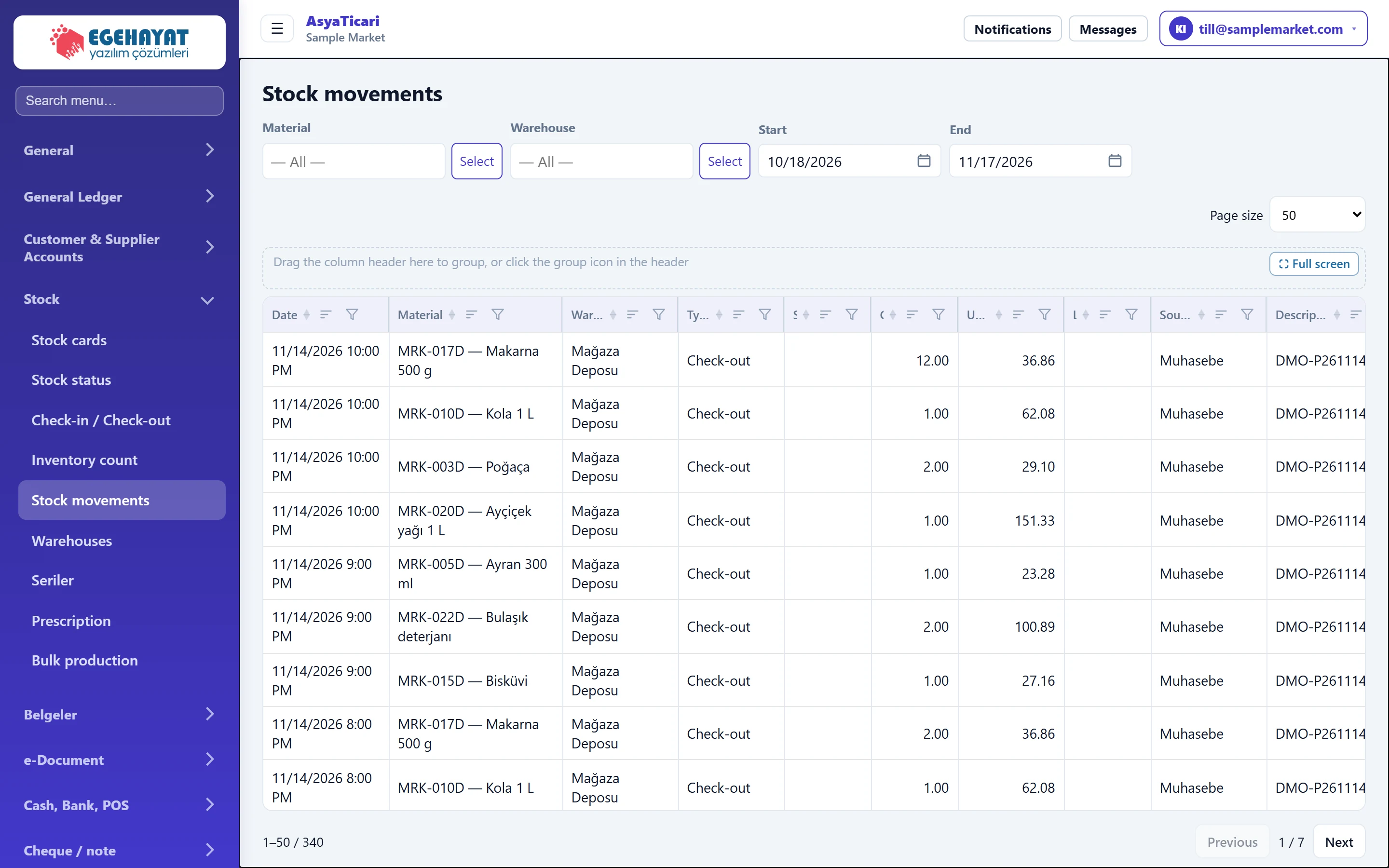
- 1Filter Material, warehouse and date range.
- 2Type Movement type: receipt, issue, sale, return, transfer, count, waste…
- 3In Quantity in.
- 4Out Quantity out.
- 5Source Application / document that created the movement.
- 6Page size Rows per page.
Filter

| Field | Sign in | Description |
|---|---|---|
| Material | Text | Movements of this material only; all if blank. Placeholder: «— All —» |
| Warehouse | Text | Movements of this warehouse only. Placeholder: «— All —» |
| Start | Text | First day; defaults to 30 days ago. Placeholder: «mm/dd/yyyy» |
| End | Text | Last day; defaults to today. Placeholder: «mm/dd/yyyy» |
The list refreshes automatically when the filter changes. The Source column shows which application / document created the movement; Description shows the document number or note.
When a product turns out to be short, choose the material and widen the date range; you see sales, waste and count movements in the same list.
Common messages
| Message | Cause | Solution |
|---|---|---|
| No punches found. | No records for the selected material / warehouse / date range. | Widen the date range or clear the filter. |