
 AsyaTicari
 AsyaRestoran
 AsyaOtel
 AsyaCrm
 AsyaKlinik
 AsyaSpor
 AsyaSSH
 AsyaEmlak
 AsyaFilo
 AsyaPuantaj
 AsyaİSG
 AsyaİHD
 Kolay Öğren
Shared modules · Stock
Serials (serial / roll tracking)
Serial cards of serial-tracked materials, bulk serial generation, warehouse and shelf balances, shelf definitions.
The Serials screen is for products tracked unit by unit (e.g. fabric rolls, device serial numbers). Each serial card carries its own quantity, warehouse and shelf; when a serial is chosen on a document line it is reduced together with the stock movement.
The screen appears in the menu only when serial tracking is enabled for the company; serials can only be opened for materials whose card has Serial / roll tracking ticked.
Opening the screen
In the side menu click Stock → Seriler.
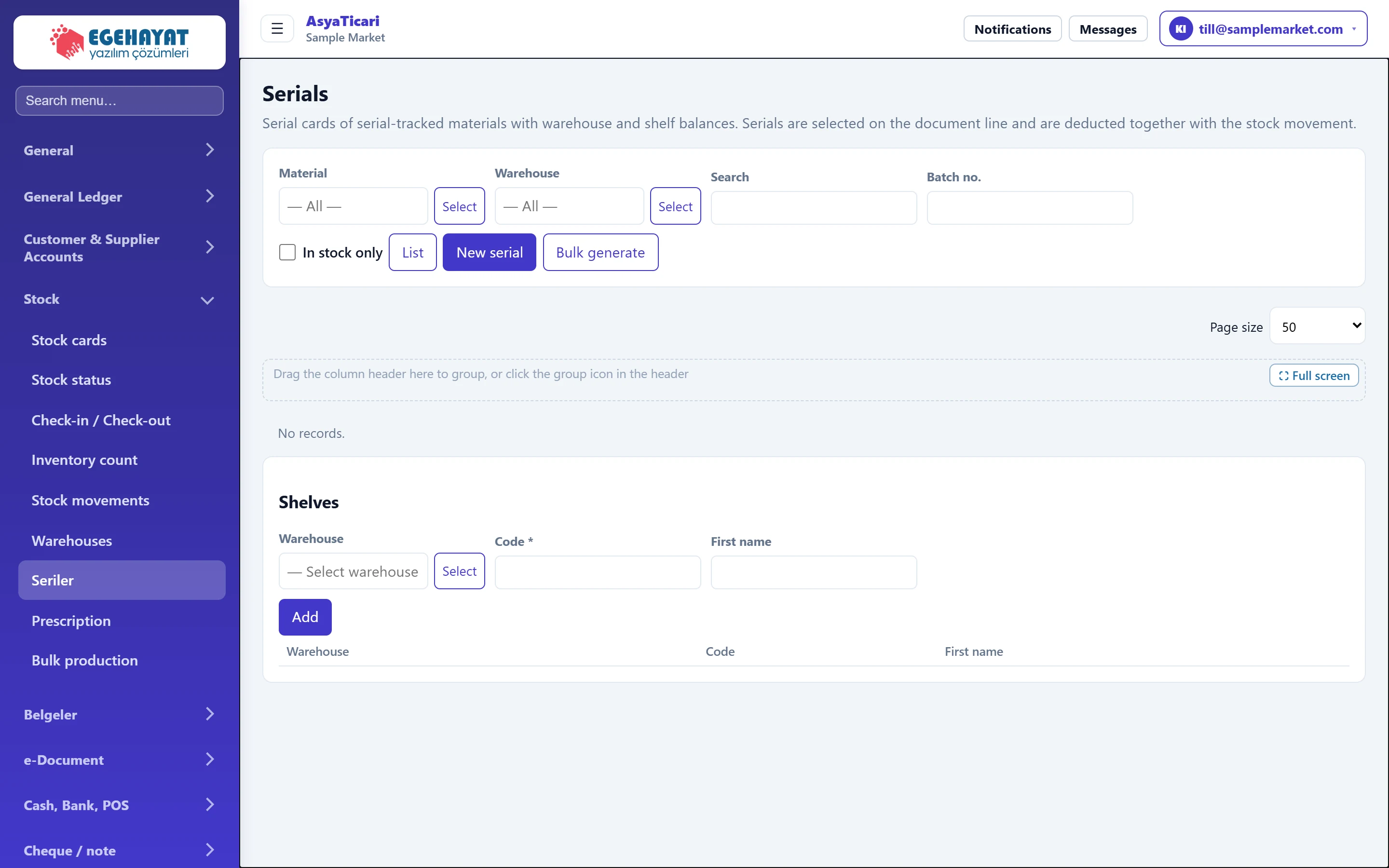
- 1Filter Search by material, warehouse, serial code and batch number.
- 2New serial Opens a single serial card.
- 3Bulk generate Generates many serials from a template.
- 4Serial list Serial cards and their quantities on hand.
- 5Shelves Shelf definitions within a warehouse.
Searching serials
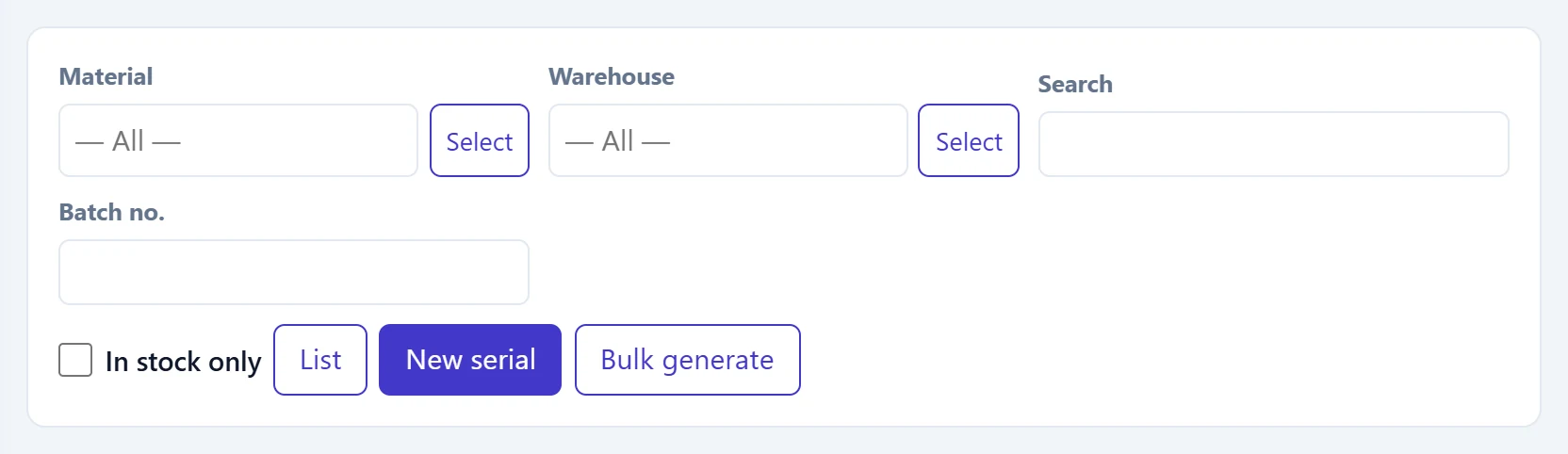
- 1List Applies the filter.
| Field | Sign in | Description |
|---|---|---|
| Material | Text | Serial-tracked material; all if blank. Placeholder: «— All —» |
| Warehouse | Text | Serials in the selected warehouse. Placeholder: «— All —» |
| Search | Text | Searches the serial code or description. |
| Batch no. | Text | Batch / lot number. |
| In stock only | Checkbox | Serials with zero quantity on hand are hidden. |
Punches (movements) in the row menu shows the serial's receipts / issues below the list; Edit and Delete are in the same menu.
Adding a single serial
- Press New serial.
- Choose the Material and enter a unique Serial code.
- Enter Quantity, Receiving warehouse and Shelf and press Add.
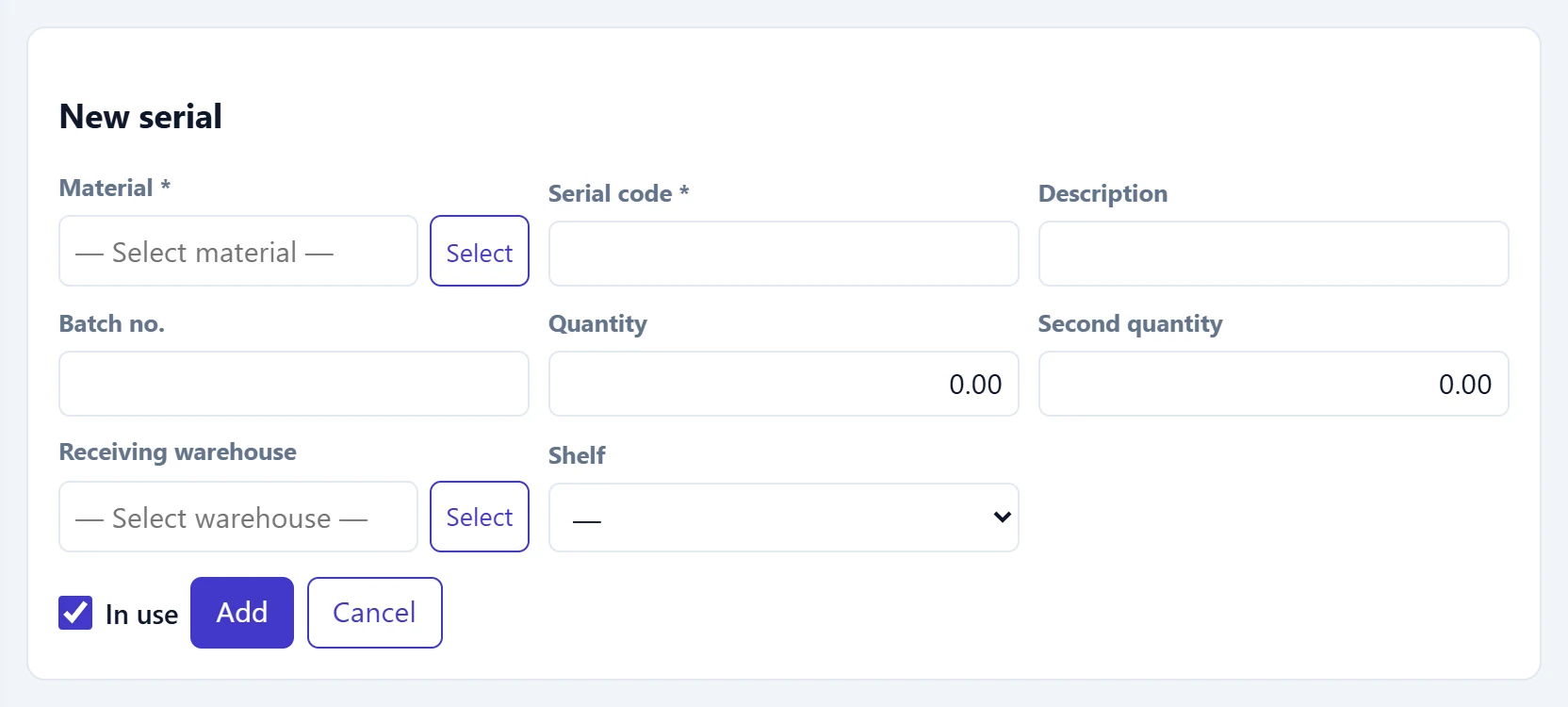
- 1Add Adds the serial.
| Field | Sign in | Description |
|---|---|---|
| Material required | Text | Material card with serial tracking enabled. Placeholder: «— Select material —» |
| Serial code required | Text | Unique serial / roll code; at most 64 characters. |
| Description | Text | Serial description. |
| Batch no. | Text | Batch / lot number. |
| Quantity | Text | Quantity of the serial (e.g. roll length). |
| Second quantity | Text | Quantity in the second unit (e.g. kg). |
| Receiving warehouse | Text | Warehouse the serial goes into. Placeholder: «— Select warehouse —» |
| Shelf | Choice list | Shelf in the warehouse. |
| In use | Checkbox | If unticked, the serial is hidden from selection lists. |
For fabric (roll) materials the Width (cm), Height (cm) and Weight (g/m²) fields also appear.
Generating serials in bulk
To open many serials of the same material, press Bulk generate, enter the template and count and press Produce. The message «N serials generated.» appears.
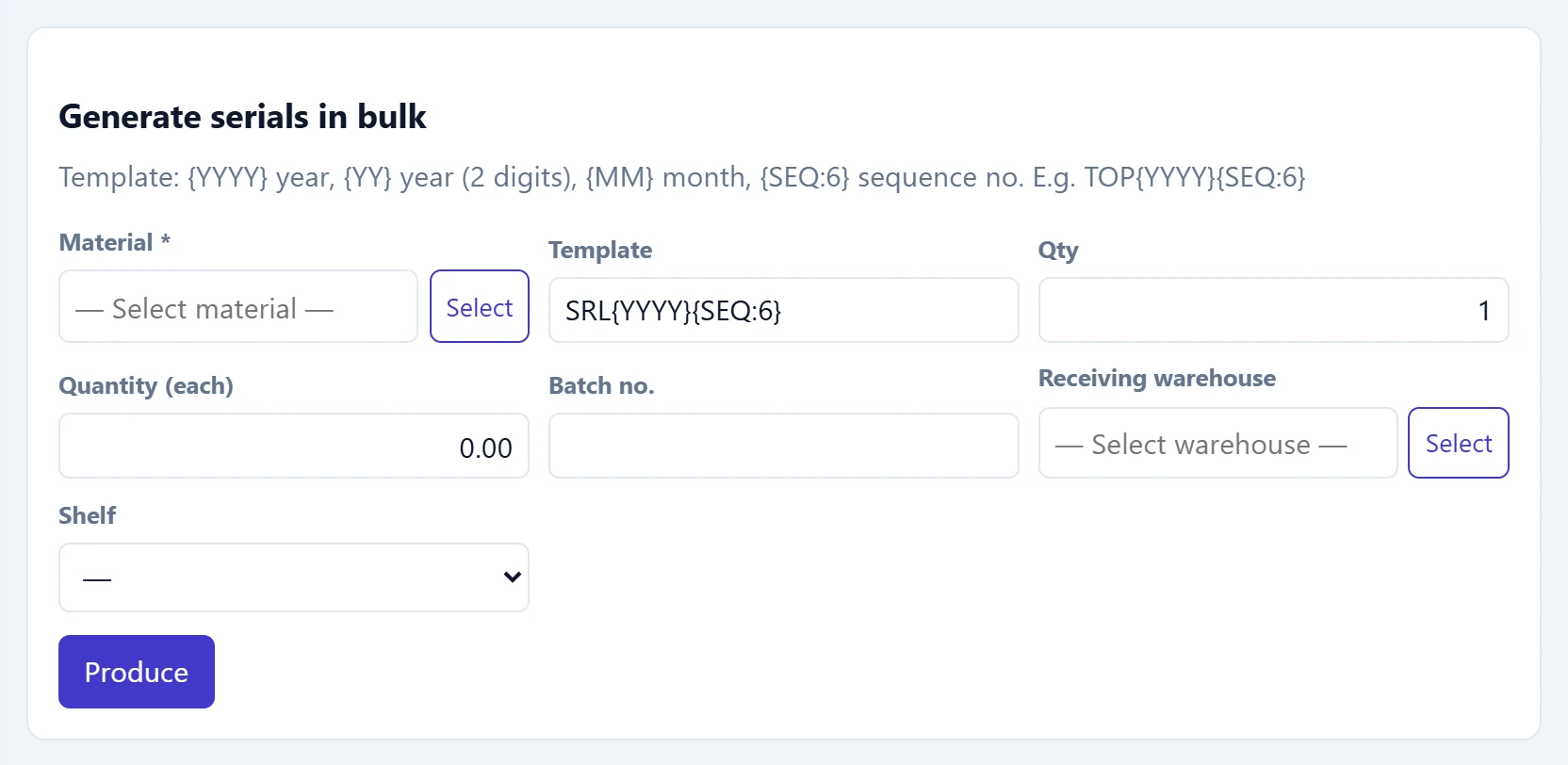
- 1Template help Tokens that can be used in the template.
| Field | Sign in | Description |
|---|---|---|
| Material required | Text | Serial-tracked material for which serials are generated. Placeholder: «— Select material —» |
| Template | Text | Serial code template, e.g. TOP{YYYY}{SEQ:6}. {SEQ} must be at the end of the template. |
| Qty | Text | Number of serials to generate (1–500). |
| Quantity (each) | Text | Quantity of each serial. |
| Batch no. | Text | Common batch number. |
| Receiving warehouse | Text | Warehouse the serials go into. Placeholder: «— Select warehouse —» |
| Shelf | Choice list | Shelf in the warehouse. |
Shelves
Serials can be placed on shelves within a warehouse. Choose a warehouse and enter Code and Name to add a shelf.
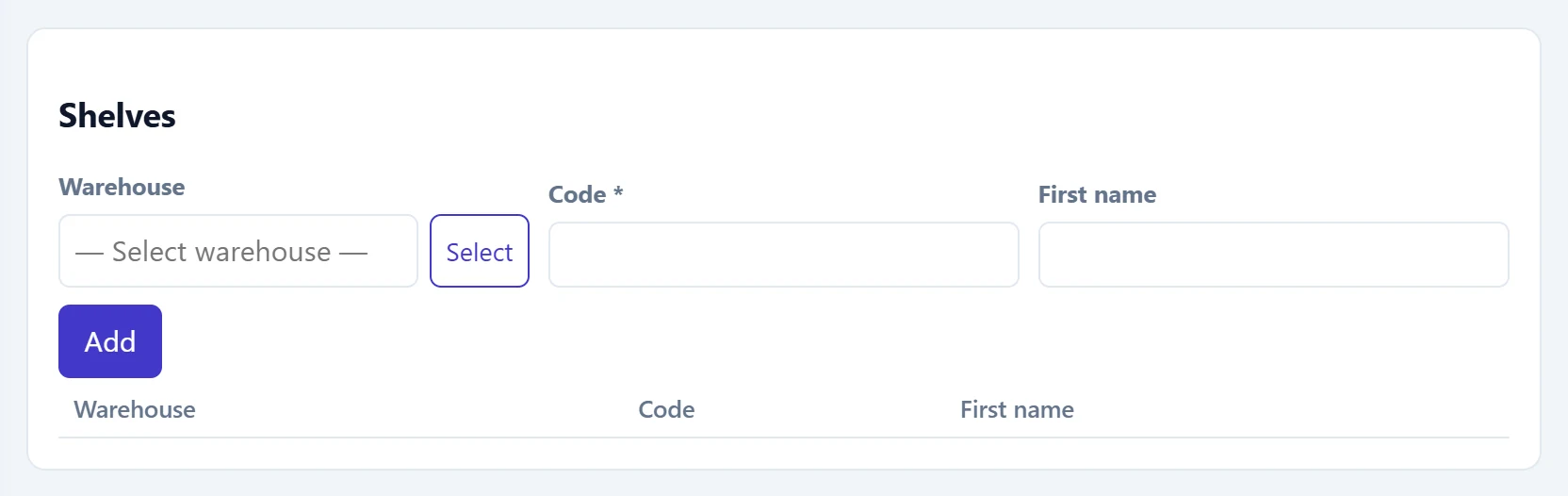
| Field | Sign in | Description |
|---|---|---|
| Warehouse | Text | Warehouse the shelf is in. Placeholder: «— Select warehouse —» |
| Code required | Text | Shelf code; unique within the warehouse. |
| First name | Text | Shelf name (e.g. «A-3 top»). |
A serial with movements or document lines cannot be deleted; a shelf with a serial balance cannot be deleted either.
Common messages
| Message | Cause | Solution |
|---|---|---|
| Serial tracking is off for this company. Turn it on under Settings → Company features. | The feature is off. | Your administrator enables it in the Control panel. |
| Serial tracking is not enabled on the material card. | Serial / roll tracking is unticked on the card. | Tick it on the stock card. |
| Serial code is required. | Serial code is empty. | Enter the code. |
| This serial code already exists. | A serial with the same code exists. | Enter another code. |
| The serial code can be at most 64 characters. | The code is too long. | Shorten it. |
| The template must contain a sequence token. | The bulk template has no sequence. | Add to the template. |
| must be at the end of the template. | The sequence token is in the middle. | Move to the end. |
| The count must be between 1 and 500. | The bulk count is out of range. | Enter 1–500. |
| A serial with movements or document lines cannot be deleted. | The serial has been used. | Make it inactive by unticking In use. |
| This shelf code already exists in this warehouse. | Same shelf code in the same warehouse. | Enter a different code. |
| The shelf still holds serial stock; move it first. | The shelf to delete holds serials. | Move the serials to another shelf. |
| Select warehouse. | Receiving warehouse is empty. | Choose a warehouse. |