
 AsyaTicari
 AsyaRestoran
 AsyaOtel
 AsyaCrm
 AsyaKlinik
 AsyaSpor
 AsyaSSH
 AsyaEmlak
 AsyaFilo
 AsyaPuantaj
 AsyaİSG
 AsyaİHD
 Kolay Öğren
Shared modules · Stock
Recipe
Defining components, quantities and waste rates for finished and semi-finished cards; viewing the recipe cost.
On the Recipe screen you define which raw materials, in what quantity and with how much waste, a product you make (finished, semi-finished, mixed box, set menu) consists of. Bulk production and sales reduce consumption according to this recipe.
The screen appears in the menu only when the recipe feature is enabled for the company. (In the English menu the item is currently labelled «Prescription».)
Opening the screen
In the side menu click Stock → Prescription.
ortak · /stok/recete
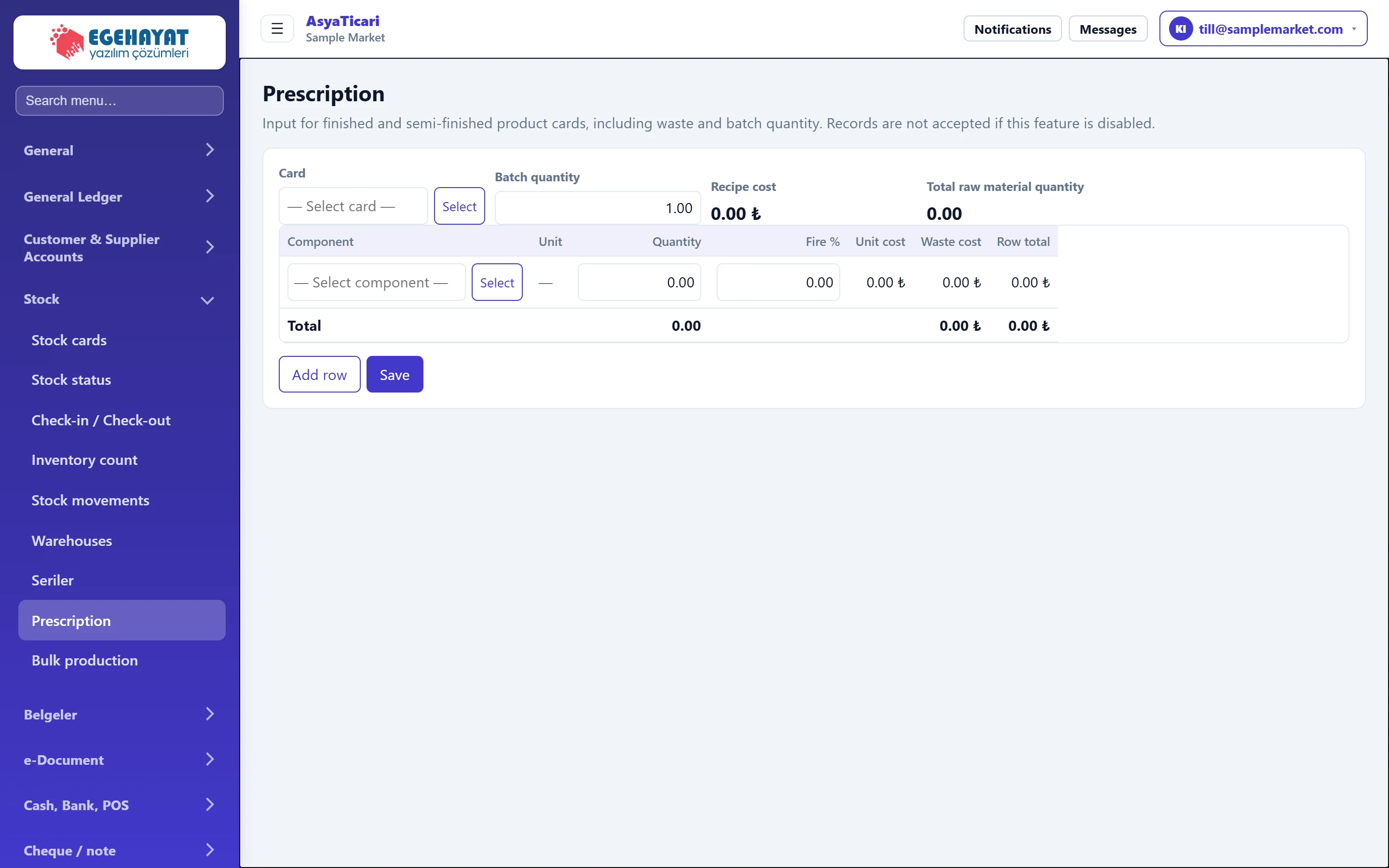
- 1Card Finished / semi-finished product the recipe is for.
- 2Batch quantity Production quantity the recipe quantities refer to.
- 3Recipe cost Total of component and waste costs.
- 4Components Component rows.
- 5Add row Adds an empty component row.
- 6Save Saves the recipe.
Defining a recipe: step by step
- In the Card field choose the product with Select. Only cards that can have a recipe (finished, semi-finished, mixed box, set menu) are listed; an existing recipe is loaded.
- Enter the Batch quantity: the component quantities below are for this many products (e.g. 10 pieces).
- For each component choose the raw material with Select in the row and enter Quantity and Fire % (waste). Use Add row for a new row.
- Recipe cost and row costs are calculated automatically.
- Press Save. The message «Prescription saved.» appears.
Part of the screenRecipe form
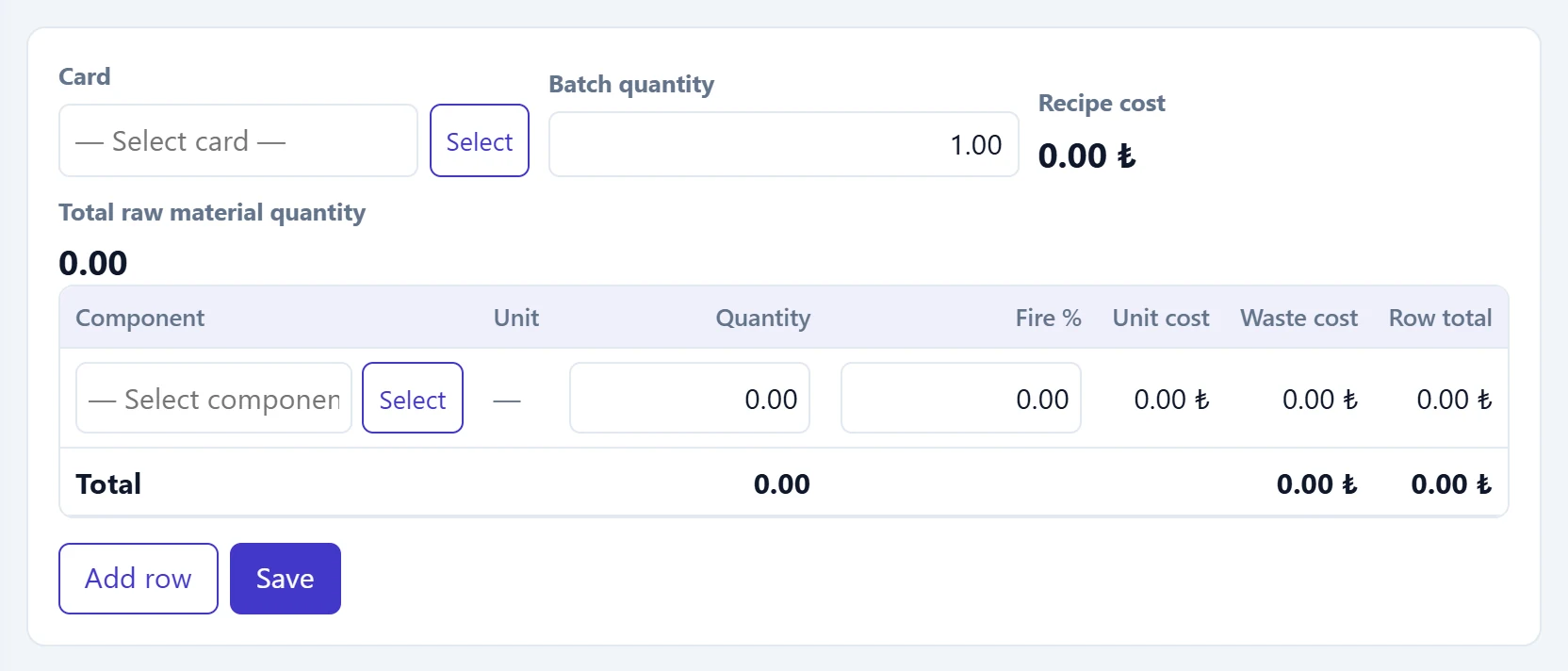
- 1Component Raw material / semi-finished card.
- 2Waste % Share lost in production; added to the cost.
| Field | Sign in | Description |
|---|---|---|
| Card | Text | Finished, semi-finished, mixed box or set menu card; only these appear in the list. Placeholder: «— Select card —» |
| Batch quantity | Text | Production quantity the component quantities correspond to; must be greater than zero. |
| Recipe cost | Text | Calculated automatically; the unit cost appears below. Placeholder: «— Select card —» |
| Total raw material quantity | Text | Sum of component quantities (for checking). Placeholder: «— Select card —» |
A card whose Material type is «Trade good» does not appear in the list. Set the type of the product you make to Finished or Semi-finished on its card.
Common messages
| Message | Cause | Solution |
|---|---|---|
| The prescription is only available in the finished product, semi-finished product, mixed box, and set menu. | The chosen card's type is not suitable. | Change the material type on the stock card. |
| The prescription batch quantity must be greater than zero. | Batch quantity is zero. | Enter a positive quantity. |
| At least one row is required. | No components. | Add at least one component row. |
| Prescription and production are disabled for this company. | The feature is off. | Your administrator enables it in the Control panel. |