
 AsyaTicari
 AsyaRestoran
 AsyaOtel
 AsyaCrm
 AsyaKlinik
 AsyaSpor
 AsyaSSH
 AsyaEmlak
 AsyaFilo
 AsyaPuantaj
 AsyaİSG
 AsyaİHD
 Kolay Öğren
 · Content
Admin panel and contents
Admin overview; content list, approval, new content / editing and the AI content generation queue.
The Admin menu is visible only to the admin account. The panel shows links to the catalogue, content list, AI queue and classes screen, plus totals.
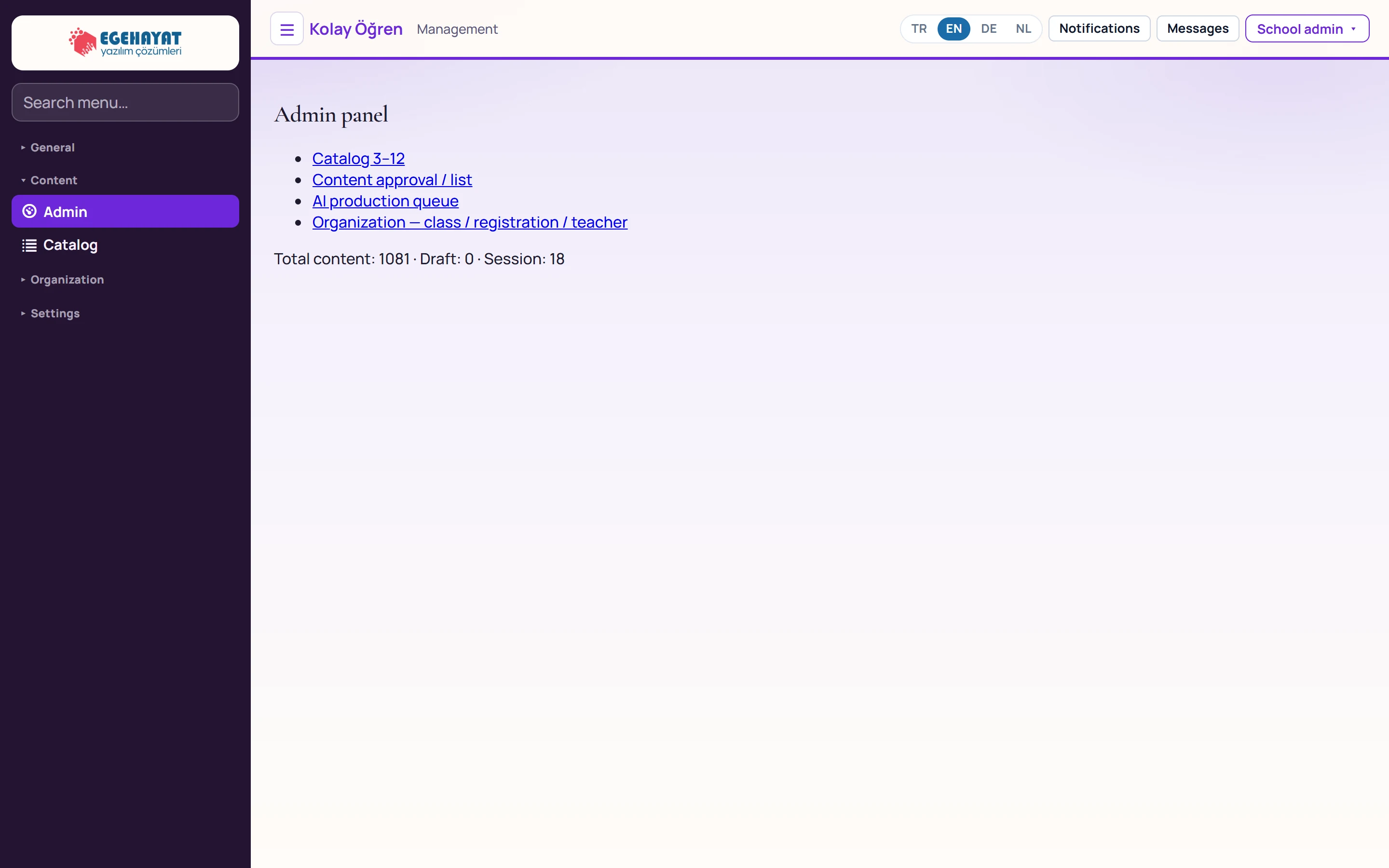
- 1Catalog 3–12 Content counts per grade (Catalog).
- 2Content approval / list Content list, editing and approval.
- 3AI production queue AI content generation queue.
- 4Organization — class / registration / teacher Classes screen.
- 5Counts Total content, draft content and number of completed practice sessions.
Content management
Opened with the Content approval / list link on the panel.
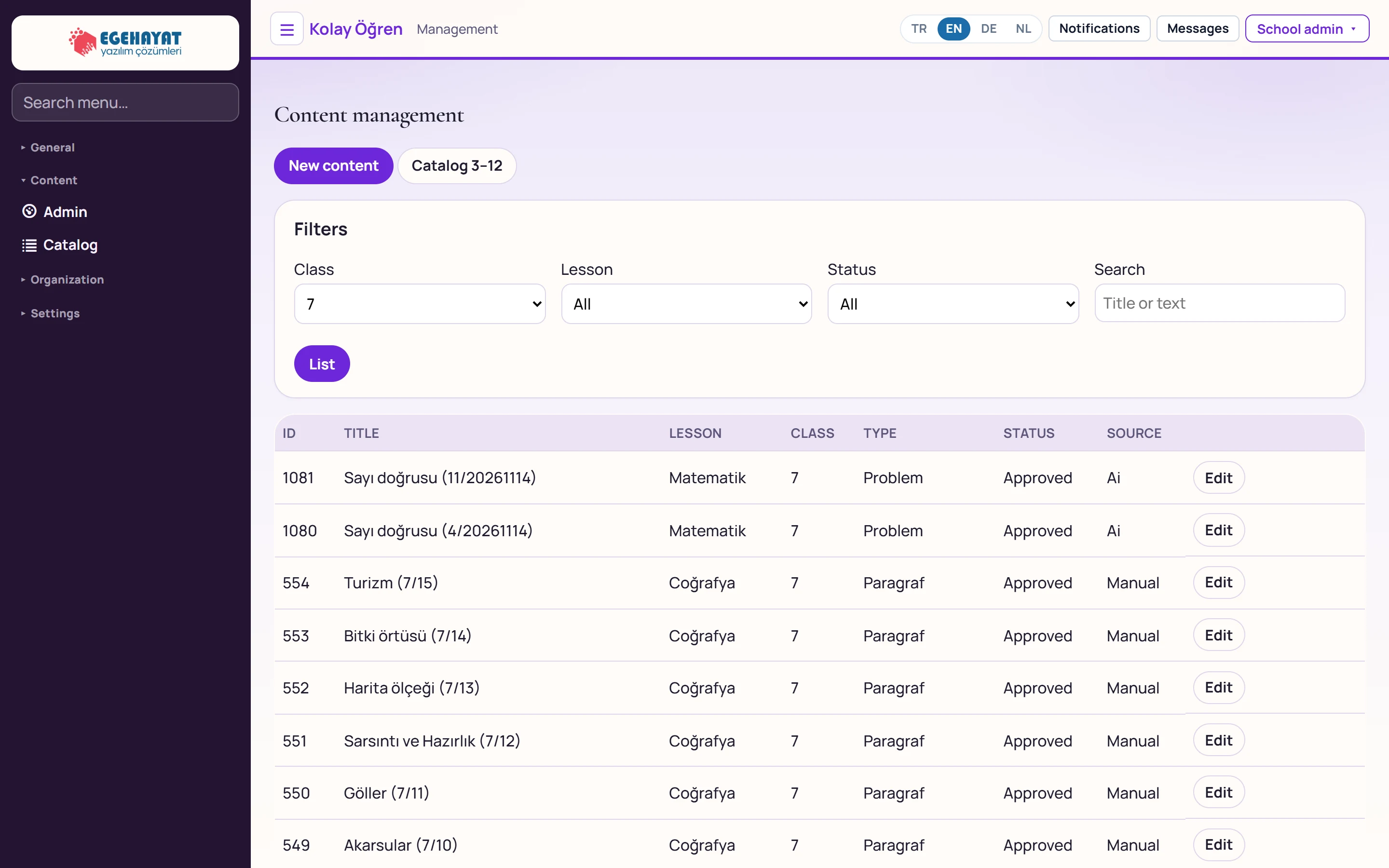
- 1New content Opens an empty content form.
- 2Filters Filter the list by grade, lesson, status and search.
- 3Contents Id, title, lesson, grade, type, status and source.
- 4Edit Opens the content in the edit form.
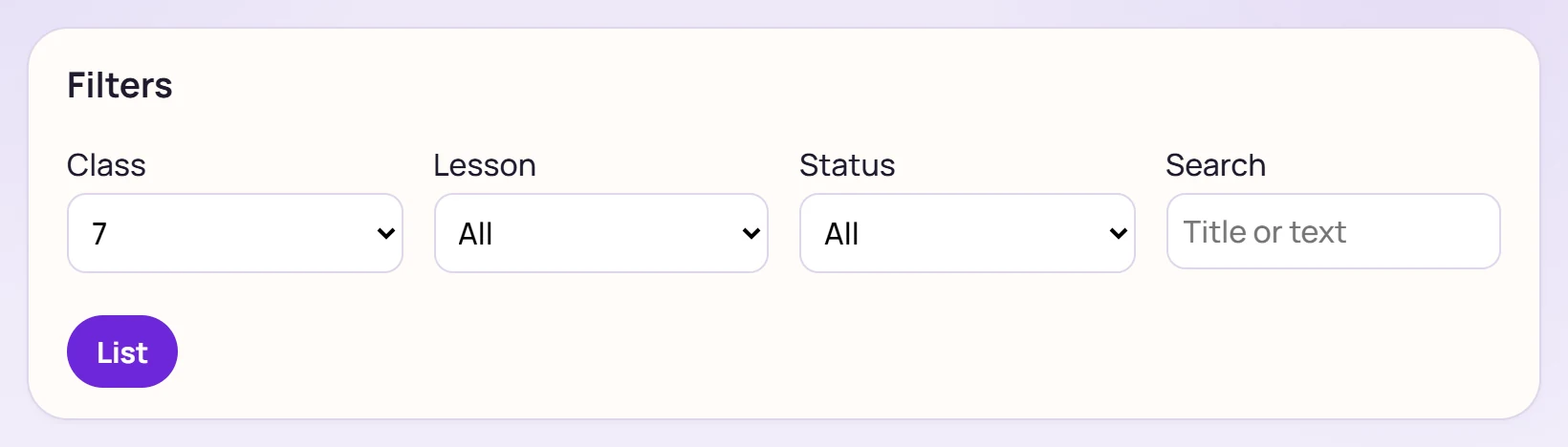
| Field | Sign in | Description |
|---|---|---|
| Class | Choice list | Grade 3–12; «All» shows everything. |
| Lesson | Choice list | Lesson of the content. Options: All · Coğrafya · Fen · Hızlı Okuma · Matematik · Sosyal · Tarih · Türkçe |
| Status | Choice list | Draft, Approved or archived. Options: All · Draft · Approved · Archived |
| Search | Text | A word in the title or text. Placeholder: «Title or text» |
Rows of unapproved (draft) content have a Confirm button; approved content enters the students' practice list.
New content / editing
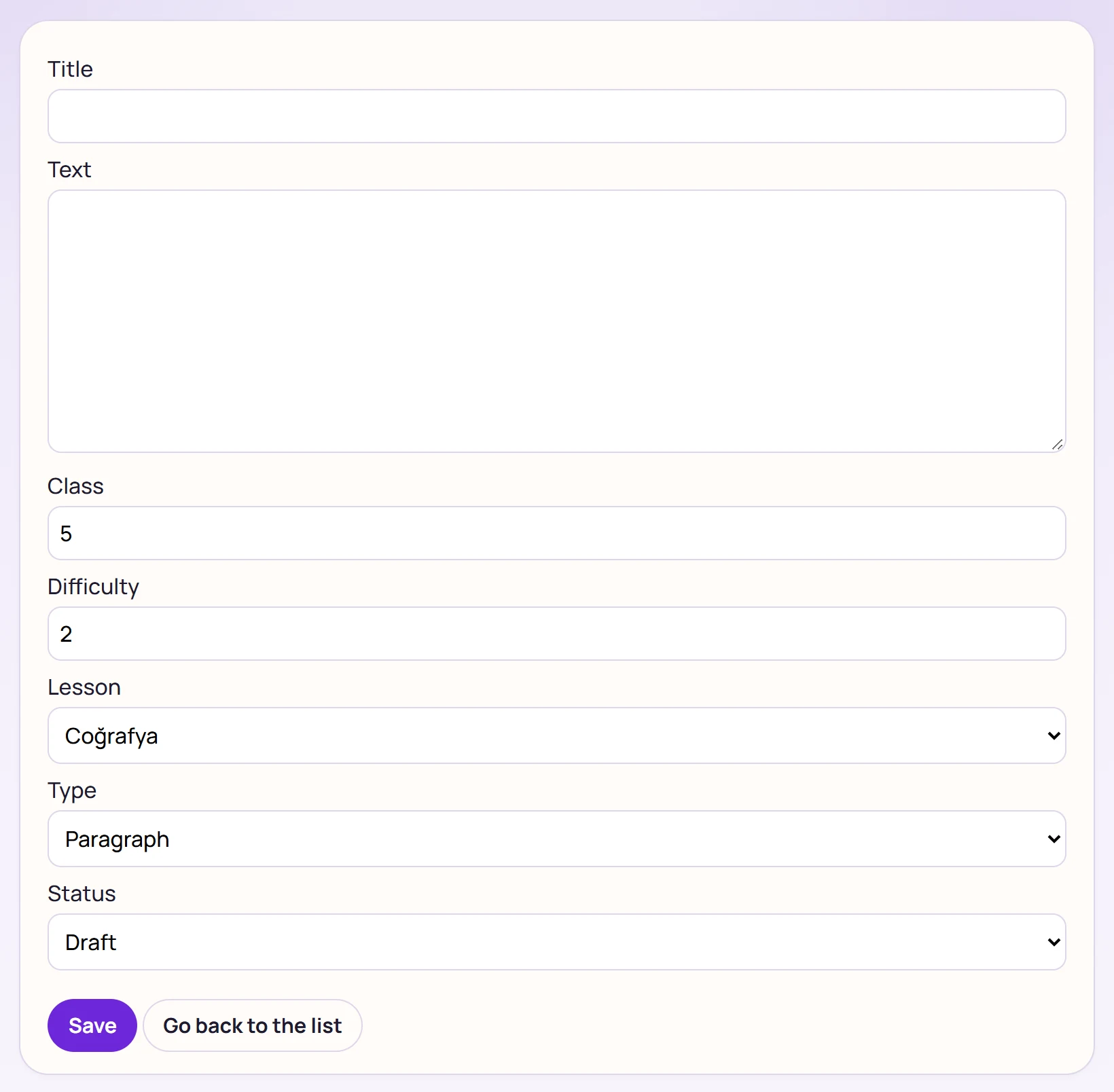
| Field | Sign in | Description |
|---|---|---|
| Title | Text | Name of the content shown in the list (required). |
| Text | Long text | The text the student reads (required); the word count is calculated from it. |
| Class | Number | Grade 3–12. |
| Difficulty | Number | 1 (easy) – 5 (hard). |
| Lesson | Choice list | Lesson of the content. Options: Coğrafya · Fen · Hızlı Okuma · Matematik · Sosyal · Tarih · Türkçe |
| Type | Choice list | Paragraph, word problem, info card or speed reading. Options: Paragraph · Problem · Information card · Quick reading |
| Status | Choice list | Draft (not visible to students) or Approved (visible in practice). Options: Draft · Approved |
Save returns to the list; Go back to the list leaves without saving.
AI content generation
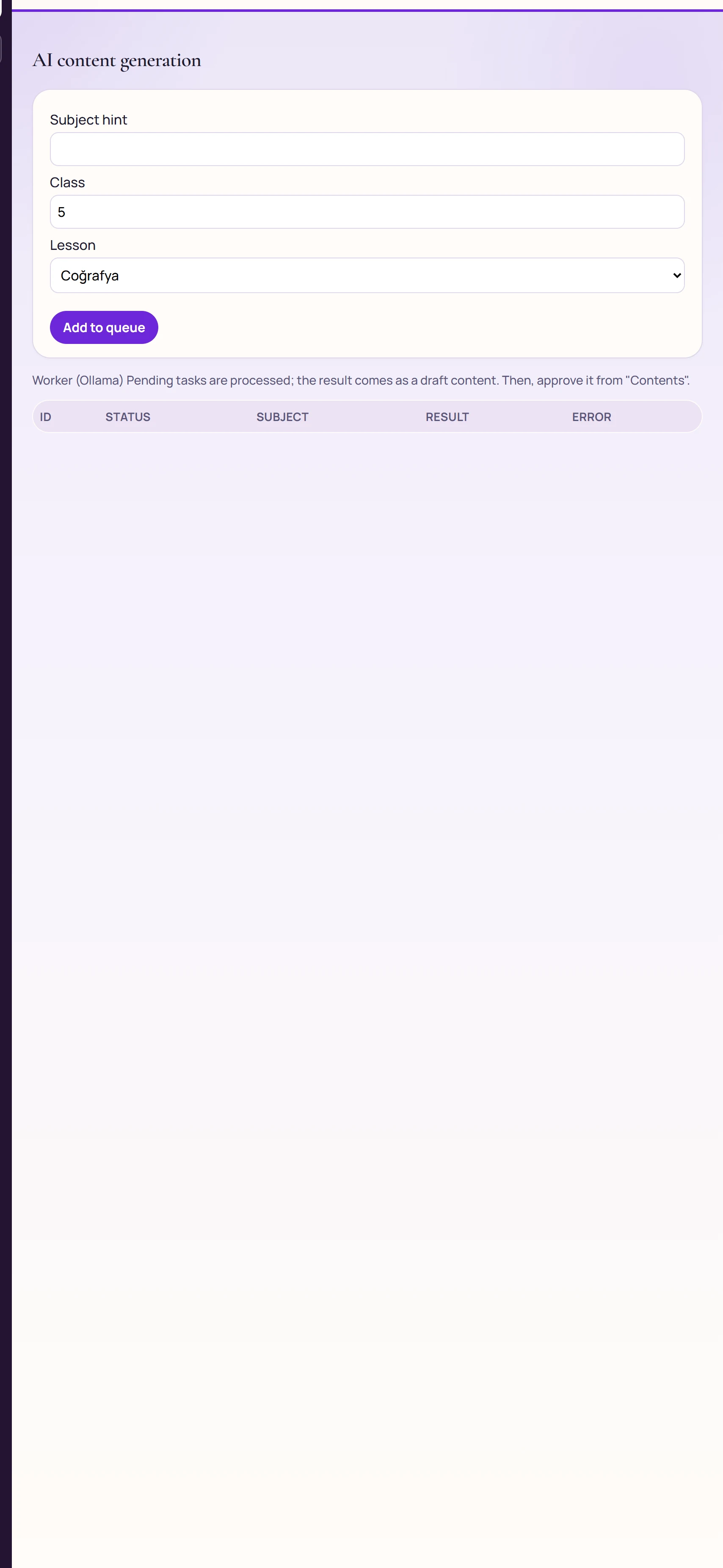
| Field | Sign in | Description |
|---|---|---|
| Subject hint | Text | Topic of the text to generate (required). |
| Class | Number | Target grade (3–12). |
| Lesson | Choice list | Lesson of the content to generate. Options: Coğrafya · Fen · Hızlı Okuma · Matematik · Sosyal · Tarih · Türkçe |
Add to queue writes the job to the queue as «Pending». The Worker (Ollama) on the server processes it; the result arrives as draft content and is approved under Contents. The table shows job status, the number of the created content and any error text.
The content catalogue is shared by all organizations: content you edit or approve also appears in other organizations' practice lists.
Common messages
| Message | Cause | Solution |
|---|---|---|
| Save failed. / Update failed. | Title or text empty, or the API rejected the record. | Fill the required fields and save again. |