
 AsyaTicari
 AsyaRestoran
 AsyaOtel
 AsyaCrm
 AsyaKlinik
 AsyaSpor
 AsyaSSH
 AsyaEmlak
 AsyaFilo
 AsyaPuantaj
 AsyaİSG
 AsyaİHD
 Kolay Öğren
 · Settings
Users
Listing and searching organization users, creating, editing and resetting passwords.
Users lists the company's platform users (admins and teachers).
kolay öğren · /Ayarlar/Organizasyon?sekme=kullanicilar
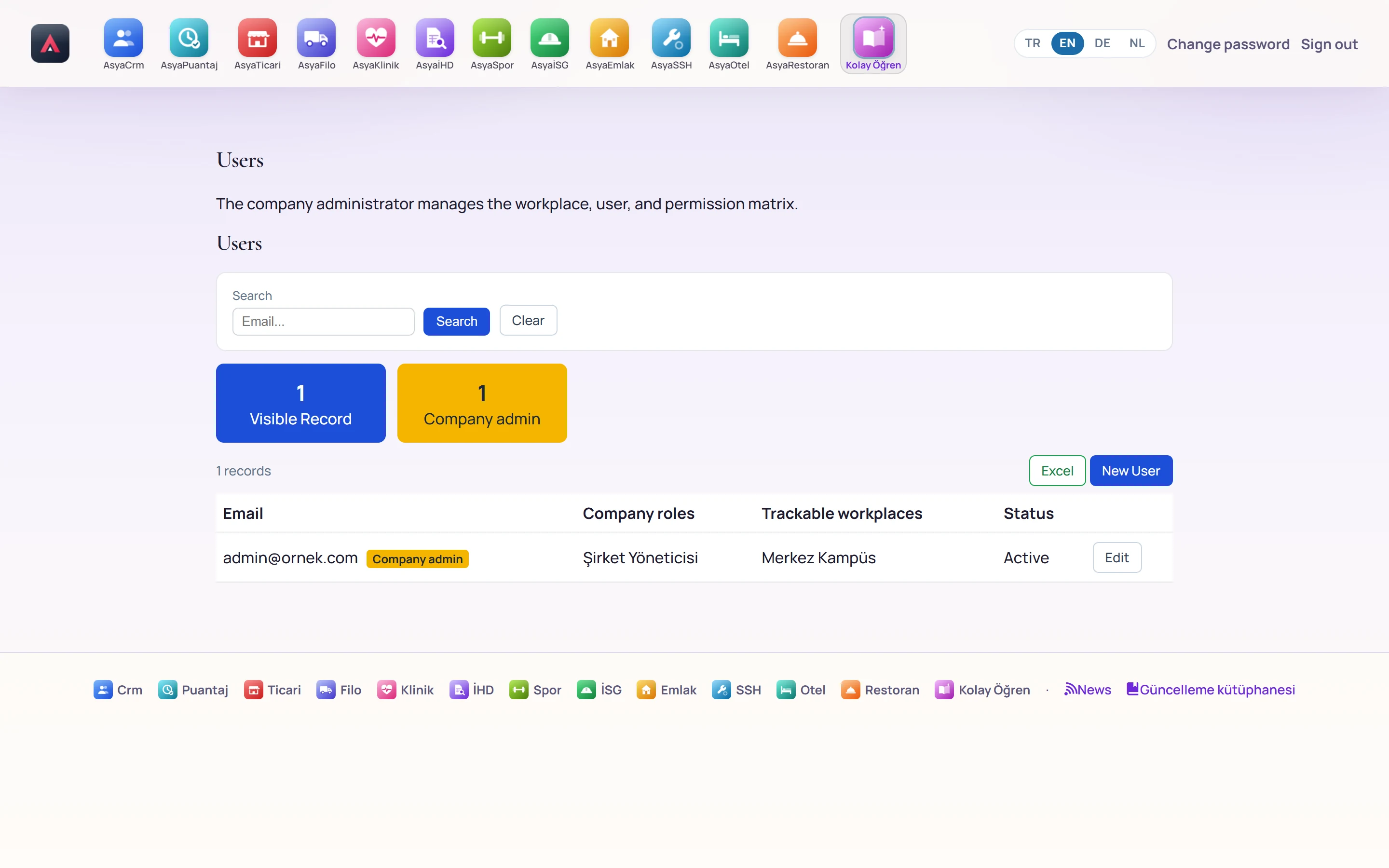
- 1Search Searches by email; «Clear» removes the search.
- 21 Number of users shown in the list.
- 31 Number of company administrators.
- 4New User Opens the new user form.
- 5Users Email, company roles, trackable workplaces and status.
- 6Edit Edits the user and resets the password.
Excel downloads the list. Edit changes the user's admin flag, active state, workplaces and roles; in the Reset password section on the same page, type the new password twice and press Apply.
New user
Part of the screen
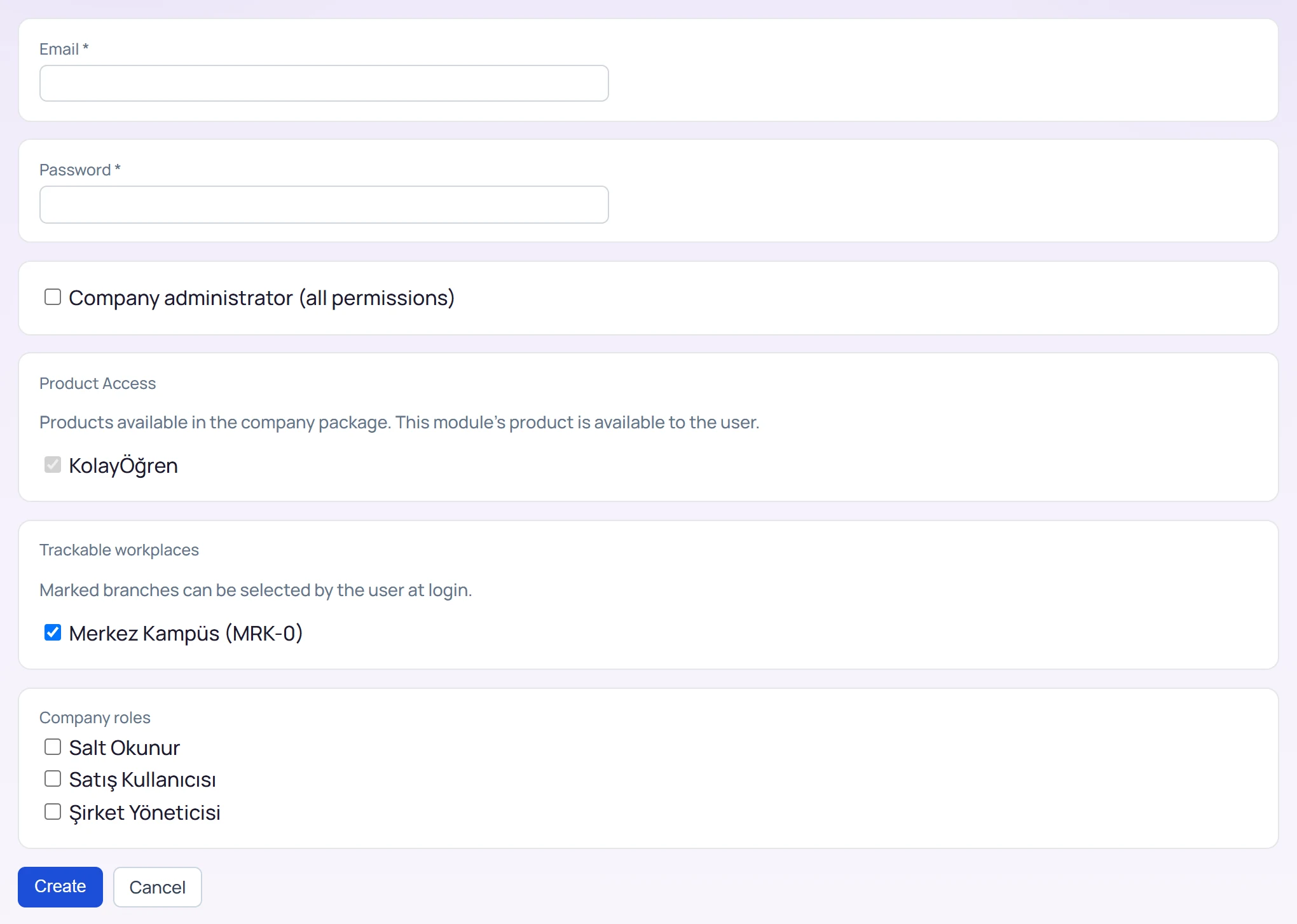
| Field | Sign in | Description |
|---|---|---|
| Email required | The user's sign-in email (required). | |
| Password required | Text | Initial password (required). |
| Company administrator (all permissions) | Checkbox | If checked, the user gets all menus and permissions and the admin role in Kolay Öğren. |
| Product Access | Checkbox | Products enabled in the company package; Kolay Öğren is always enabled. |
| KolayÖğren | Checkbox | This screen's product; always enabled for the user (cannot be changed). |
| Trackable workplaces | Checkbox | Workplaces the user can choose at sign-in. |
| Merkez Kampüs (MRK-0) | Checkbox | Sample workplace; checked workplaces are opened to the user. |
| Company roles | Checkbox | Roles defined in the permission matrix. |
| Salt Okunur | Checkbox | Built-in role: view only. |
| Satış Kullanıcısı | Checkbox | Built-in platform role (does not affect Kolay Öğren screens). |
| Şirket Yöneticisi | Checkbox | Built-in role: all permissions. |
Pressing Create creates the user. A user marked as company administrator works as admin in Kolay Öğren; others work as teachers.
Permission changes take effect the next time the user signs in.
Common messages
| Message | Cause | Solution |
|---|---|---|
| Passwords do not match. | The two password fields differ when resetting. | Type the same password twice. |
| Could not save. | Email already used or the user quota is full. | Check the email / licence. |
| You are not authorized for these settings. | The account is not a company administrator. | Sign in as an administrator. |