
 AsyaTicari
 AsyaRestoran
 AsyaOtel
 AsyaCrm
 AsyaKlinik
 AsyaSpor
 AsyaSSH
 AsyaEmlak
 AsyaFilo
 AsyaPuantaj
 AsyaİSG
 AsyaİHD
 Kolay Öğren
 · Settings
Workplaces
Listing and adding the company's workplaces (campus / branch).
Workplaces lists the company's branches (campus, school building). Settings screens are open only to the admin and are shown with the platform's top navigation (the Kolay Öğren left menu is not visible on these screens).
kolay öğren · /Ayarlar/Organizasyon?sekme=isyerleri
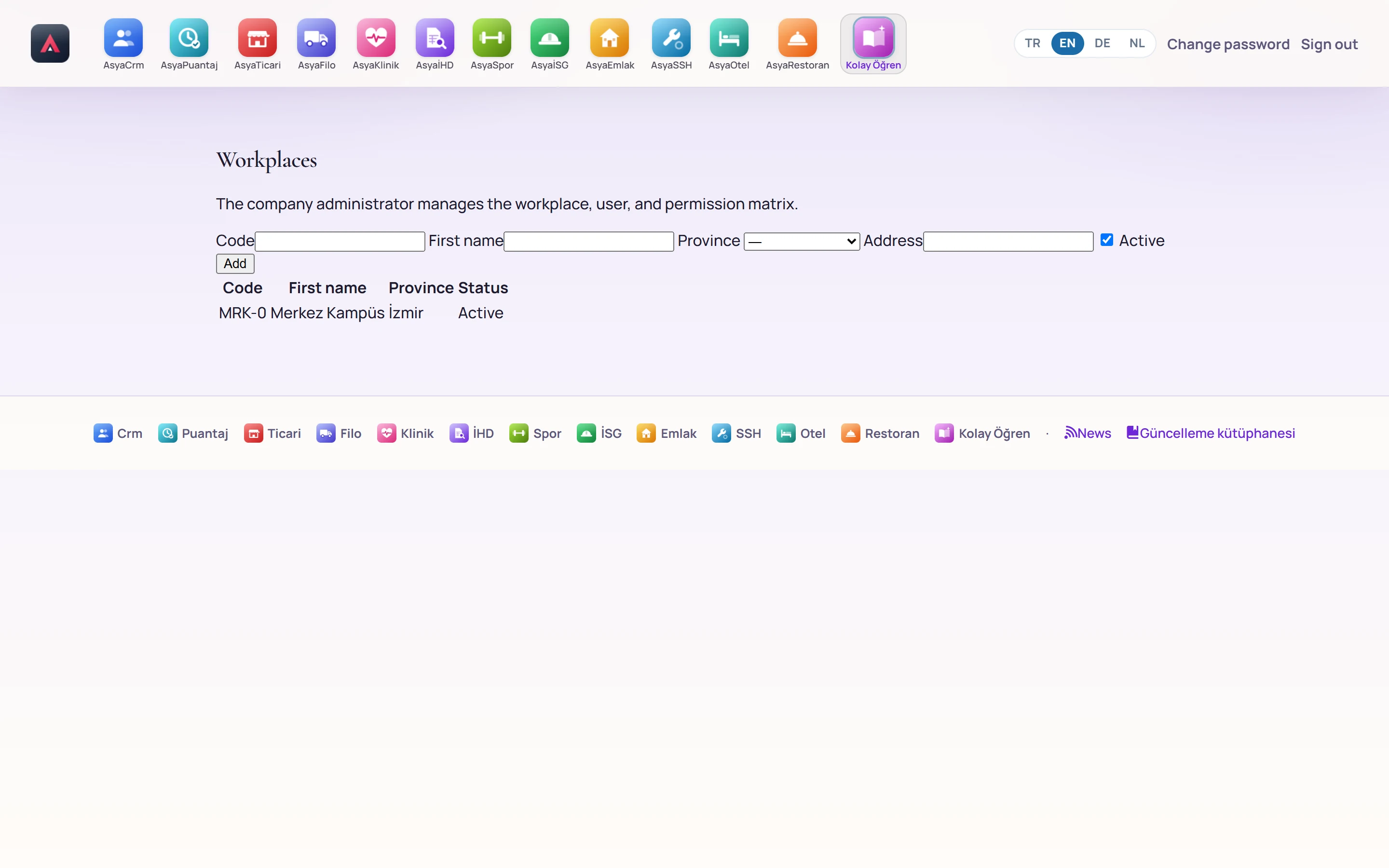
- 1New workplace Enter code, name, province, address and status and press «Add».
- 2Workplaces The company's workplaces (branches).
New workplace
Part of the screen

| Field | Sign in | Description |
|---|---|---|
| Code | Text | Workplace code, at most 20 characters (required). |
| First name | Text | Workplace name (required). |
| Province | Choice list | Province of the workplace. |
| Address | Text | Full address. |
| Active | Checkbox | An inactive workplace cannot be selected at sign-in. |
Enter the details and press Add; the workplace is added to the table.