
 AsyaTicari
 AsyaRestoran
 AsyaOtel
 AsyaCrm
 AsyaKlinik
 AsyaSpor
 AsyaSSH
 AsyaEmlak
 AsyaFilo
 AsyaPuantaj
 AsyaİSG
 AsyaİHD
 Kolay Öğren
 · Account
Sign-in and password
Organization, teacher, parent and student sign-in; changing the password and signing out.
Admins and teachers sign in to Kolay Öğren with the organization (platform) account; students and parents with the Kolay Öğren account opened for them.
Sign in
Part of the screen
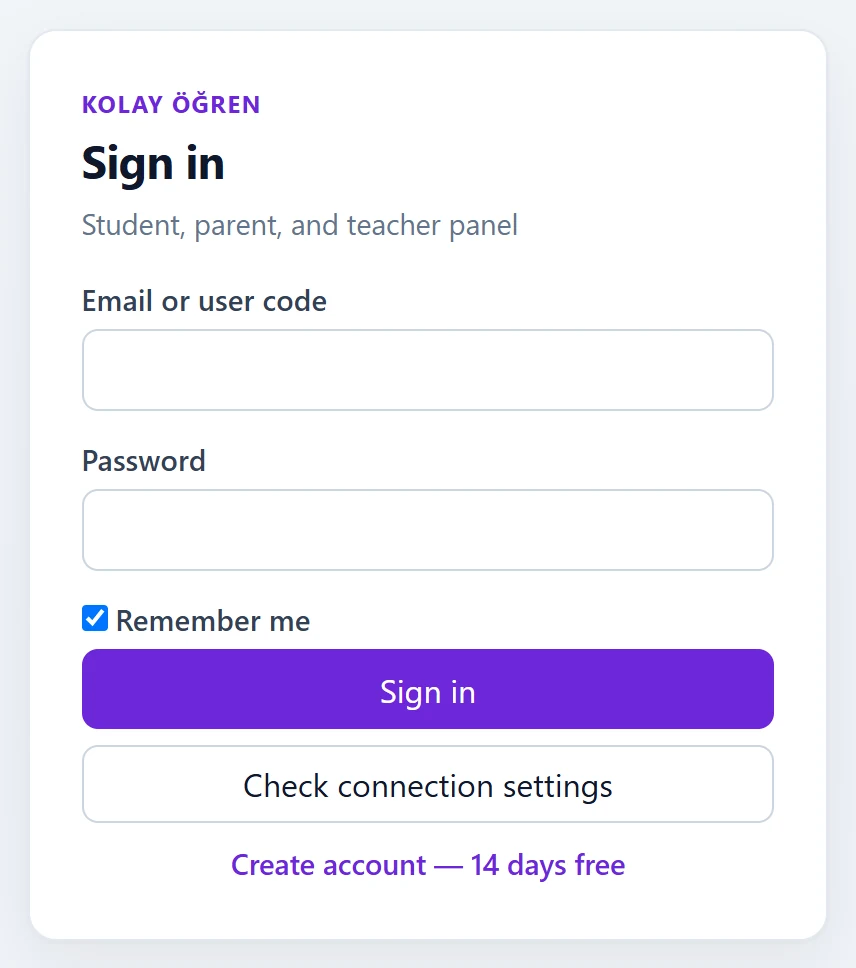
- 1Sign in Signs in; admins go to the Admin panel, teachers / parents to My students, students to Practice.
- 2Check connection settings Checks the API connection and shows the reason if there is a problem.
- 3Create account — 14 days free Opens a 14-day trial account.
| Field | Sign in | Description |
|---|---|---|
| Email or user code | Text | Email of the organization account or the student / parent user code. |
| Password | Text | Account password. |
| Remember me | Checkbox | Keeps you signed in even after the browser closes. |
After signing in, admins go to the Admin panel, teachers and parents to My students, students to Practice.
Changing the password
Click your user name at the top right and choose Change password.
Part of the screen

| Field | Sign in | Description |
|---|---|---|
| Current Password | Text | Your current password. |
| New Password | Text | Your new password. |
| New Password (repeat) | Text | Repeat the new password to confirm it. |
After Save the message «Your password has been updated.» appears. To end the session choose Sign out in the user menu.
Common messages
| Message | Cause | Solution |
|---|---|---|
| Wrong email or password. | Wrong details or inactive account. | Check the details; ask the admin to reset the password if needed. |
| Kolay Öğren API could not be reached. | Check connection settings could not reach the API. | Inform the system administrator. |
| Session could not be verified. | The session expired. | Sign in again. |
| New password confirmation does not match. | The two new passwords differ. | Type the same password twice. |
| Password could not be updated. | Current password is wrong. | Enter the correct current password. |