
 AsyaTicari
 AsyaRestoran
 AsyaOtel
 AsyaCrm
 AsyaKlinik
 AsyaSpor
 AsyaSSH
 AsyaEmlak
 AsyaFilo
 AsyaPuantaj
 AsyaİSG
 AsyaİHD
 Kolay Öğren
AsyaKlinik · Clinic
Registering a new patient
Opening a new patient card; all fields on the identity, medical history and contact tabs.
A new patient is registered in the window that opens with the New patient button on the Patients screen. The window has three tabs; only First name and Last name are required, and you can fill in the rest later.
Step by step
- Open the Clinic → Patients screen.
- Press the New patient button at the top right.
- On the Identity tab, type the first name and last name.
- For the phone number, switch to the Notes & contact tab.
- Press Save. The patient is added to the list.
Even if you type the first and last name in lower case, the initials are capitalised when the record is saved ("ayşe yılmaz" → "Ayşe Yılmaz").
Identity tab
Part of the screenNew patient — Identity
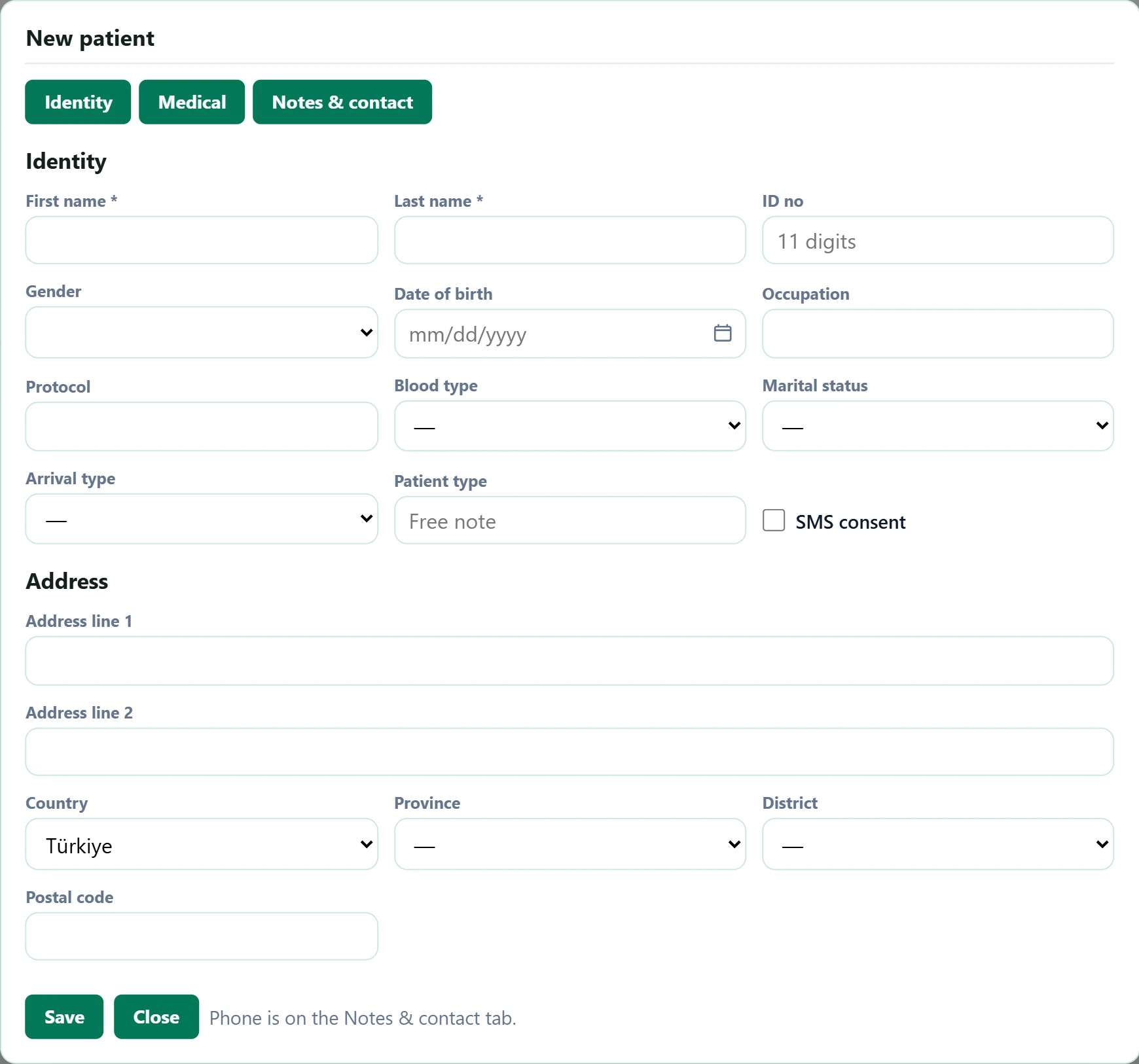
- 1Identity Identity and address details.
- 2Medical Allergies, chronic diseases, medication.
- 3Notes & contact Phone, e-mail, emergency contact, notes.
- 4Save Saves the card.
- 5Close Closes without saving.
| Field | Sign in | Description |
|---|---|---|
| First name required | Text | Patient's first name. Required; the first letter is capitalised automatically. |
| Last name required | Text | Patient's surname. Required. |
| ID no | Text | 11-digit Turkish ID number. Optional; if entered it must have 11 digits. Placeholder: «11 digits» |
| Gender | Choice list | Patient's gender; used in statistics and some specialty forms. Options: Female · Male · Other |
| Date of birth | Text | Type as dd.mm.yyyy or pick from the calendar. Age and the birthday list are calculated from it. Placeholder: «mm/dd/yyyy» |
| Occupation | Text | Free text (e.g. «Teacher»). |
| Protocol | Text | The clinic's own file number. Also used in patient search. |
| Blood type | Choice list | Choose if known; shown at the top of the patient card. Options: A Rh+ · A Rh- · B Rh+ · B Rh- · AB Rh+ · AB Rh- · 0 Rh+ · 0 Rh- |
| Marital status | Choice list | Optional. Options: Single · Married · Divorced · Widowed |
| Arrival type | Choice list | How the patient came to the clinic; grouped in reports. Options: Appointment · Follow-up · Emergency · Referral |
| Patient type | Text | Your clinic's own free classification (e.g. «Corporate», «VIP»). Placeholder: «Free note» |
| SMS consent | Checkbox | If ticked, appointment reminders and information SMS may be sent (consent). |
| Address line 1 | Text | District, street and house number. |
| Address line 2 | Text | Extra address details such as flat or building name. |
| Country | Choice list | Default is Türkiye. Changing it changes the province list. |
| Province | Choice list | Choosing a province fills the district list. |
| District | Choice list | Districts of the selected province. |
| Postal code | Text | 5-digit postal code. |
If an ID number is entered, it must have 11 digits; if it is incomplete, the record is not saved and the warning "ID number must be 11 digits." appears.
Medical tab
Part of the screenNew patient — Medical
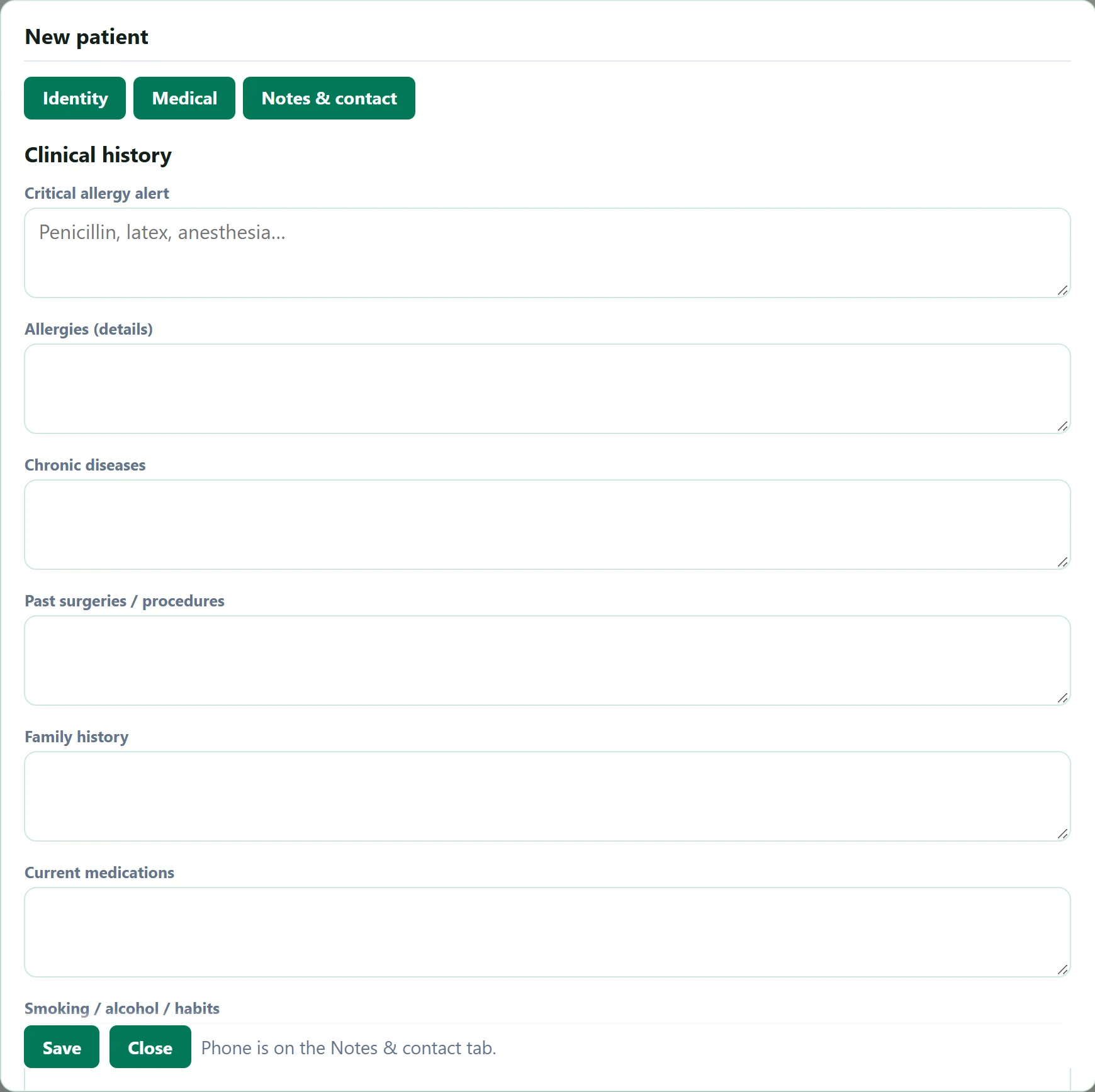
- 1Critical allergy alert Text entered here shows as a red alert on the patient card and in examinations.
| Field | Sign in | Description |
|---|---|---|
| Critical allergy alert | Long text | Life-critical allergy (e.g. «Penicillin»). Shown as a red alert on the patient card and the examination screen. Placeholder: «Penicillin, latex, anesthesia…» |
| Allergies (details) | Long text | Detailed list of all allergies. |
| Chronic diseases | Long text | Ongoing conditions such as diabetes or hypertension. |
| Past surgeries / procedures | Long text | Past surgeries and their dates. |
| Family history | Long text | Significant diseases in the family. |
| Current medications | Long text | Regular medication and doses; shown as a reminder when prescribing. |
| Smoking / alcohol / habits | Long text | Habits and amounts. |
Notes & contact tab
Part of the screenNew patient — Notes & contact
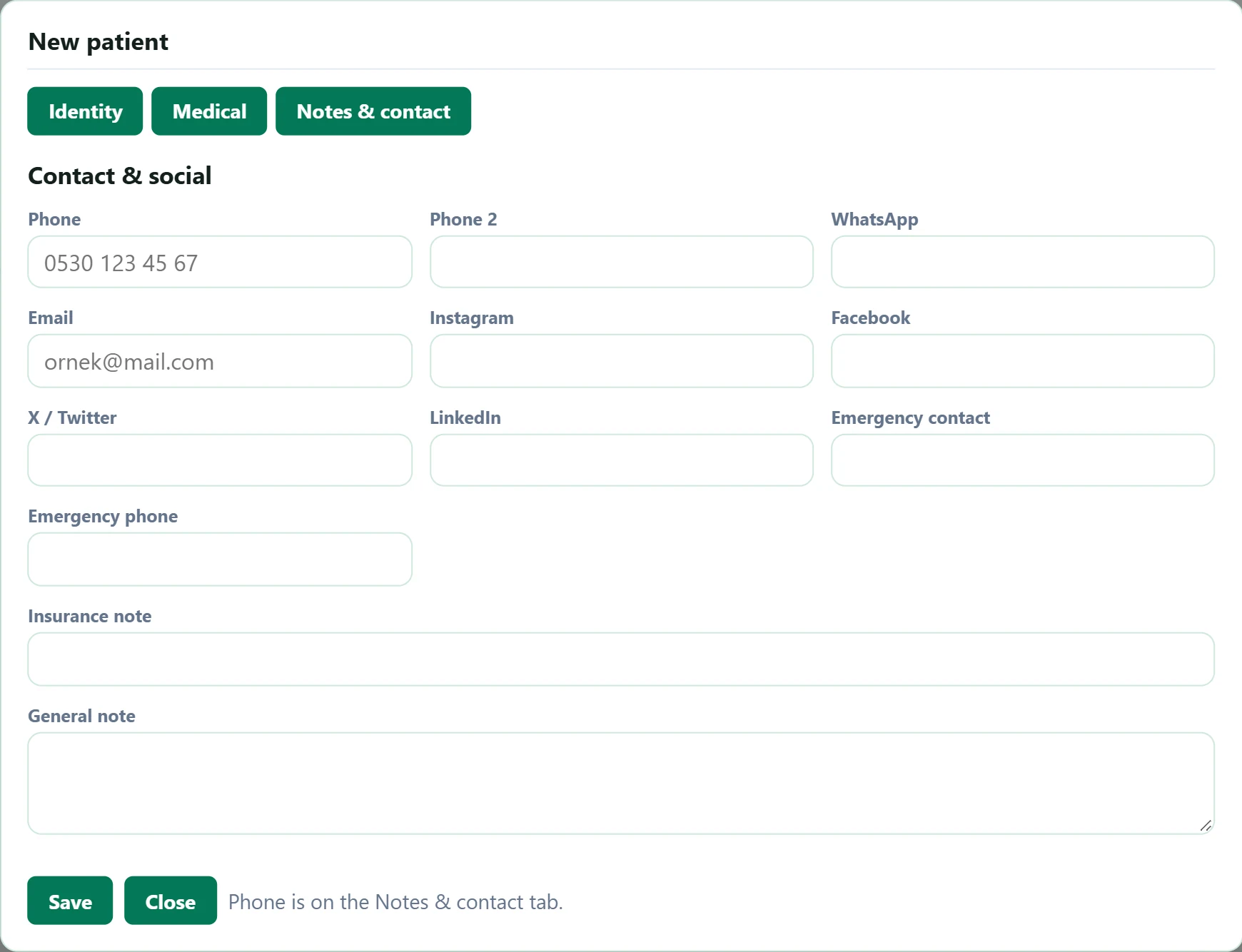
- 1Phone Formats itself as 0532 555 12 34 while you type.
| Field | Sign in | Description |
|---|---|---|
| Phone | Text | Mobile phone. Used for appointment SMS and patient search; formats itself as 0532 555 12 34. Placeholder: «0530 123 45 67» |
| Phone 2 | Text | Second phone (home, work). |
| Text | If the WhatsApp number is different. | |
| As name@mail.com. An invalid address blocks saving. Placeholder: «ornek@mail.com» | ||
| Text | Username (optional). | |
| Text | Profile name (optional). | |
| X / Twitter | Text | Username (optional). |
| Text | Profile name (optional). | |
| Emergency contact | Text | Name of the relative to call in an emergency. |
| Emergency phone | Text | Emergency contact's phone. |
| Insurance note | Text | Private insurance / institution details (e.g. policy number). |
| General note | Long text | Other notes about the patient; visible to clinic staff only. |
Common warnings
| Warning | Cause | Solution |
|---|---|---|
| First and last name are required. | The first name or last name on the Identity tab is empty. | Fill in both fields. |
| ID number must be 11 digits. | The ID number has too few or too many digits. | Enter all 11 digits or leave the field empty. |
| Invalid email format. | The email address is missing the @ or the domain name. | Write it in the form ornek@mail.com. |