
 AsyaTicari
 AsyaRestoran
 AsyaOtel
 AsyaCrm
 AsyaKlinik
 AsyaSpor
 AsyaSSH
 AsyaEmlak
 AsyaFilo
 AsyaPuantaj
 AsyaİSG
 AsyaİHD
 Kolay Öğren
AsyaKlinik · Finance
Cashier / Collections
Taking a payment from a patient, receipt details, collection item, patient balance and the collection list by date range.
On the Cashier / Collections screen you record payments received from patients, issue receipts and see the patient's balance. The screen is made up of collapsible panels that you fill in from top to bottom.
Collection summaries
The cards at the top of the screen show the totals of the payments received. Click a card to filter the Collection list below to that period.
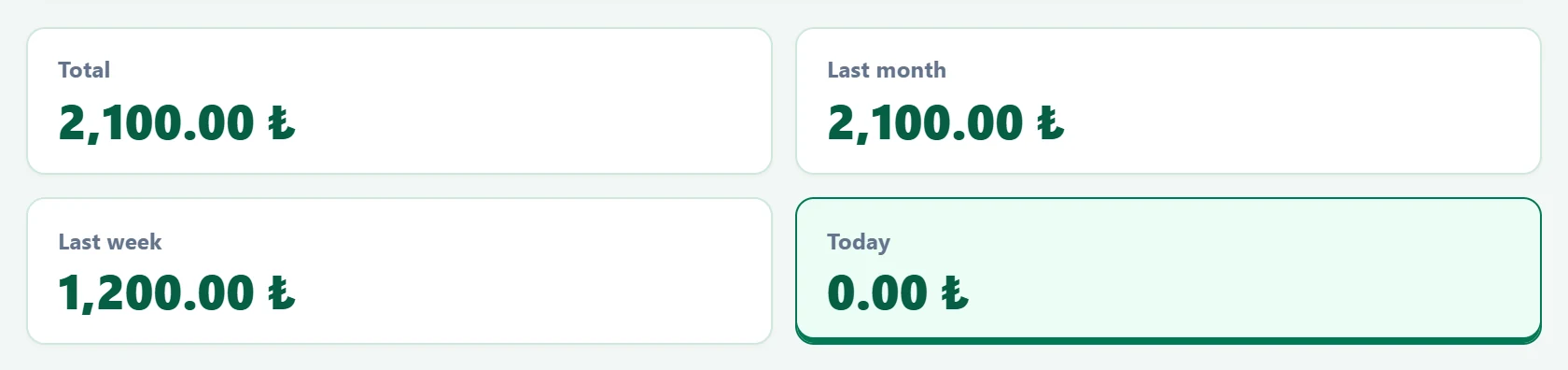
- 1Total All-time collections; click to list all dates.
- 2Last month Last 30 days.
- 3Last week Last 7 days.
- 4Today Today; the selected card is outlined.
Taking a payment: step by step
1. Select the patient
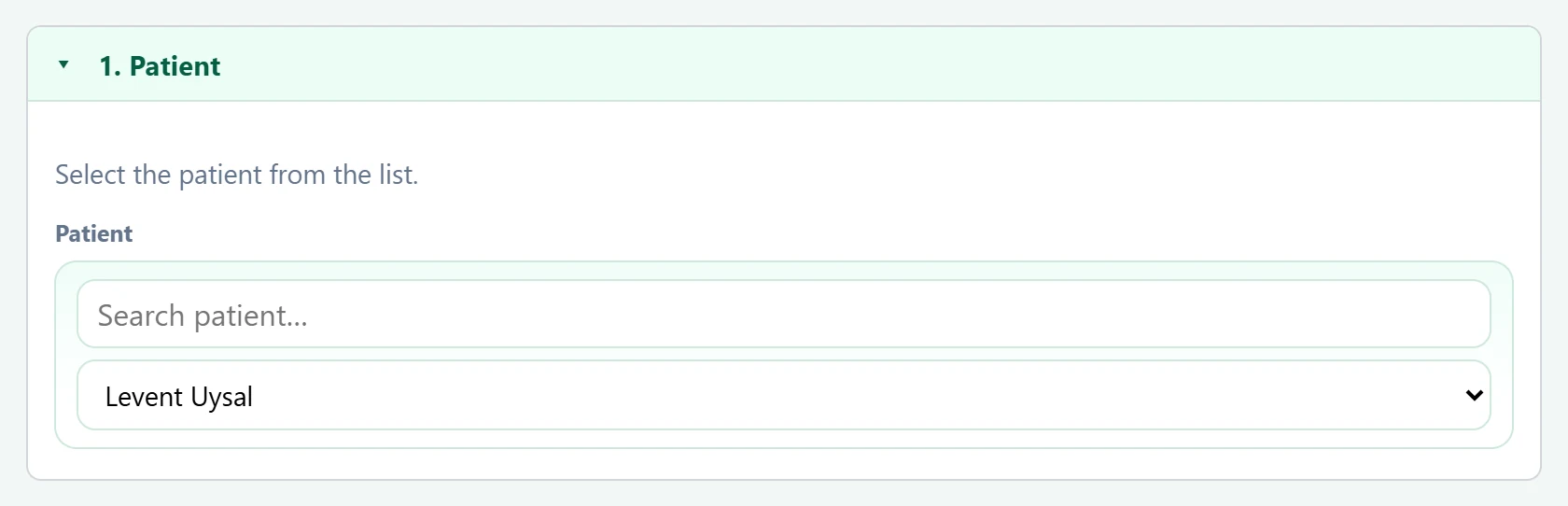
- 1Panel header Click to collapse / expand the panel.
- 2Find patient Part of the name or surname.
- 3Patient list The payment is recorded for this patient.
| Field | Sign in | Description |
|---|---|---|
| Patient | Search | Type a name in the top box to narrow the list, then choose the patient below. Placeholder: «Search patient…» |
2. Enter the receipt details
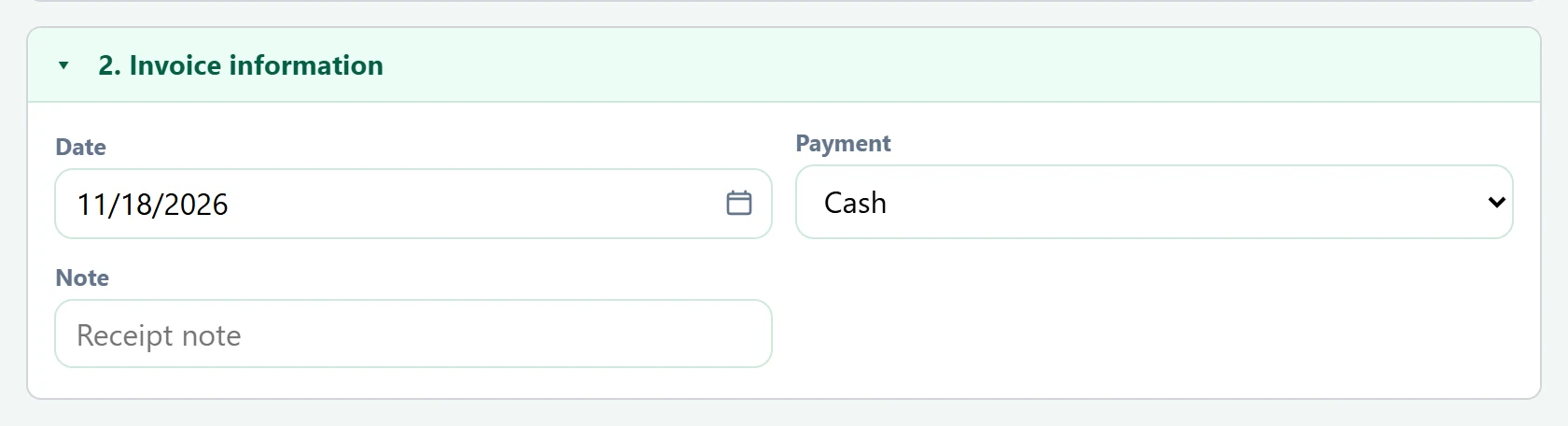
- 1Panel header Click to collapse / expand the panel.
- 2Payment Payment method.
| Field | Sign in | Description |
|---|---|---|
| Date | Text | Receipt date; defaults to today and can be backdated. Placeholder: «mm/dd/yyyy» |
| Payment | Choice list | Cash, card (POS) or bank transfer. The AsyaTicari cash box / bank is chosen accordingly. Options: Cash · POS · Havale/EFT |
| Note | Text | Short note printed on the receipt (e.g. «2nd session»). Placeholder: «Receipt note» |
3. Enter the amount and save
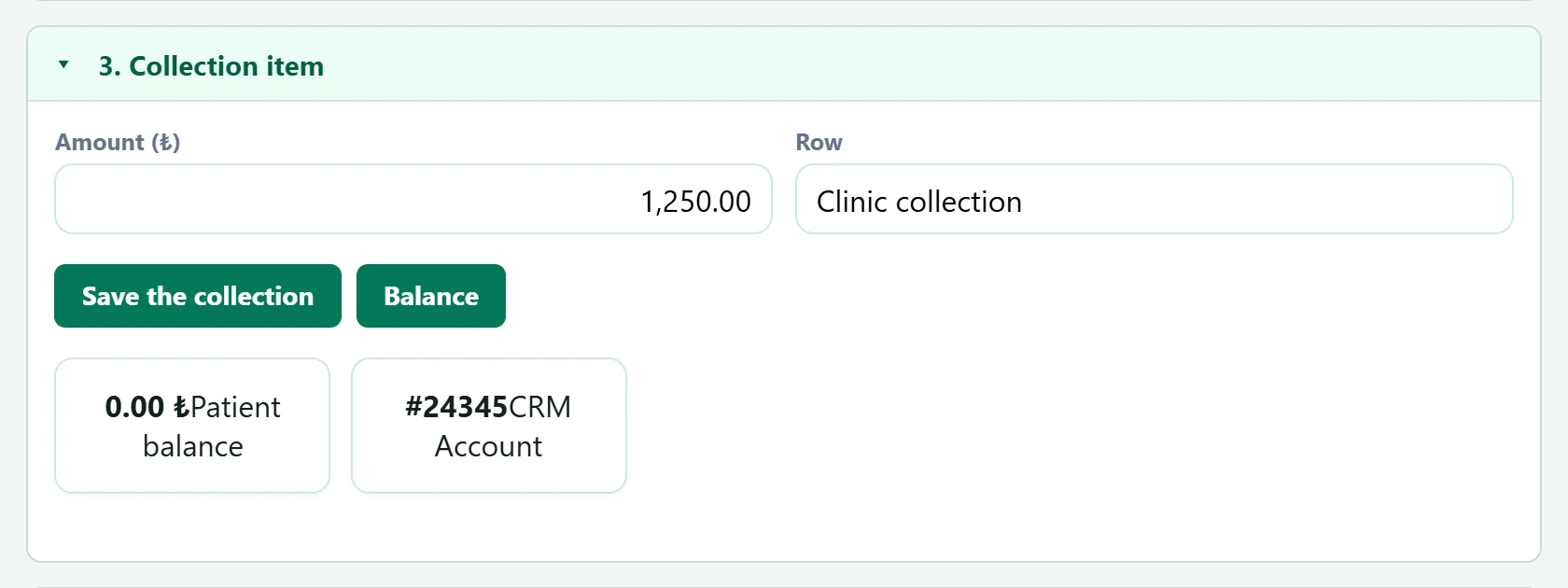
- 1Panel header Click to collapse / expand the panel.
- 2Save the collection Issues the receipt and reduces the patient balance.
- 3Balance Shows the patient's current balance.
| Field | Sign in | Description |
|---|---|---|
| Amount (₺) | Text | Amount received. Use a comma for decimals (1.250,50). |
| Row | Text | Fills in automatically as «Clinic payment» once an amount is entered. |
When a patient is selected, the patient's balance and the number of the linked account card are shown below. If the patient does not have an account card yet, one is opened automatically with the first payment.
Click the panel headings to close the panels you have filled in. Which panels stay open is remembered in this browser, so you see the same layout every time you open the screen.
Collection list
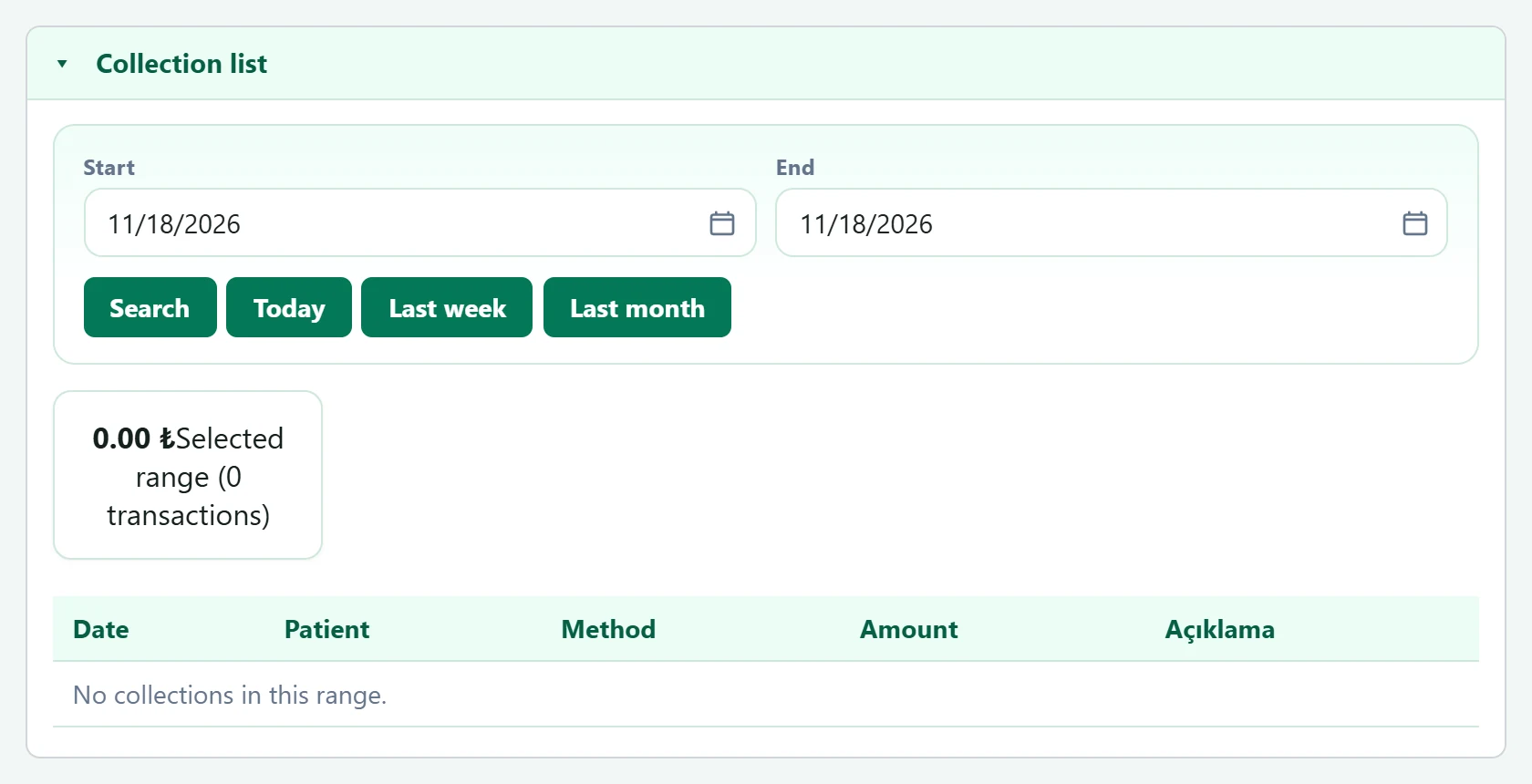
- 1Panel header Click to collapse / expand the panel.
- 2Quick range Today, last week, last month.
- 3Range totals Total for the selected range and breakdown by payment method.
| Field | Sign in | Description |
|---|---|---|
| Start | Text | First day to list. Placeholder: «mm/dd/yyyy» |
| End | Text | Last day to list. Placeholder: «mm/dd/yyyy» |
Instead of deleting a saved payment, make a reversing entry (refund); this keeps the cash and account movements consistent.