
 AsyaTicari
 AsyaRestoran
 AsyaOtel
 AsyaCrm
 AsyaKlinik
 AsyaSpor
 AsyaSSH
 AsyaEmlak
 AsyaFilo
 AsyaPuantaj
 AsyaİSG
 AsyaİHD
 Kolay Öğren
AsyaKlinik · Clinic definitions
Lab test definitions
Lab tests chosen in test requests; creating main groups, adding tests, renaming, deactivating, hiding.
Lab test definitions manages, in groups, the tests chosen in a test request. It comes with a built-in catalogue (biochemistry, haematology, hormones …); you can add your own groups and tests. Changes to the built-in catalogue only apply to your company.
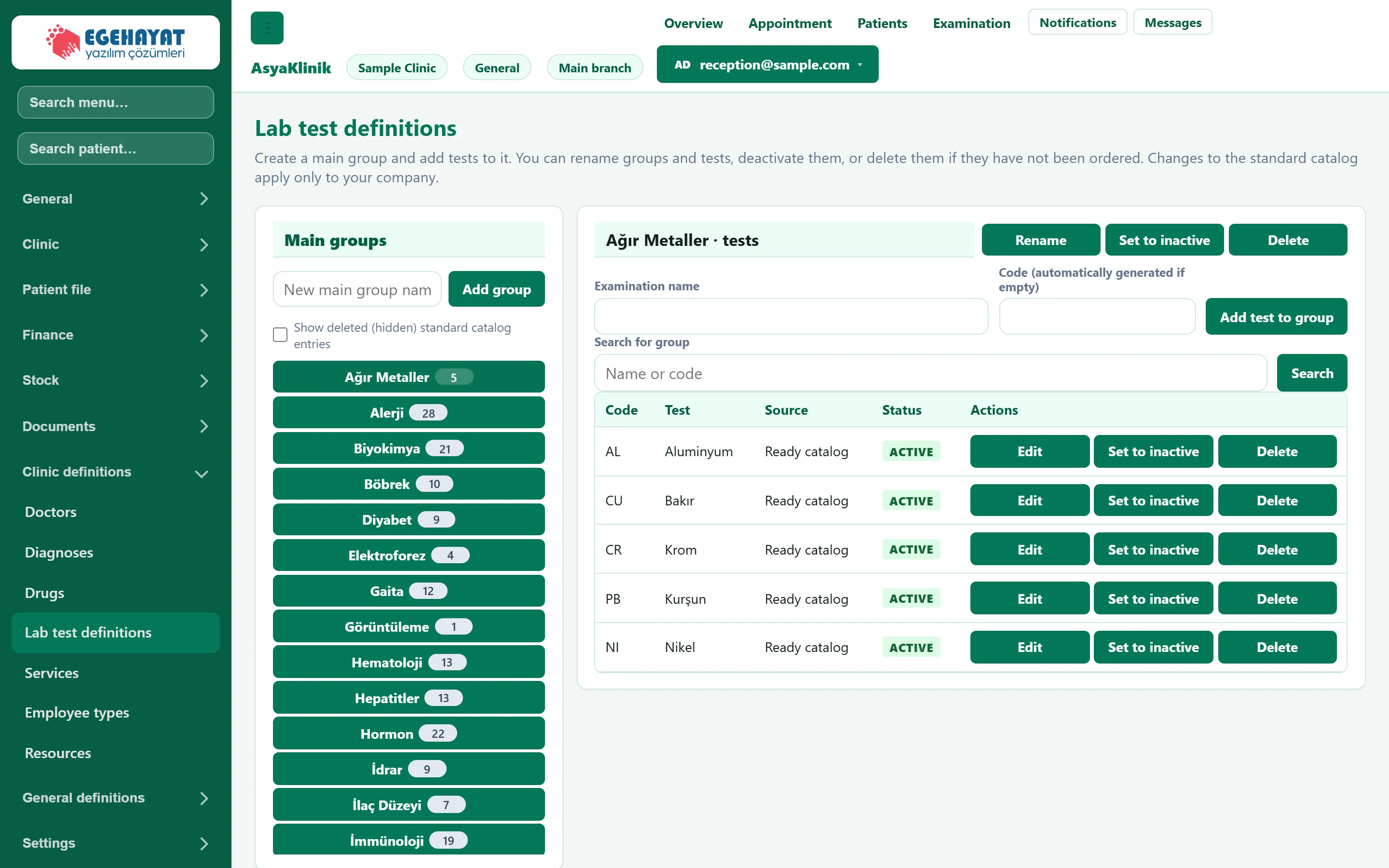
- 1Main groups Main groups; click one to list its tests on the right.
- 2Tests Tests of the selected group.
Main groups
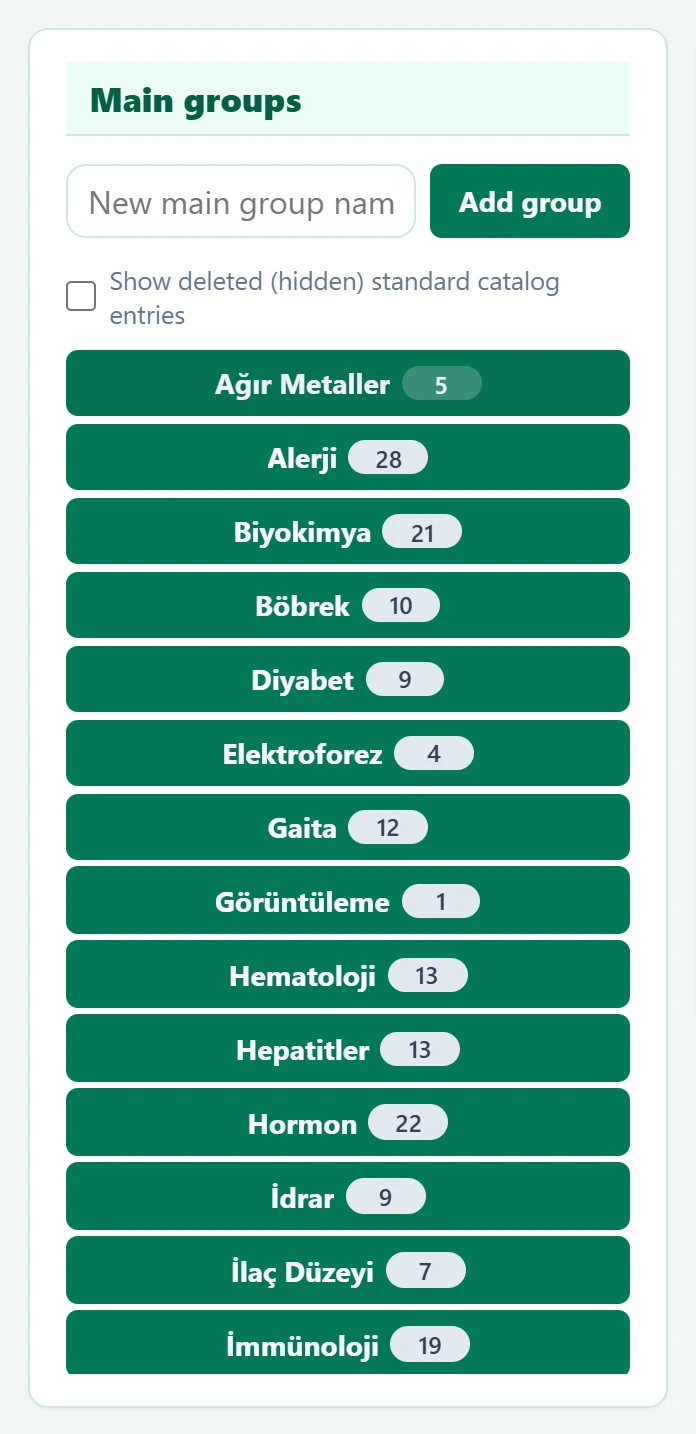
- 1New main group name Name of the new group.
- 2Add group Adds the group; then add tests to it.
- 3Show hidden Also shows catalogue groups / tests you have hidden (to restore them).
- 4Count Number of tests in the group.
For a new group, type its name and press Add group; the group opens selected.
Tests of the group
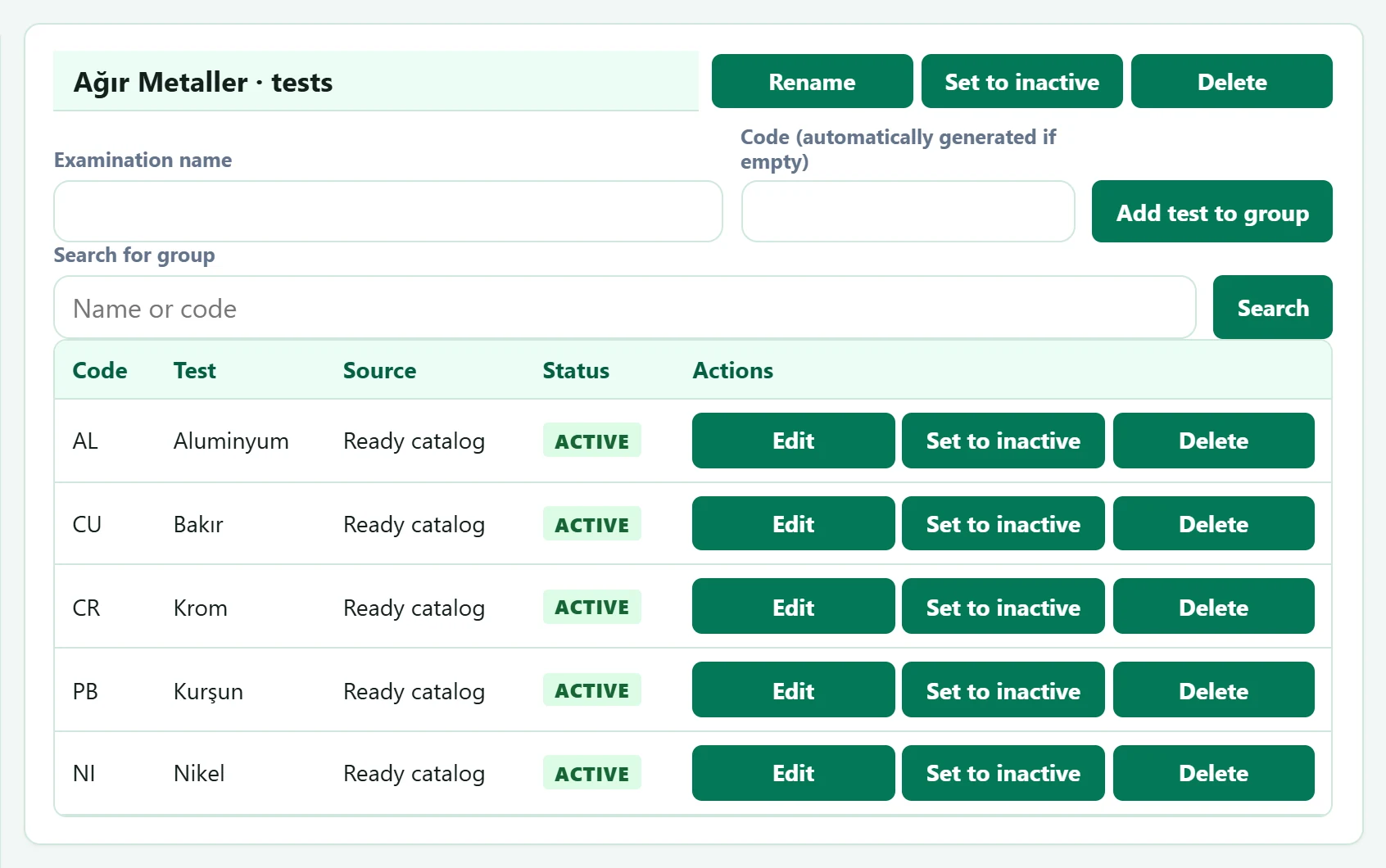
- 1Group actions Rename, deactivate or delete the group.
- 2Source Whether it comes from the built-in catalogue or is your company's own test.
- 3Row actions Edit, deactivate, delete. A test that has been ordered cannot be deleted, only deactivated.
| Field | Sign in | Description |
|---|---|---|
| Examination name | Text | Name of the test to add to the group. Required. |
| Code (automatically generated if empty) | Text | Test code; assigned automatically if left empty. |
| Search for group | Text | Filters the group's tests by name or code. Placeholder: «Name or code» |
- Choose the group on the left.
- Enter the test name (and a code if you like) and press Add test to group.
- To change a test press Edit; code and name are edited on the row. Tests you added yourself can be moved to another group.
A test that has been ordered for a patient, or a group containing such a test, cannot be deleted; deactivate it instead. Tests of an inactive group do not appear in test requests. Delete on a built-in group only hides it in your company; tick Show deleted (hidden) standard catalog entries and use Undo to bring it back.
Common warnings
| Warning | Cause | Solution |
|---|---|---|
| Enter group name. | Adding or renaming a group with an empty name. | Enter the group name. |
| Enter the examination name. | Add test to group with an empty name. | Enter the test name. |
| Examination could not be added. | The code already exists or the server refused. | Use another code or leave it empty. |
| Test could not be deleted. | The test has been ordered. | Deactivate it instead. |