
 AsyaTicari
 AsyaRestoran
 AsyaOtel
 AsyaCrm
 AsyaKlinik
 AsyaSpor
 AsyaSSH
 AsyaEmlak
 AsyaFilo
 AsyaPuantaj
 AsyaİSG
 AsyaİHD
 Kolay Öğren
AsyaKlinik · Clinic
Prescriptions
Writing prescriptions from the diagnosis and drug catalogues, templates, drug rows, saving, printing and editing saved prescriptions.
On the Prescriptions screen you write and print prescriptions and reach earlier ones. Diagnoses and drugs are chosen from the catalogue.
asyaklinik · /prescriptions
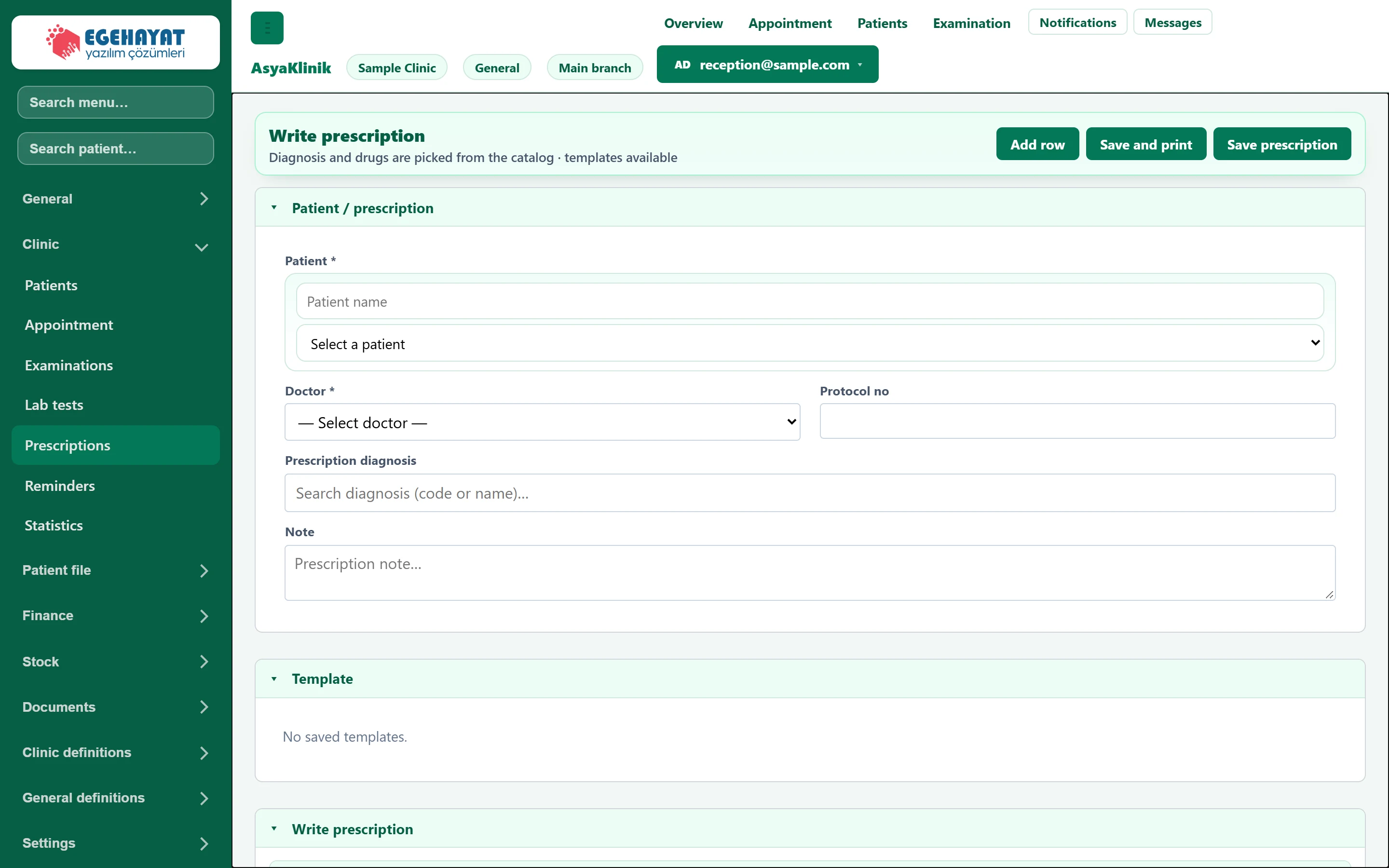
- 1Add row Adds a new medicine row to the prescription.
- 2Save and print Saves and opens the print view.
- 3Save prescription Saves the prescription.
- 4▾ Saved prescription templates.
- 5▾ Prescriptions written earlier.
Patient and diagnosis
Part of the screenPatient / prescription
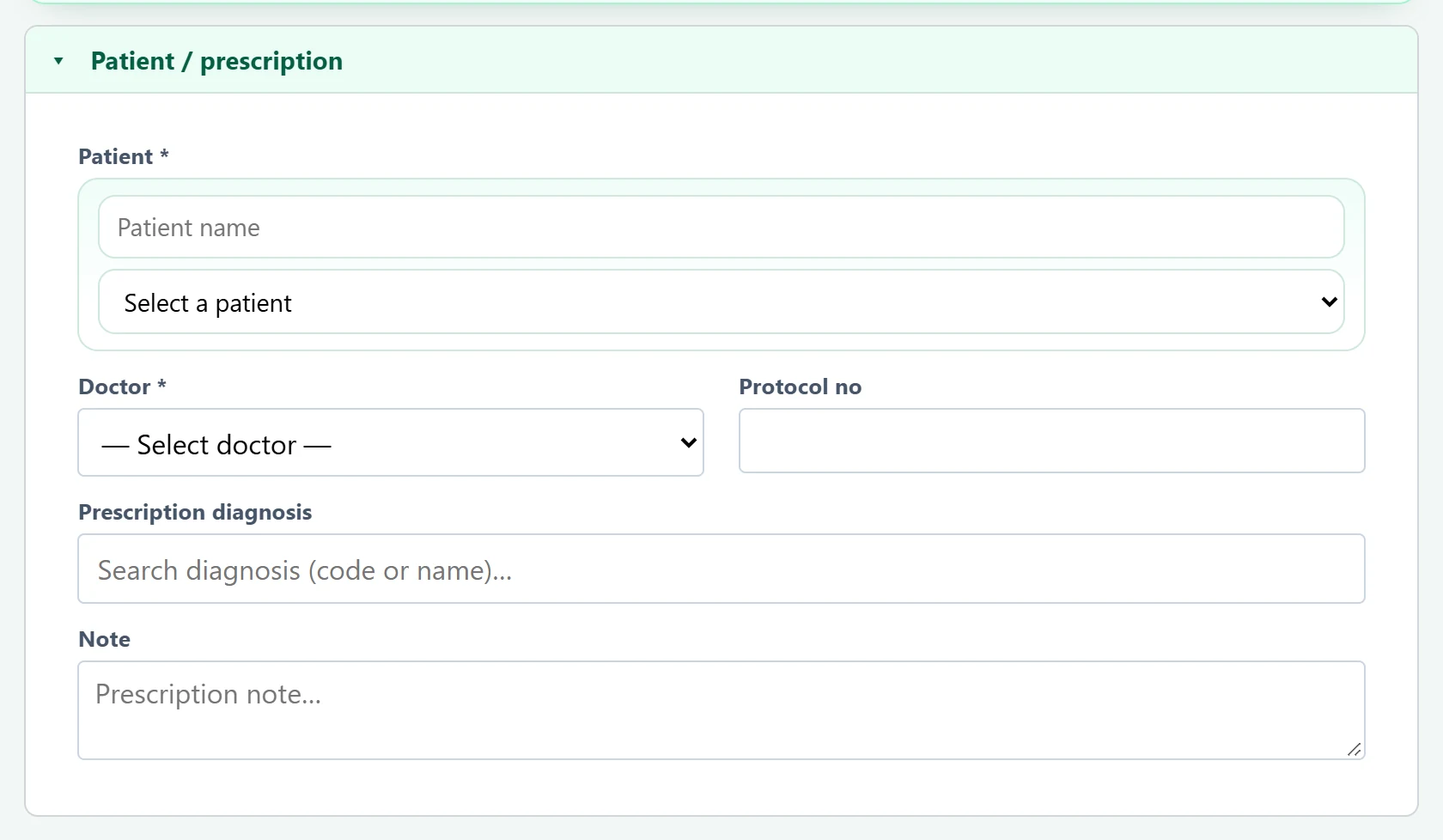
- 1Prescription diagnosis Search by diagnosis code or name; selected diagnoses are added as tags.
| Field | Sign in | Description |
|---|---|---|
| Patient required | Search | The patient the prescription is for. Required. Placeholder: «Patient name» |
| Doctor required | Choice list | The prescribing doctor. Required. Options: — Select doctor — · Dr. Nihat Erdoğdu · Dr. Seda Akıncı · Hmş. Burcu Taner · Sek. Demo Randevu |
| Protocol no | Text | The patient's protocol number; filled in when a patient is chosen. |
| Note | Long text | Note printed on the prescription. Placeholder: «Prescription note…» |
When a patient is chosen, the diagnoses of the last examination are copied into Prescription diagnosis.
Drug rows
Part of the screenMedicine rows
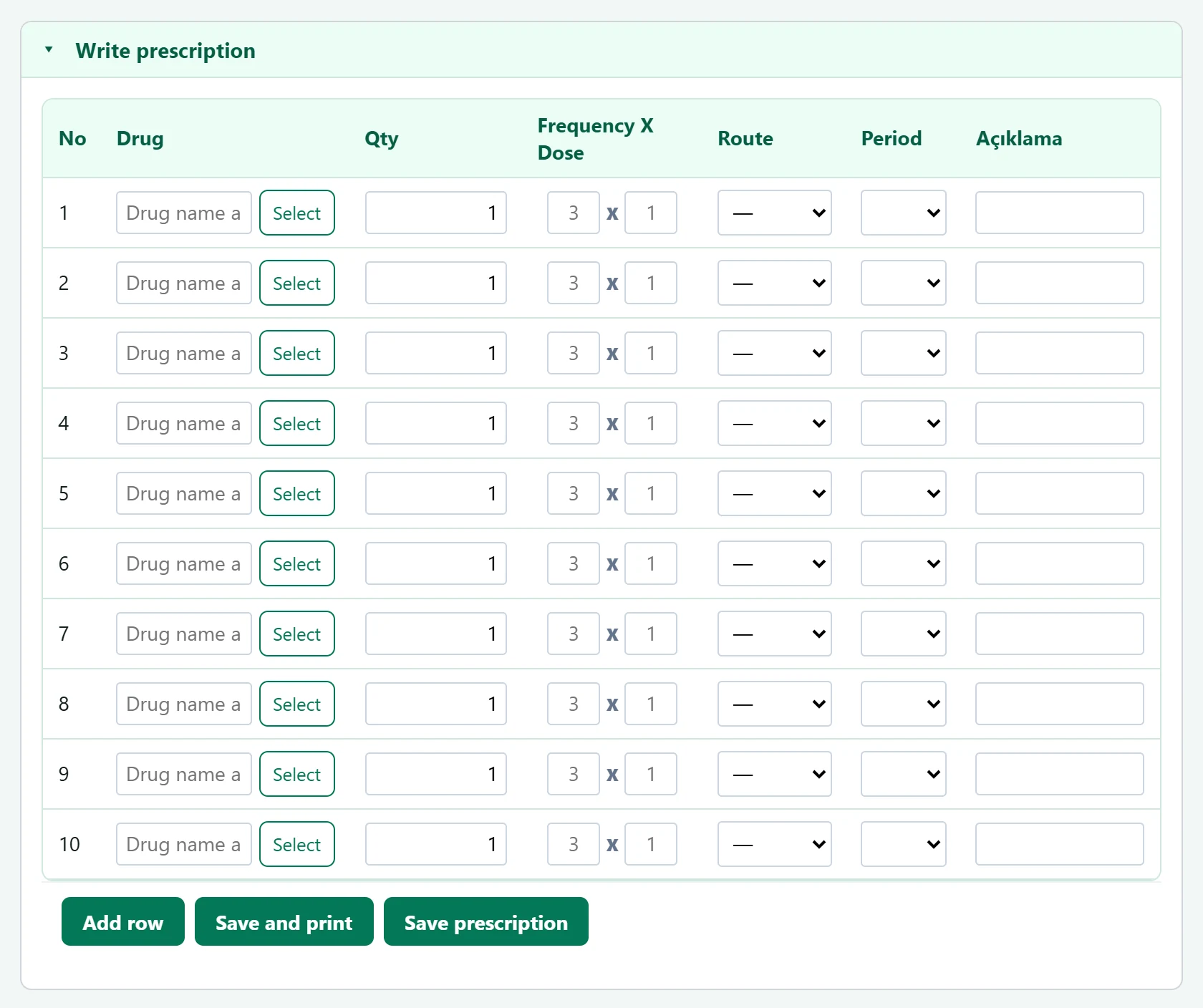
- 1Drug Chosen from the medicine catalogue (Definitions → Medicines).
- 2Frequency X Dose Times per day × dose (e.g. 2 X 1).
- 3Period Period of use: day, week, month, year.
- Type a name in the Drug box of a row and choose from the list.
- Enter Qty, Frequency X Dose, Route and Period.
- Need more rows? Click Add row; remove a row with its remove button.
- Click Save prescription or Save and print.
Saved templates in the Template panel fill the drug rows with one click.
Saved prescriptions
Part of the screenSaved prescriptions
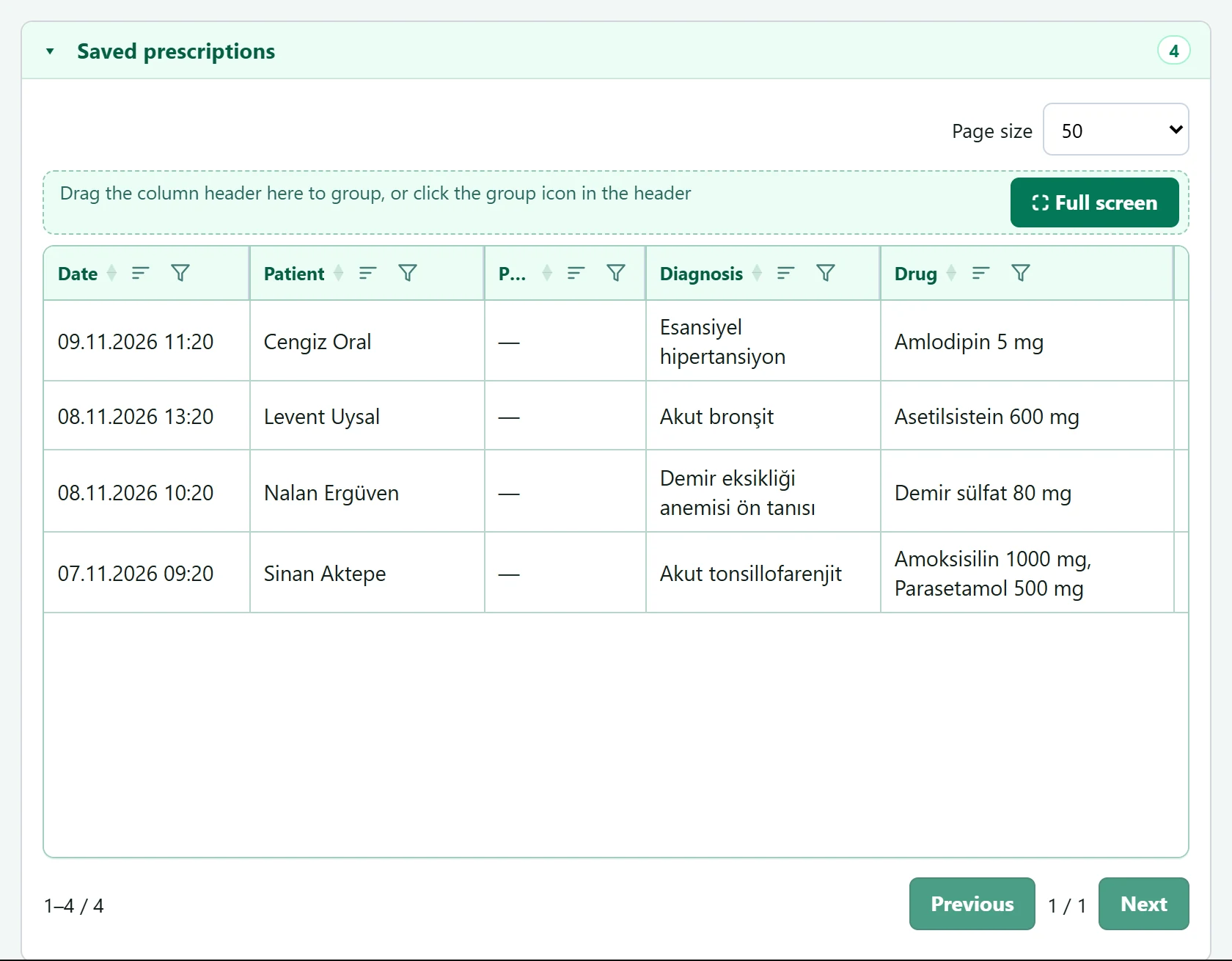
- 1Row actions Show prescription: opens it for editing and printing.
Show prescription opens it:
asyaklinik · /prescriptions
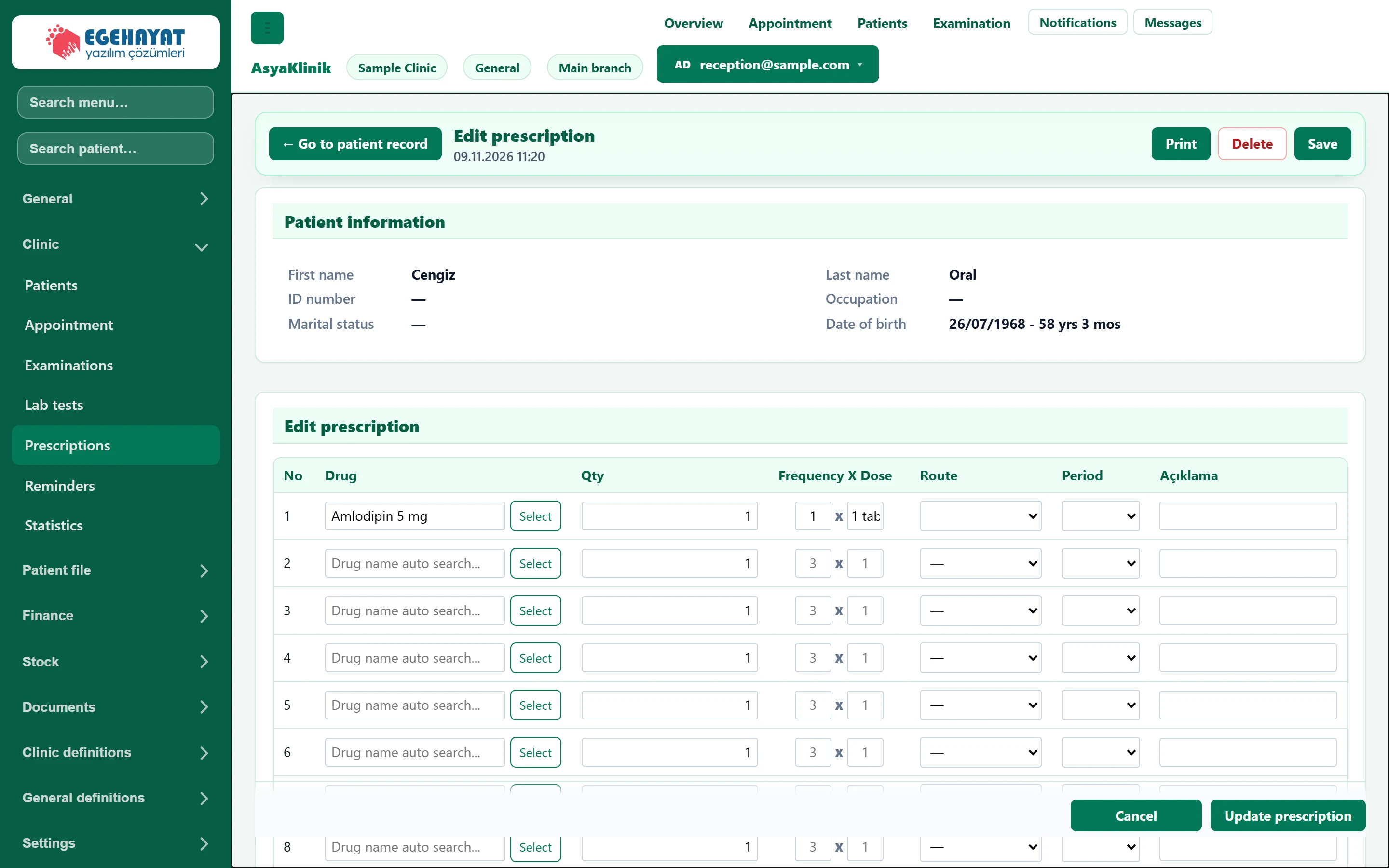
- 1Prescription actions Print, update, delete.
There you change rows and save with Update prescription, print with Print or remove it with Delete.
A deleted prescription cannot be restored.
Common messages
| Message | Cause | Solution |
|---|---|---|
| Select a patient. | No patient chosen. | Choose the patient. |
| Selecting a doctor is required. | No doctor chosen. | Choose the prescribing doctor. |
| Enter at least one drug row. | No row has a drug. | Choose at least one drug. |