
 AsyaTicari
 AsyaRestoran
 AsyaOtel
 AsyaCrm
 AsyaKlinik
 AsyaSpor
 AsyaSSH
 AsyaEmlak
 AsyaFilo
 AsyaPuantaj
 AsyaİSG
 AsyaİHD
 Kolay Öğren
AsyaKlinik · Patient file
Consent forms
Giving letterhead consent forms to patients, handwritten / on-screen signature, free-text consent, explicit consent (KVKK) and form templates.
This screen changed recently. Screenshots will be retaken after the code change of 2026-11-19; the text is current, some images may look outdated.
On the Consent forms screen you print the forms a patient signs and follow their signature status. Every printed form is added to the patient's documents.
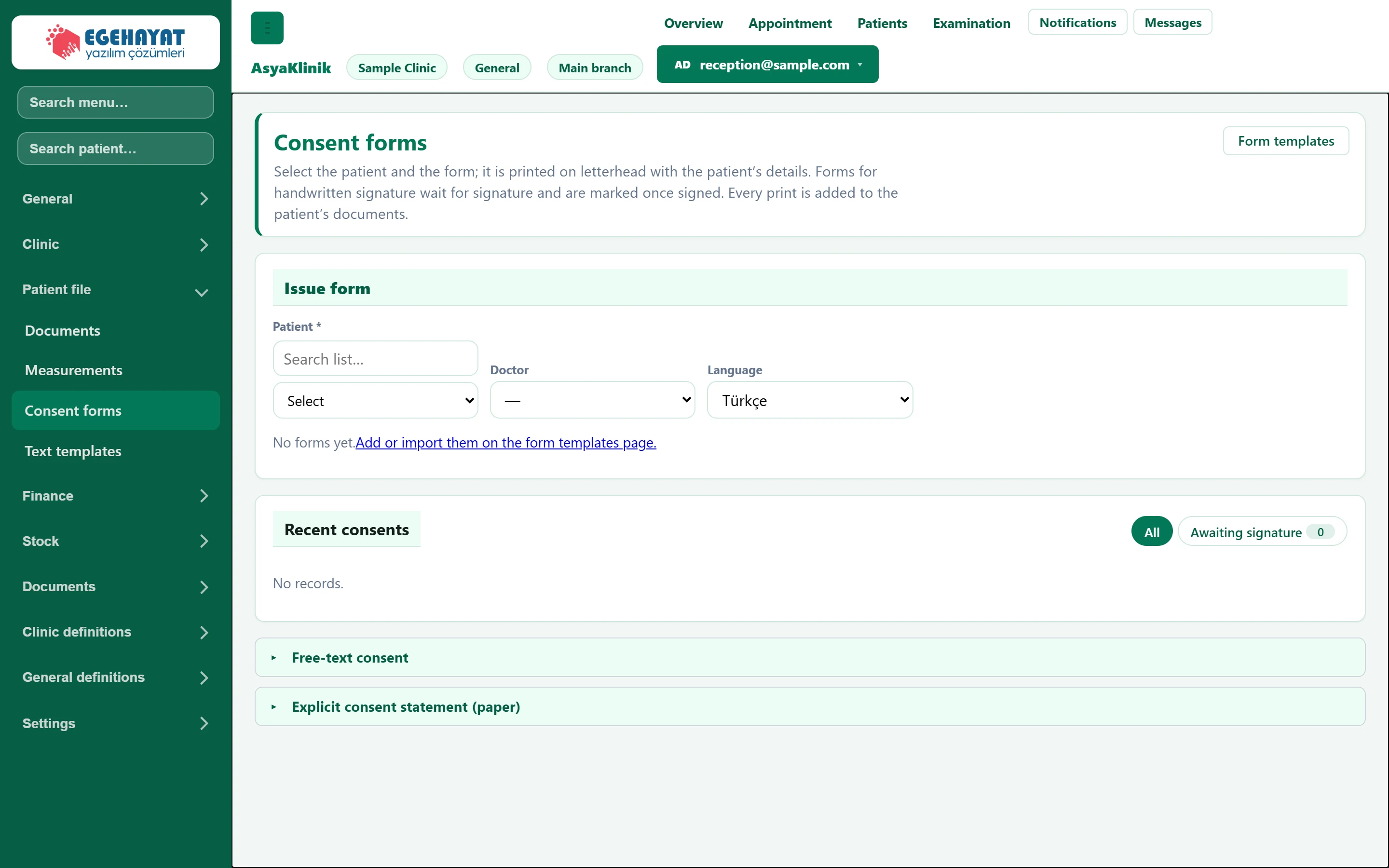
- 1Form templates Manages consent form templates.
- 2Issue form Giving a form to the patient.
- 3Filter All consents or those waiting for a signature.
- 4▸ Short consents without a template.
- 5▸ Paper GDPR (KVKK) explicit consent.
Issuing a form
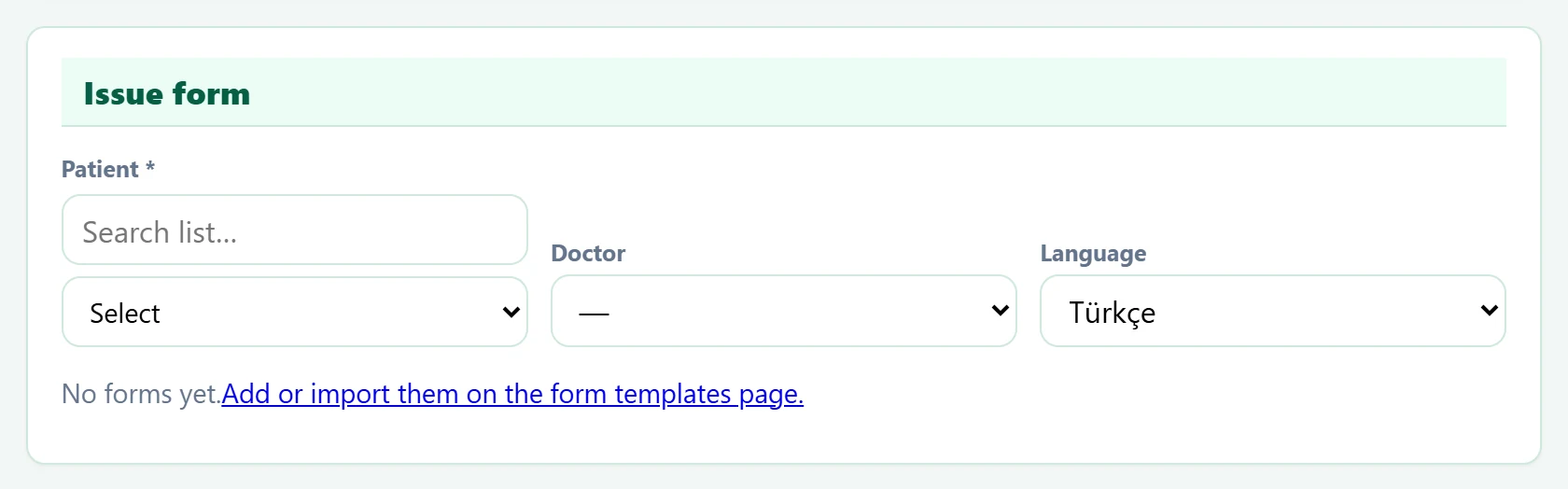
| Field | Sign in | Description |
|---|---|---|
| Patient required | Search | The patient receiving the form. Required. Placeholder: «Search list…» |
| Doctor | Choice list | The doctor named on the form. Options: Dr. Nihat Erdoğdu · Dr. Seda Akıncı |
| Language | Choice list | Language the form is printed in; an active version must exist in that language. Options: Türkçe · English |
- Choose the patient, doctor and language.
- Choose the form from the list (search by name or code).
- Depending on the form's signature type, use Print and give to patient, Print (handwritten signature) or Sign on screen.
- When a handwritten form is signed, use Mark as signed in Recent consents; you may attach the scanned signed form (PDF / image, max 5 MB).
In Recent consents switch between All and Awaiting signature.
If the list is empty, first add forms on the Form templates page or import a ready-made form package.
Free-text consent
For short consents without a template you write the text and have it signed on screen.
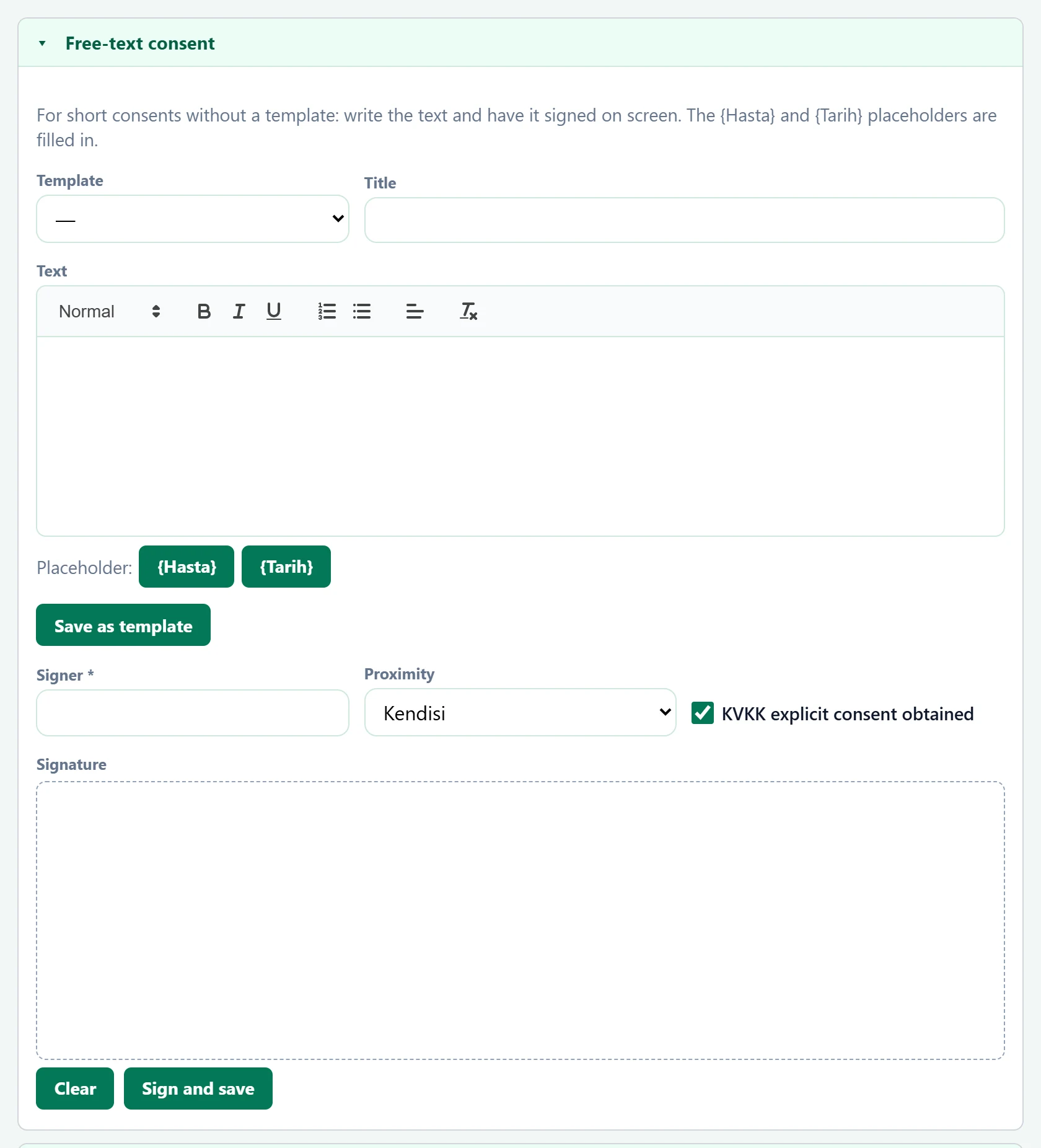
| Field | Sign in | Description |
|---|---|---|
| Template | Choice list | Saved free consent template. |
| Title | Text | Name of the consent. |
| Text | Choice list | Consent text; the {Hasta} and {Tarih} placeholders are filled in. |
| Signer required | Text | Name of the person signing. Required. |
| Proximity | Choice list | Relationship if the signer is not the patient. Options: Kendisi · Veli / vasi · Hayvan sahibi · Yakını |
| KVKK explicit consent obtained | Checkbox | If ticked, GDPR (KVKK) explicit consent is recorded together with the consent. |
| Signature | Choice list | Signature drawn on screen with finger or mouse. |
Explicit consent statement (paper)
The text of the letterhead KVKK explicit consent form printed after registering a new patient.
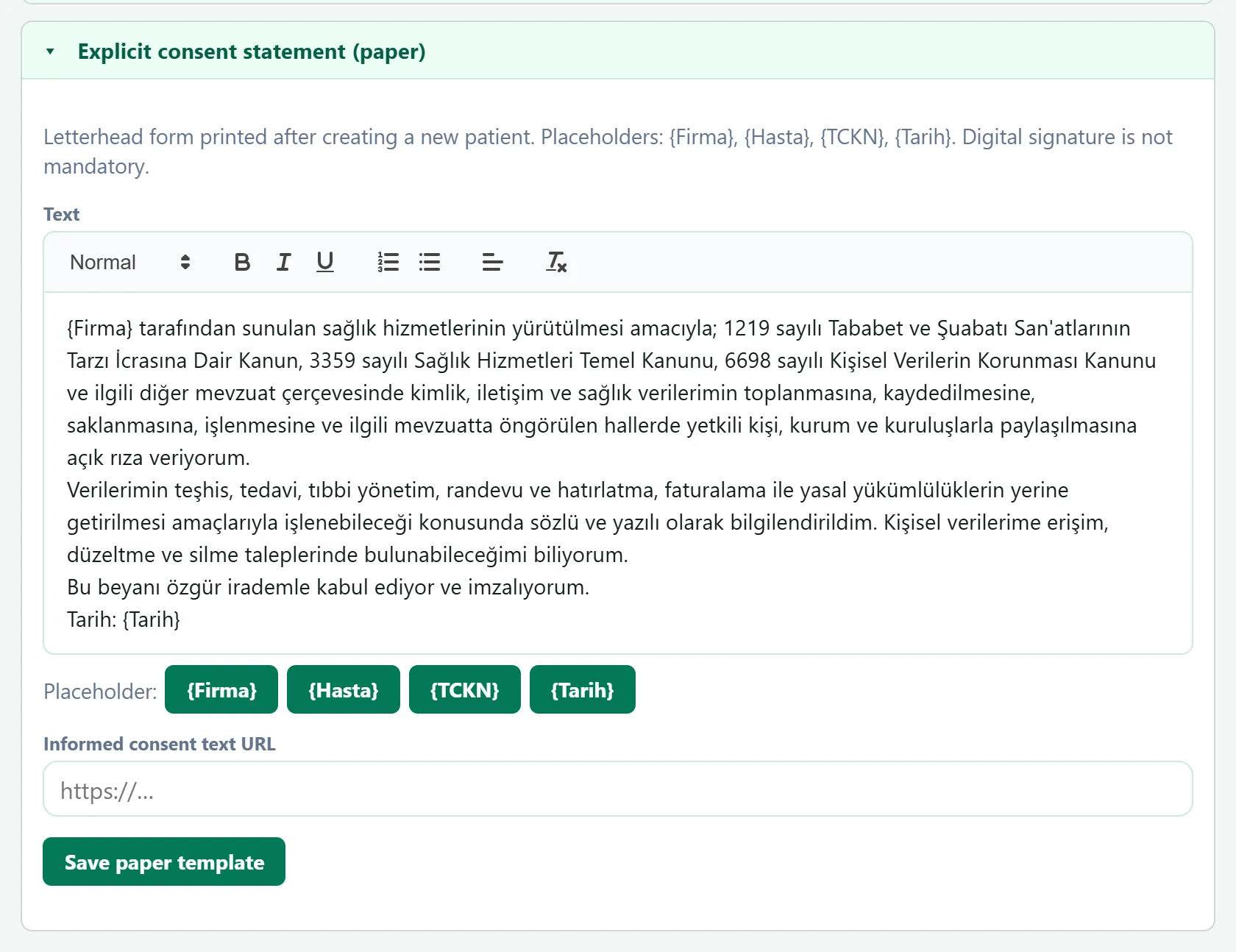
| Field | Sign in | Description |
|---|---|---|
| Text | Choice list | Form text; placeholders {Firma}, {Hasta}, {TCKN}, {Tarih}. |
| Informed consent text URL | Text | Address of the GDPR (KVKK) privacy notice; shown on the form. Placeholder: «https://…» |
Form templates
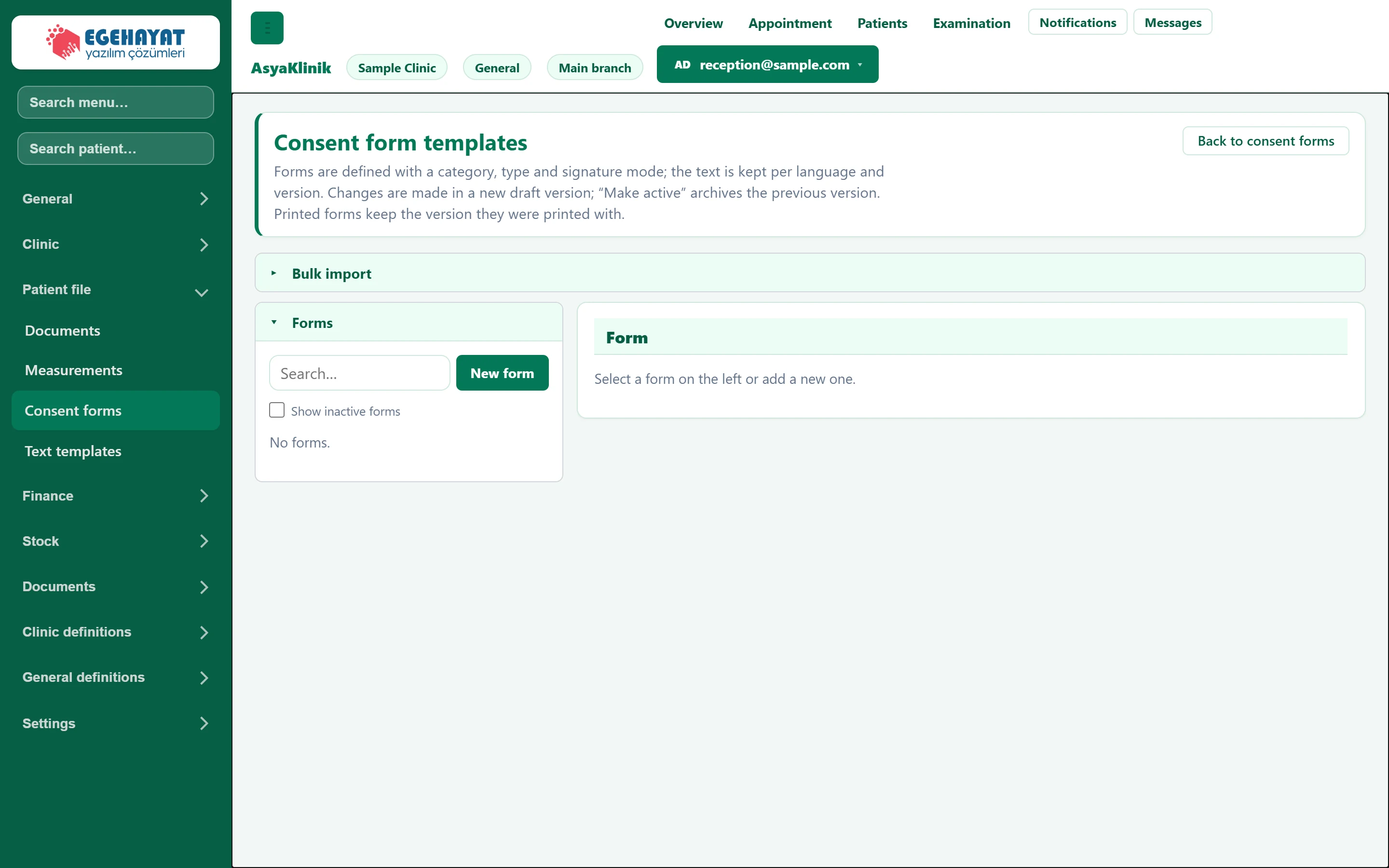
- 1Back to consent forms Returns to the consent forms screen.
Forms are defined by category, type and signature method; their text is kept per language and version.
- Define the form with New form (code, title, category, signature).
- Add the text with New version; it is saved as a draft.
- Make active makes the draft current; the previous version is archived.
Bulk import loads a ready-made form package (JSON); existing code, language and version combinations are skipped.
Drafts cannot be printed. Printed forms keep the version they were printed with; to change the text open a new version.
Common messages
| Message | Cause | Solution |
|---|---|---|
| Select a form. | No form chosen. | Choose a form from the list. |
| This form has no active version in the selected language. | No active version in that language. | Add and activate a version in the templates, or change the language. |
| Signer name is required. | Signer empty for an on-screen signature. | Enter the signer's name. |
| Signature not received. | Signature area empty. | Have the signature drawn on screen. |