
 AsyaTicari
 AsyaRestoran
 AsyaOtel
 AsyaCrm
 AsyaKlinik
 AsyaSpor
 AsyaSSH
 AsyaEmlak
 AsyaFilo
 AsyaPuantaj
 AsyaİSG
 AsyaİHD
 Kolay Öğren
AsyaKlinik · Settings
Institution integrations
SGK MEDULA / private insurance pre-authorization, sending examinations to e-Nabız and reporting animals and vaccinations to TÜRKVET / PetVet.
On Institution integrations you request pre-authorizations for examinations, send examinations to e-Nabız and, in veterinary practice, report animal and vaccination records to TÜRKVET / PetVet. The same record is never sent twice; every call is written to the call log.
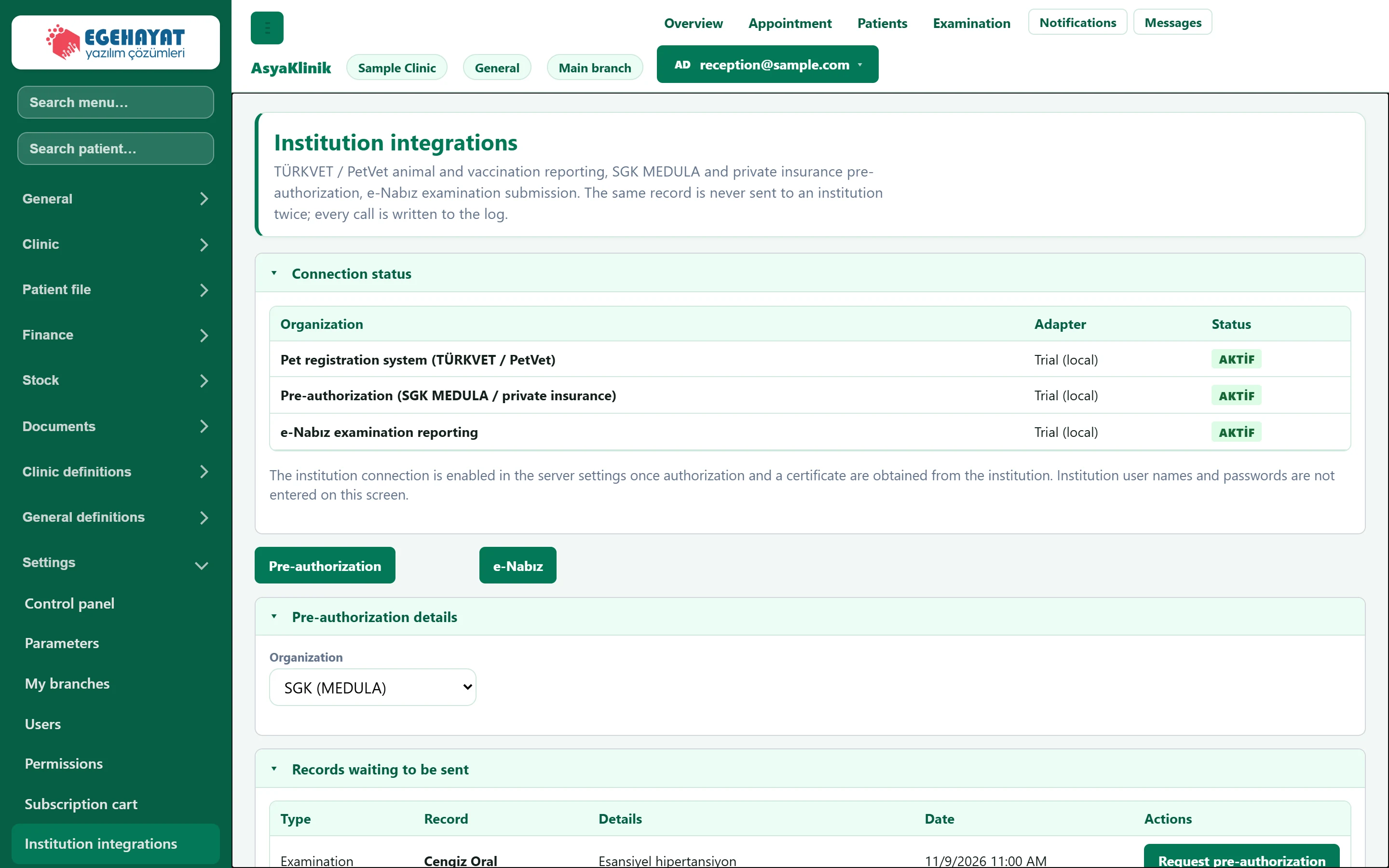
- 1Connection status Whether the institution connections are on or off.
- 2Type selection Submission type: pre-authorization (SGK / private insurance) or e-Nabız; TÜRKVET / PetVet for veterinary.
- 3Records waiting to be sent Records not yet sent to the institution.
- 4Call log Result of every call made to the institution.
Connection status
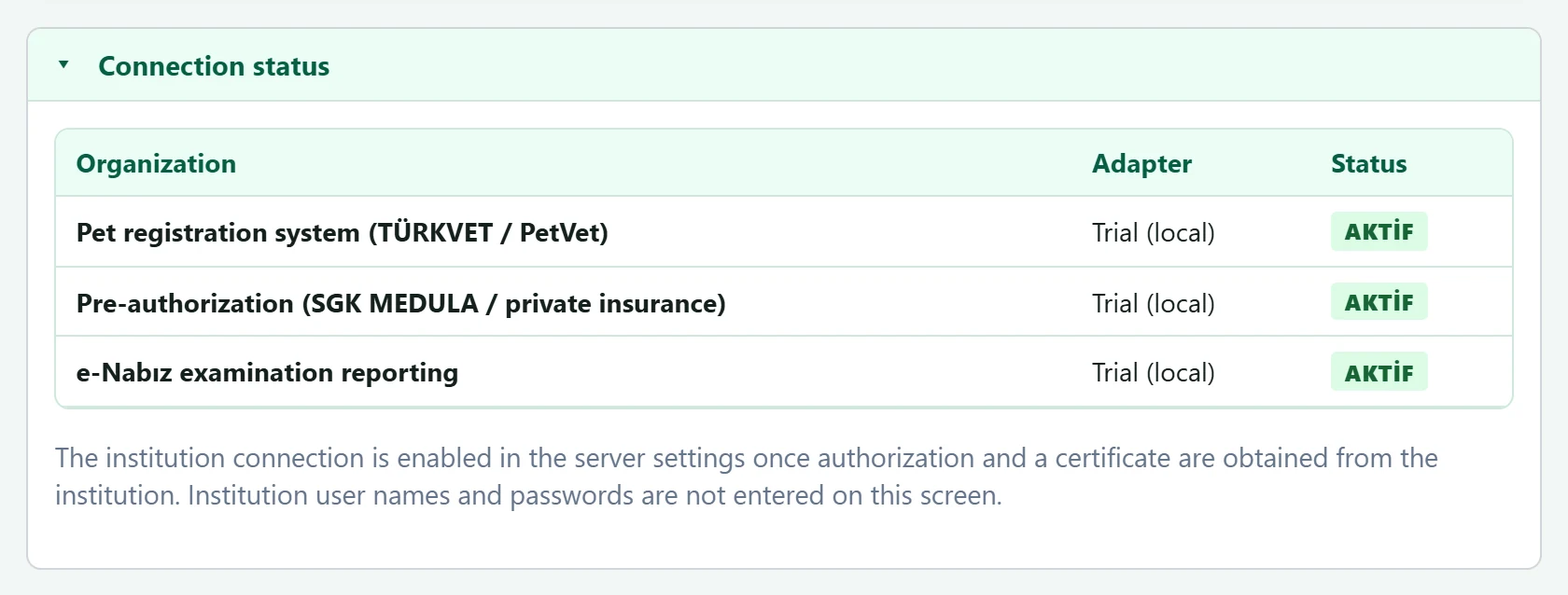
- 1Adapter Connection type; a local test adapter does not reach the real institution.
- 2Status ACTIVE: records can be sent; PASSIVE: connection is off.
The institution connection is switched on in the server settings once authorisation and certificates have been obtained from the institution. Institution user names and passwords are not entered on this screen.
Submission type and pre-authorization details
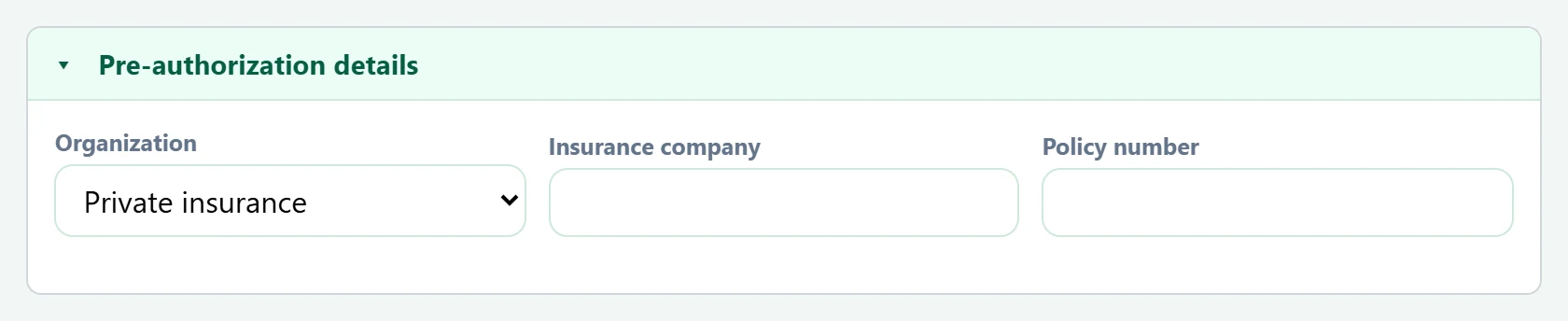
Choose the submission type with the buttons below the status card: Pre-authorization (SGK / private insurance) or e-Nabız. In a company with the veterinary specialty, the first button is TÜRKVET / PetVet and the screen opens with it.
| Field | Sign in | Description |
|---|---|---|
| Organization | Choice list | Institution for the pre-authorization: SGK (MEDULA) or private insurance. Options: SGK (MEDULA) · Private insurance |
| Insurance company | Text | Company name for private insurance. |
| Policy number | Text | Policy number for private insurance. |
Insurance company and Policy number only appear for institutions other than SGK.
Records waiting to be sent
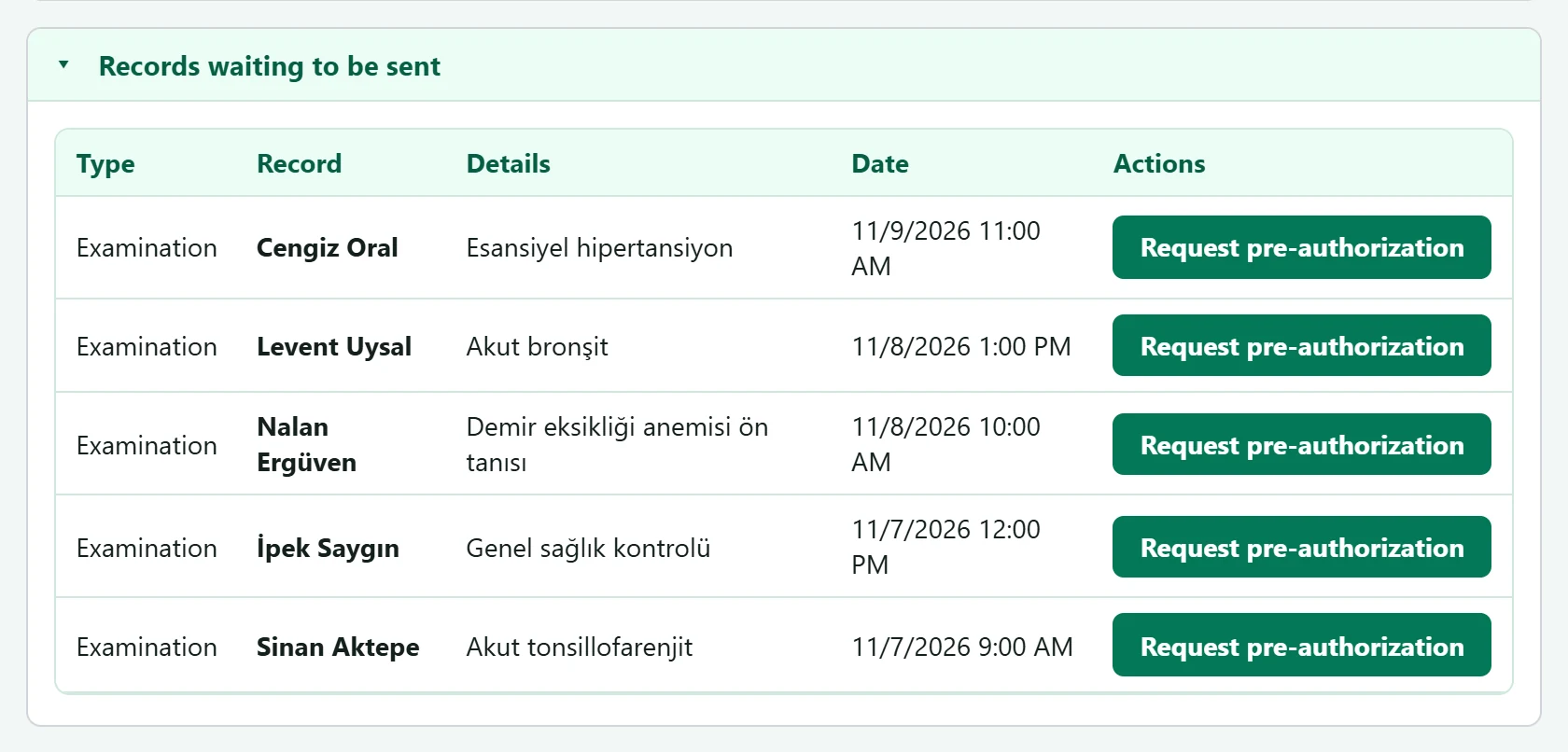
- 1Type Examination, animal or vaccination.
- 2Request pre-authorization Sends the record to the institution (pre-authorize / send / register / report).
- Choose the type; for pre-authorization fill in the institution (and company / policy for private insurance).
- Press the button on the record's row (Request pre-authorization, send, register or Report).
- The result appears as a message; the institution's reference number is at its end. The record leaves the waiting list and is added to the log.
Call log

- 1Call log Calls to the institution: date, operation, status, reference, insurer / patient share, message. An accepted pre-authorization is cancelled here.
An accepted pre-authorization can only be withdrawn with the Cancel button in the log.
Common warnings
| Warning | Cause | Solution |
|---|---|---|
| Integration status could not be loaded. | The server could not be reached. | Refresh the page. |
| Could not be sent to the institution. | The connection is off or the institution rejected the record. | Check Connection status and the message in the log. |
| Pre-authorization could not be cancelled. | The institution did not accept the cancellation. | Read the message in the log; contact the institution if needed. |