
 AsyaTicari
 AsyaRestoran
 AsyaOtel
 AsyaCrm
 AsyaKlinik
 AsyaSpor
 AsyaSSH
 AsyaEmlak
 AsyaFilo
 AsyaPuantaj
 AsyaİSG
 AsyaİHD
 Kolay Öğren
AsyaKlinik · Clinic definitions
Drug Catalog
SKRS-style drug catalogue searched when writing prescriptions; adding, editing, deactivating.
Drug Catalog manages the drug list (SKRS) searched when writing prescriptions. Add a missing drug here and deactivate those you no longer use.
asyaklinik · /ayarlar/ilaclar
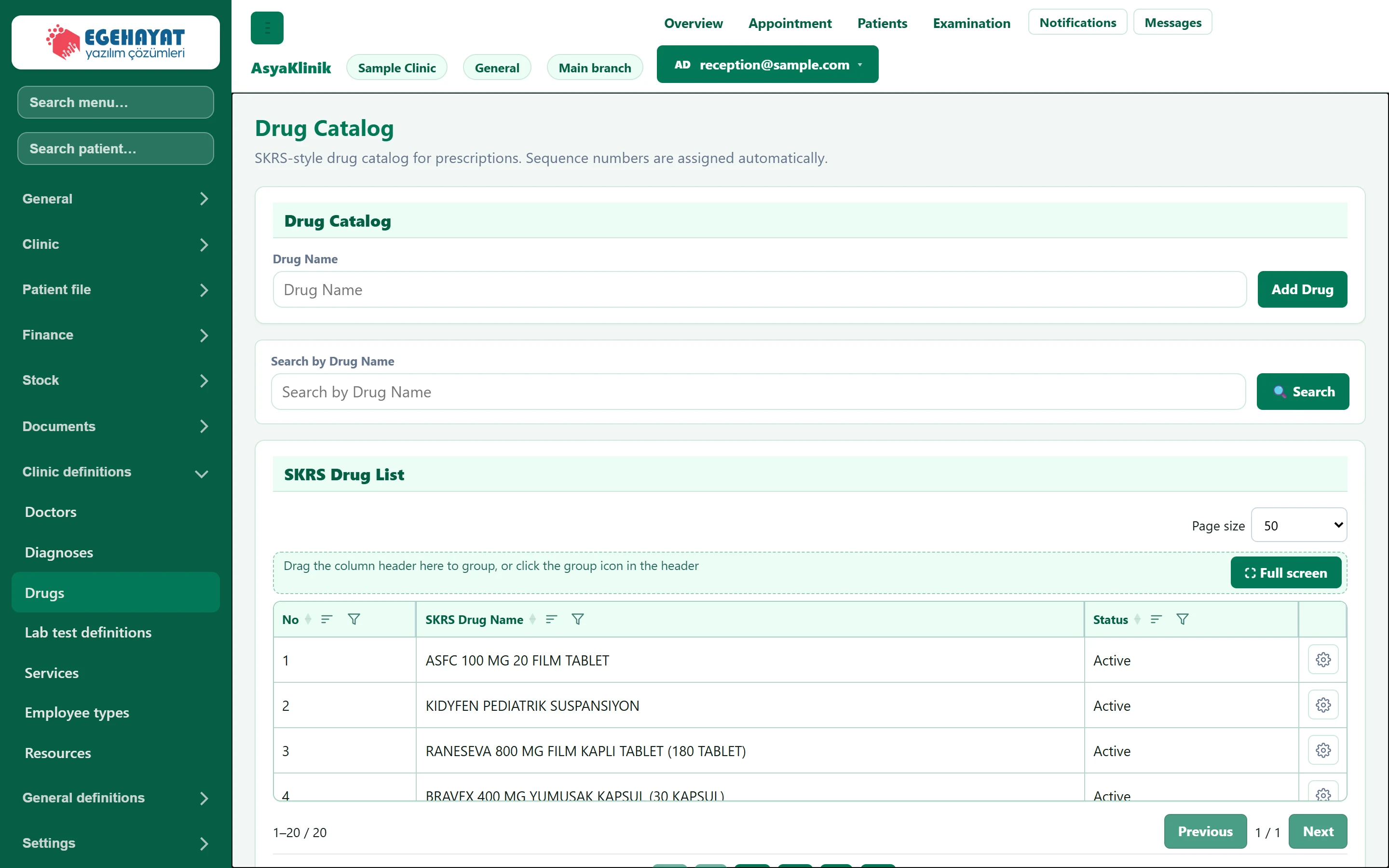
- 1Drug Catalog Add a new drug to the catalogue.
- 2Search Search by drug name.
- 3Row menu Edit, or deactivate / activate.
Adding a drug
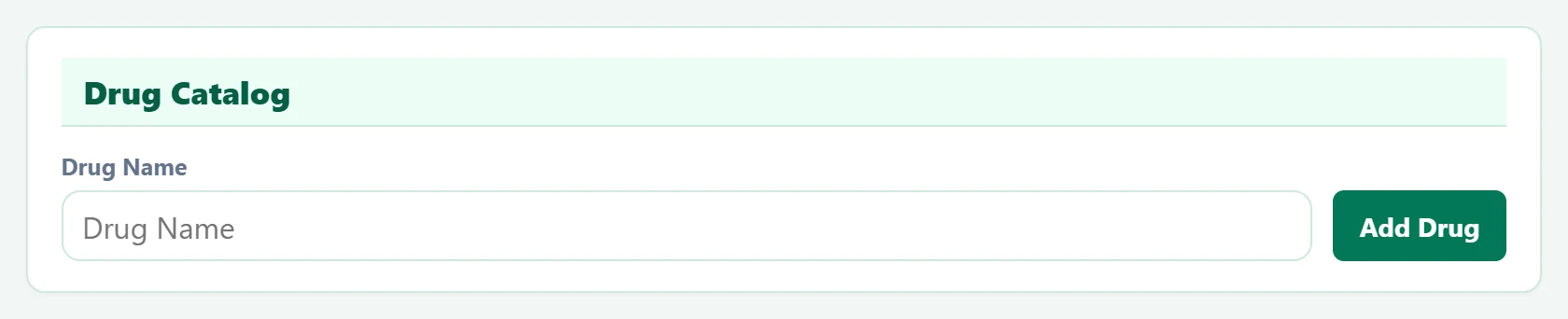
Part of the screenAdd drug
| Field | Sign in | Description |
|---|---|---|
| Drug Name | Text | Drug name searched when writing prescriptions (e.g. PAROL 500 MG 20 TABLET). Placeholder: «Drug Name» |
- Enter the Drug Name with package and strength.
- Press Add Drug. The sequence number is assigned automatically.
Search by Drug Name filters the list. Edit in the row menu changes the name; deactivating removes the drug from the prescription search.
Common warnings
| Warning | Cause | Solution |
|---|---|---|
| Drug could not be added. | Name empty or the drug already exists. | Check the name. |
| Drug could not be updated. | The edit could not be saved. | Refresh the page and try again. |
| Status could not be updated. | The active / inactive change could not be saved. | Refresh the page and try again. |